FTMS Treadmill Intervals
Your treadmill on autopilot
Dirancang untuk iPhone
Gratis
- Batasan usia12+
- KategoriKesehatan & Kebugaran
- PengembangDiego Sanchez
- BahasaInggris
- Ukuran10,7 MB
Tertaut ke halaman resmi App Store
Download.org tidak menyimpan file FTMS Treadmill Intervals apa pun. Tombol ini membuka halaman aplikasi di App Store, tempat Diego Sanchez menerbitkannya. Halaman terakhir diperiksa pada 24/11/2026.
Tangkapan layar

Tentang
Pengembang belum menyediakan teks ini dalam bahasa Anda.
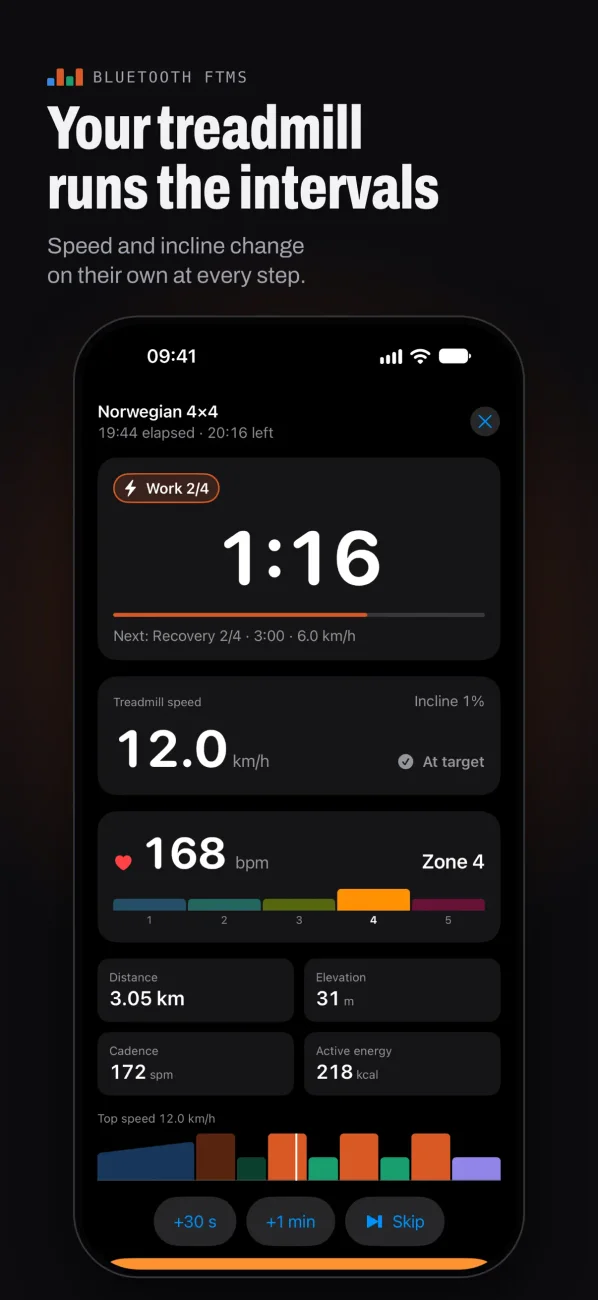
Turn your treadmill into an interval coach. Build a workout once, press Start, and FTMS Treadmill sets the speed and incline for every step while Apple Watch tracks your heart rate.
BUILT FOR INTERVALS
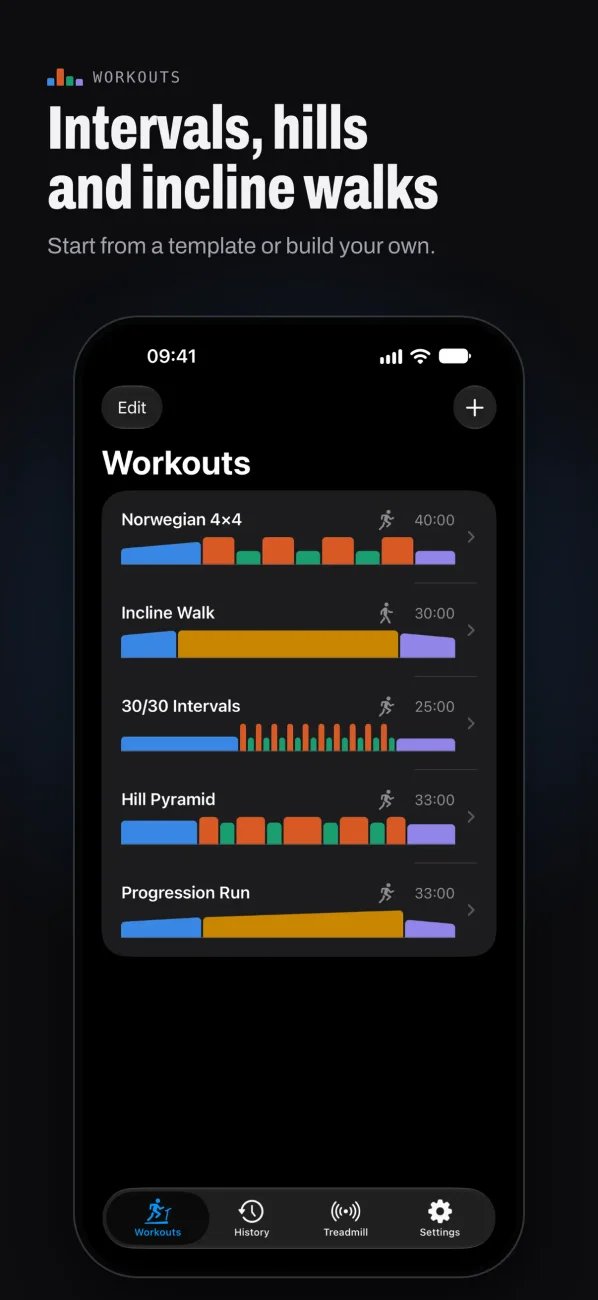
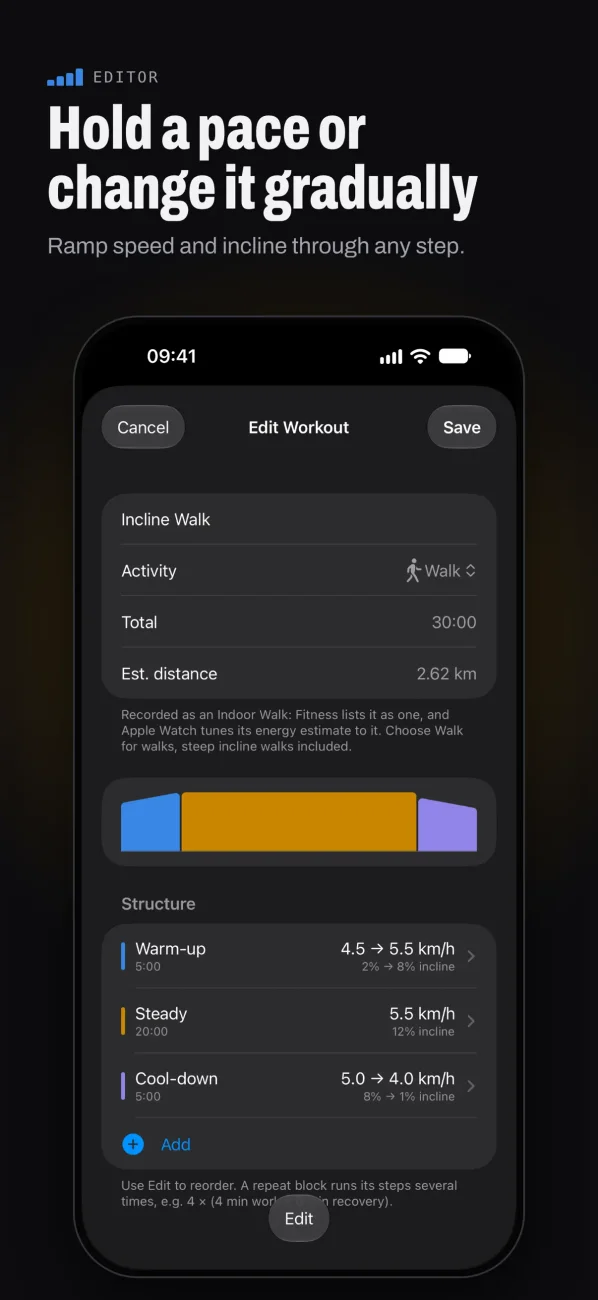
• Warm-up, work, recovery and cool-down steps, with repeat blocks
• Keep a step's speed and incline steady, or change them gradually: a progression from 8 to 12 km/h, or a climb from 1 to 6 %
• Keep your treadmill changes: if you changed the speed or incline on the treadmill during a run, the summary lets you update the workout to match or save it as a new one.
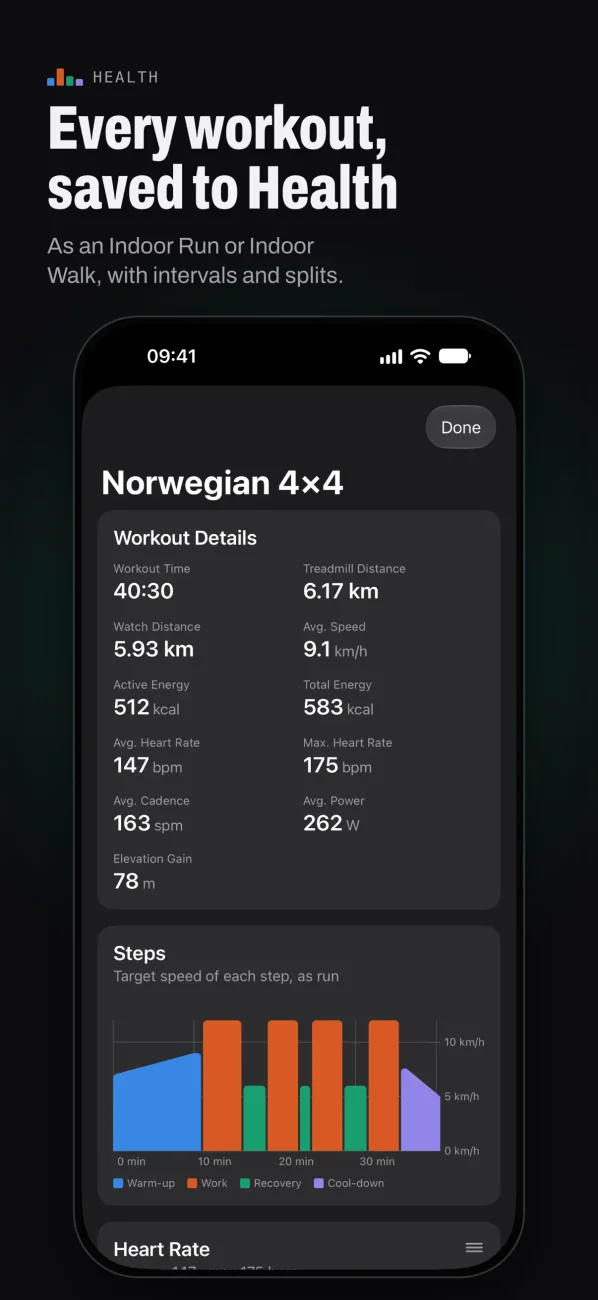
• Start from a template: Norwegian 4×4, 30/30 Intervals, Hill Pyramid or Easy 30
• Plan runs or walks, steep incline walks included
• Define workout from GPX file
YOUR TREADMILL ON AUTOPILOT
Connect a treadmill that supports Bluetooth FTMS (Fitness Machine Service) and the app changes its speed and incline as each step begins. Change them on the console and the app keeps your setting for the rest of the step. Stop the belt and the workout pauses. The belt only starts when you tap Start or Resume.
No Bluetooth treadmill? Manual mode tells you what to set and when.
HEART RATE FROM APPLE WATCH
• The watch app opens on its own when the workout starts
• Live heart rate and zones on your iPhone, your watch and the Lock Screen
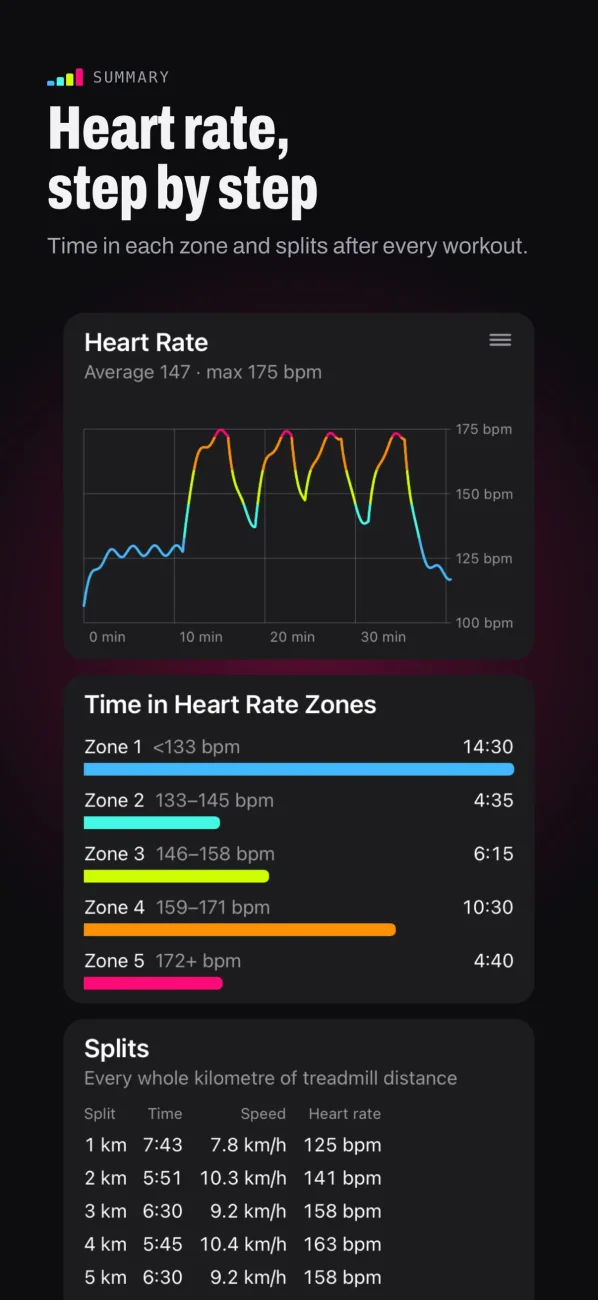
• Zones from your Health settings, from your heart rate reserve, or set by hand
• Pause, skip a step or add 30 seconds from your wrist, with a tap on the wrist as each step begins
STAY ON TRACK
• Spoken cues for every step, with a 3-2-1 countdown
• Live Activity and Dynamic Island with pause and skip buttons
• Extend or skip any step mid-workout
• km/h or mph, speed or pace
SAVED TO FITNESS APP
Workouts are saved to the Fitness app as an Indoor Run or Indoor Walk, with each step as an interval, kilometre or mile splits and elevation, plus heart rate and energy when Apple Watch tracks them. They show up in Fitness next to your other workouts. Distance comes from the treadmill's belt, or from Apple Watch if you prefer. Prefer Apple's Workout app? Turn off saving and watch tracking, and a countdown lets you start both at once.
A SUMMARY AFTER EVERY WORKOUT
Heart rate, speed, cadence and elevation charts lined up with your steps, time in each zone, a row per interval, splits, running form, and the treadmill's distance next to the watch's. Every finished workout is kept in History.
Yang baru
Versi 0.5 · 24/11/2026
• Distance based steps are now supported
• Import a route from a GPX file and automatically infer steps with distance and incline
Privasi aplikasi
Yang dinyatakan Diego Sanchez di App Store tentang cara aplikasi ini menangani data.
-
Data tidak dikumpulkan
Pengembang tidak mengumpulkan data apa pun dari aplikasi ini.
Praktik privasi dapat bervariasi, misalnya berdasarkan fitur yang Anda gunakan atau usia Anda.
Informasi
- Penjual
- Diego Sanchez
- Kategori
- Kesehatan & Kebugaran
- Versi
- 0.5
- Diperbarui
- 24/11/2026
- Dirilis
- 9/11/2026
- Ukuran
- 10,7 MB
- Memerlukan
- iOS 27.0 atau yang lebih baru
- Batasan usia
- 12+
- Harga
- Gratis
- Bahasa
- Inggris
- Hak cipta
- © 2026 Diego Sanchez
Mungkin Anda juga suka
-
 Sprocket: Indoor BikeKesehatan & Kebugaran
-
 Volt - Your treadmill runmateKesehatan & Kebugaran
-
 WholeHealthMDKesehatan & Kebugaran
-
 Circuit Timer: Interval & HIITKesehatan & Kebugaran
-
 CaPowHrKesehatan & Kebugaran
-
 Elevate Stair ClimbKesehatan & Kebugaran
-
 Body Battery: Readiness ScoreKesehatan & Kebugaran
-
 WorkoutPort: Sync ke StravaLatihan & ekspor file
-
 Sport & Spine Physical TherapyKesehatan & Kebugaran
-
 LoadSense: Recovery & HRVKesehatan & Kebugaran