
GameTime
A timer for all board gamers
Conçue pour iPhone, iPad, iPod touch
Gratuit
- Classification d’âge4+
- CatégorieUtilitaires
- DéveloppeurJaime Lucea
- LanguesAnglais+ 1 de plus
- Taille3,7 Mo
Renvoie vers la page App Store officielle
Download.org n’héberge aucun fichier de GameTime. Le bouton ouvre la page de l’application sur App Store, où Jaime Lucea la publie. Fiche vérifiée pour la dernière fois le 18/11/2026.
Captures d’écran
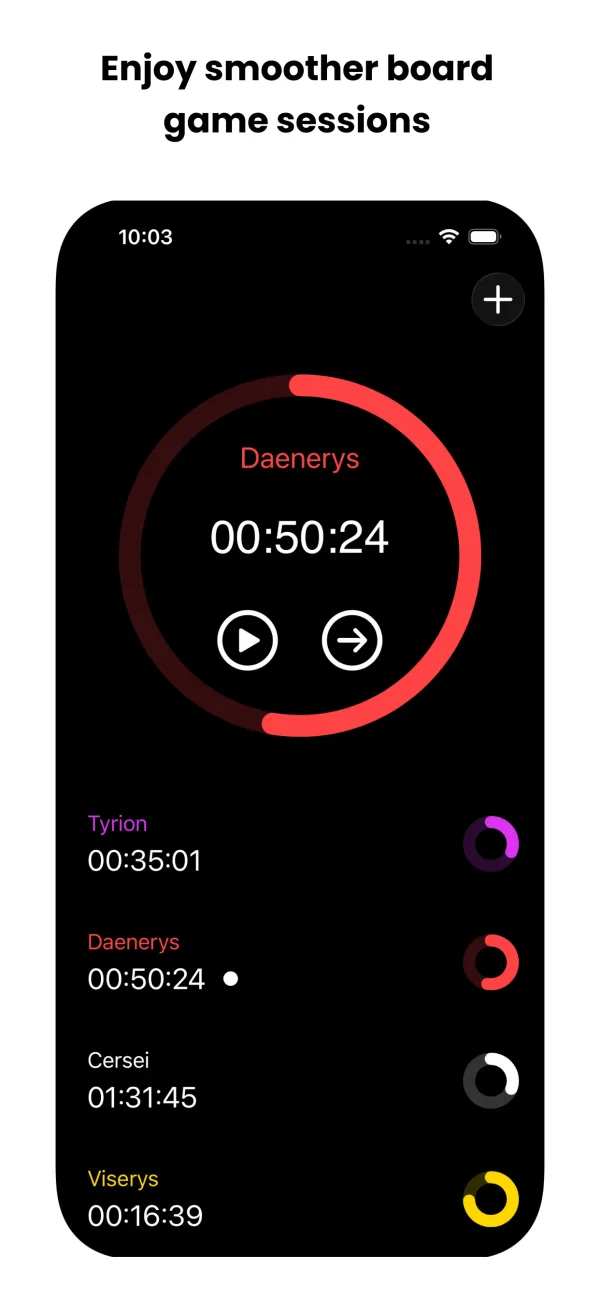
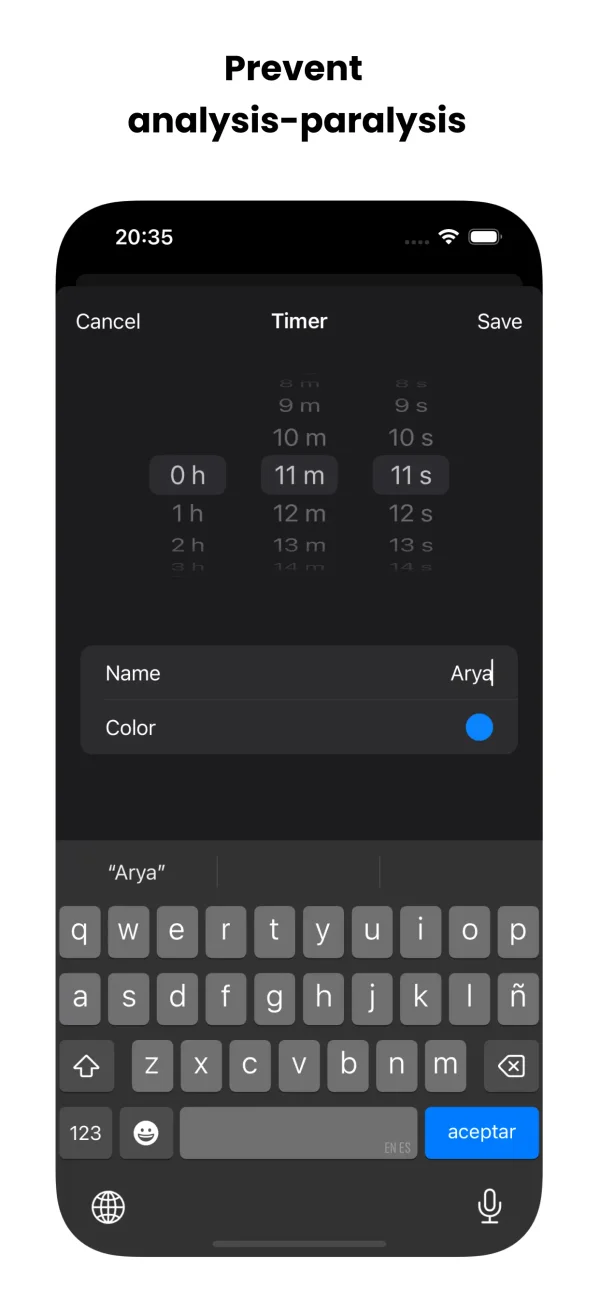
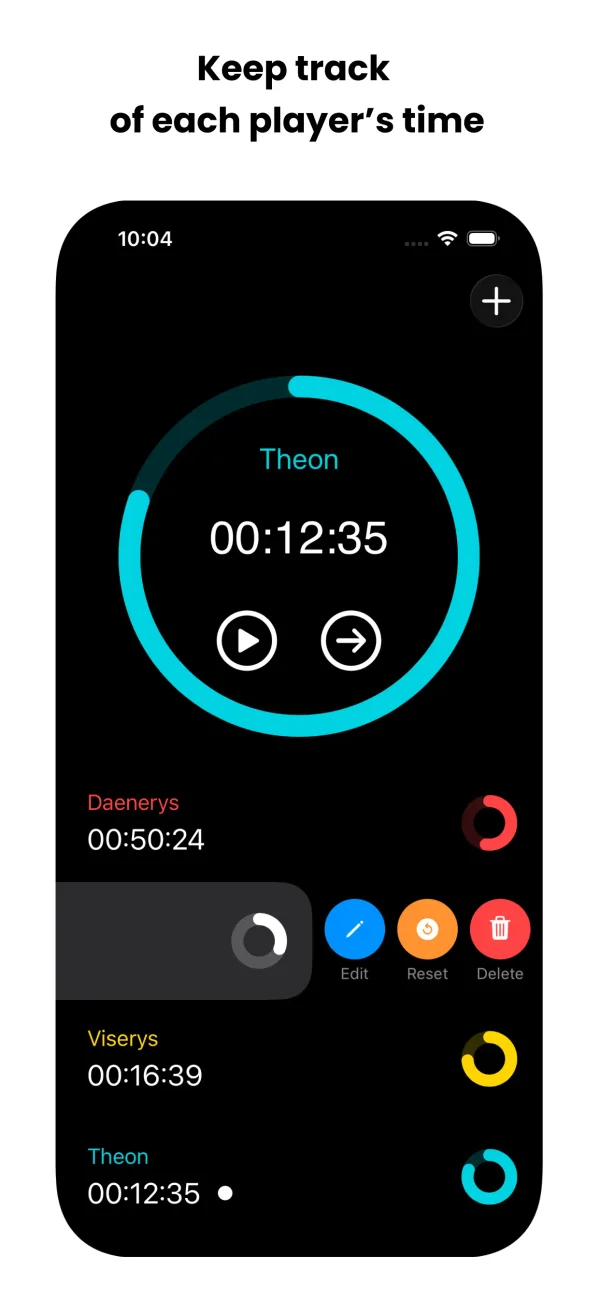
À propos
Le développeur n’a pas fourni ce texte dans votre langue.
GameTime – The Ultimate Timer for Board Game Geeks
GameTime is the perfect companion for board game lovers, making every gaming session smoother and more enjoyable. Designed specifically to keep the flow going, GameTime lets you assign a countdown timer to each player and easily switch between timers as the game progresses. Say goodbye to analysis paralysis and hello to a fair, fast-paced, and fun experience for everyone!
Features:
• Individual Timers for Each Player – Set specific time limits for each player, ensuring everyone has a fair turn.
• Easy Timer Control – Start, pause, or switch timers with just a tap. Effortlessly manage turns without interrupting the game flow.
• Reduce Analysis Paralysis – With individual time tracking, players stay engaged without overthinking, keeping the excitement alive.
• Customizable for Any Game – From intense strategy games to quick family games, GameTime is adaptable for all types of board games.
• Smooth Interface – Designed with simplicity in mind, GameTime is user-friendly and intuitive, making it accessible to all ages.
GameTime is ideal for anyone looking to enhance their board game sessions with friends or family. Whether you’re a strategy enthusiast or a casual player, GameTime helps keep gameplay moving.
Download GameTime and level up your board game experience today!
Keywords: board game timer, game time tracker, player timer, game session manager, prevent analysis paralysis, game companion, iOS timer app, board game utility
Nouveautés
Version 1.4 · 16/03/2026
This update introduces a few features requested by users:
- You can now edit a timer’s name, duration, and color.
- You can now reset a timer.
On iPhone, swipe right to left on a timer row to access these options. On iPad, they are available from a new button on the timer card.
You can also swipe left or right on the active timer to move to the next or previous timer.
Hope you enjoy these improvements.
Keep playing.
Confidentialité de l’application
Ce que Jaime Lucea déclare sur l’App Store au sujet du traitement des données par cette application.
-
Données non collectées
Le développeur ne collecte aucune donnée à partir de cette application.
Les pratiques en matière de confidentialité peuvent varier, notamment en fonction des fonctionnalités que vous utilisez ou de votre âge.
Informations
- Vendeur
- Jaime Lucea
- Catégorie
- Utilitaires
- Version
- 1.4
- Mis à jour
- 16/03/2026
- Publié
- 10/11/2022
- Taille
- 3,7 Mo
- Nécessite
- iOS 15.0 ou version ultérieure
- Classification d’âge
- 4+
- Prix
- Gratuit
- Langues
- Anglais, Espagnol
- Copyright
- © Jaime Lucea
Vous aimerez peut-être aussi
-
 Jeu rapide - Minuterie de jeuMachine de minuterie de jeu
-
 Minuteur de SableSuivez le temps facilement
-
 Grande Minuterie - SimpleGrand et facile à voir
-
 MultiTimer: Multiple timersMinuterie facile et pratique
-
 Minuteur et ChronometreTemporisateur et sport chrono
-
 ChronomètreChronomètre avec grand écran
-
 LloydsSmartUtilitaires
-
 Compteur⁺Tally Counter Avec Vibreur
-
 VTA+Utilitaires
-
 Panecal Scientific CalculatorPour ingénieurs et étudiants