
- 対象年齢4+
- カテゴリユーティリティ
- 開発元Jaime Lucea
- 言語英語ほか1言語
- サイズ3.7 MB
App Storeの公式ページにリンクしています
Download.orgはGameTimeのファイルを一切ホストしていません。ボタンを押すと、Jaime Luceaが公開しているApp Storeのアプリページが開きます。ページの最終確認:2026/11/18。
スクリーンショット
概要
開発元はこのテキストをお使いの言語で提供していません。
GameTime – The Ultimate Timer for Board Game Geeks
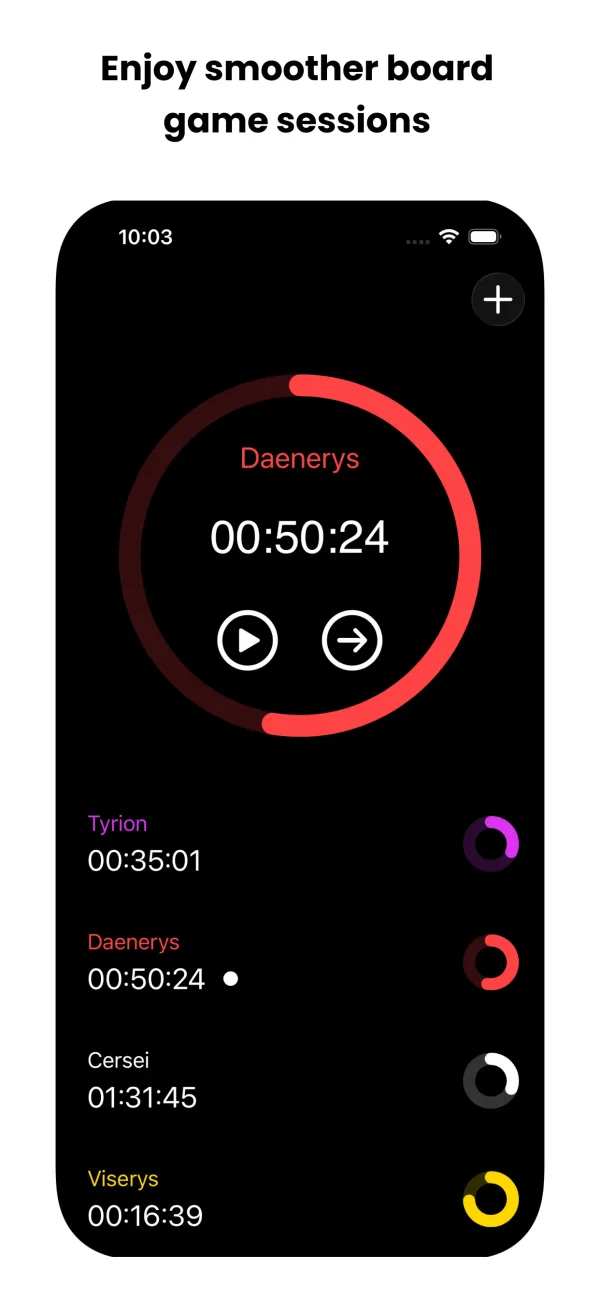
GameTime is the perfect companion for board game lovers, making every gaming session smoother and more enjoyable. Designed specifically to keep the flow going, GameTime lets you assign a countdown timer to each player and easily switch between timers as the game progresses. Say goodbye to analysis paralysis and hello to a fair, fast-paced, and fun experience for everyone!
Features:
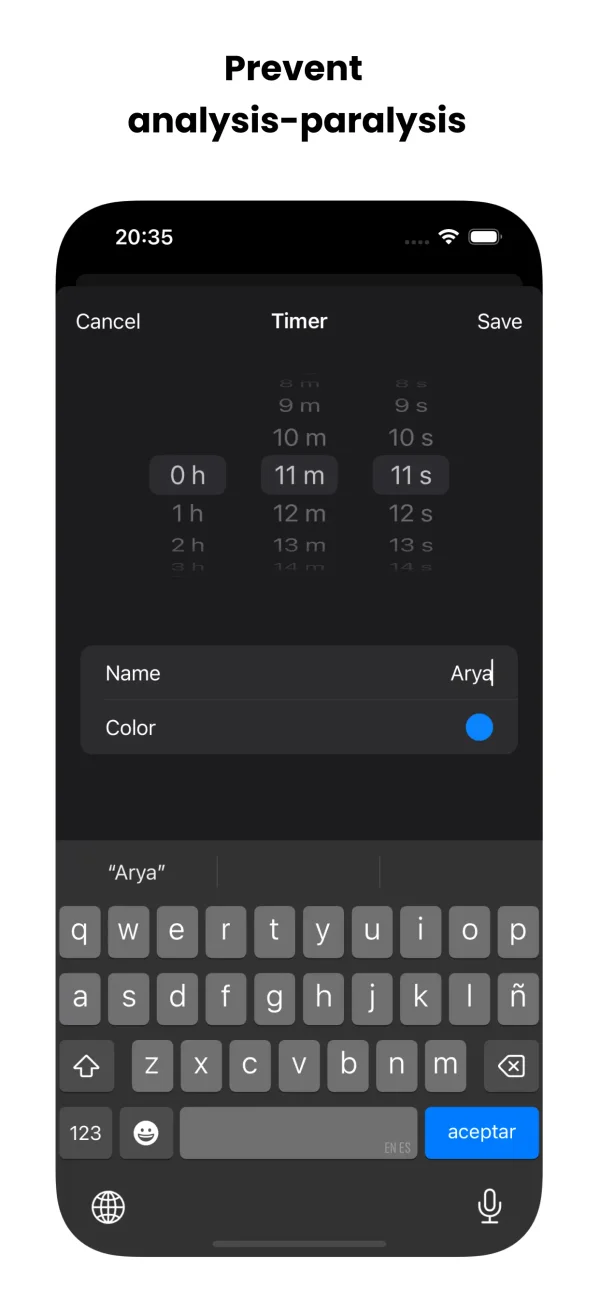
• Individual Timers for Each Player – Set specific time limits for each player, ensuring everyone has a fair turn.
• Easy Timer Control – Start, pause, or switch timers with just a tap. Effortlessly manage turns without interrupting the game flow.
• Reduce Analysis Paralysis – With individual time tracking, players stay engaged without overthinking, keeping the excitement alive.
• Customizable for Any Game – From intense strategy games to quick family games, GameTime is adaptable for all types of board games.
• Smooth Interface – Designed with simplicity in mind, GameTime is user-friendly and intuitive, making it accessible to all ages.
GameTime is ideal for anyone looking to enhance their board game sessions with friends or family. Whether you’re a strategy enthusiast or a casual player, GameTime helps keep gameplay moving.
Download GameTime and level up your board game experience today!
Keywords: board game timer, game time tracker, player timer, game session manager, prevent analysis paralysis, game companion, iOS timer app, board game utility
新機能
バージョン 1.4 · 2026/3/16
This update introduces a few features requested by users:
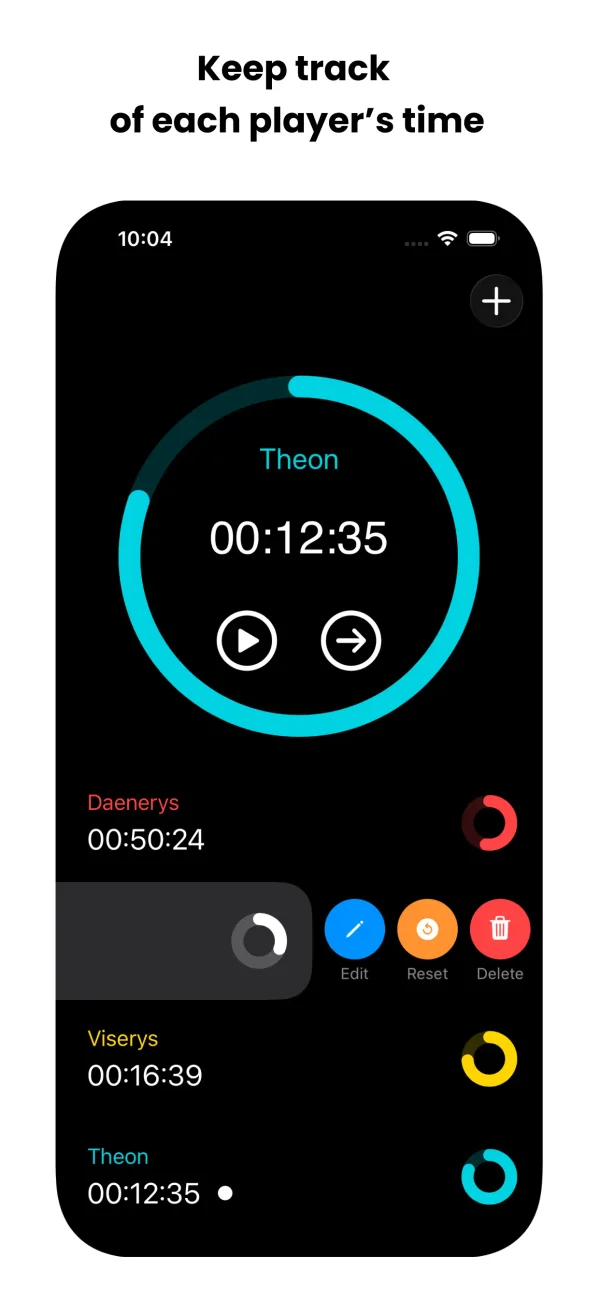
- You can now edit a timer’s name, duration, and color.
- You can now reset a timer.
On iPhone, swipe right to left on a timer row to access these options. On iPad, they are available from a new button on the timer card.
You can also swipe left or right on the active timer to move to the next or previous timer.
Hope you enjoy these improvements.
Keep playing.
アプリのプライバシー
このアプリのデータの取り扱いについて、Jaime LuceaがApp Storeで申告している内容です。
-
データの収集なし
開発元はこのアプリからデータを収集しません。
プライバシーの取り扱いは、ご利用の機能やお客様の年齢などに応じて異なる場合があります。
情報
- 販売元
- Jaime Lucea
- カテゴリ
- ユーティリティ
- バージョン
- 1.4
- 更新日
- 2026/3/16
- リリース
- 2022/11/10
- サイズ
- 3.7 MB
- 必要条件
- iOS 15.0以降
- 対象年齢
- 4+
- 価格
- 無料
- 言語
- 英語, スペイン語
- 著作権
- © Jaime Lucea
こちらもおすすめ
-
 クイックプレイ - ゲームタイマーマスターゲームタイマーマシン
-
 サンドタイマー - カウントダウン時計簡単に時間を追跡
-
 大きいタイマー - シンプル大きくて見やすい
-
 MultiTimer: Multiple timersVisual countdown seconds timer
-
 タイマー, ストップウォッチ と カウントダウン勉強タイマー, すとっぷうぉっち と タバタ式タイマー
-
 ストップウォッチシンプルな大型ディスプレイストップウオッチ
-
 LloydsSmartユーティリティ
-
 カウンタ振動のあるタリーカウンター
-
 VTA+ユーティリティ
-
 関数電卓 Panecal技術者・理系学生の必携アイテム「関数電卓」アプリ