
- Classification d’âge4+
- CatégorieDivertissement
- DéveloppeurDavid Mickey
- LanguesAnglais
- Taille24,2 Mo
Renvoie vers la page App Store officielle
Download.org n’héberge aucun fichier de HOLD Please. Le bouton ouvre la page de l’application sur App Store, où David Mickey la publie. Fiche vérifiée pour la dernière fois le 17/11/2026.
Captures d’écran

À propos
Le développeur n’a pas fourni ce texte dans votre langue.
HOLD Please
A stage manager's soundboard for the modern theatre.
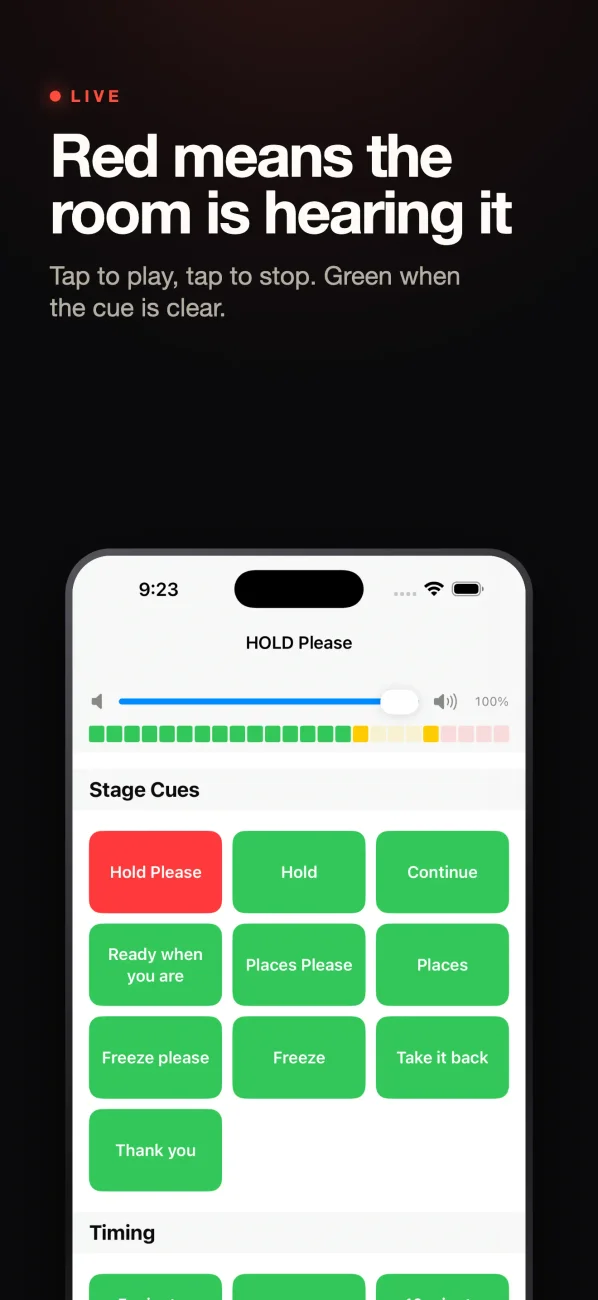
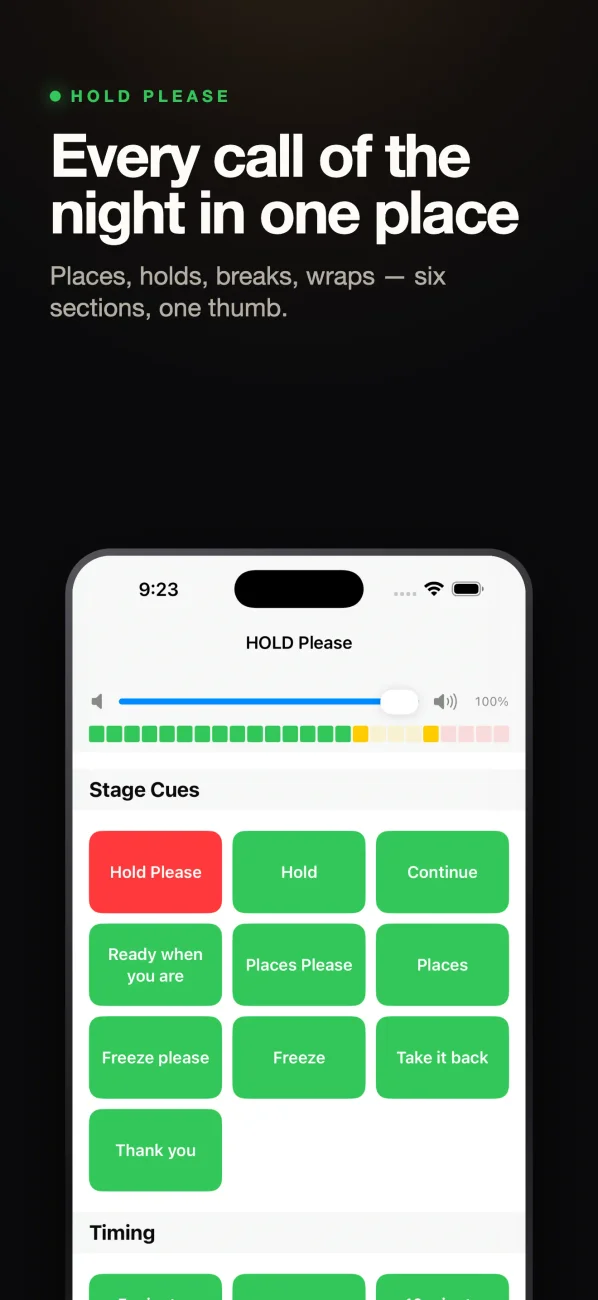
HOLD Please is a one-tap voice cue board built for stage managers, ASMs, tech directors, and rehearsal callers. Instead of shouting across a noisy house or hunting for a microphone, just tap a button — a clear, pre-recorded voice cue plays through the room. Each button toggles play/stop, lights up red while it's broadcasting, and falls back to green when it's done.
Cues are grouped into six sections so you can find what you need fast:
• Stage Cues — Hold Please, Continue, Places, Freeze, Take it back, Thank you
• Timing — 5/10/15/30 minute calls and breaks, "to places," "to curtain"
• Production — Action, Cut, Rollem, Stand clear, That's a wrap, In 3, 2, 1
• Movement & Lighting — stage left/right/up/down, find your light, hold for lighting, tech difficulties, the show will resume
• Quiet & Wrap — quiet backstage, quiet in the house, return for notes, done for tonight
• Calling the Show — Go, Standby, LX, SFX, Stage Left/Right, Be Quiet (forceful)
Nouveautés
Version 3.0.1 · 31/08/2026
Rebuilt for iOS 26 and SwiftUI. The whole app was rewritten from the ground up on Apple's latest framework. Faster launch, smoother scrolling, and the modern look you expect from a 2026 app.
iPhone support. HOLD Please now runs natively on iPhone in addition to iPad. The cue grid automatically reflows to fit any screen — from compact iPhone portrait to full-width iPad landscape — so you can call the show from your pocket or your prompt desk.
Master volume slider. A single slider at the top of the screen controls the level of every cue, with a live percentage readout. Adjust the volume on the fly without diving into Control Center, and even active playing cues respond instantly.
Live VU meter. A 24-segment audio meter with classic green-yellow-red zones shows you exactly what's going out to the house, with a peak-hold indicator so you can spot transients at a glance. When two cues are playing at once, the meter sums them — so you always know how hot the mix is.
Sticky section headers. Scroll through dozens of cues without losing your place — the section title stays pinned at the top of the screen as you go.
Confidentialité de l’application
Ce que David Mickey déclare sur l’App Store au sujet du traitement des données par cette application.
-
Données non collectées
Le développeur ne collecte aucune donnée à partir de cette application.
Les pratiques en matière de confidentialité peuvent varier, notamment en fonction des fonctionnalités que vous utilisez ou de votre âge.
Informations
- Vendeur
- David Mickey
- Catégorie
- Divertissement
- Version
- 3.0.1
- Mis à jour
- 31/08/2026
- Publié
- 28/11/2020
- Taille
- 24,2 Mo
- Nécessite
- iOS 26.0 ou version ultérieure
- Classification d’âge
- 4+
- Prix
- Gratuit
- Langues
- Anglais
- Copyright
- © 2026 Mickey
Vous aimerez peut-être aussi
-
 Halloween Sound TrapDivertissement
-
 Stage Lighting CalculatorDivertissement
-
 EchoVisionDivertissement
-
 Cube Laser ControlDivertissement
-
 Soundcheck StudiosDivertissement
-
 IGNITE Firing Systems LiteDivertissement
-
 Perform Wild WestDivertissement
-
 Showify - Musicals & TheaterDivertissement
-
 Card Value Scanner - PokePriceDivertissement
-
 Theatre Ninja: Theatre TicketsDivertissement