
- Age rating4+
- CategoryEntertainment
- DeveloperDavid Mickey
- LanguagesEnglish
- Size24.2 MB
Links to the official App Store page
Download.org hosts no file of HOLD Please. The button opens its official App Store page, published by David Mickey. Listing last checked on Nov 17, 2026.
Screenshots

About
HOLD Please
A stage manager's soundboard for the modern theatre.
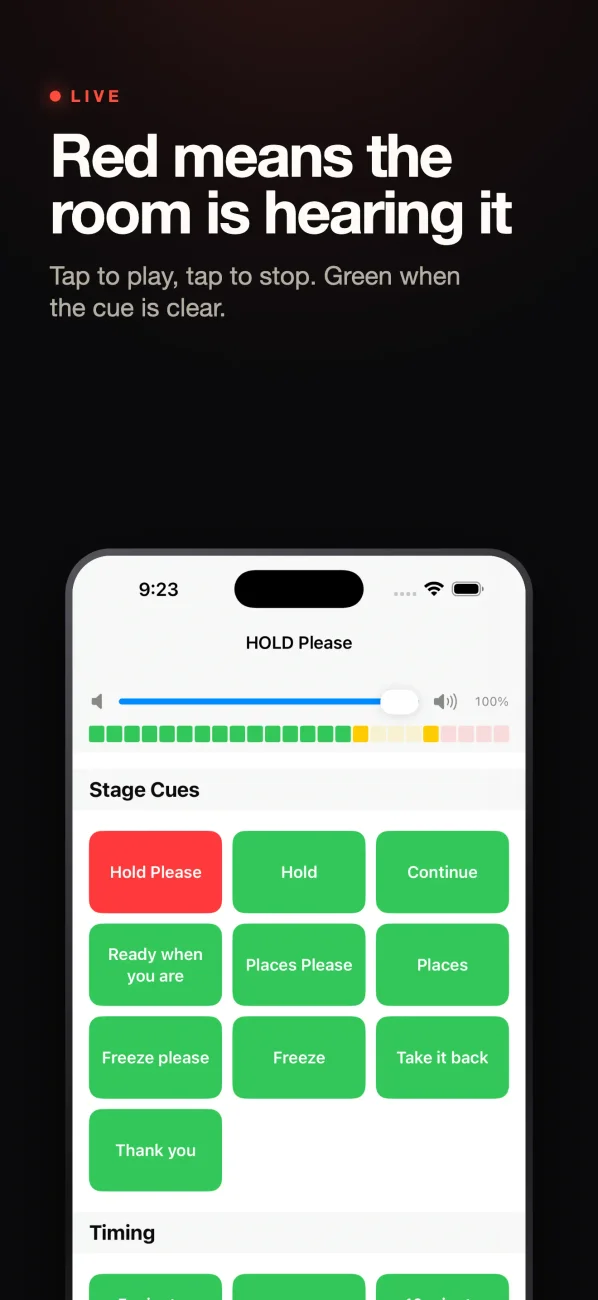
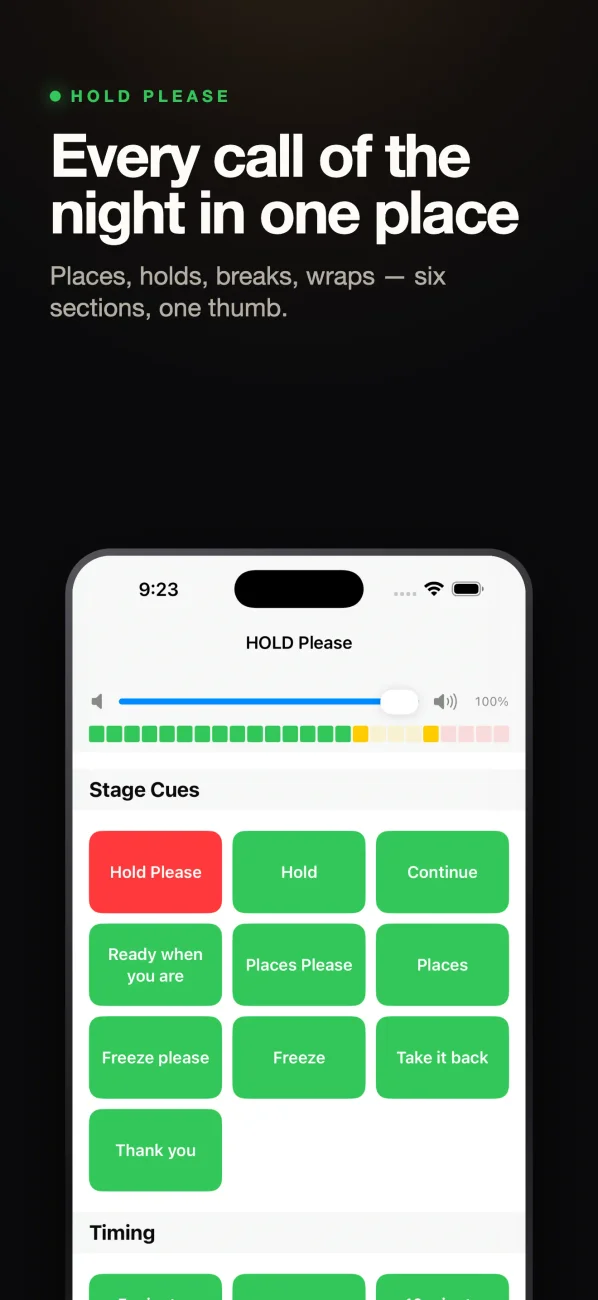
HOLD Please is a one-tap voice cue board built for stage managers, ASMs, tech directors, and rehearsal callers. Instead of shouting across a noisy house or hunting for a microphone, just tap a button — a clear, pre-recorded voice cue plays through the room. Each button toggles play/stop, lights up red while it's broadcasting, and falls back to green when it's done.
Cues are grouped into six sections so you can find what you need fast:
• Stage Cues — Hold Please, Continue, Places, Freeze, Take it back, Thank you
• Timing — 5/10/15/30 minute calls and breaks, "to places," "to curtain"
• Production — Action, Cut, Rollem, Stand clear, That's a wrap, In 3, 2, 1
• Movement & Lighting — stage left/right/up/down, find your light, hold for lighting, tech difficulties, the show will resume
• Quiet & Wrap — quiet backstage, quiet in the house, return for notes, done for tonight
• Calling the Show — Go, Standby, LX, SFX, Stage Left/Right, Be Quiet (forceful)
What’s new
Version 3.0.1 · Aug 31, 2026
Rebuilt for iOS 26 and SwiftUI. The whole app was rewritten from the ground up on Apple's latest framework. Faster launch, smoother scrolling, and the modern look you expect from a 2026 app.
iPhone support. HOLD Please now runs natively on iPhone in addition to iPad. The cue grid automatically reflows to fit any screen — from compact iPhone portrait to full-width iPad landscape — so you can call the show from your pocket or your prompt desk.
Master volume slider. A single slider at the top of the screen controls the level of every cue, with a live percentage readout. Adjust the volume on the fly without diving into Control Center, and even active playing cues respond instantly.
Live VU meter. A 24-segment audio meter with classic green-yellow-red zones shows you exactly what's going out to the house, with a peak-hold indicator so you can spot transients at a glance. When two cues are playing at once, the meter sums them — so you always know how hot the mix is.
Sticky section headers. Scroll through dozens of cues without losing your place — the section title stays pinned at the top of the screen as you go.
App privacy
What David Mickey declares on the App Store about how this app handles data.
-
Data not collected
The developer does not collect any data from this app.
Privacy practices may vary, for example with the features you use or your age.
Information
- Seller
- David Mickey
- Category
- Entertainment
- Version
- 3.0.1
- Updated
- Aug 31, 2026
- Released
- Nov 28, 2020
- Size
- 24.2 MB
- Requires
- iOS 26.0 or later
- Age rating
- 4+
- Price
- Free
- Languages
- English
- Copyright
- © 2026 Mickey
You might also like
-
 Halloween Sound TrapEntertainment
-
 Stage Lighting CalculatorPerfect Stage Washes Instantly
-
 EchoVisionWhat Is It Like to Be a Bat?
-
 Cube Laser Controlby Laserworld
-
 Soundcheck StudiosEntertainment
-
 IGNITE Firing Systems LiteEntertainment
-
 Perform Wild WestEntertainment
-
 Showify - Musicals & TheaterTrack, rate and discover shows
-
 Card Value Scanner - PokePriceTCG Portfolio & Price Value
-
 Theatre Ninja: Theatre TicketsSee all seats. Find value.