
HTMLCollection
A new era of HTML storage
Conçue pour iPhone, iPad
Gratuit · Achats intégrés
- Classification d’âge4+
- CatégorieUtilitaires
- DéveloppeurShigeki Karouji
- LanguesAnglais+ 9 de plus
- Taille69,1 Mo
Renvoie vers la page App Store officielle
Download.org n’héberge aucun fichier de HTMLCollection. Le bouton ouvre la page de l’application sur App Store, où Shigeki Karouji la publie. Fiche vérifiée pour la dernière fois le 11/11/2026.
Captures d’écran

À propos
Le développeur n’a pas fourni ce texte dans votre langue.
Keep the HTML you use close at hand.
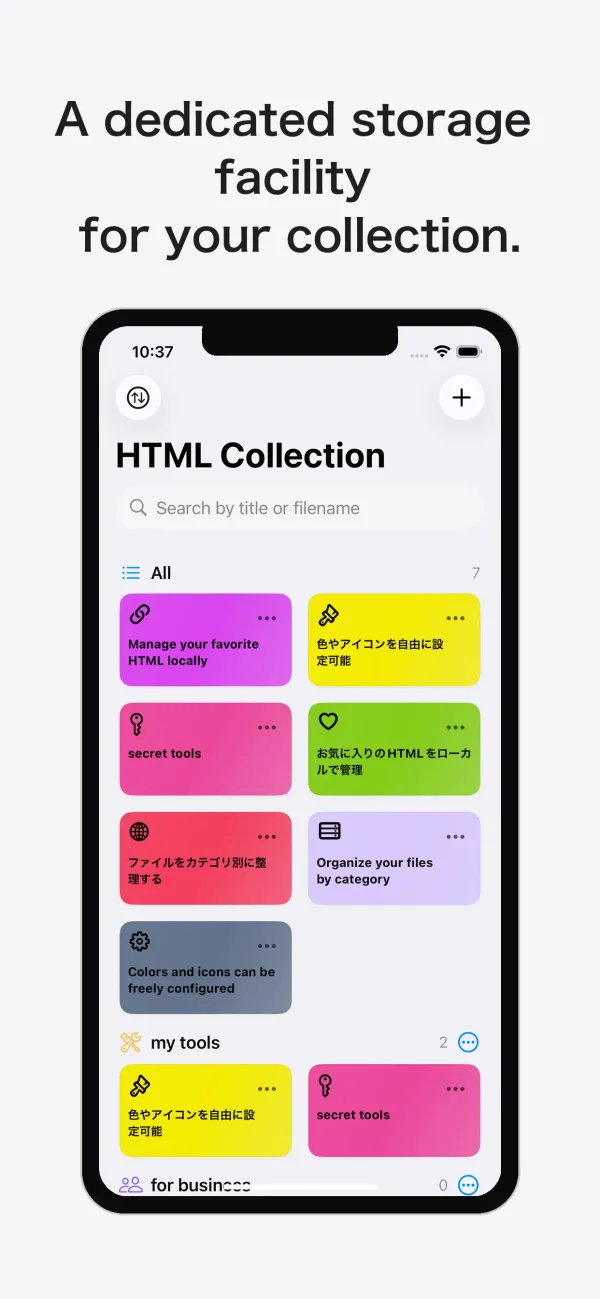
HTML Collection is a simple way to save, organize, and view HTML source itself—not just bookmark its URL.
Store templates, snippets, test pages, HTML-based notes, and other reusable content. Preview saved HTML instantly, edit the source, and update it whenever needed.
Tap + in your library to write or paste HTML, or import HTML files. Files with existing names are saved as separate, numbered cards, so you can keep both copies in your library.
Key Features
• Enter or paste HTML source and import HTML files
• Open saved HTML source offline
• Edit HTML with optional line wrapping
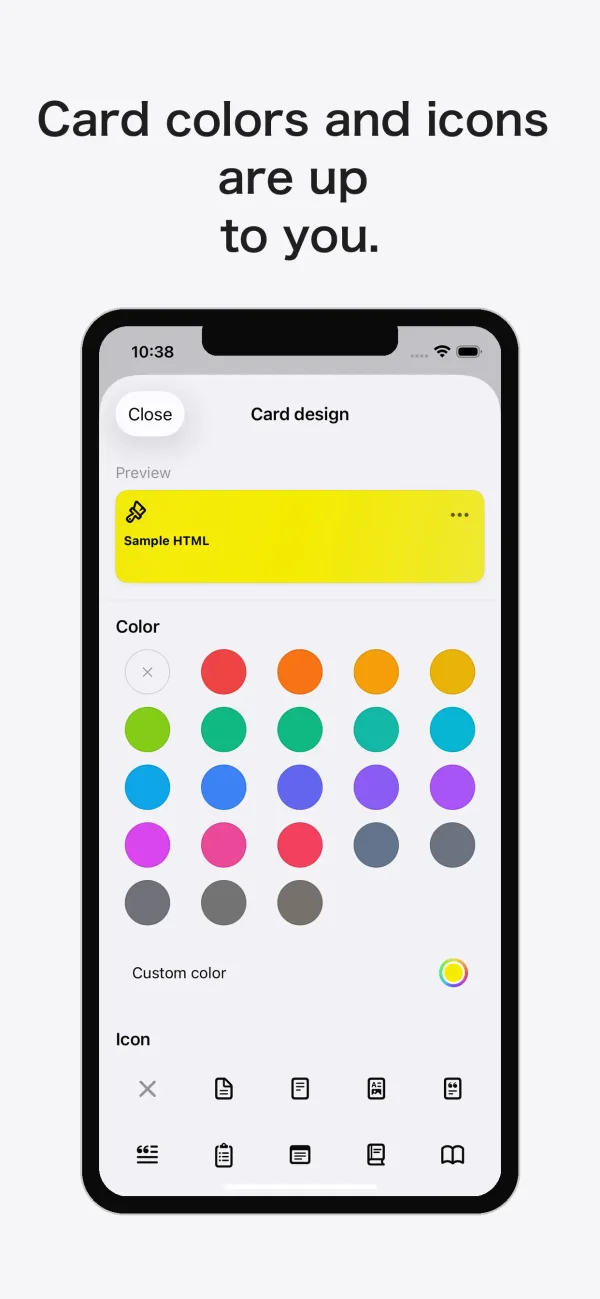
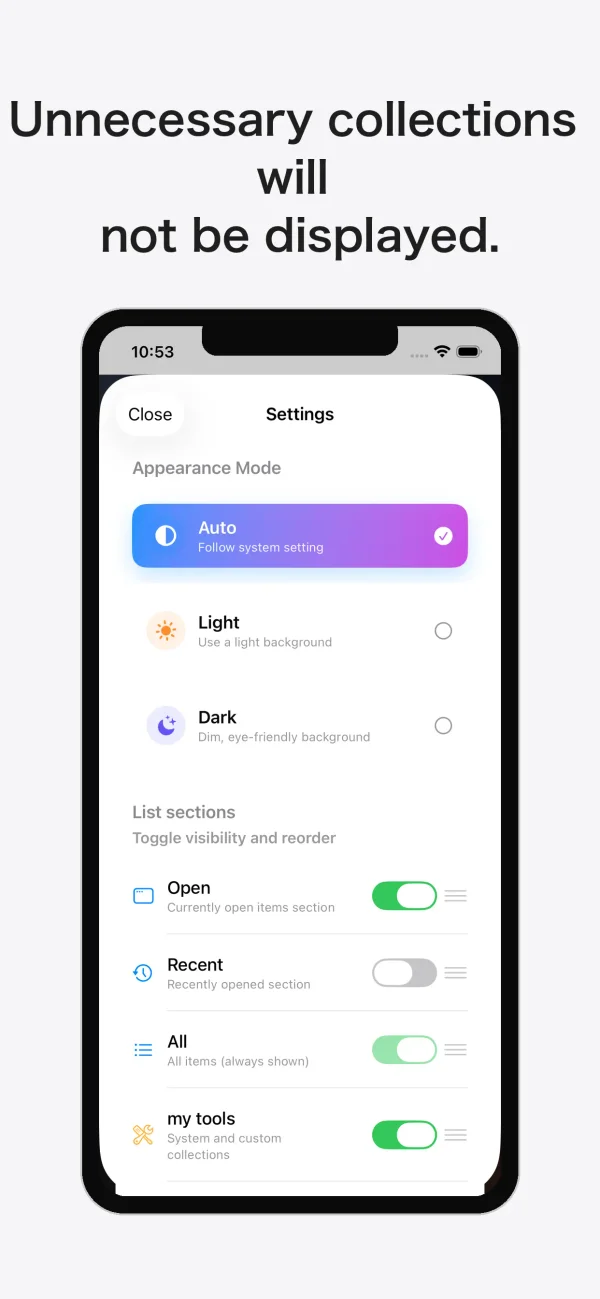
• Organize items with collections, icons, and colors
• Search by title or filename
• Export as HTML files, PDFs, or full-page images
• Open recent HTML from a Home Screen widget
• Sync across devices with iCloud
• Save and restore previous versions
• Summarize differences between saved versions with on-device AI
When your devices are signed in to iCloud with the same Apple Account, saved HTML, history, titles, collections, and other organization details stay in sync.
Change Summaries
Tap the summary icon in history to turn changes into a short note. On supported devices, the first use requires a summary model download of approximately 2.6 GB. Your HTML is processed on your device and is not uploaded for summarization. Download or delete the model in Settings.
History Plus
The free version lets you restore and edit the latest history entry.
A one-time History Plus purchase unlocks up to 10 history entries, protected versions, and notes for each version.
Save, organize, and view HTML comfortably on iPhone and iPad.
HTML Collection is your personal library for the HTML you want to keep and reuse.
External images, styles, scripts, and other linked resources may require an internet connection.
Official Website
App Website: https://studiok-apps.studio-k-developer.workers.dev/en/apps/html-collection/
Support: https://studiok-apps.studio-k-developer.workers.dev/en/apps/html-collection/support/
Terms of Use: https://studiok-apps.studio-k-developer.workers.dev/en/apps/html-collection/terms/
Privacy Policy: https://studiok-apps.studio-k-developer.workers.dev/en/apps/html-collection/privacy/
Nouveautés
Version 1.4.0 · 30/10/2026
Find HTML actions more easily with reorganized menus, and review changes to your saved versions.
New Features
• Generate short change summaries by comparing saved versions. Your HTML is processed on your device.
• Download or delete the summary model in Settings. Downloads outside Wi-Fi require confirmation.
• Undo closing a tab.
How to Use
Tap the summary icon in history to add a change summary to a version’s note. On supported devices, the first use requires a model download of approximately 2.6 GB. You can also download it from Settings → Summary model.
Improvements
• Open editing, title changes, and history directly from the browser menu for the current HTML.
• Actions are grouped into Share & Export, Organize & Info, and Display menus.
• Use + in the library to create or import HTML and create collections.
• Improved title editing and collection selection.
• Updated iCloud sync and history storage handling.
• Access support, terms, privacy information, and licenses from Settings.
Confidentialité de l’application
Ce que Shigeki Karouji déclare sur l’App Store au sujet du traitement des données par cette application.
-
Données non collectées
Le développeur ne collecte aucune donnée à partir de cette application.
Les pratiques en matière de confidentialité peuvent varier, notamment en fonction des fonctionnalités que vous utilisez ou de votre âge.
Informations
- Vendeur
- Shigeki Karouji
- Catégorie
- Utilitaires
- Version
- 1.4.0
- Mis à jour
- 30/10/2026
- Publié
- 15/12/2025
- Taille
- 69,1 Mo
- Nécessite
- iOS 18.6 ou version ultérieure
- Classification d’âge
- 4+
- Prix
- Gratuit
- Achats intégrés
- Oui
- Langues
- Anglais, Français, Allemand, Japonais, Coréen, Portugais, Russe, Chinois simplifié, Espagnol, Chinois traditionnel
- Copyright
- © 2025 STUDIO.K
Vous aimerez peut-être aussi
-
 PeekMD: Markdown HTML ViewerUtilitaires
-
 Web HTML Saver - 単一ファイルでサイトを保存Utilitaires
-
 Filecraft: File ConverterUtilitaires
-
 TiCaNo StopwatchUtilitaires
-
 HTML Viewer (013653)Utilitaires
-
 Omnia ReaderLiseuse universelle avec IA
-
 Offline AI - Private ChatUtilitaires
-
 HTML ServeUtilitaires
-
 Local LLMAssistant IA chat hors ligne
-
 Zip Extractor: Ouvrir RARDécompresser & gérer fichiers