
- Classification d’âge4+
- CatégorieUtilitaires
- Développeur宇 王
- LanguesAnglais+ 10 de plus
- Taille129,7 Mo
Renvoie vers la page App Store officielle
Download.org n’héberge aucun fichier de iCollect+. Le bouton ouvre la page de l’application sur App Store, où 宇 王 la publie. Fiche vérifiée pour la dernière fois le 15/11/2026.
Captures d’écran
À propos
Le développeur n’a pas fourni ce texte dans votre langue.
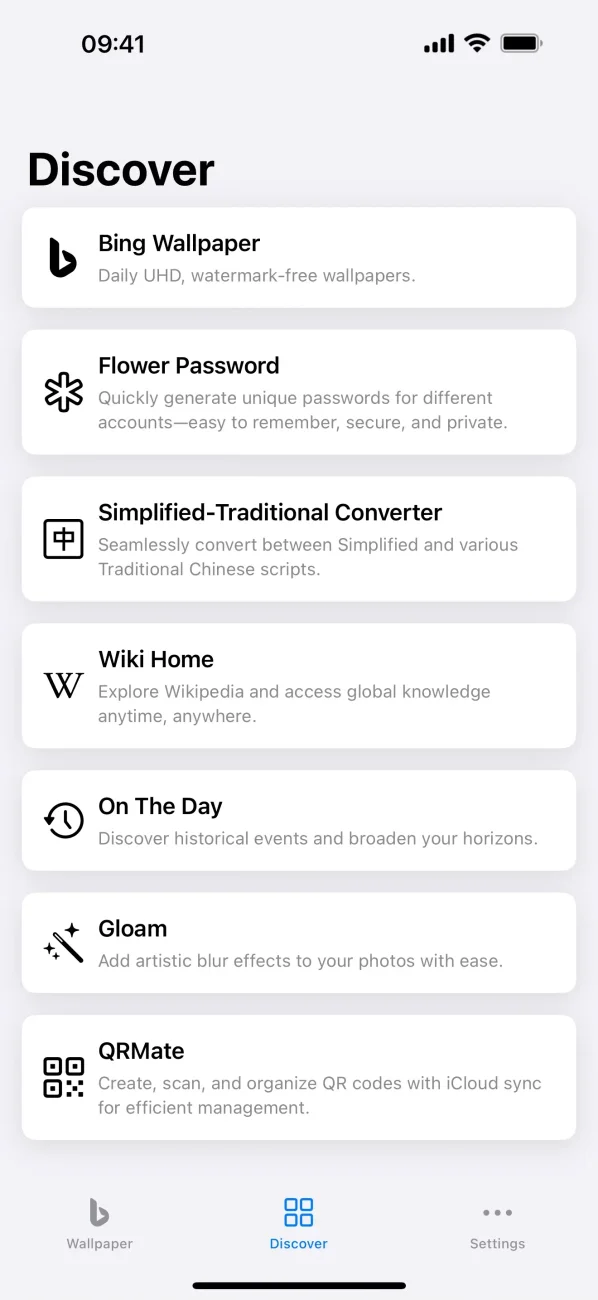
Download a new wallpaper, make a Wi-Fi QR card, and remember when you last changed a filter. iCollect+ brings these everyday tasks into one toolbox.
Create, scan, and save QR codes
Use QRMate to create codes for text, Wi-Fi, contacts, websites, phone calls, text messages, email, locations, and calendar events. Save scanned codes, add notes and favorites, and make PDF cards to share or print.
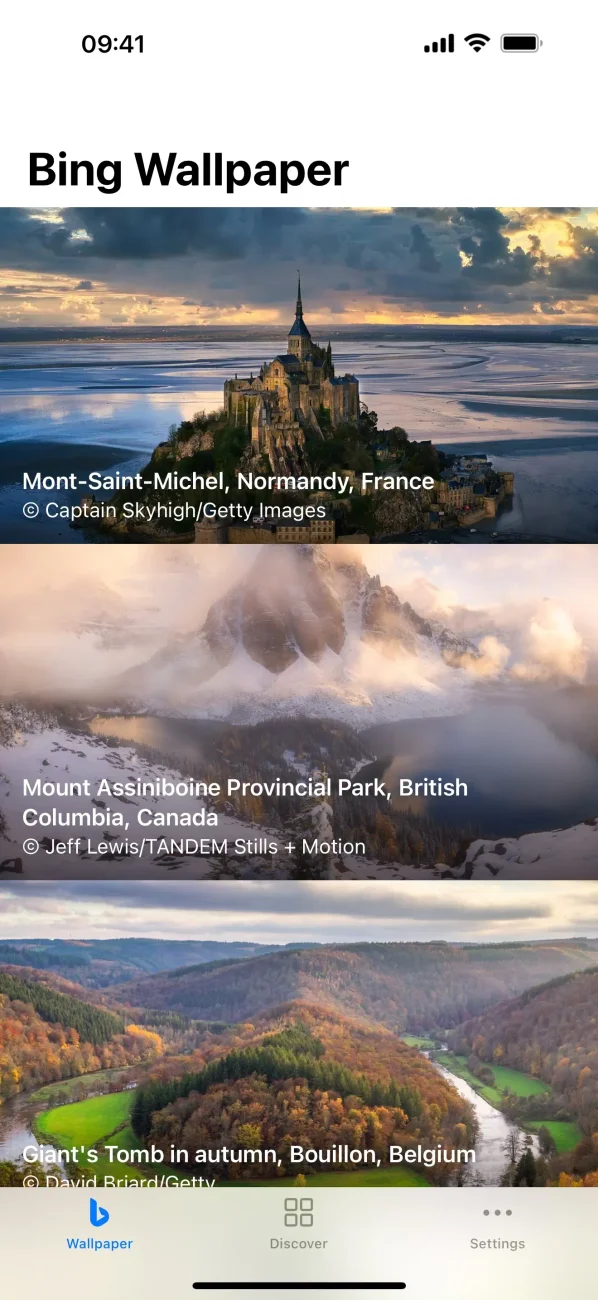
Daily UHD wallpapers
Browse the past week of Bing wallpapers. Download images without watermarks and keep downloaded images for offline viewing. Set up a shortcut and a daily automation in Shortcuts to change your wallpaper each day. New image downloads require internet access.
Remember the last time
Use Last Time to record haircuts, filter changes, plant watering, and other events. Log today with one tap, or add a date, time, and note. Review your records in a calendar and undo an accidental quick entry.
Convert Chinese text
Convert between Simplified Chinese and Traditional Chinese variants. Choose the form that fits your text.
Add photo blur
Use Gloam to apply five blur styles, including Gaussian and Bokeh, and adjust their strength. You can also open the editor from the share sheet in Photos or Files and save a copy. Photos are processed on your device.
Generate passwords
Flower Password uses a memory password and an account identifier to generate passwords for different accounts.
Explore history and knowledge
Browse the Chinese history timeline, events from this day in history, and the Wikipedia home page. Wikipedia content is available in English and Chinese. Online content requires internet access.
QR codes and Last Time records support iCloud sync. Sign in to iCloud and enable iCloud access for the app to use this feature.
Feedback and suggestions: feedback@kilig.studio
Nouveautés
Version 6.3 · 14/11/2026
- Supporters now get 13 alternate hamster app icons, 7 accent colors, and a supporter badge.
- Improved appearance switching and interface details.
Confidentialité de l’application
Ce que 宇 王 déclare sur l’App Store au sujet du traitement des données par cette application.
-
Données non collectées
Le développeur ne collecte aucune donnée à partir de cette application.
Les pratiques en matière de confidentialité peuvent varier, notamment en fonction des fonctionnalités que vous utilisez ou de votre âge.
Informations
- Vendeur
- 宇 王
- Catégorie
- Utilitaires
- Version
- 6.3
- Mis à jour
- 14/11/2026
- Publié
- 17/01/2018
- Taille
- 129,7 Mo
- Nécessite
- iOS 17.0 ou version ultérieure
- Classification d’âge
- 4+
- Prix
- Gratuit
- Achats intégrés
- Oui
- Langues
- Anglais, Arabe, Français, Allemand, Hindi, Japonais, Coréen, Portugais, Chinois simplifié, Espagnol, Chinois traditionnel
- Copyright
- © Yu Wang
Vous aimerez peut-être aussi
-
 Password WorkshopOffline Random Pass Generation
-
 Call by Color 36Utilitaires
-
 TitleLess BrowserUtilitaires
-
 AlkaidUtilitaires
-
 TunShareUtilitaires
-
 FuelLog: Suivi carburant autoPleins, consommation, véhicule
-
 Across Time - World ClockUtilitaires
-
 Snopy AI BrowserUtilitaires
-
 DiceyDice Dice SandboxUtilitaires
-
 Application de Gestion de MotsStockez et gérez tous vos mots