INK.SCRIPT: Screenplay Writer
Film, TV & Movie Script Editor
Conçue pour iPhone, iPad
Gratuit
- Classification d’âge4+
- CatégorieProductivité
- DéveloppeurYahya Gonder
- LanguesAnglais+ 2 de plus
- Taille12,4 Mo
Renvoie vers la page App Store officielle
Download.org n’héberge aucun fichier de INK.SCRIPT: Screenplay Writer. Le bouton ouvre la page de l’application sur App Store, où Yahya Gonder la publie. Fiche vérifiée pour la dernière fois le 23/11/2026.
Captures d’écran
À propos
Le développeur n’a pas fourni ce texte dans votre langue.
Every story starts with a blank page.
INK.SCRIPT is a quiet, focused screenplay editor for iPhone, iPad, and Mac. Bring your scenes, action, characters, and dialogue together on a true screenplay page—with every project saved automatically on your device. No account, no cloud uploads, no subscriptions, and no tracking.
A TRUE SCREENPLAY PAGE
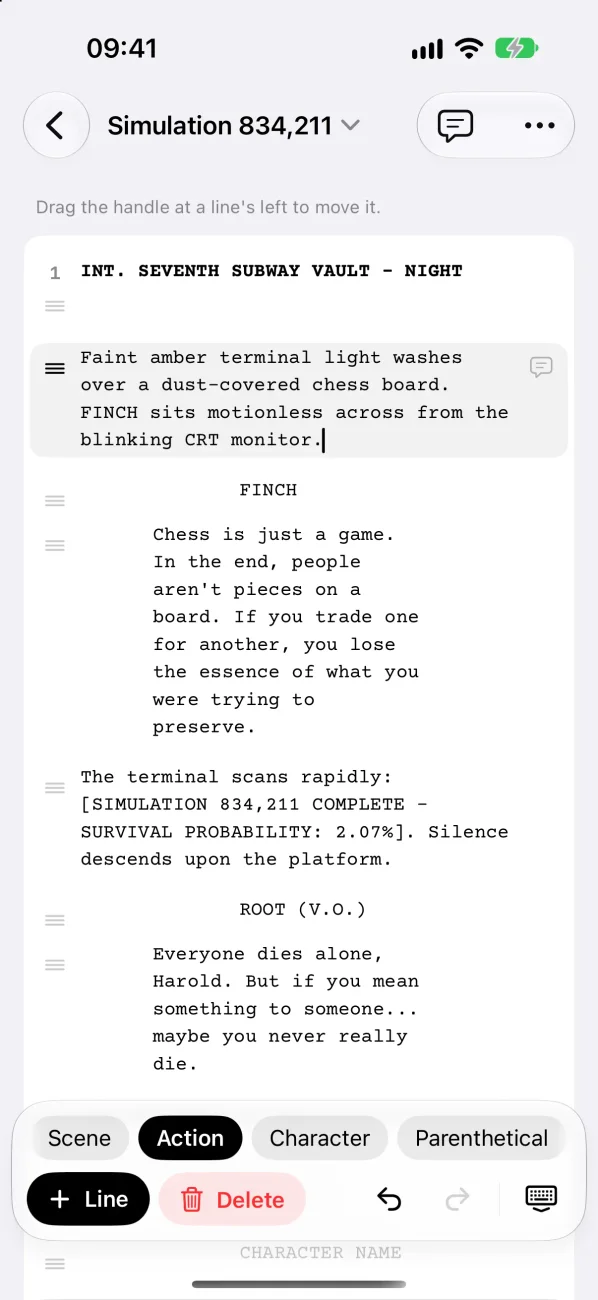
• Set in Courier Prime with authentic 60-column screenplay margins and indents on every screen size
• Six screenplay elements: Scene Heading, Action, Character, Parenthetical, Dialogue, and Transition
• Natural writing flow: press Return to move automatically from Scene Heading to Action or from Character to Dialogue, and press Tab to cycle element types
• Smart character cue suggestions: INK.SCRIPT offers matching character names from your cast and script as you type
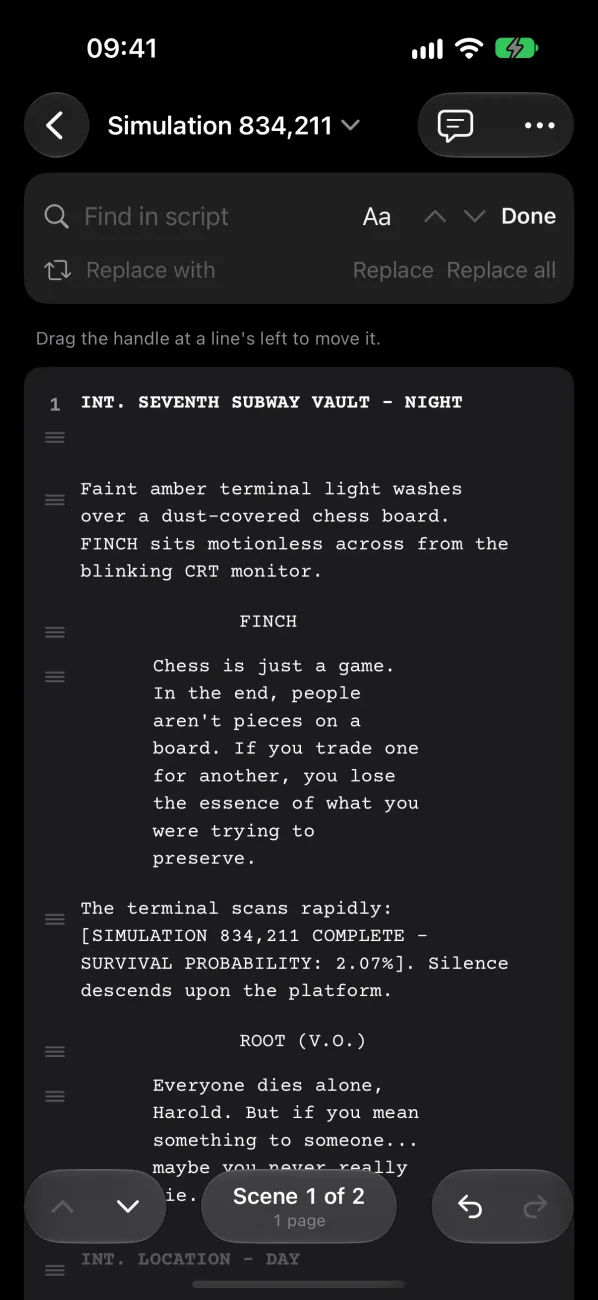
• Dual dialogue: pair two consecutive speeches side by side with a single tap
• Drag-and-drop reordering: drag the handle beside any line to move it, with live order previews and smooth edge scrolling
SCENES, DETAILS & WRITING STATISTICS
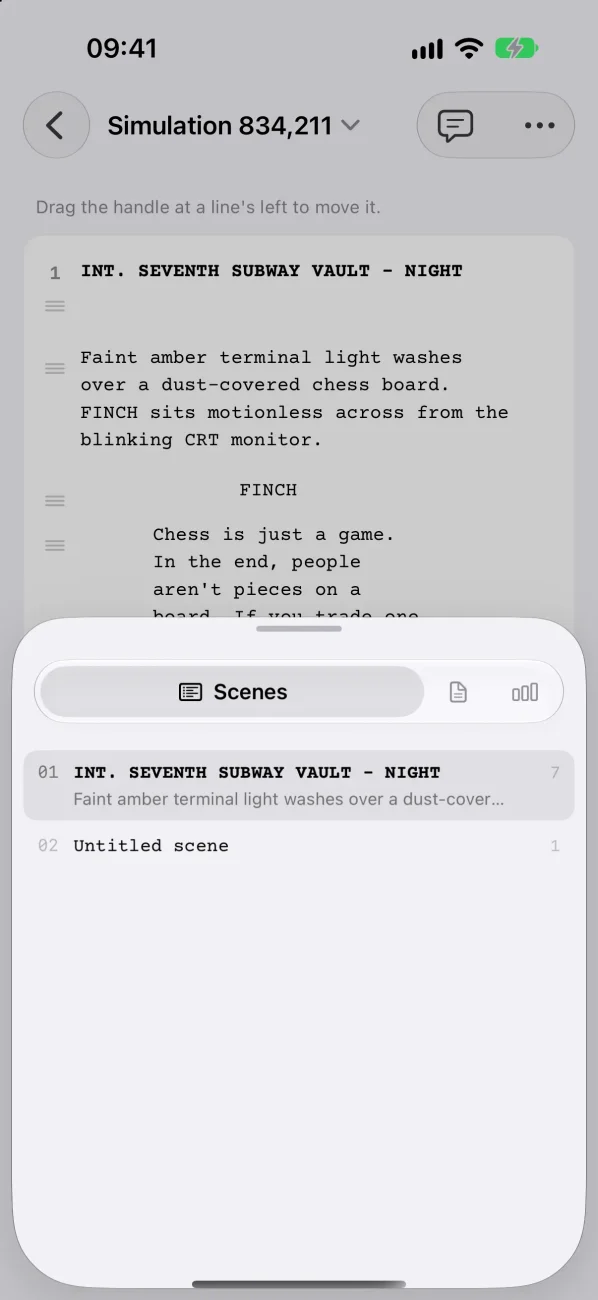
• Scene navigator: browse numbered scenes with their opening line and line count, jump straight to any scene, or step between scenes from the bottom Scene Bar
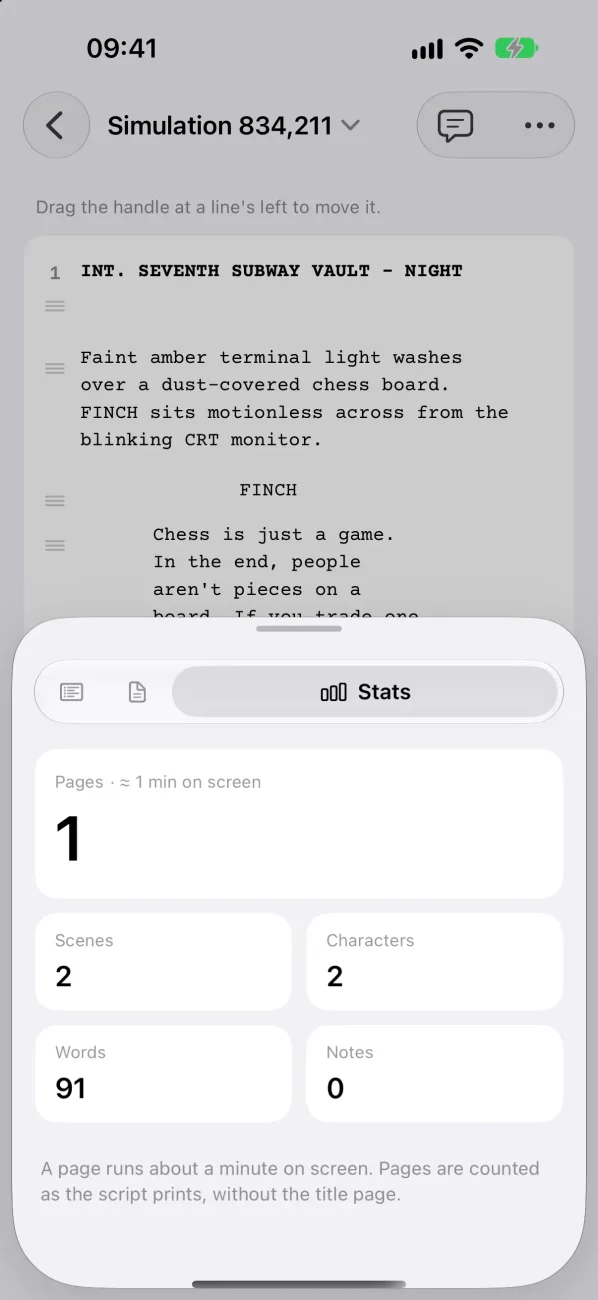
• Live page count and screen time: see your script's length in printed screenplay pages (≈ 1 minute on screen per page, excluding the title page) alongside scene, character, word, and note counts
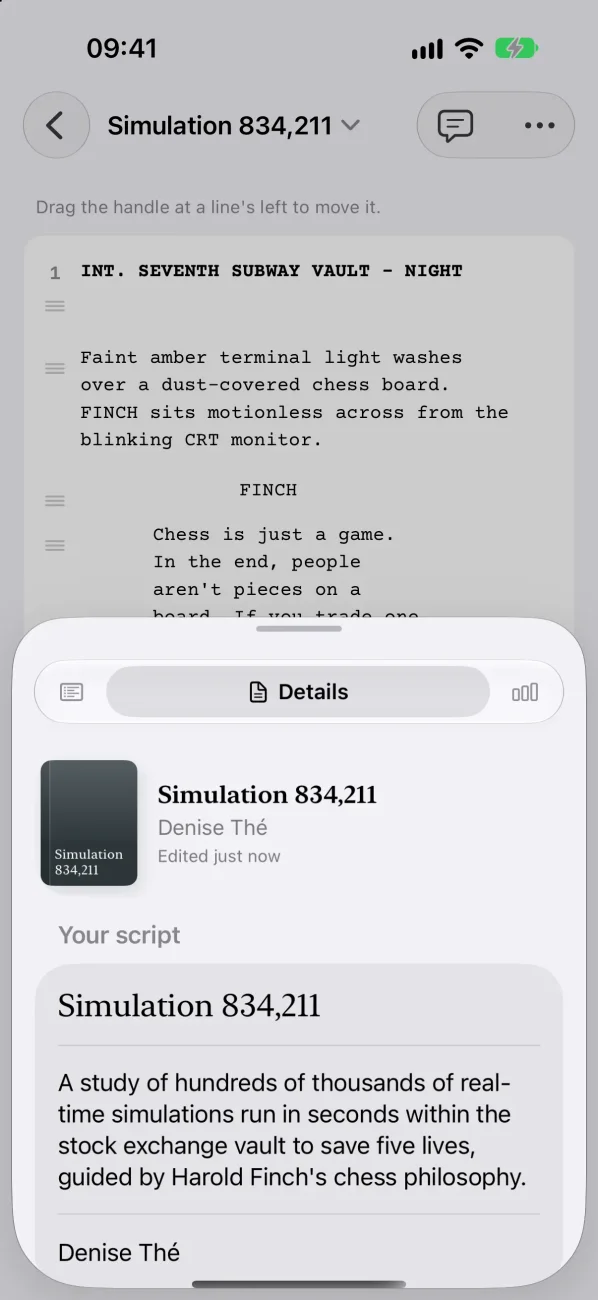
• Script details: set your title, logline, writer credit, and choose from 12 cover colors for your library
NOTES, CAST & VERSION HISTORY
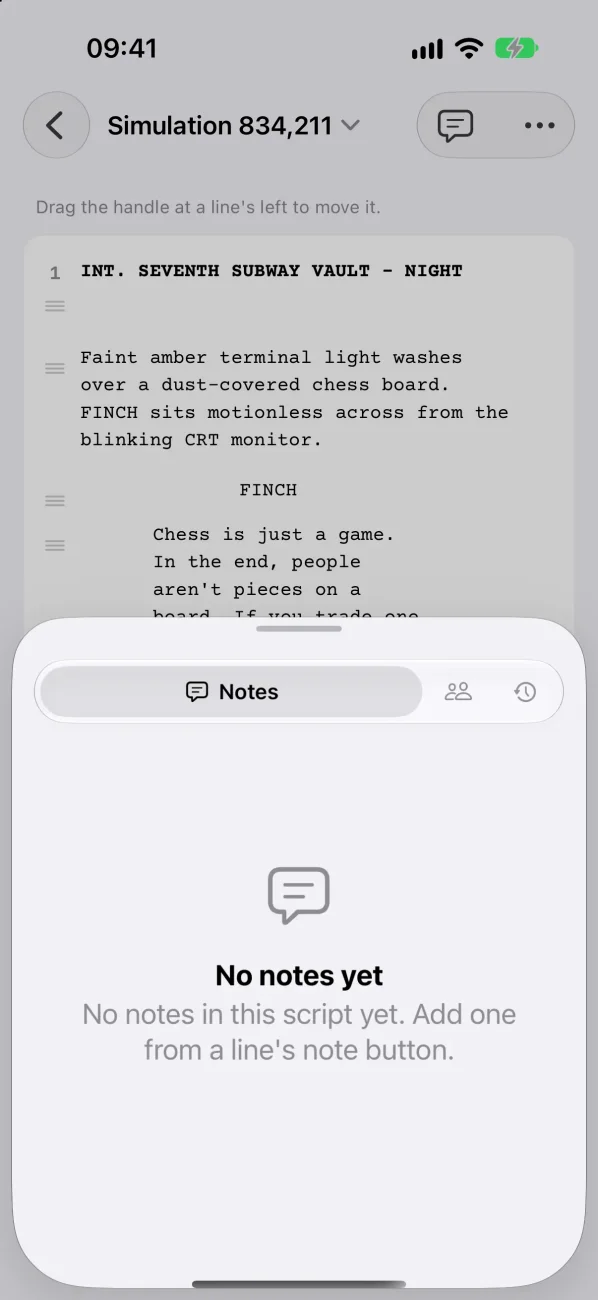
• Line notes: attach notes to any line in your screenplay and review every note grouped by scene in script order
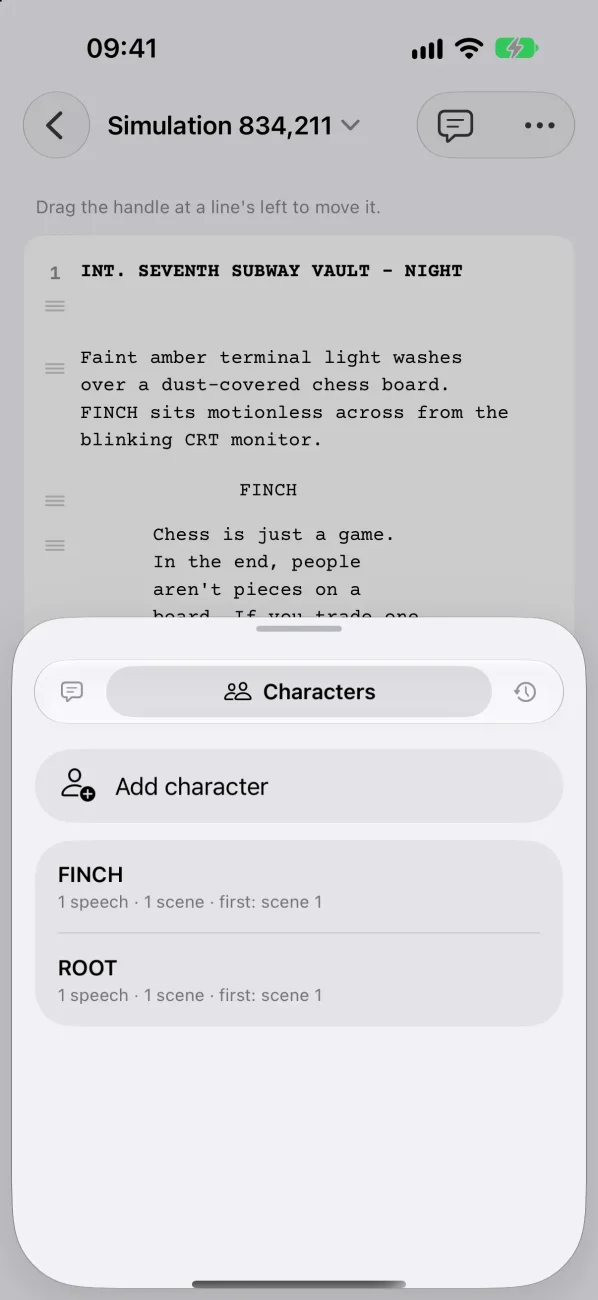
• Automatic cast list: everyone who speaks appears automatically with speech count, scene count, and first appearance (grouping extensions such as V.O. or O.S.), plus characters and descriptions you add before they speak
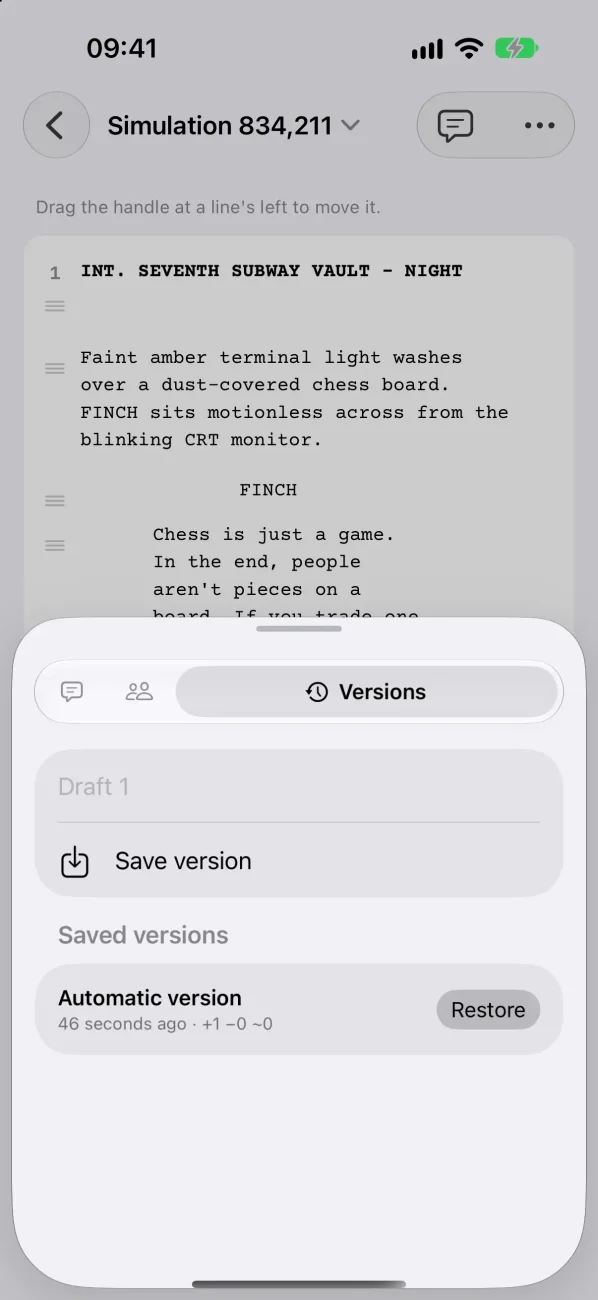
• Version history: save named drafts before major rewrites, compare line changes (+added, −removed, ~changed), and restore any version safely—INK.SCRIPT saves your current script first and supports full Undo
FIND AND REPLACE
• Search across your entire screenplay with optional case matching, jump between matches, and replace single occurrences or all at once
IMPORT & EXPORT IN INDUSTRY FORMATS
• Import existing scripts from Final Draft (.fdx), Fountain (.fountain, .spmd), and formatted or plain text (.txt), preserving scene structure, title page metadata, and script notes
• Export print-ready paginated PDF screenplays (12 pt Courier, 10 characters per inch, 6 lines per inch, title page, page numbers from page 2, optional scene numbers in both margins, dual dialogue columns, scene-heading widow protection, and automatic (MORE) / (CONT'D) speech breaks on US Letter or A4 paper)
• Export Final Draft (.fdx), Fountain (.fountain), and formatted plain text (.txt) via the share sheet on iPhone and iPad or the Save dialog on Mac
A LIBRARY BUILT FOR WRITERS
• Two-pane library on iPad and Mac with a "Continue Writing" spotlight card for the script you worked on last
• Long-press any screenplay card to preview its full cover, writer, logline, and last-edited time
• Open the bundled sample screenplay ("Simulation 834,211") from the welcome tour or empty library to explore every feature right away
BUILT FOR IPHONE, IPAD & MAC
• Scales from a focused single-column page on iPhone to a three-column studio workspace (Scenes sidebar, screenplay page, and Notes/Cast/Versions inspector) on iPad and Mac
• Full hardware keyboard shortcuts for creating projects (⌘N), importing (⌘I), switching element types (⌘⌥1–6), toggling panels, undoing/redoing, and finding text (⌘F)
• Light, Dark, and System appearance, Dynamic Type, and VoiceOver support
• Localized in English, Turkish, and Spanish
PRIVATE BY DESIGN
• Your screenplays stay on your device. INK.SCRIPT works completely offline and collects no personal data, analytics, or usage telemetry.
Nouveautés
Version 1.9.2 · 15/11/2026
• True screenplay page layout set in Courier Prime with 60-column screenplay indents, scene numbers, and drag-and-drop line reordering.
• Import screenplays from Final Draft (.fdx), Fountain (.fountain, .spmd), and plain text (.txt).
• Export industry-standard paginated PDF screenplays (with title page, optional scene numbers, dual dialogue columns, and automatic (MORE) / (CONT'D) breaks), Final Draft (.fdx), Fountain (.fountain), and plain text (.txt).
• Dual dialogue support: pair two consecutive speeches side by side.
• Smart character cue suggestions as you type.
• Sidebar and Inspector panels (docked on wide iPad and Mac windows, sheets on iPhone):
– Scenes list with opening-line excerpts and line counts
– Script details with logline, writer credit, and 12 cover colors
– Writing statistics with printed page count and estimated screen time (≈ 1 min per page)
– Line notes grouped by scene
– Automatic Cast list tracking speeches, scenes, and first appearances
– Version history with named snapshots, line diff summaries, and safe restore
• Find and replace across the entire screenplay with case matching.
• Redesigned two-pane library on iPad and Mac with a "Continue Writing" spotlight card, 12 cover colors, and rich long-press previews.
• Bundled sample screenplay ("Simulation 834,211") in English, Turkish, and Spanish, plus native macOS support and a refreshed app icon.
Confidentialité de l’application
Ce que Yahya Gonder déclare sur l’App Store au sujet du traitement des données par cette application.
-
Données non collectées
Le développeur ne collecte aucune donnée à partir de cette application.
Les pratiques en matière de confidentialité peuvent varier, notamment en fonction des fonctionnalités que vous utilisez ou de votre âge.
Informations
- Vendeur
- Yahya Gonder
- Catégorie
- Productivité
- Version
- 1.9.2
- Mis à jour
- 15/11/2026
- Publié
- 30/09/2026
- Taille
- 12,4 Mo
- Nécessite
- iOS 17.0 ou version ultérieure
- Classification d’âge
- 4+
- Prix
- Gratuit
- Langues
- Anglais, Espagnol, Turc
- Copyright
- © 2026 Yahya Gönder.
Vous aimerez peut-être aussi
-
 CinemaWriterProductivité
-
 Namewright: Web Novel NamesProductivité
-
 Screencake: Screenplay WriterProductivité
-
 Voys: Voice Writing JournalProductivité
-
 ScenarlyProductivité
-
 SoloBeat WriterProductivité
-
 CastReadyProductivité
-
 KnowTreeProductivité
-
 Écrire un livre : ScribeMeHistoires, poèmes et journal
-
 Southwind ScreenplayProductivité