INK.SCRIPT: Screenplay Writer
Film, TV & Movie Script Editor
Được thiết kế cho iPhone, iPad
Miễn phí
- Độ tuổi4+
- Danh mụcHiệu Suất
- Nhà phát triểnYahya Gonder
- Ngôn ngữTiếng Anh+ 2 ngôn ngữ khác
- Kích thước12,4 MB
Liên kết đến trang App Store chính thức
Download.org không lưu trữ tệp nào của INK.SCRIPT: Screenplay Writer. Nút này mở trang ứng dụng trên App Store, nơi Yahya Gonder phát hành ứng dụng. Trang được kiểm tra lần cuối: 23/11/2026.
Ảnh chụp màn hình
Giới thiệu
Nhà phát triển chưa cung cấp nội dung này bằng ngôn ngữ của bạn.
Every story starts with a blank page.
INK.SCRIPT is a quiet, focused screenplay editor for iPhone, iPad, and Mac. Bring your scenes, action, characters, and dialogue together on a true screenplay page—with every project saved automatically on your device. No account, no cloud uploads, no subscriptions, and no tracking.
A TRUE SCREENPLAY PAGE
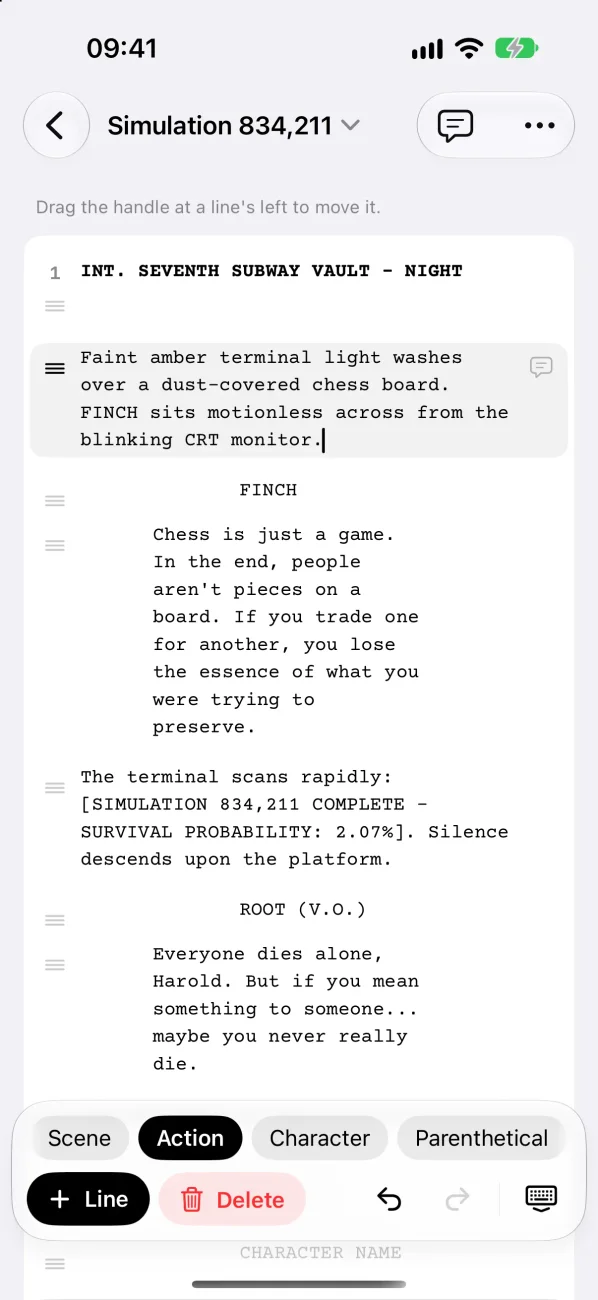
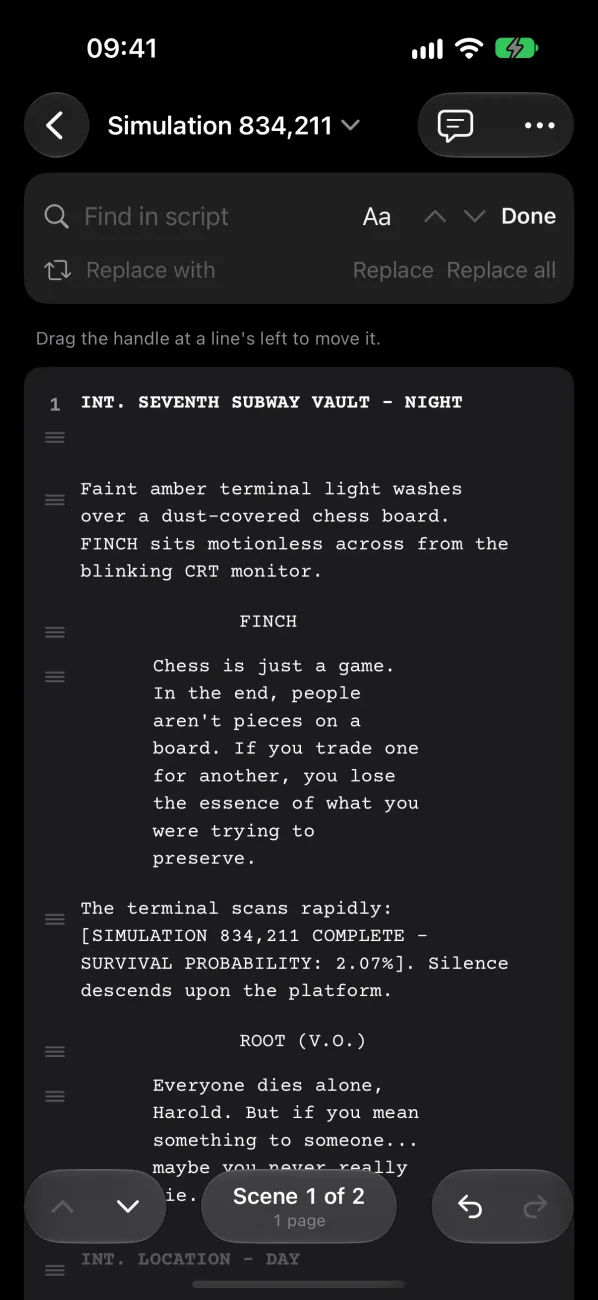
• Set in Courier Prime with authentic 60-column screenplay margins and indents on every screen size
• Six screenplay elements: Scene Heading, Action, Character, Parenthetical, Dialogue, and Transition
• Natural writing flow: press Return to move automatically from Scene Heading to Action or from Character to Dialogue, and press Tab to cycle element types
• Smart character cue suggestions: INK.SCRIPT offers matching character names from your cast and script as you type
• Dual dialogue: pair two consecutive speeches side by side with a single tap
• Drag-and-drop reordering: drag the handle beside any line to move it, with live order previews and smooth edge scrolling
SCENES, DETAILS & WRITING STATISTICS
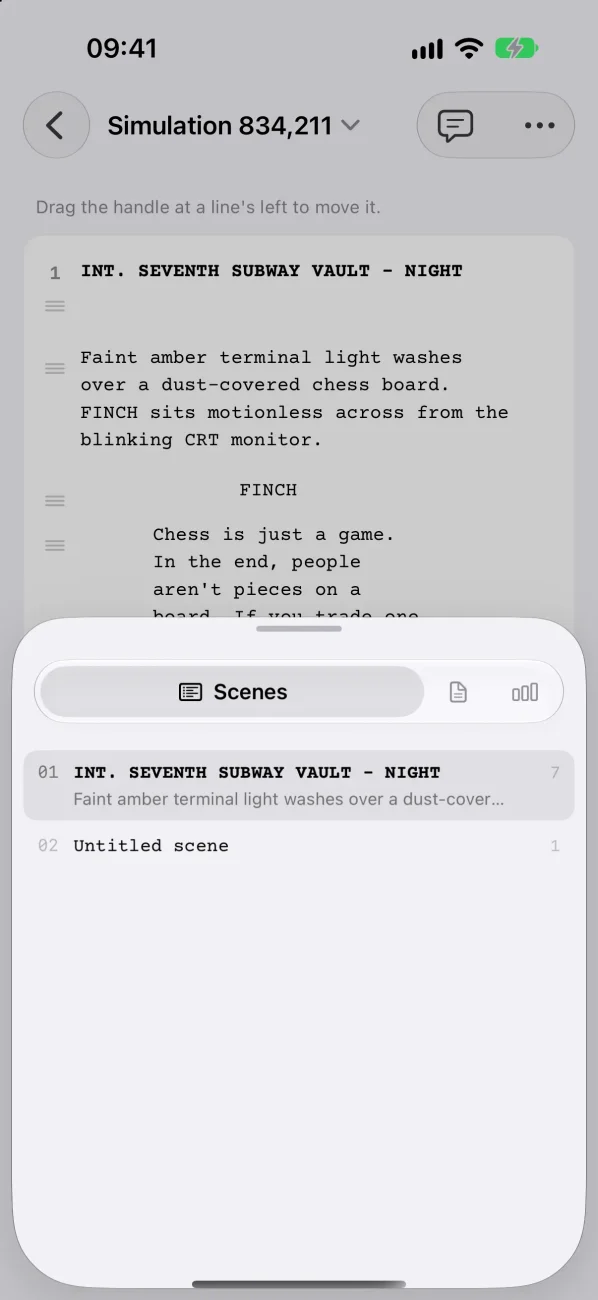
• Scene navigator: browse numbered scenes with their opening line and line count, jump straight to any scene, or step between scenes from the bottom Scene Bar
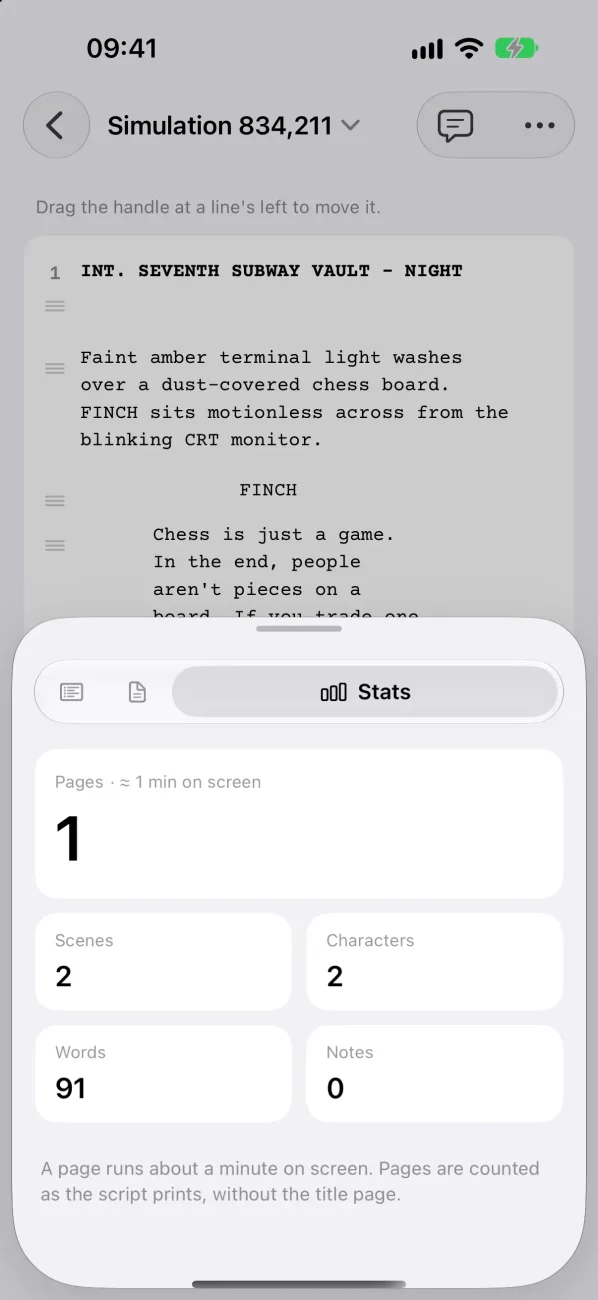
• Live page count and screen time: see your script's length in printed screenplay pages (≈ 1 minute on screen per page, excluding the title page) alongside scene, character, word, and note counts
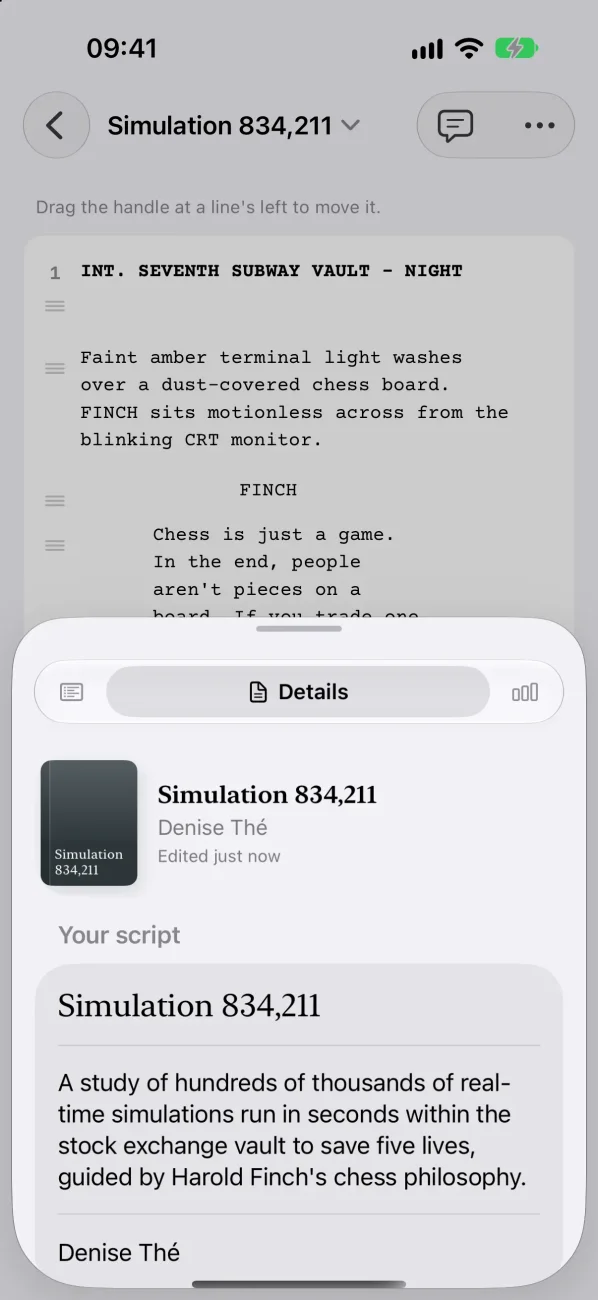
• Script details: set your title, logline, writer credit, and choose from 12 cover colors for your library
NOTES, CAST & VERSION HISTORY
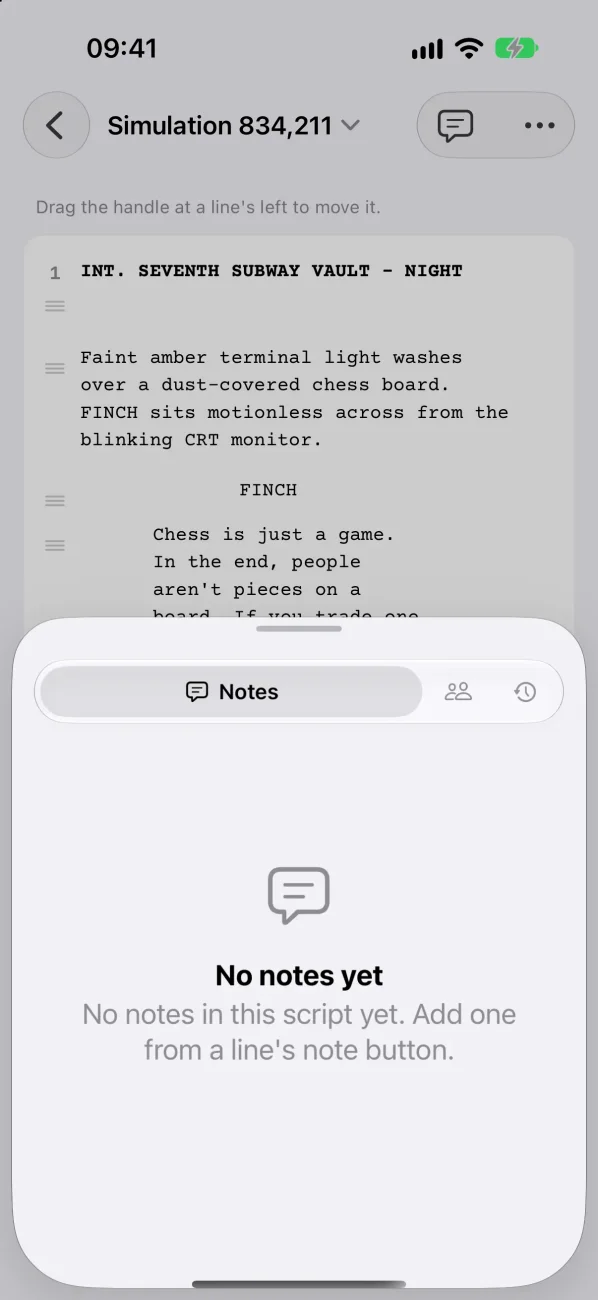
• Line notes: attach notes to any line in your screenplay and review every note grouped by scene in script order
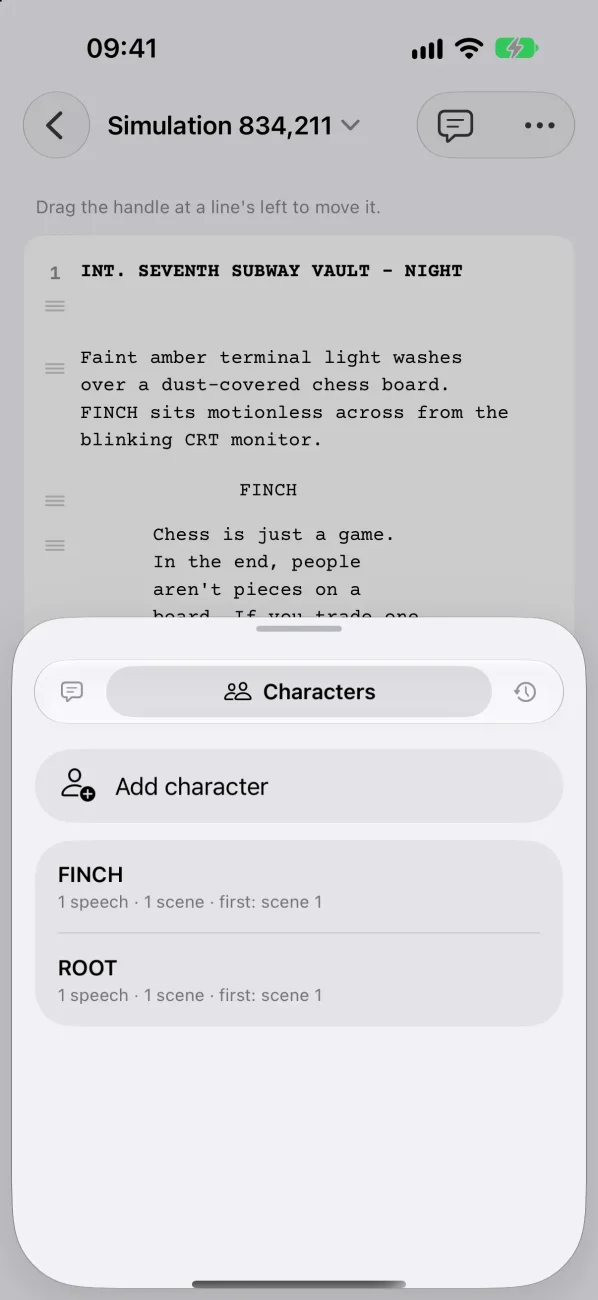
• Automatic cast list: everyone who speaks appears automatically with speech count, scene count, and first appearance (grouping extensions such as V.O. or O.S.), plus characters and descriptions you add before they speak
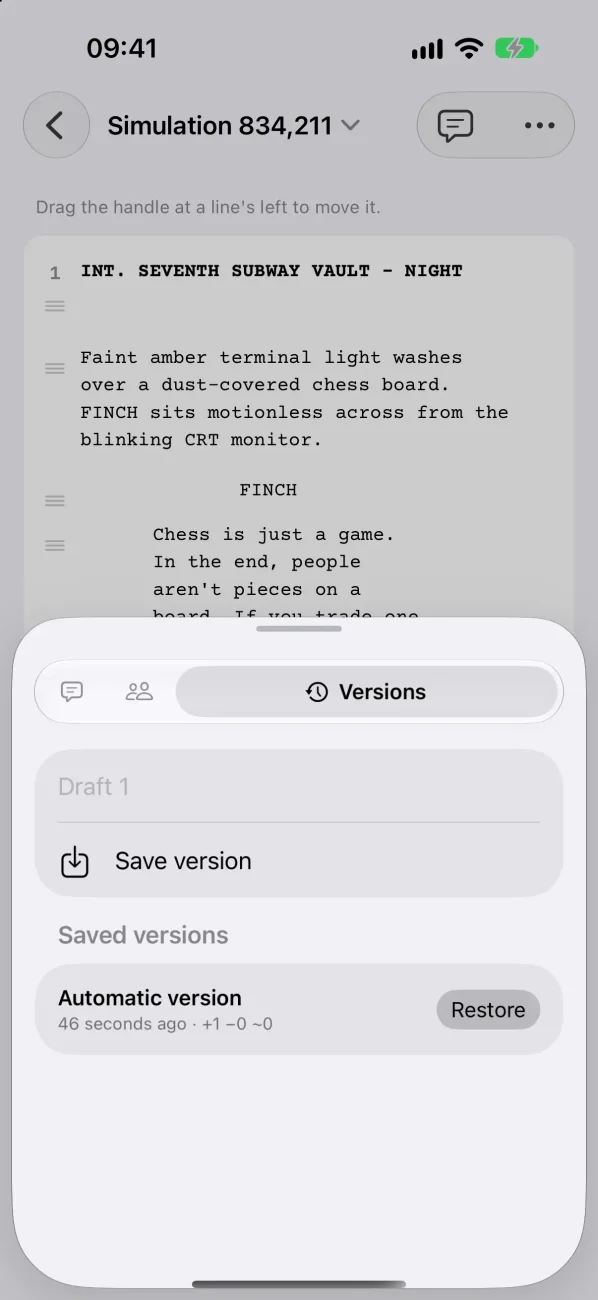
• Version history: save named drafts before major rewrites, compare line changes (+added, −removed, ~changed), and restore any version safely—INK.SCRIPT saves your current script first and supports full Undo
FIND AND REPLACE
• Search across your entire screenplay with optional case matching, jump between matches, and replace single occurrences or all at once
IMPORT & EXPORT IN INDUSTRY FORMATS
• Import existing scripts from Final Draft (.fdx), Fountain (.fountain, .spmd), and formatted or plain text (.txt), preserving scene structure, title page metadata, and script notes
• Export print-ready paginated PDF screenplays (12 pt Courier, 10 characters per inch, 6 lines per inch, title page, page numbers from page 2, optional scene numbers in both margins, dual dialogue columns, scene-heading widow protection, and automatic (MORE) / (CONT'D) speech breaks on US Letter or A4 paper)
• Export Final Draft (.fdx), Fountain (.fountain), and formatted plain text (.txt) via the share sheet on iPhone and iPad or the Save dialog on Mac
A LIBRARY BUILT FOR WRITERS
• Two-pane library on iPad and Mac with a "Continue Writing" spotlight card for the script you worked on last
• Long-press any screenplay card to preview its full cover, writer, logline, and last-edited time
• Open the bundled sample screenplay ("Simulation 834,211") from the welcome tour or empty library to explore every feature right away
BUILT FOR IPHONE, IPAD & MAC
• Scales from a focused single-column page on iPhone to a three-column studio workspace (Scenes sidebar, screenplay page, and Notes/Cast/Versions inspector) on iPad and Mac
• Full hardware keyboard shortcuts for creating projects (⌘N), importing (⌘I), switching element types (⌘⌥1–6), toggling panels, undoing/redoing, and finding text (⌘F)
• Light, Dark, and System appearance, Dynamic Type, and VoiceOver support
• Localized in English, Turkish, and Spanish
PRIVATE BY DESIGN
• Your screenplays stay on your device. INK.SCRIPT works completely offline and collects no personal data, analytics, or usage telemetry.
Có gì mới
Phiên bản 1.9.2 · 15/11/2026
• True screenplay page layout set in Courier Prime with 60-column screenplay indents, scene numbers, and drag-and-drop line reordering.
• Import screenplays from Final Draft (.fdx), Fountain (.fountain, .spmd), and plain text (.txt).
• Export industry-standard paginated PDF screenplays (with title page, optional scene numbers, dual dialogue columns, and automatic (MORE) / (CONT'D) breaks), Final Draft (.fdx), Fountain (.fountain), and plain text (.txt).
• Dual dialogue support: pair two consecutive speeches side by side.
• Smart character cue suggestions as you type.
• Sidebar and Inspector panels (docked on wide iPad and Mac windows, sheets on iPhone):
– Scenes list with opening-line excerpts and line counts
– Script details with logline, writer credit, and 12 cover colors
– Writing statistics with printed page count and estimated screen time (≈ 1 min per page)
– Line notes grouped by scene
– Automatic Cast list tracking speeches, scenes, and first appearances
– Version history with named snapshots, line diff summaries, and safe restore
• Find and replace across the entire screenplay with case matching.
• Redesigned two-pane library on iPad and Mac with a "Continue Writing" spotlight card, 12 cover colors, and rich long-press previews.
• Bundled sample screenplay ("Simulation 834,211") in English, Turkish, and Spanish, plus native macOS support and a refreshed app icon.
Quyền riêng tư của ứng dụng
Những gì Yahya Gonder khai báo trên App Store về cách ứng dụng này xử lý dữ liệu.
-
Dữ liệu không được thu thập
Nhà phát triển không thu thập bất kỳ dữ liệu nào từ ứng dụng này.
Phương thức đảm bảo quyền riêng tư có thể khác nhau, chẳng hạn như tuỳ theo các tính năng bạn sử dụng hoặc độ tuổi của bạn.
Thông tin
- Người bán
- Yahya Gonder
- Danh mục
- Hiệu Suất
- Phiên bản
- 1.9.2
- Cập nhật
- 15/11/2026
- Phát hành
- 30/09/2026
- Kích thước
- 12,4 MB
- Yêu cầu
- iOS 17.0 trở lên
- Độ tuổi
- 4+
- Giá
- Miễn phí
- Ngôn ngữ
- Tiếng Anh, Tiếng Tây Ban Nha, Tiếng Thổ Nhĩ Kỳ
- Bản quyền
- © 2026 Yahya Gönder.