- Classification d’âge4+
- CatégorieMusique
- DéveloppeurArtem Kolchin
- LanguesRusse+ 3 de plus
- Taille6,4 Mo
iSimpleLoop n’est peut-être pas disponible sur App Store pour le moment
La fiche de la boutique était inaccessible lors de notre dernière vérification. Le lien mène toujours à la page App Store officielle.
Captures d’écran


À propos
Le développeur n’a pas fourni ce texte dans votre langue.
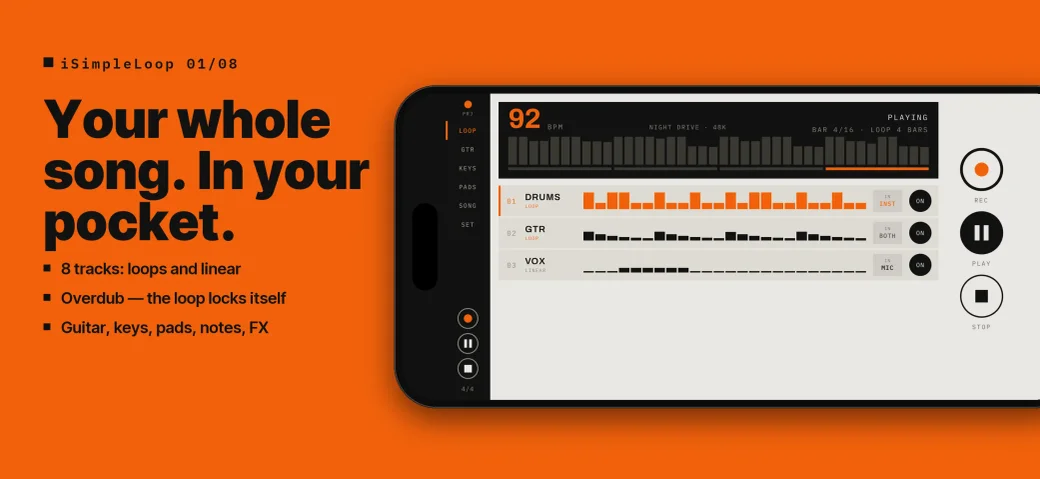
iSimpleLoop is a pocket sketchpad for songs. Record a loop, stack takes over it, play the guitar, the keys and the pads on top, keep the lyrics in front of you — and take the result out as audio or MIDI.
Everything runs on the device. No account, no subscription, no cloud, no internet connection.
LOOPER
• Up to 8 tracks. Looped tracks follow the master loop, linear ones run the whole length of the song.
• The first take sets the loop length; an overdub stops itself after one lap.
• Count-in, metronome, and a per-track input: microphone, the app's instruments, or both.
• Latency compensation, so a take lands where you played it.
INSTRUMENTS
• Guitar: strum and pluck six strings with your fingers, chords of the chosen key, power chords, capo, four tones from nylon to overdrive.
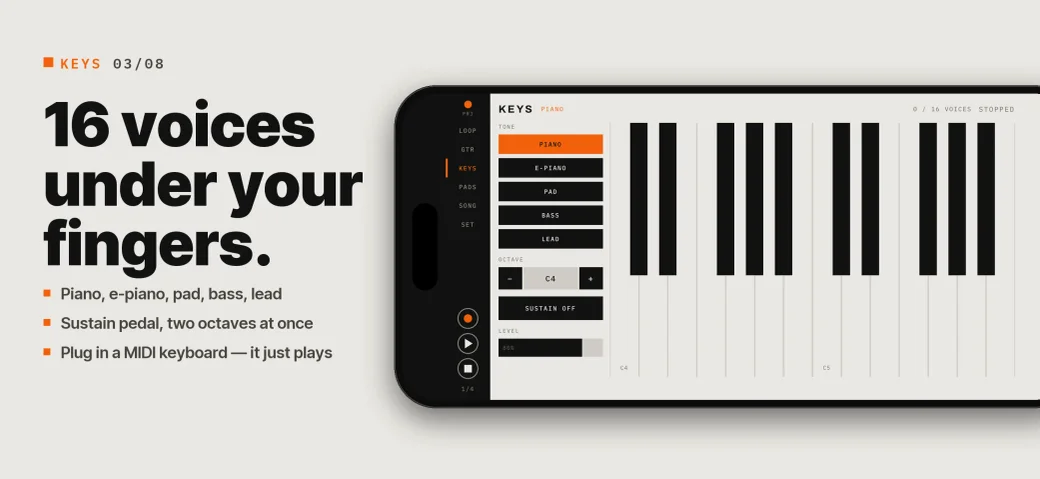
• Keys: a polyphonic synth with piano, e-piano, pad, bass and lead, sustain and an octave shift.
• Pads: 16 pads, 62 built-in sounds, pitch, filter and decay knobs, reverse.
• Sampling from the microphone straight onto a pad, plus import of WAV, MP3, M4A, AIFF and FLAC with a trim screen.
ARRANGEMENT AND EDITING
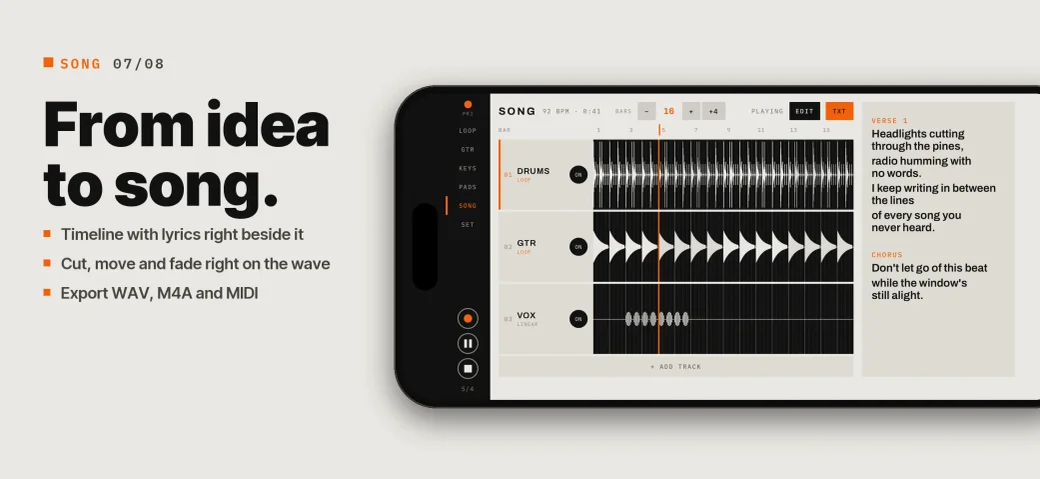
• The whole song on one timeline: bar ruler, waveforms, playhead, scrubbing.
• Select a fragment and trim, cut, silence, fade, normalise, reverse or nudge it by a beat — or drag it onto another track.
• Three-band EQ and pan on every track.
EFFECTS
• Inserts on each track: compressor, overdrive, chorus and flanger.
• Two project-wide send buses: a tempo-synced delay and a reverb.
• Live instruments sound with the effect but are recorded dry, so the decision stays reversible.
LYRICS
• The lyrics live in the project, split into sections, and can sit next to the guitar while you play.
NOTE EDITOR
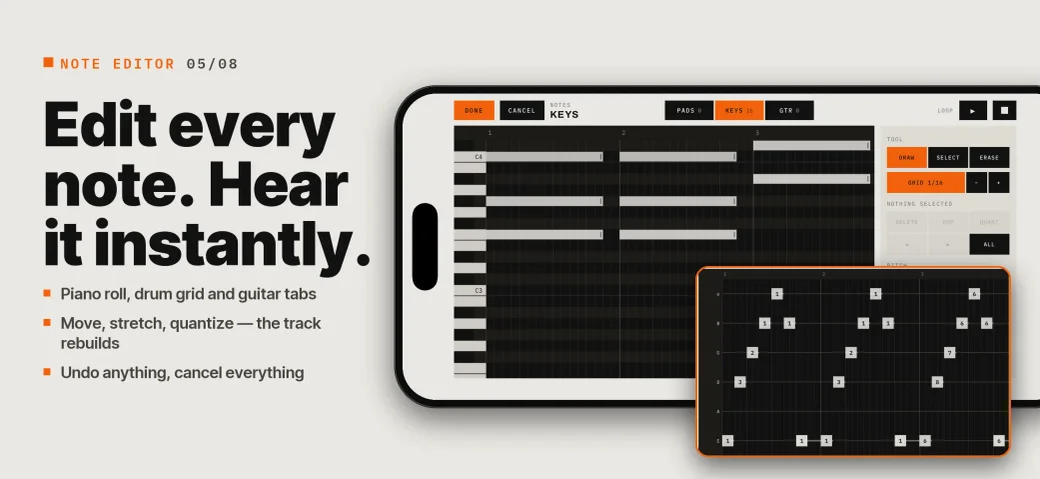
• Piano roll for the keys, a drum grid for the pads and six-line tabs for the guitar.
• Move, stretch, copy, quantize, change pitch, fret, string and velocity — the track rebuilds from the notes right away, so you hear the change in the mix.
• Undo and redo; cancel brings the track back exactly as it was.
SLICE
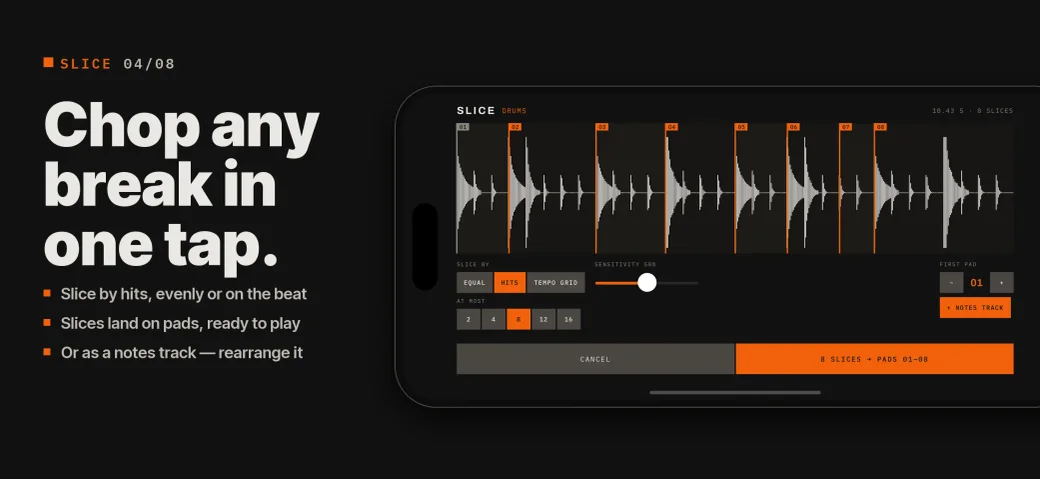
• Chop a sample by hits, into equal parts or on the tempo grid, drag the markers, tap a slice to hear it.
• Slices land on consecutive pads — optionally together with a notes track that plays them in the original order.
CHORDS
• Any chord on any of the eight buttons: major, minor, 7, maj7, m7, sus2, sus4, add9, 6, m6, dim, aug.
• Playable shapes are found automatically; pick a variant or place your own fingers on the fretboard.
HARDWARE
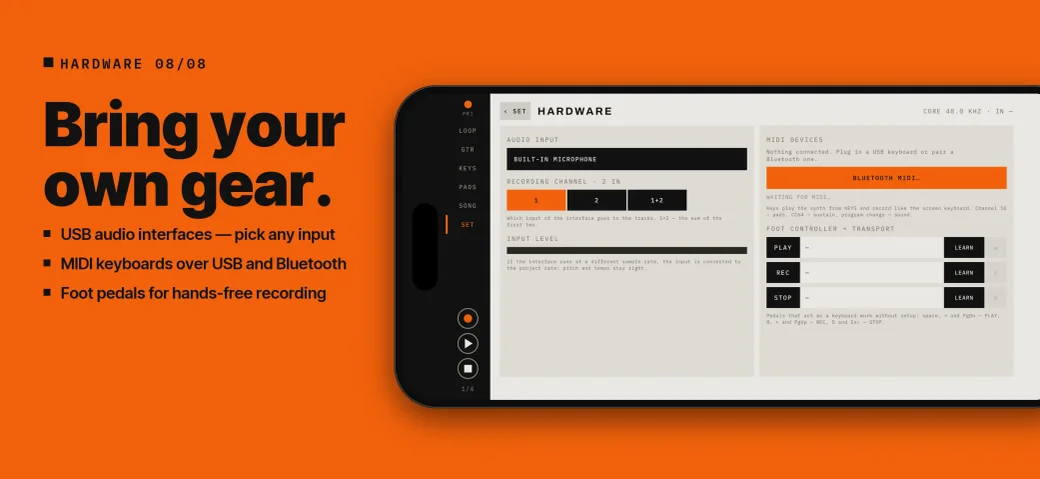
• USB audio interfaces: choose the input and the channel to record; other sample rates are converted on the fly.
• MIDI keyboards over USB and Bluetooth play the synth and record like the on-screen keys; channel 10 plays the pads.
• Foot controllers: MIDI Learn for play, record and stop; keyboard-style page-turner pedals work out of the box.
EXPORT
• WAV 24-bit, M4A (AAC) and MIDI — a track per instrument, pads on channel 10.
• A home screen widget records a sample straight into the library.
Landscape on iPhone and iPad. Interface in English, Russian, German and Italian.
Nouveautés
Version 1.1 · 25/09/2026
Version 1.1 is a big one.
• Note editor: piano roll, drum grid and guitar tabs. Every edit rebuilds the track instantly.
• Slice: chop a break by hits, evenly or on the grid — straight onto the pads.
• Chord editor: 12 chord types, automatic shapes and your own fingerings.
• Hardware: USB audio interfaces with input and channel choice, MIDI keyboards over USB and Bluetooth, foot pedals.
• Fixed: on iPhones with Dynamic Island the side rail no longer slides under it on the SONG screen.
Confidentialité de l’application
Ce que Artem Kolchin déclare sur l’App Store au sujet du traitement des données par cette application.
-
Données non collectées
Le développeur ne collecte aucune donnée à partir de cette application.
Les pratiques en matière de confidentialité peuvent varier, notamment en fonction des fonctionnalités que vous utilisez ou de votre âge.
Informations
- Vendeur
- Artem Kolchin
- Catégorie
- Musique
- Version
- 1.1
- Mis à jour
- 25/09/2026
- Publié
- 22/09/2026
- Taille
- 6,4 Mo
- Nécessite
- iOS 17.0 ou version ultérieure
- Classification d’âge
- 4+
- Langues
- Russe, Anglais, Italien, Allemand
- Copyright
- © Artem Kolchin
Vous aimerez peut-être aussi
-
 MS-12: 12bit Beat SamplerMusique
-
 What About Phase?Sampler de déphasage et AUv3
-
 Strumetra StudioMusique
-
 Cantus - Voicing LabMusique
-
 BOWJA STUDIOMusique
-
 InkyTuneMusique
-
 tono: Synthé et samplerLooper, boîte à rythmes, pads
-
 Memory MIDIWireless MIDI controller
-
 LOOPBARLooper multipiste guitare
-
 StepLoomGroovebox beats & AUv3