- 対象年齢4+
- カテゴリミュージック
- 開発元Artem Kolchin
- 言語ロシア語ほか3言語
- サイズ6.4 MB
App Storeの公式ページにリンクしています
Download.orgはiSimpleLoopのファイルを一切ホストしていません。ボタンを押すと、Artem Kolchinが公開しているApp Storeのアプリページが開きます。ページの最終確認:2026/11/12。
スクリーンショット


概要
開発元はこのテキストをお使いの言語で提供していません。
iSimpleLoop is a pocket sketchpad for songs. Record a loop, stack takes over it, play the guitar, the keys and the pads on top, keep the lyrics in front of you — and take the result out as audio or MIDI.
Everything runs on the device. No account, no subscription, no cloud, no internet connection.
LOOPER
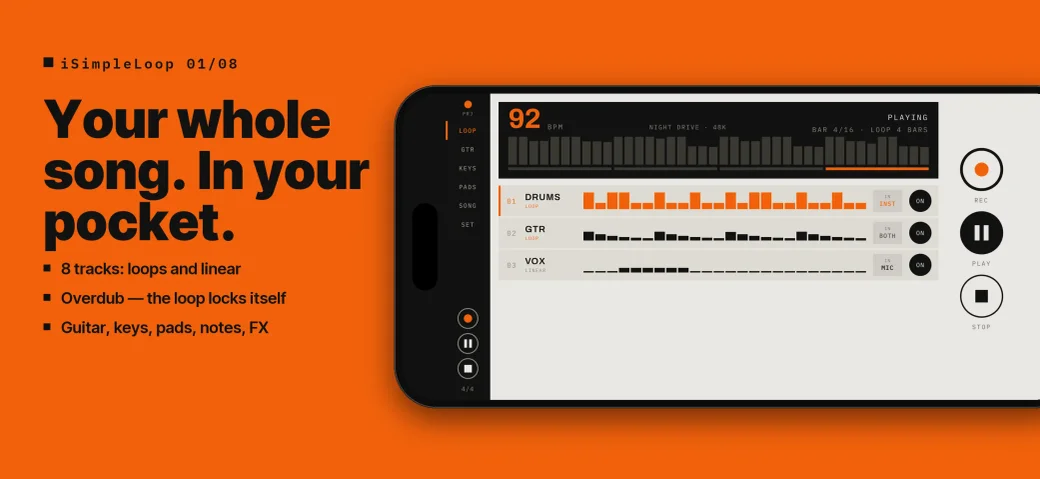
• Up to 8 tracks. Looped tracks follow the master loop, linear ones run the whole length of the song.
• The first take sets the loop length; an overdub stops itself after one lap.
• Count-in, metronome, and a per-track input: microphone, the app's instruments, or both.
• Latency compensation, so a take lands where you played it.
INSTRUMENTS
• Guitar: strum and pluck six strings with your fingers, chords of the chosen key, power chords, capo, four tones from nylon to overdrive.
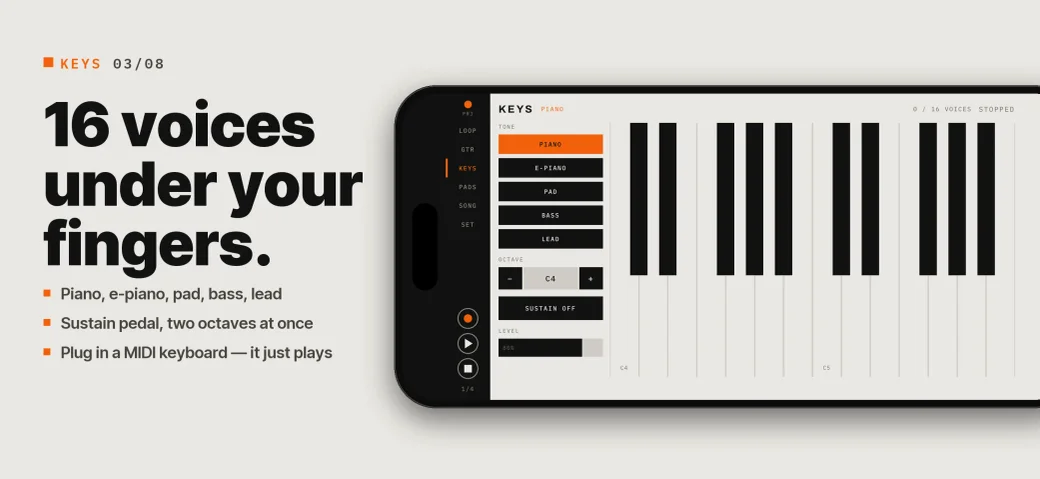
• Keys: a polyphonic synth with piano, e-piano, pad, bass and lead, sustain and an octave shift.
• Pads: 16 pads, 62 built-in sounds, pitch, filter and decay knobs, reverse.
• Sampling from the microphone straight onto a pad, plus import of WAV, MP3, M4A, AIFF and FLAC with a trim screen.
ARRANGEMENT AND EDITING
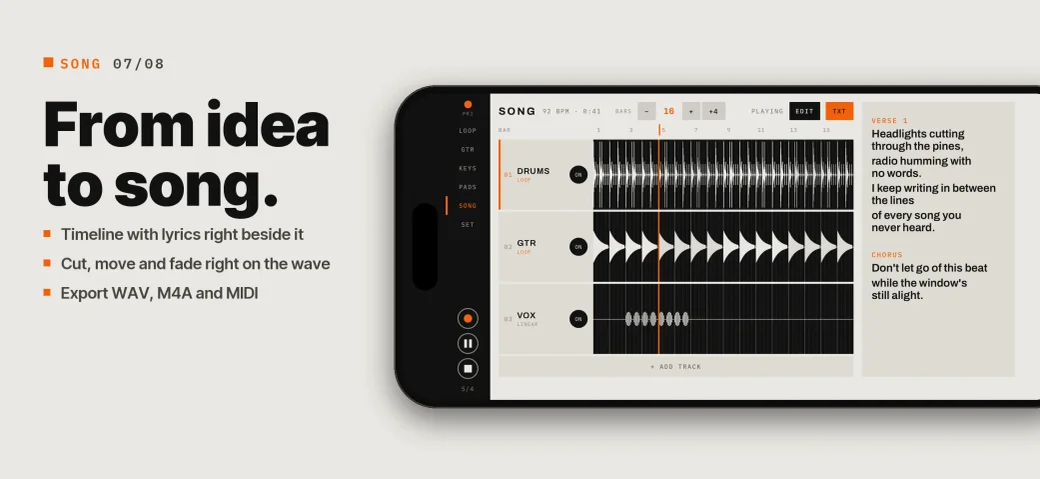
• The whole song on one timeline: bar ruler, waveforms, playhead, scrubbing.
• Select a fragment and trim, cut, silence, fade, normalise, reverse or nudge it by a beat — or drag it onto another track.
• Three-band EQ and pan on every track.
EFFECTS
• Inserts on each track: compressor, overdrive, chorus and flanger.
• Two project-wide send buses: a tempo-synced delay and a reverb.
• Live instruments sound with the effect but are recorded dry, so the decision stays reversible.
LYRICS
• The lyrics live in the project, split into sections, and can sit next to the guitar while you play.
NOTE EDITOR
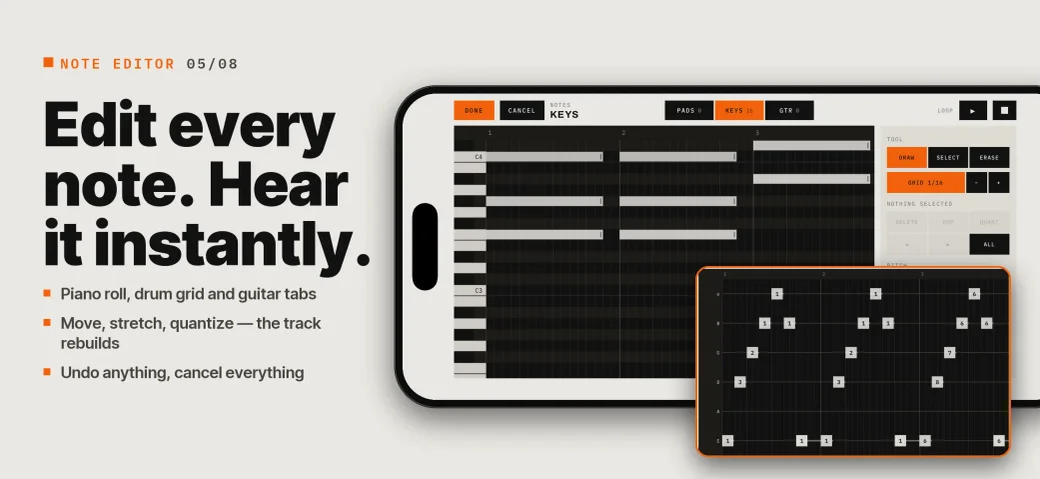
• Piano roll for the keys, a drum grid for the pads and six-line tabs for the guitar.
• Move, stretch, copy, quantize, change pitch, fret, string and velocity — the track rebuilds from the notes right away, so you hear the change in the mix.
• Undo and redo; cancel brings the track back exactly as it was.
SLICE
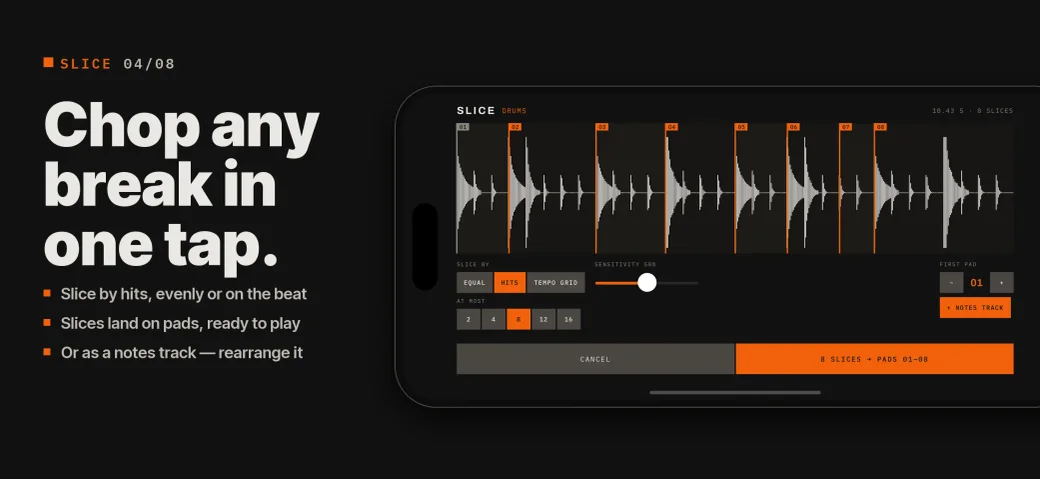
• Chop a sample by hits, into equal parts or on the tempo grid, drag the markers, tap a slice to hear it.
• Slices land on consecutive pads — optionally together with a notes track that plays them in the original order.
CHORDS
• Any chord on any of the eight buttons: major, minor, 7, maj7, m7, sus2, sus4, add9, 6, m6, dim, aug.
• Playable shapes are found automatically; pick a variant or place your own fingers on the fretboard.
HARDWARE
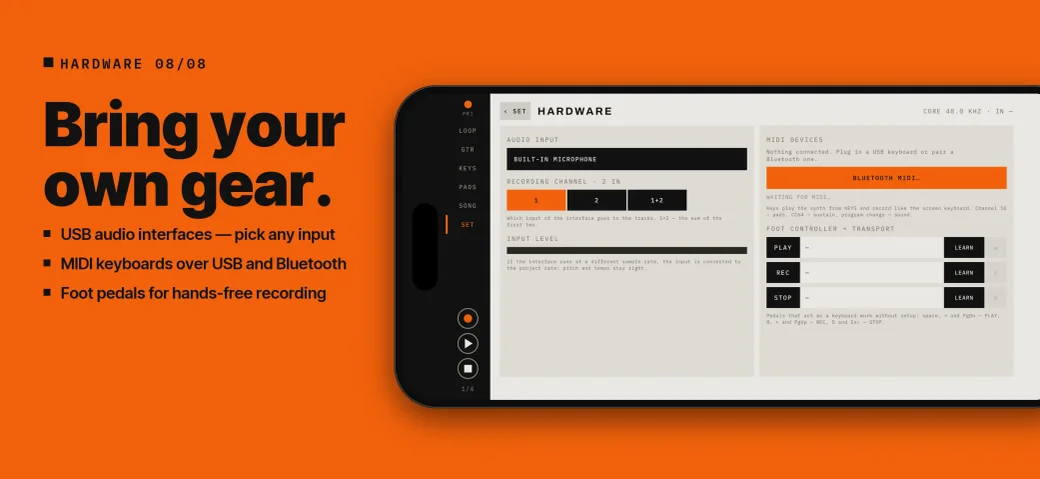
• USB audio interfaces: choose the input and the channel to record; other sample rates are converted on the fly.
• MIDI keyboards over USB and Bluetooth play the synth and record like the on-screen keys; channel 10 plays the pads.
• Foot controllers: MIDI Learn for play, record and stop; keyboard-style page-turner pedals work out of the box.
EXPORT
• WAV 24-bit, M4A (AAC) and MIDI — a track per instrument, pads on channel 10.
• A home screen widget records a sample straight into the library.
Landscape on iPhone and iPad. Interface in English, Russian, German and Italian.
新機能
バージョン 1.1 · 2026/9/25
Version 1.1 is a big one.
• Note editor: piano roll, drum grid and guitar tabs. Every edit rebuilds the track instantly.
• Slice: chop a break by hits, evenly or on the grid — straight onto the pads.
• Chord editor: 12 chord types, automatic shapes and your own fingerings.
• Hardware: USB audio interfaces with input and channel choice, MIDI keyboards over USB and Bluetooth, foot pedals.
• Fixed: on iPhones with Dynamic Island the side rail no longer slides under it on the SONG screen.
アプリのプライバシー
このアプリのデータの取り扱いについて、Artem KolchinがApp Storeで申告している内容です。
-
データの収集なし
開発元はこのアプリからデータを収集しません。
プライバシーの取り扱いは、ご利用の機能やお客様の年齢などに応じて異なる場合があります。
情報
- 販売元
- Artem Kolchin
- カテゴリ
- ミュージック
- バージョン
- 1.1
- 更新日
- 2026/9/25
- リリース
- 2026/9/22
- サイズ
- 6.4 MB
- 必要条件
- iOS 17.0以降
- 対象年齢
- 4+
- 価格
- 無料
- 言語
- ロシア語, 英語, イタリア語, ドイツ語
- 著作権
- © Artem Kolchin