
Kaliper
Key Gauge Utility
Conçue pour iPhone, iPod touch
Gratuit · Achats intégrés
- Classification d’âge4+
- CatégorieUtilitaires
- DéveloppeurFarren Domenici
- LanguesAnglais
- Taille4,4 Mo
Renvoie vers la page App Store officielle
Download.org n’héberge aucun fichier de Kaliper. Le bouton ouvre la page de l’application sur App Store, où Farren Domenici la publie. Fiche vérifiée pour la dernière fois le 18/11/2026.
Captures d’écran

À propos
Le développeur n’a pas fourni ce texte dans votre langue.
Out-of-the-shop and out-of-the-van key gauge utility.
Have a key you need to decode but no caliper or key gauge nearby? Not 100% confident on your eyesight to read the cuts? Then use your iDevice to measure the key with Kaliper.
Kaliper is free to download with a purchase option for upgrading. It is recommended to get accustomed to the app prior to purchasing as with any tool, this app has a learning curve and with practice comes perfection.
The free version comes with two predefined systems: Arrow .014" and Schlage .015" (5 pin only).
The full version comes with eight predefined systems: Arrow .014" (5/6 pin), Best A2, A3, A4 (6/7 pin), Kwikset .023" (standard/titan), Sargent .020" (5/6 pin), Schlage .015" (5/6 pin), and Yale .019" (5/6 pin). In addition to custom key measurements and of course no ads.
Instructions:
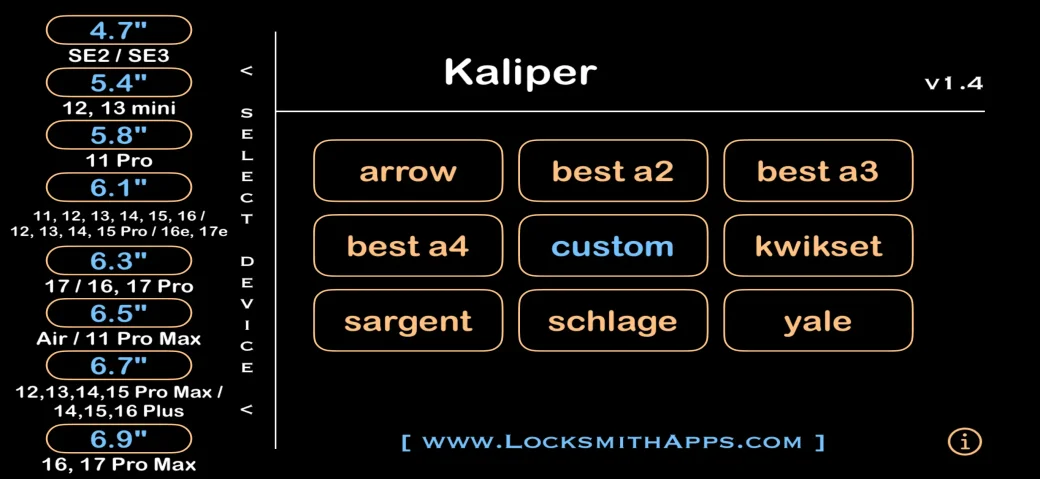
On the main page begin by selecting your iDevice from the choices on the left, then select either a predefined system or custom. Do not use full screen on iPads.
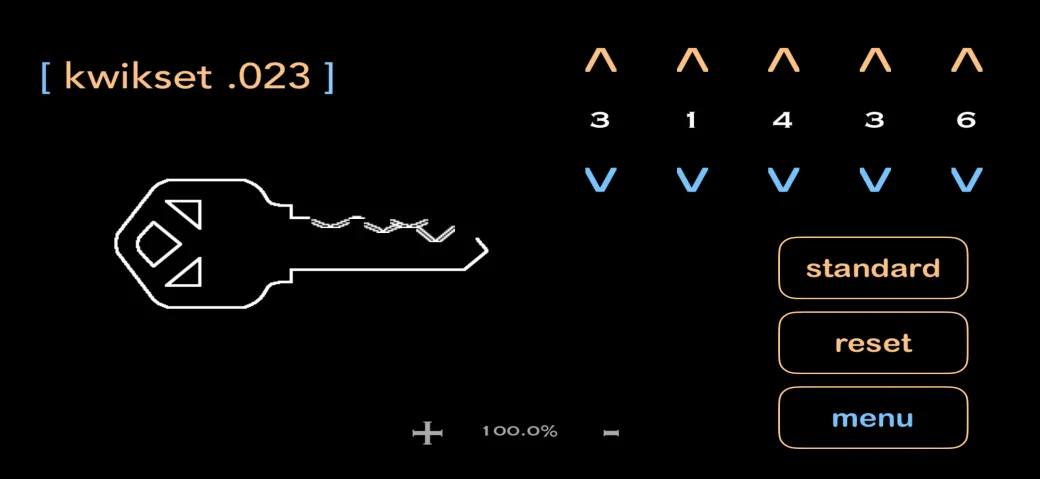
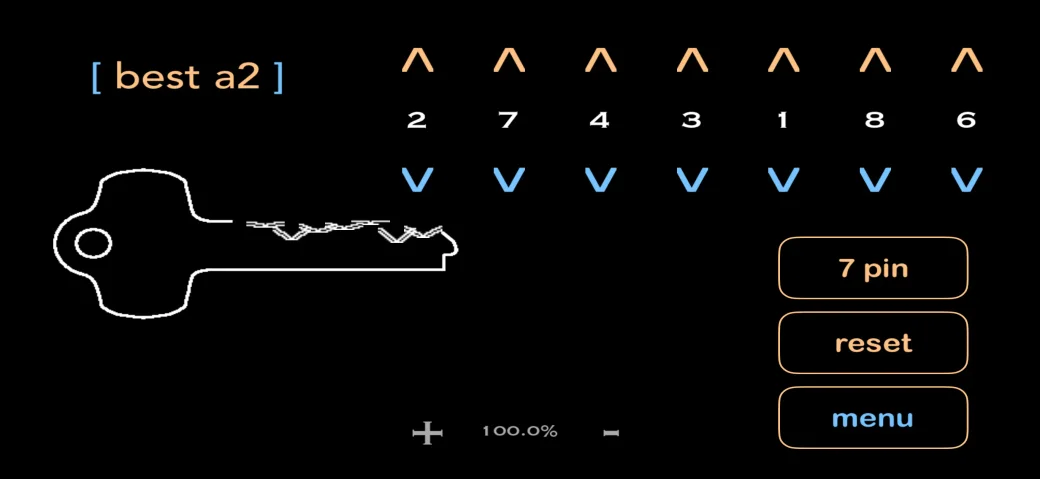
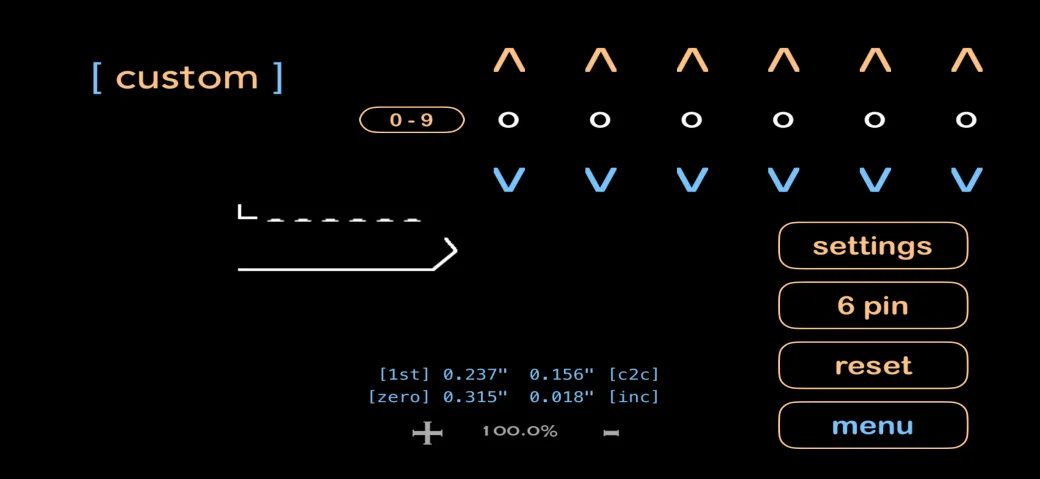
Predefined: Lay your device on a flat surface and place your key on top of the silhouette, using the top shoulder (or bottom tip for best systems) as the primary focus for alignment. If aligned properly each of the cut markers will sit directly above each corresponding cut. If necessary, use the zoom control at the bottom for a better fit. Once the key is aligned, tap on the first down arrow in the upper right hand corner to lower the cut marker. Each tap represents a deeper cut with the depth displayed directly above the arrow. Keep tapping until the marker outlines the cut. If the marker starts to disappear behind the key use the up arrow to raise the marker. Do this for the remaining cuts to finish measuring your key.
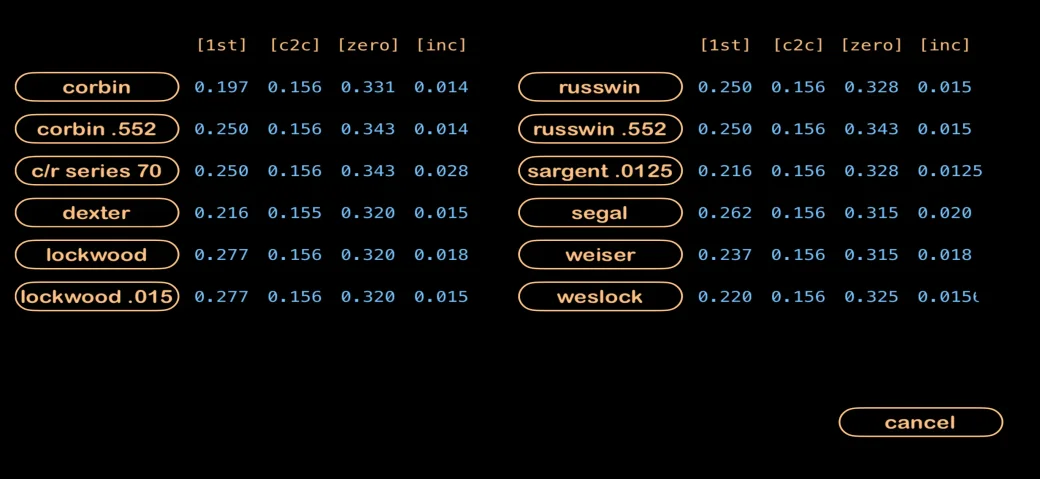
Custom: The measuring process remains the same as the predefined systems, but as the markers are customizable some measurements need to be supplied before proceeding: Bow to First Cut: The distance from the center of the first cut to the top shoulder. Cut to Cut: The distance between the center of each cut. Shallowest Depth: The distance from the bottom of the blade to the center of the lowest cut in the system (i.e. Zero or One). Depth Increment: The distance between subsequent cuts. These measurements are typically found on pinning kits, however the system you are inputting may be found on the Charts page. From this chart simply tap on the system and all the measurements will be automatically applied. If inputting manually, type the measurements into the 4 boxes and tap Apply. The markers will adjust accordingly and you can begin measuring the key using the shoulder and blade for alignment. If the system uses a One as the shallowest cut, tap on 0 - 9 to reflect a 1 thru 10 cut system. Tap again to switch back.
Compatibility (sorted by screen size): iPhone SE2, SE3, 12 mini, 13 mini, 11 Pro, 11, 12, 12 Pro, 13, 13 Pro, 14, 14 Pro, 15, 15 Pro, 16, 16e, 17e, 16 Pro, 17, 17 Pro, Air, 11 Pro Max, 12 Pro Max, 13 Pro Max, 14 Plus, 14 Pro Max, 15 Plus, 15 Pro Max, 16 Plus, 16 Pro Max, 17 Pro Max
Found a bug? Something not working? Have a suggestion? Feel free to contact me via email: farren@phoxlocks.com
Nouveautés
Version 1.4 · 16/03/2026
-Major overhaul replacing many of the much older iPhones with the current lineup including the last five or more years
Confidentialité de l’application
Ce que Farren Domenici déclare sur l’App Store au sujet du traitement des données par cette application.
-
Données utilisées pour vous suivre
Peuvent être utilisées pour vous suivre sur des applications et des sites web appartenant à d’autres sociétés.
- Emplacement
- Identifiants
- Données d’utilisation
- Diagnostic
-
Données établissant un lien avec vous
Peuvent être collectées et liées à votre identité.
- Emplacement
- Identifiants
- Données d’utilisation
- Diagnostic
-
Données n’établissant aucun lien avec vous
Peuvent être collectées, mais ne sont pas liées à votre identité.
- Diagnostic
Les pratiques en matière de confidentialité peuvent varier, notamment en fonction des fonctionnalités que vous utilisez ou de votre âge.
Informations
- Vendeur
- Farren Domenici
- Catégorie
- Utilitaires
- Version
- 1.4
- Mis à jour
- 16/03/2026
- Publié
- 14/07/2019
- Taille
- 4,4 Mo
- Nécessite
- iOS 14.0 ou version ultérieure
- Classification d’âge
- 4+
- Prix
- Gratuit
- Achats intégrés
- Oui
- Langues
- Anglais
- Copyright
- © 2012-2026 Farren Domenici
Vous aimerez peut-être aussi
-
 Triton PLUS™Utilitaires
-
 Maverick Key Cutting MachineUtilitaires
-
 Black Widow Key MachineUtilitaires
-
 Keys AppUtilitaires
-
 Black Widow Key Machine V2Utilitaires
-
 Locksmith FieldProUtilitaires
-
 Super RulerUtilitaires
-
 SmartKey BoxUtilitaires
-
 JMA AmericaUtilitaires
-
 Règle sur photo PartoMeterMesurer longueur avec caméra