Kaliper
Key Gauge Utility
iPhone, iPod touch için tasarlandı
Ücretsiz · Uygulama içi satın alma
- Yaş sınırı4+
- KategoriYardımcılar
- GeliştiriciFarren Domenici
- Dillerİngilizce
- Boyut4,4 MB
Resmi App Store sayfasına bağlanır
Download.org, Kaliper için hiçbir dosya barındırmaz. Düğme, uygulamanın App Store üzerindeki sayfasını açar; uygulamayı orada Farren Domenici yayınlar. Sayfanın son kontrolü: 18.11.2026.
Ekran görüntüleri

Hakkında
Geliştirici bu metni dilinizde sunmamış.
Out-of-the-shop and out-of-the-van key gauge utility.
Have a key you need to decode but no caliper or key gauge nearby? Not 100% confident on your eyesight to read the cuts? Then use your iDevice to measure the key with Kaliper.
Kaliper is free to download with a purchase option for upgrading. It is recommended to get accustomed to the app prior to purchasing as with any tool, this app has a learning curve and with practice comes perfection.
The free version comes with two predefined systems: Arrow .014" and Schlage .015" (5 pin only).
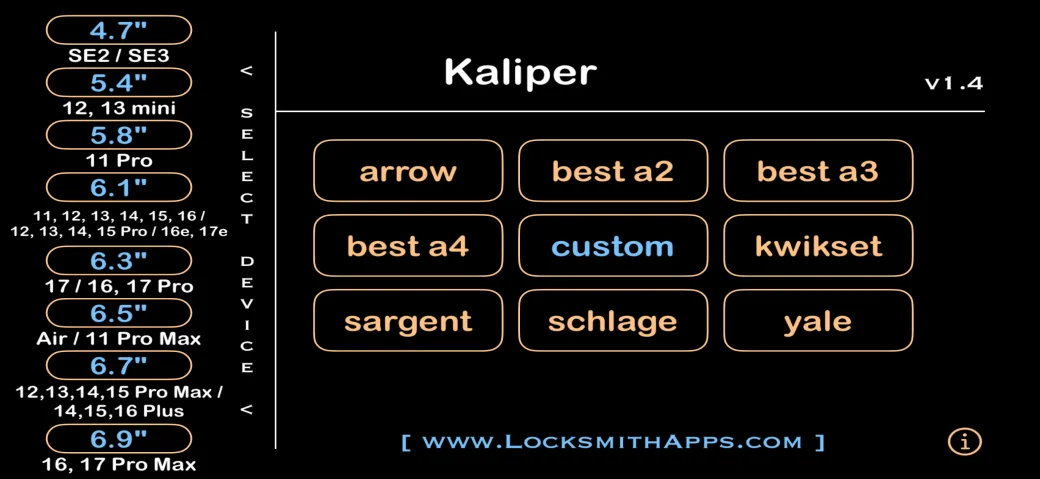
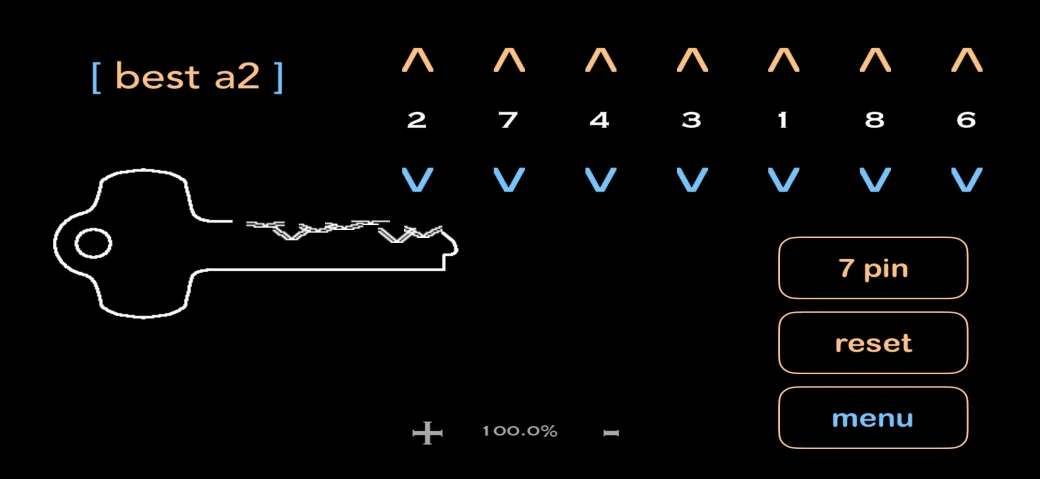
The full version comes with eight predefined systems: Arrow .014" (5/6 pin), Best A2, A3, A4 (6/7 pin), Kwikset .023" (standard/titan), Sargent .020" (5/6 pin), Schlage .015" (5/6 pin), and Yale .019" (5/6 pin). In addition to custom key measurements and of course no ads.
Instructions:
On the main page begin by selecting your iDevice from the choices on the left, then select either a predefined system or custom. Do not use full screen on iPads.
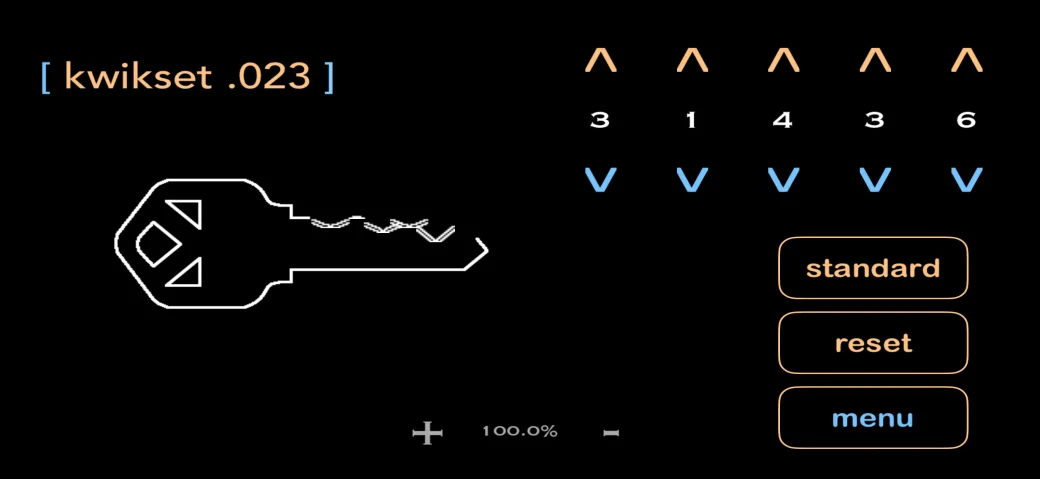
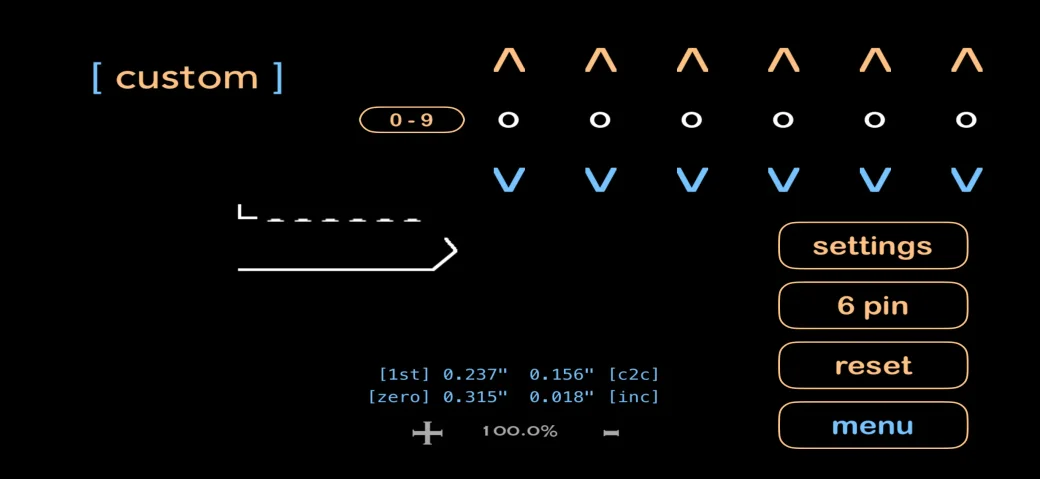
Predefined: Lay your device on a flat surface and place your key on top of the silhouette, using the top shoulder (or bottom tip for best systems) as the primary focus for alignment. If aligned properly each of the cut markers will sit directly above each corresponding cut. If necessary, use the zoom control at the bottom for a better fit. Once the key is aligned, tap on the first down arrow in the upper right hand corner to lower the cut marker. Each tap represents a deeper cut with the depth displayed directly above the arrow. Keep tapping until the marker outlines the cut. If the marker starts to disappear behind the key use the up arrow to raise the marker. Do this for the remaining cuts to finish measuring your key.
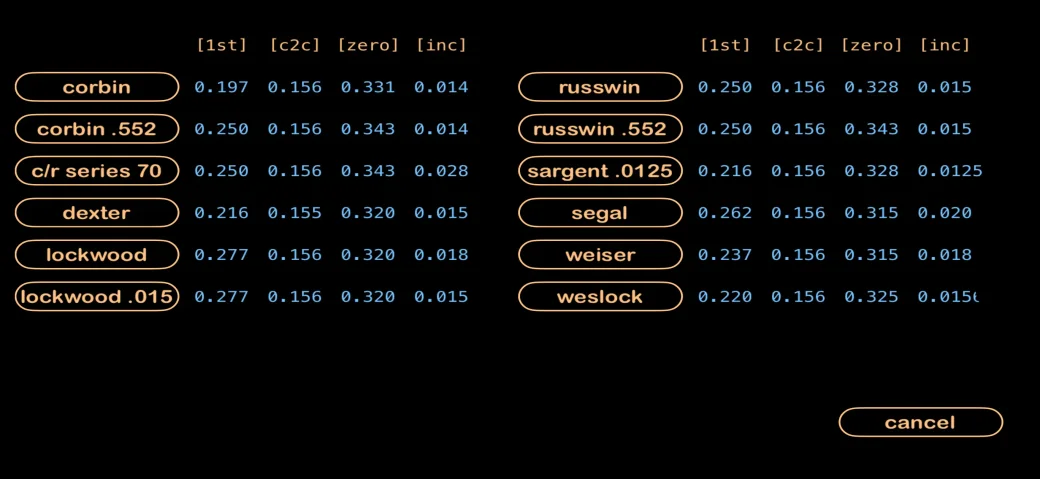
Custom: The measuring process remains the same as the predefined systems, but as the markers are customizable some measurements need to be supplied before proceeding: Bow to First Cut: The distance from the center of the first cut to the top shoulder. Cut to Cut: The distance between the center of each cut. Shallowest Depth: The distance from the bottom of the blade to the center of the lowest cut in the system (i.e. Zero or One). Depth Increment: The distance between subsequent cuts. These measurements are typically found on pinning kits, however the system you are inputting may be found on the Charts page. From this chart simply tap on the system and all the measurements will be automatically applied. If inputting manually, type the measurements into the 4 boxes and tap Apply. The markers will adjust accordingly and you can begin measuring the key using the shoulder and blade for alignment. If the system uses a One as the shallowest cut, tap on 0 - 9 to reflect a 1 thru 10 cut system. Tap again to switch back.
Compatibility (sorted by screen size): iPhone SE2, SE3, 12 mini, 13 mini, 11 Pro, 11, 12, 12 Pro, 13, 13 Pro, 14, 14 Pro, 15, 15 Pro, 16, 16e, 17e, 16 Pro, 17, 17 Pro, Air, 11 Pro Max, 12 Pro Max, 13 Pro Max, 14 Plus, 14 Pro Max, 15 Plus, 15 Pro Max, 16 Plus, 16 Pro Max, 17 Pro Max
Found a bug? Something not working? Have a suggestion? Feel free to contact me via email: farren@phoxlocks.com
Yenilikler
Sürüm 1.4 · 16.03.2026
-Major overhaul replacing many of the much older iPhones with the current lineup including the last five or more years
Uygulama gizliliği
Bu uygulamanın verileri nasıl işlediği hakkında Farren Domenici tarafından App Store üzerinde yapılan beyan.
-
Sizi izlemek için kullanılan veriler
Başka şirketlere ait uygulamalarda ve web sitelerinde sizi izlemek için kullanılabilir.
- Konum
- Tanımlayıcılar
- Kullanım verileri
- Tanılama
-
Sizinle ilişkilendirilen veriler
Toplanabilir ve kimliğinizle ilişkilendirilebilir.
- Konum
- Tanımlayıcılar
- Kullanım verileri
- Tanılama
-
Sizinle ilişkilendirilmeyen veriler
Toplanabilir ancak kimliğinizle ilişkilendirilmez.
- Tanılama
Gizlilik uygulamaları, örneğin kullandığınız özelliklere veya yaşınıza göre değişiklik gösterebilir.
Bilgiler
- Satıcı
- Farren Domenici
- Kategori
- Yardımcılar
- Sürüm
- 1.4
- Güncellendi
- 16.03.2026
- Yayın tarihi
- 14.07.2019
- Boyut
- 4,4 MB
- Gereksinim
- iOS 14.0 veya sonrası
- Yaş sınırı
- 4+
- Fiyat
- Ücretsiz
- Uygulama içi satın alma
- Evet
- Diller
- İngilizce
- Telif hakkı
- © 2012-2026 Farren Domenici