
- Classification d’âge4+
- CatégorieProductivité
- DéveloppeurStudio Berlin GmbH
- LanguesAnglais+ 1 de plus
- Taille1,6 Mo
Renvoie vers la page App Store officielle
Download.org n’héberge aucun fichier de Logster. Le bouton ouvre la page de l’application sur App Store, où Studio Berlin GmbH la publie. Fiche vérifiée pour la dernière fois le 17/11/2026.
Captures d’écran



À propos
Le développeur n’a pas fourni ce texte dans votre langue.
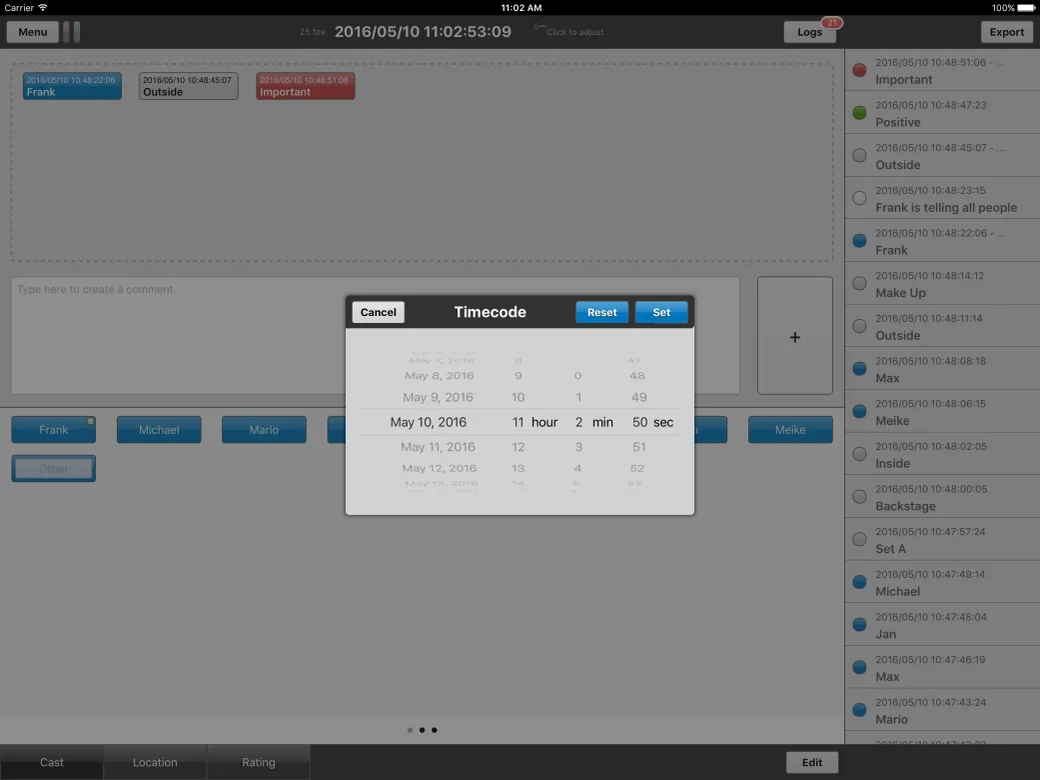
With Logster you can simply create notes for your productions. These "logs" are related to a timecode. For creating logs you can use either buttons or a comment field for individual text notes. Logster further allows you to create logs having a start- and a end timecode to describe time ranges.
+++ Internal system clock or external timecode sources
Logster can be synced with the internal system clock or an external LTC timecode by simply connecting the timecode source with the audio jack of your iPad.
+++ External keyboard support
Logster allows a faster input of the commentfield with the support of CMD+RETURN Hotkey while working with an external keyboard.
+++ Use of different frame rates
All logs are stored as a timecode value, which can be visualized and used with different frame rates (24, 25 or 30 FPS).
+++ Customize productions
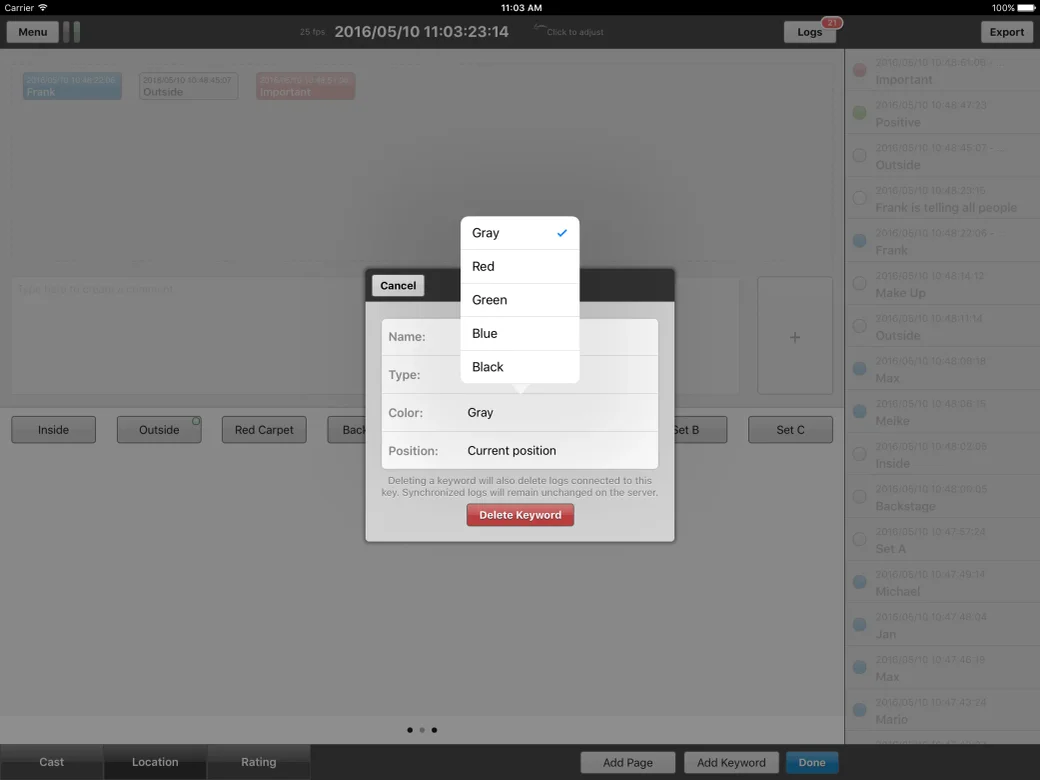
To perfectly fit your needs Logster is highly customizable and lets you create multiple setups for different productions. Each setup may have multiple pages with multiple buttons or input fields. Each keyword can be customized for color and type.
+++ Export and email reports
Logster works without a permanent internet connection. All logs are saved locally on your iPad and can be sent by email once a mail account is available. You can choose between a CSV file format which may be used in common spreadsheet software or a XML file format while exporting your logs.
+++ Collaboration & Workflow integration
Logster is designed for single use and also for collaboration. Some productions may require all logged information to be consistent and further be connected to a central database or a content management system. With Logster logs created on different iPads can easily be synced manually or automatically to a central place. If you're wondering how Logster can be integrated into your workflow, we will be pleased to further advise you.
Nouveautés
Version 3.0.0 · 28/10/2026
- Improved compatibility with iOS 27.1
- Updated for the Xcode 27.1 SDK
Confidentialité de l’application
Ce que Studio Berlin GmbH déclare sur l’App Store au sujet du traitement des données par cette application.
-
Données établissant un lien avec vous
Peuvent être collectées et liées à votre identité.
- Identifiants
Les pratiques en matière de confidentialité peuvent varier, notamment en fonction des fonctionnalités que vous utilisez ou de votre âge.
Informations
- Vendeur
- Studio Berlin GmbH
- Catégorie
- Productivité
- Version
- 3.0.0
- Mis à jour
- 28/10/2026
- Publié
- 01/01/2013
- Taille
- 1,6 Mo
- Nécessite
- iOS 17.6 ou version ultérieure
- Classification d’âge
- 4+
- Prix
- Gratuit
- Langues
- Anglais, Allemand
- Copyright
- © Studio Berlin GmbH
Vous aimerez peut-être aussi
-
 Timecode LogsProductivité
-
 Open Audio AnalyzerProductivité
-
 Timestamp MarkerProductivité
-
 Timecode QuickNotesProductivité
-
 GMA RehearsalBuddyProductivité
-
 Live Timecode NotesTake notes with real timecode
-
 TextMate Productivité
-
 Mio - Ask MathStudio with AIProductivité
-
 RaccorderProductivité
-
 Sticky Notes : Mémo & TâchesPense-bête, to do list, widget