
Map Tells...!
Navigation app for meeting up
Conçue pour iPhone, iPod touch
Gratuit
- Classification d’âge4+
- CatégorieNavigation
- DéveloppeurYuriko Kimura
- LanguesAnglais+ 1 de plus
- Taille43,0 Mo
Renvoie vers la page App Store officielle
Download.org n’héberge aucun fichier de Map Tells...!. Le bouton ouvre la page de l’application sur App Store, où Yuriko Kimura la publie. Fiche vérifiée pour la dernière fois le 17/11/2026.
Captures d’écran
À propos
Le développeur n’a pas fourni ce texte dans votre langue.
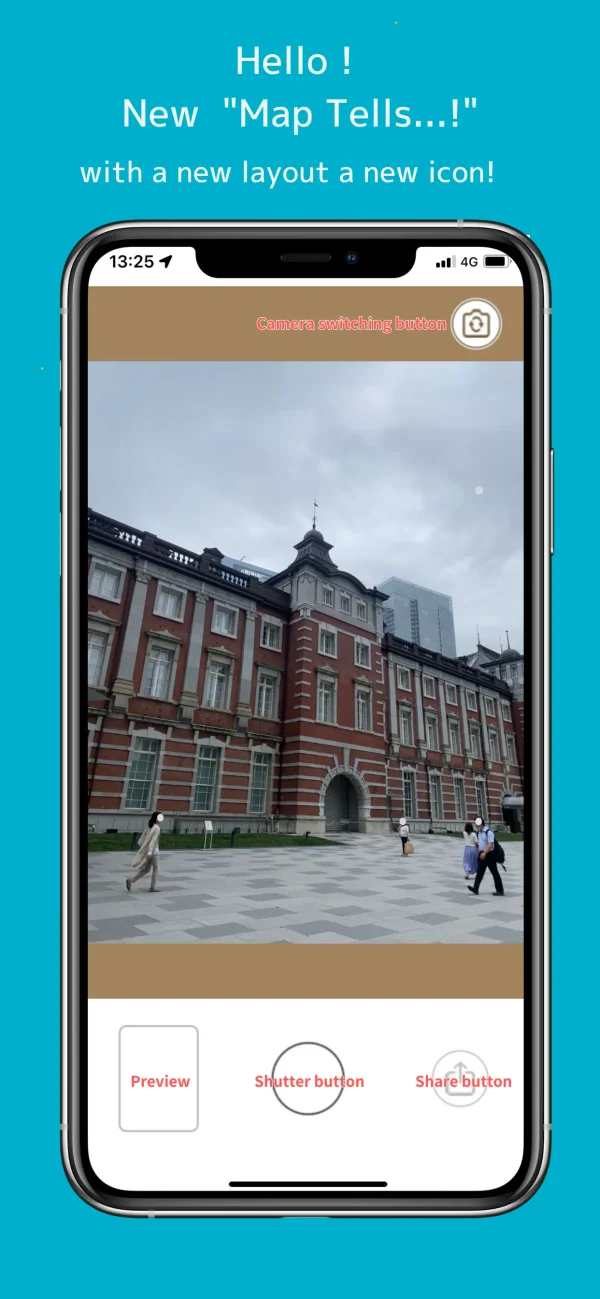
"Map Tells...!” is an app that shares your location with your companion by providing a Google Maps’ link and photo. The mail receiver follows the directions (on the map or through a navigation system) and compares the photo you sent and the scenery that he/she is viewing; then, the app guides your companion to the meeting location successfully.
Using the app is very simple:
-How to send the information to your company
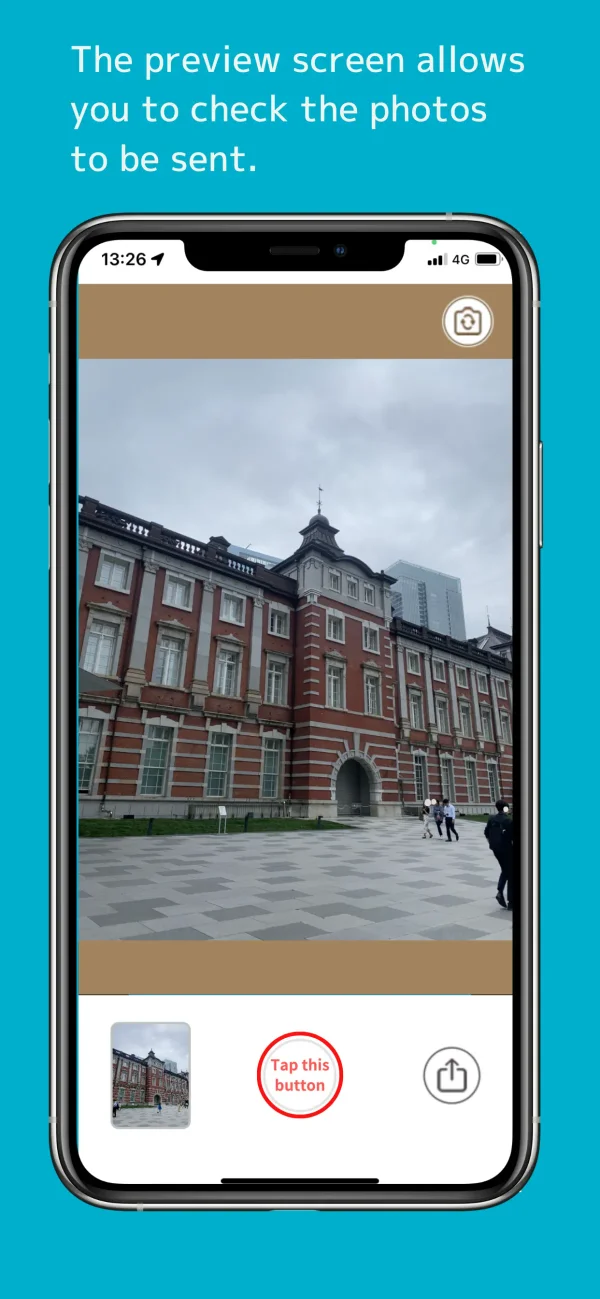
1) After launching the app, take a photo of your location by pushing the photo button on the screen.
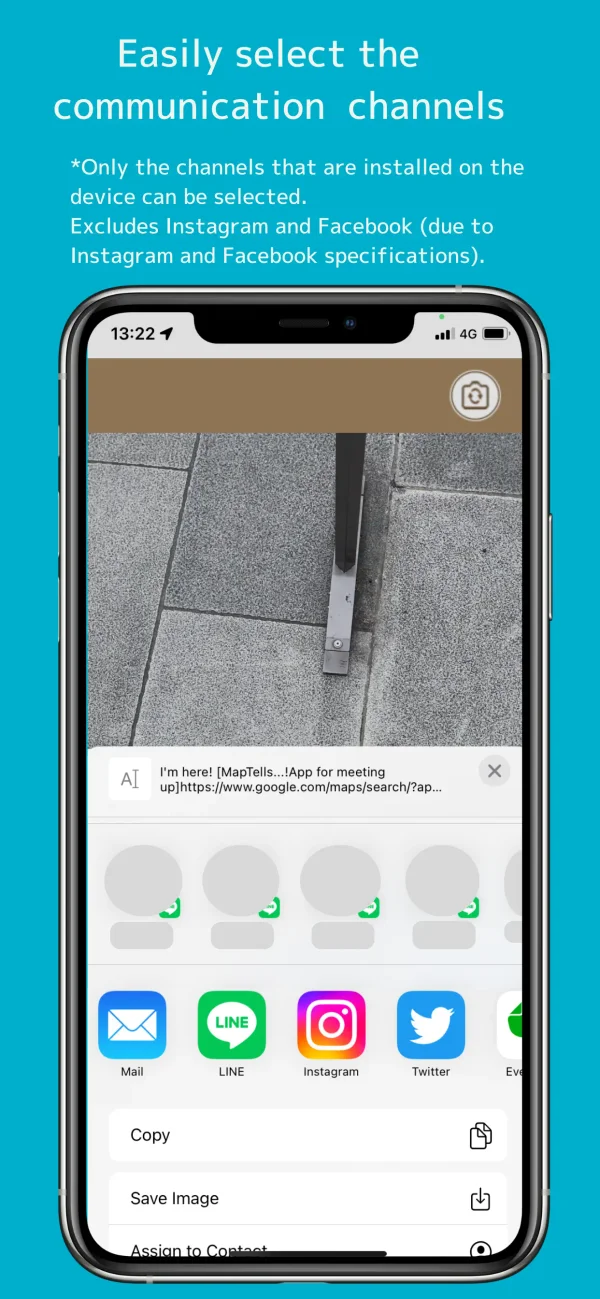
2) Press the sharing button on the screen.
3) After pressing the sharing button, SNS and E-mail icons will show up on your screen. (The SNS options will only include SNS apps that have been installed on your iPhone.)
4) Choose a communication method for sharing.
5) Select the receiver's information to send a message.
6) Send!
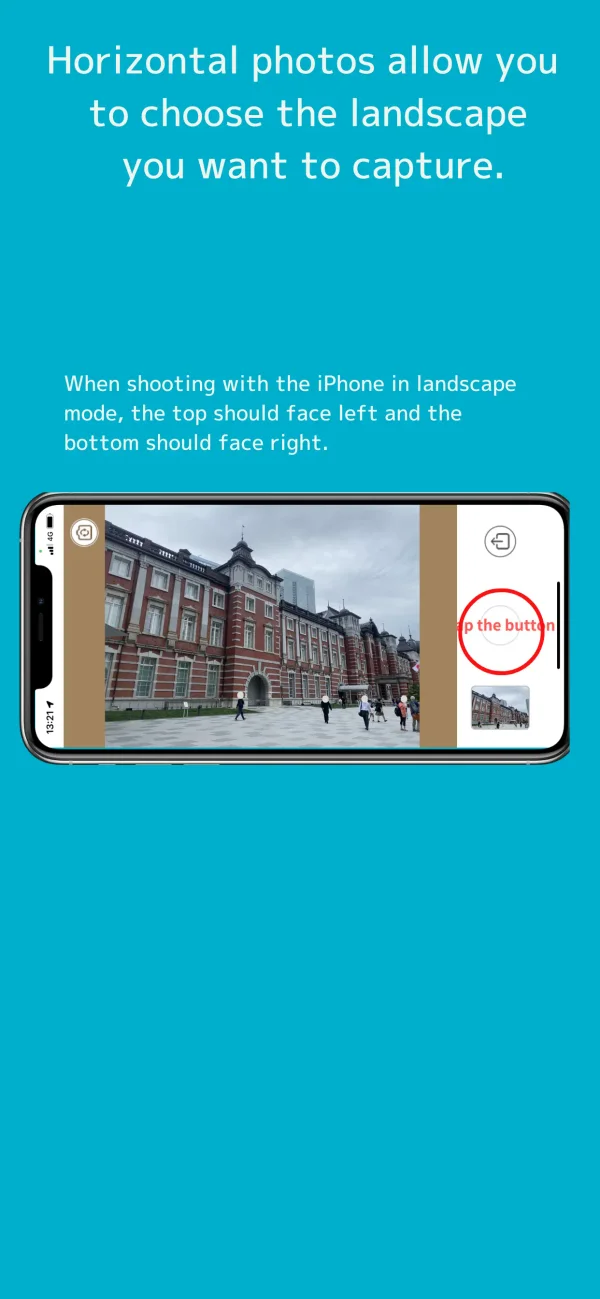
-How to choose a horizontal camera orientation
1) Hold your phone horizontally.
-How to choose a front/rear camera orientation
1) Press the switch button.
a. When you hold your iPhone vertically, the button will be in the top right corner.
b. When you hold it horizontally, the button will be in the top left corner.
"NOTE"
The sharing button is available after taking the photo.
Additionally, if you want to retake the photo, just press the cancel button on the SNS screen. You will find the SNS close and camera on the screen. Then, take the photo again.
If the recipient has the Google Maps app on his/her smartphone, it will open automatically and show the relevant location. If your companion does not have the Google Maps app, the hyperlink will open Google Maps’ site in their preferred internet browser.
Keep in mind that "Map Tells...!” asks for permission to use the camera and location functions on your iPhone.
Also, this app may not work on iPad correctly.
Nouveautés
Version 3.4 · 22/05/2024
Small improvements.
Confidentialité de l’application
Ce que Yuriko Kimura déclare sur l’App Store au sujet du traitement des données par cette application.
-
Données utilisées pour vous suivre
Peuvent être utilisées pour vous suivre sur des applications et des sites web appartenant à d’autres sociétés.
- Données d’utilisation
-
Données établissant un lien avec vous
Peuvent être collectées et liées à votre identité.
- Emplacement
- Contacts
- Contenu utilisateur
- Données d’utilisation
-
Données n’établissant aucun lien avec vous
Peuvent être collectées, mais ne sont pas liées à votre identité.
- Identifiants
- Données d’utilisation
- Diagnostic
Les pratiques en matière de confidentialité peuvent varier, notamment en fonction des fonctionnalités que vous utilisez ou de votre âge.
Informations
- Vendeur
- Yuriko Kimura
- Catégorie
- Navigation
- Version
- 3.4
- Mis à jour
- 22/05/2024
- Publié
- 16/02/2019
- Taille
- 43,0 Mo
- Nécessite
- iOS 12.0 ou version ultérieure
- Classification d’âge
- 4+
- Prix
- Gratuit
- Langues
- Anglais, Japonais
- Copyright
- © 2018-2023 Yuriko Kimura
Vous aimerez peut-être aussi
-
 Pitto - Parking Memo & NavNavigation
-
 Imadoko : Retrouvez vos amisDirection, distance et PiP
-
 Visit Ravni kotariVoyages
-
 isimangalisoVoyages
-
 Je suis là!!Suivre et Partage Itinéraires
-
 たびのしおり - 旅行計画アプリVoyages
-
 ココにいるよ!!/近くにいるけど会えない友達との待ち合わせにNavigation
-
 ナビエディットNavigation
-
 どこだっけAR - 目的地に案内するARアプリNavigation
-
 Compass X: Precise PositioningNavigation