
- Classification d’âge4+
- CatégorieProductivité
- DéveloppeurRICHARD JAMES HARVEY
- LanguesAnglais
- Taille11,5 Mo
Renvoie vers la page App Store officielle
Download.org n’héberge aucun fichier de MarpUI. Le bouton ouvre la page de l’application sur App Store, où RICHARD JAMES HARVEY la publie. Fiche vérifiée pour la dernière fois le 13/11/2026.
Captures d’écran


À propos
Le développeur n’a pas fourni ce texte dans votre langue.
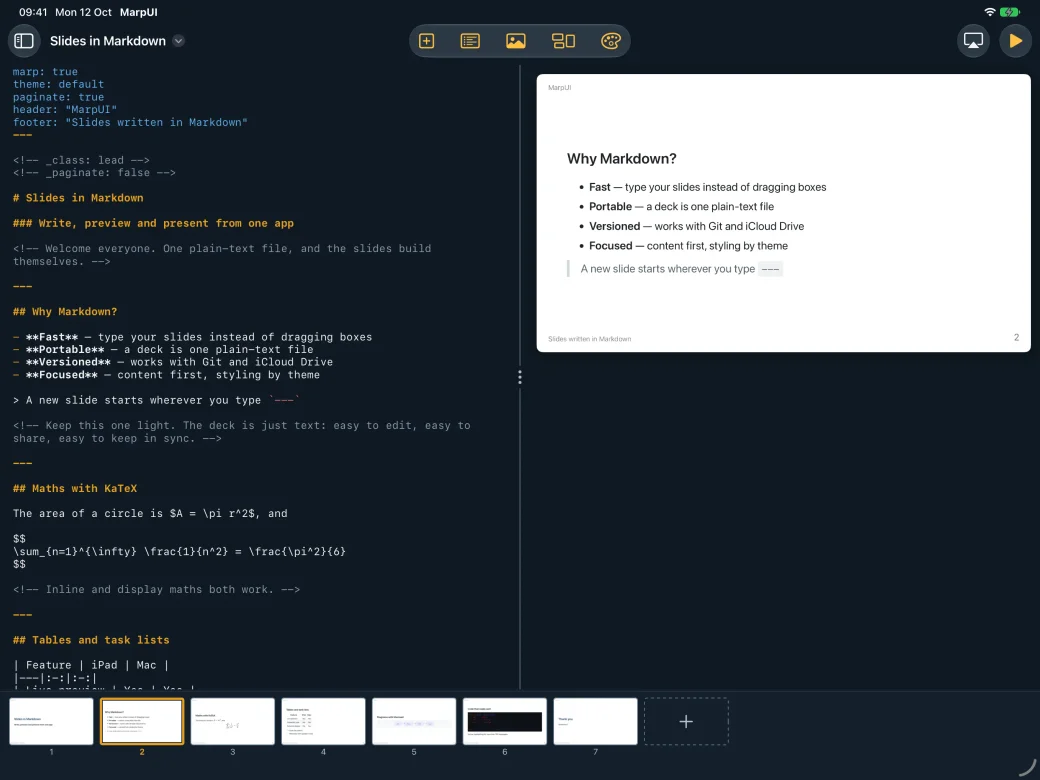
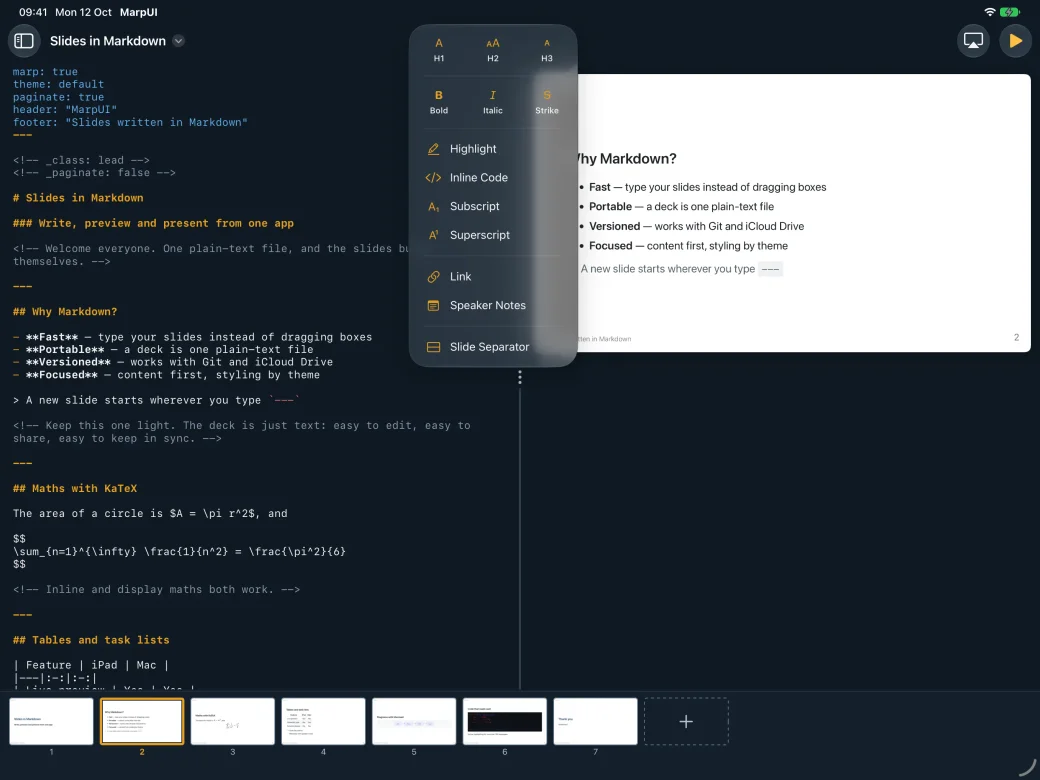
MarpUI is a native iPadOS presentation editor powered by Marp. Write your slides in Markdown, see them rendered in real-time, and present directly from your iPad.
**Write slides effortlessly**
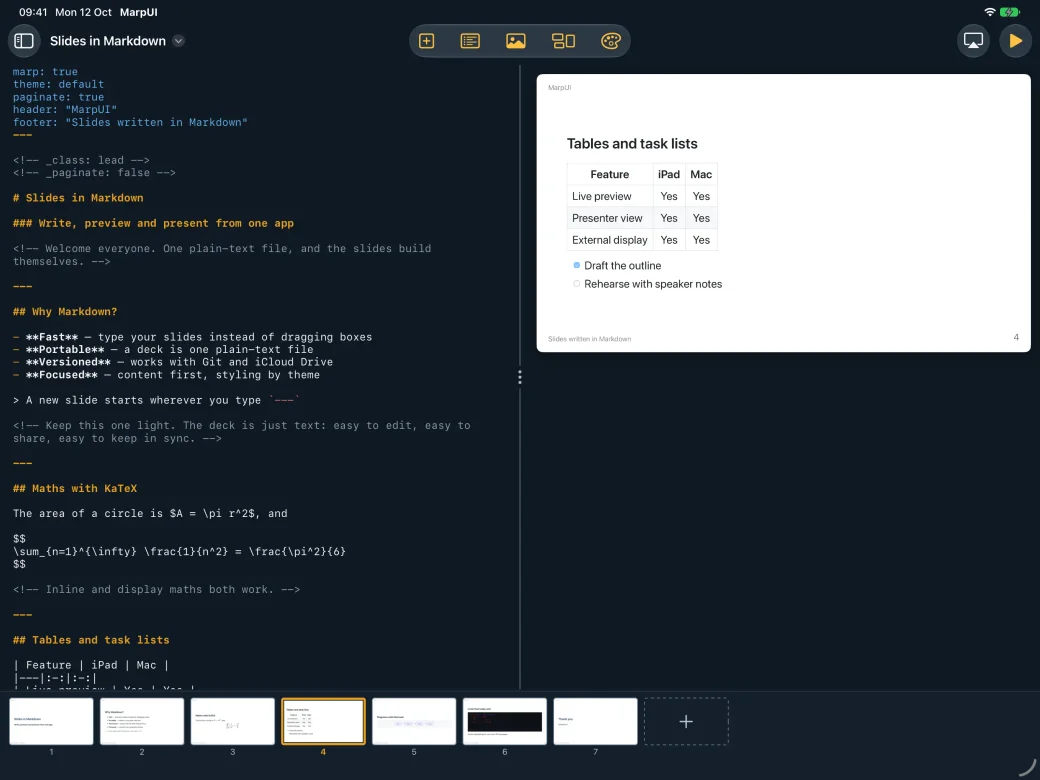
The split-pane editor gives you a Markdown editor on the left and a live slide preview on the right. Use the Insert and Blocks menus to quickly add headings, formatting, lists, tables, code blocks, blockquotes, and more. Keyboard shortcuts like Cmd+B (bold) and Cmd+I (italic) keep you in the flow.
**Rich Markdown extensions**
Go beyond basic Markdown with subscript, superscript, highlights, strikethrough, footnotes, task lists, and GitHub-style alerts. Add Mermaid diagrams for flowcharts and sequence diagrams. Write math equations with KaTeX. Syntax highlighting supports 190+ programming languages.
**Beautiful themes**
Choose from built-in Marp themes or import your own custom CSS themes. Edit themes live with instant preview. Set fonts per slide or for the entire deck.
**Present like a pro**
Three presentation modes to suit any scenario:
- Fullscreen slideshow with tap, swipe, and keyboard navigation
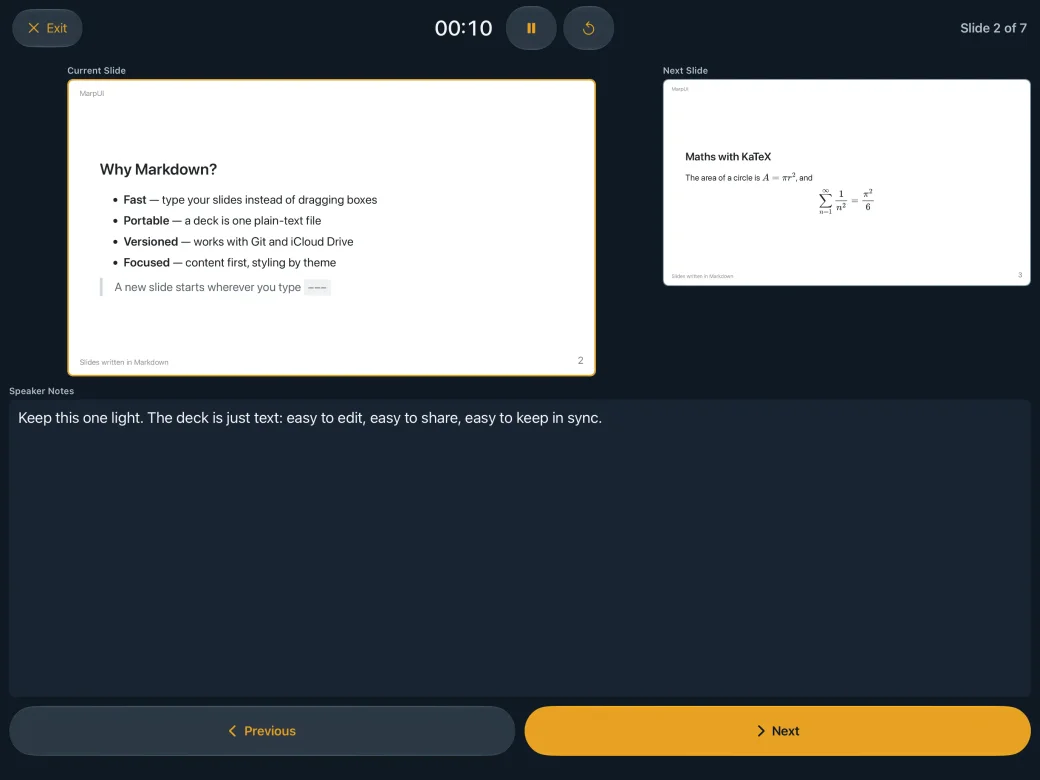
- Presenter view with current slide, next slide preview, speaker notes, and a timer
- External display mode: connect a USB-C HDMI adapter to show slides on a projector while your iPad shows the presenter view
**Images with power**
Insert images from your Photos library with one tap. Apply sizing, filters (blur, brightness, grayscale, sepia, and more), and background modes. Use split-screen backgrounds for striking visual layouts.
**Export and share**
Export your presentations as self-contained HTML files or PDF documents. Share via AirDrop, email, or any app on your iPad.
**Sync with iCloud**
Link your iCloud Drive MarpUI folder to access the same decks on your iPad and Mac. Changes sync automatically. Conflict detection alerts you when a file has been modified on another device.
**Fully offline**
MarpUI runs entirely on your device. No account required, no data uploaded, no internet needed after installation.
Nouveautés
Version 1.3.0 · 14/10/2026
A new look, a layout for portrait, and a home for all your Markdown.
Liquid Glass throughout
MarpUI has been redrawn with Liquid Glass. The editor's controls now sit in the system toolbar, sized for touch, and the presenter view and slideshow controls have had the same treatment.
Made for portrait too
Hold your iPad upright and the slide now sits above your text, each at full width, instead of squeezing into half the screen. Drag the handle to give the slide more or less room. MarpUI remembers where you left it.
See every slide at a glance
The strip under the editor now shows a real thumbnail of each slide, redrawn as you edit.
More than presentations
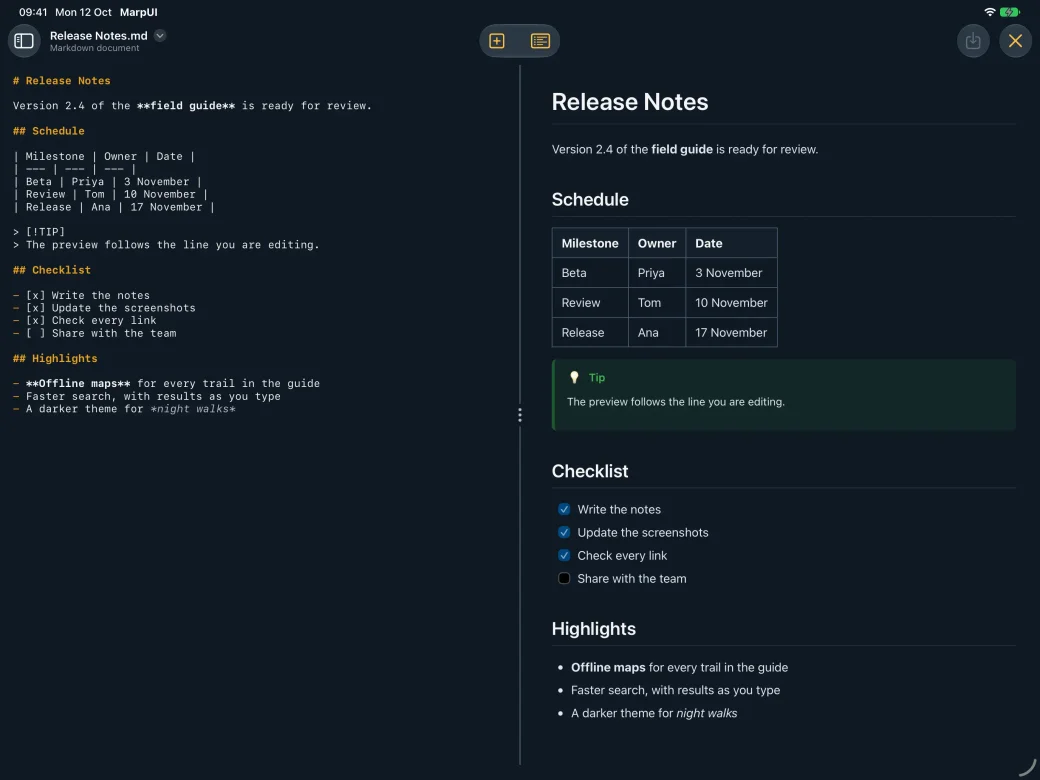
MarpUI now opens Markdown files from the Files app. Presentations open as decks. Anything else opens as a plain document, with a live preview that follows the line you are editing. You can start a new document from the + menu too.
Easier for everyone
- The editor and the document preview follow your system text size
- Clearer contrast throughout
- Clearer VoiceOver names for the editor's controls
- Slides can be reordered, and the panes resized, without dragging
Polish & fixes
- The exit button in the fullscreen slideshow now responds to taps
- Slideshow bars are black rather than navy
- Deleting a deck or a document asks first
- The Insert and Blocks menus fit without scrolling
Thanks for using MarpUI. As always, let us know what you'd love to see next.
Confidentialité de l’application
Ce que RICHARD JAMES HARVEY déclare sur l’App Store au sujet du traitement des données par cette application.
-
Données non collectées
Le développeur ne collecte aucune donnée à partir de cette application.
Les pratiques en matière de confidentialité peuvent varier, notamment en fonction des fonctionnalités que vous utilisez ou de votre âge.
Informations
- Vendeur
- RICHARD JAMES HARVEY
- Catégorie
- Productivité
- Version
- 1.3.0
- Mis à jour
- 14/10/2026
- Publié
- 30/04/2026
- Taille
- 11,5 Mo
- Nécessite
- iOS 26.0 ou version ultérieure
- Classification d’âge
- 4+
- Prix
- Gratuit
- Langues
- Anglais
- Copyright
- © Ric Harvey
Vous aimerez peut-être aussi
-
 Marp Slide: Markdown PPTCréez et présentez sur mobile
-
 Marp Slide AICréez des diapos avec IA
-
 mrkdwn — Notes MarkdownÉcriture privée et concentrée
-
 Markdown : Lecteur Éditeur MDLisez, écrivez et surlignez
-
 AnyMarkdown - PDF en MarkdownConvertisseur: Word, EPUB, web
-
 Lecteur et editeur Markdownlecteur md. convertir en pdf.
-
 QuickHMI MobileProductivité
-
 Deckset: Your Notes to SlidesProductivité
-
 TroutProductivité
-
 LLM Hub: Chat IA hors ligneGénérateur d'images et vidéos