
- Độ tuổi4+
- Danh mụcHiệu Suất
- Nhà phát triểnRICHARD JAMES HARVEY
- Ngôn ngữTiếng Anh
- Kích thước11,5 MB
Liên kết đến trang App Store chính thức
Download.org không lưu trữ tệp nào của MarpUI. Nút này mở trang ứng dụng trên App Store, nơi RICHARD JAMES HARVEY phát hành ứng dụng. Trang được kiểm tra lần cuối: 13/11/2026.
Ảnh chụp màn hình


Giới thiệu
Nhà phát triển chưa cung cấp nội dung này bằng ngôn ngữ của bạn.
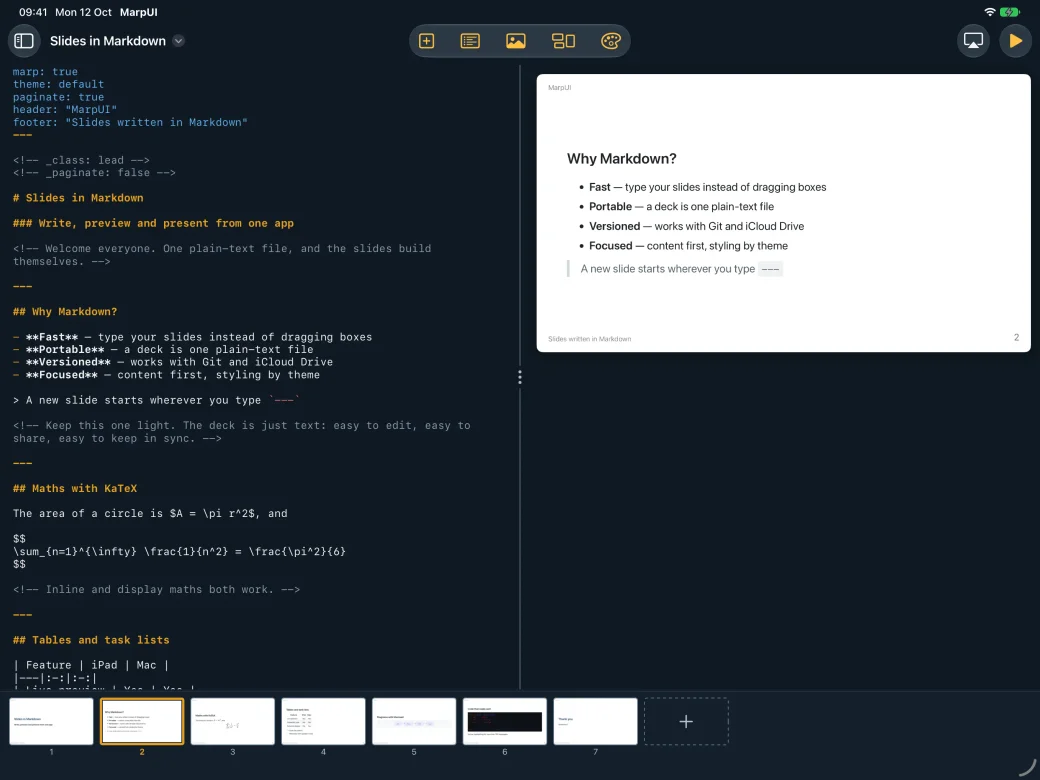
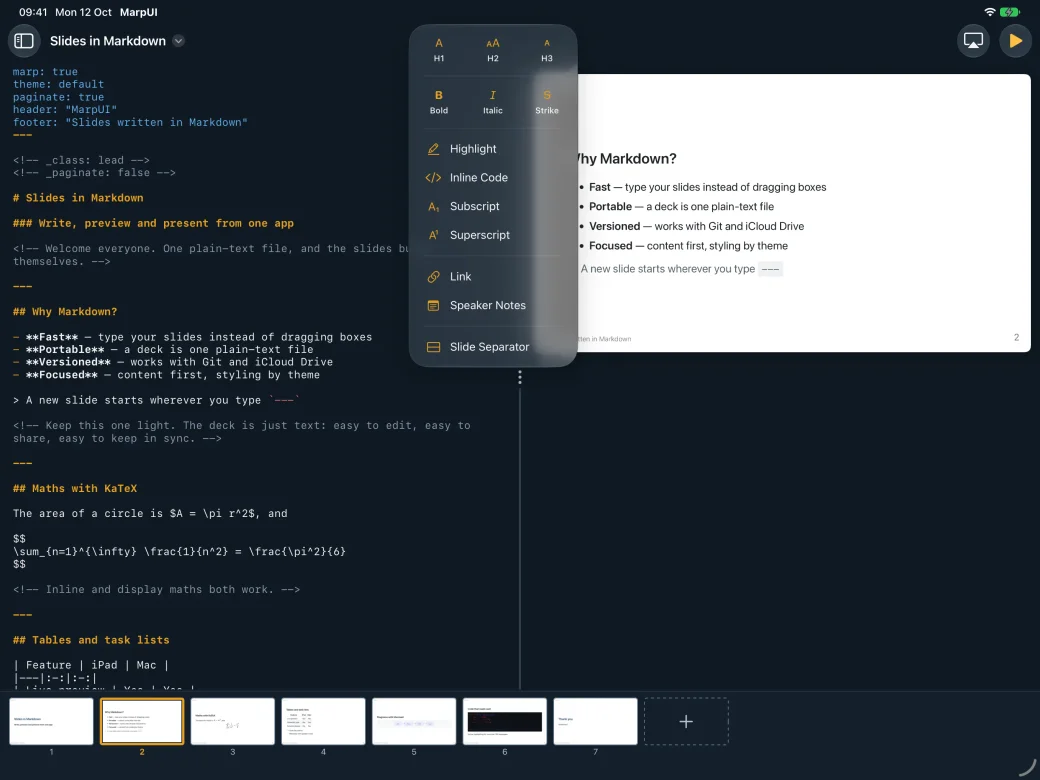
MarpUI is a native iPadOS presentation editor powered by Marp. Write your slides in Markdown, see them rendered in real-time, and present directly from your iPad.
**Write slides effortlessly**
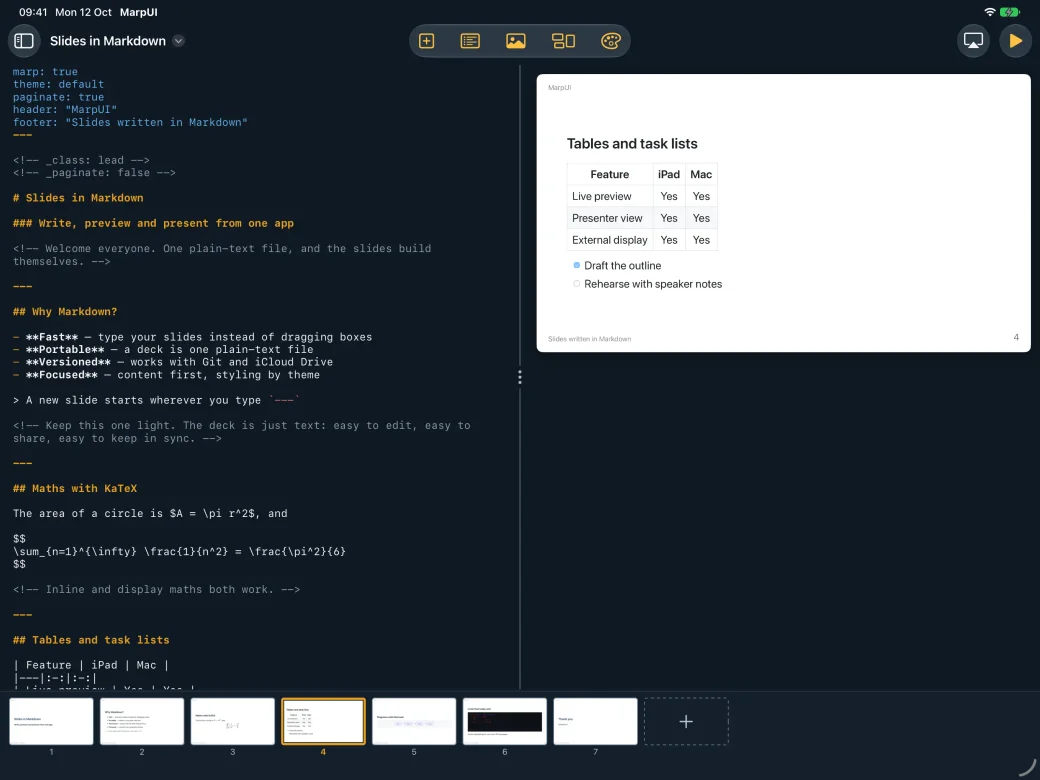
The split-pane editor gives you a Markdown editor on the left and a live slide preview on the right. Use the Insert and Blocks menus to quickly add headings, formatting, lists, tables, code blocks, blockquotes, and more. Keyboard shortcuts like Cmd+B (bold) and Cmd+I (italic) keep you in the flow.
**Rich Markdown extensions**
Go beyond basic Markdown with subscript, superscript, highlights, strikethrough, footnotes, task lists, and GitHub-style alerts. Add Mermaid diagrams for flowcharts and sequence diagrams. Write math equations with KaTeX. Syntax highlighting supports 190+ programming languages.
**Beautiful themes**
Choose from built-in Marp themes or import your own custom CSS themes. Edit themes live with instant preview. Set fonts per slide or for the entire deck.
**Present like a pro**
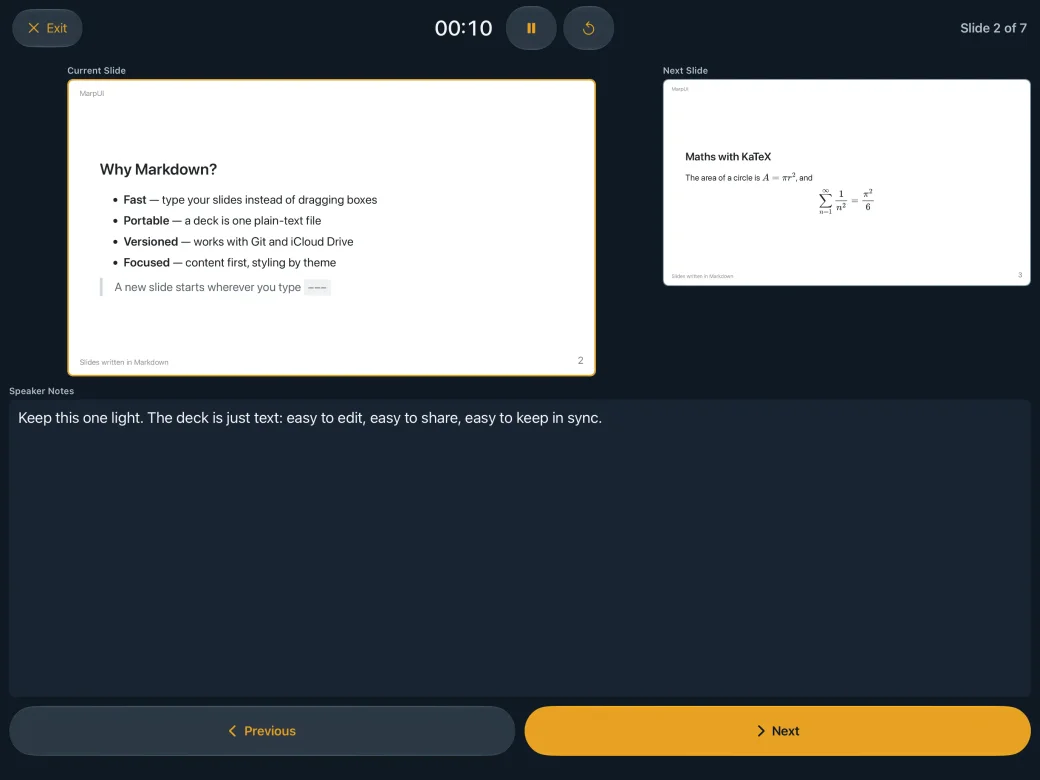
Three presentation modes to suit any scenario:
- Fullscreen slideshow with tap, swipe, and keyboard navigation
- Presenter view with current slide, next slide preview, speaker notes, and a timer
- External display mode: connect a USB-C HDMI adapter to show slides on a projector while your iPad shows the presenter view
**Images with power**
Insert images from your Photos library with one tap. Apply sizing, filters (blur, brightness, grayscale, sepia, and more), and background modes. Use split-screen backgrounds for striking visual layouts.
**Export and share**
Export your presentations as self-contained HTML files or PDF documents. Share via AirDrop, email, or any app on your iPad.
**Sync with iCloud**
Link your iCloud Drive MarpUI folder to access the same decks on your iPad and Mac. Changes sync automatically. Conflict detection alerts you when a file has been modified on another device.
**Fully offline**
MarpUI runs entirely on your device. No account required, no data uploaded, no internet needed after installation.
Có gì mới
Phiên bản 1.3.0 · 14/10/2026
A new look, a layout for portrait, and a home for all your Markdown.
Liquid Glass throughout
MarpUI has been redrawn with Liquid Glass. The editor's controls now sit in the system toolbar, sized for touch, and the presenter view and slideshow controls have had the same treatment.
Made for portrait too
Hold your iPad upright and the slide now sits above your text, each at full width, instead of squeezing into half the screen. Drag the handle to give the slide more or less room. MarpUI remembers where you left it.
See every slide at a glance
The strip under the editor now shows a real thumbnail of each slide, redrawn as you edit.
More than presentations
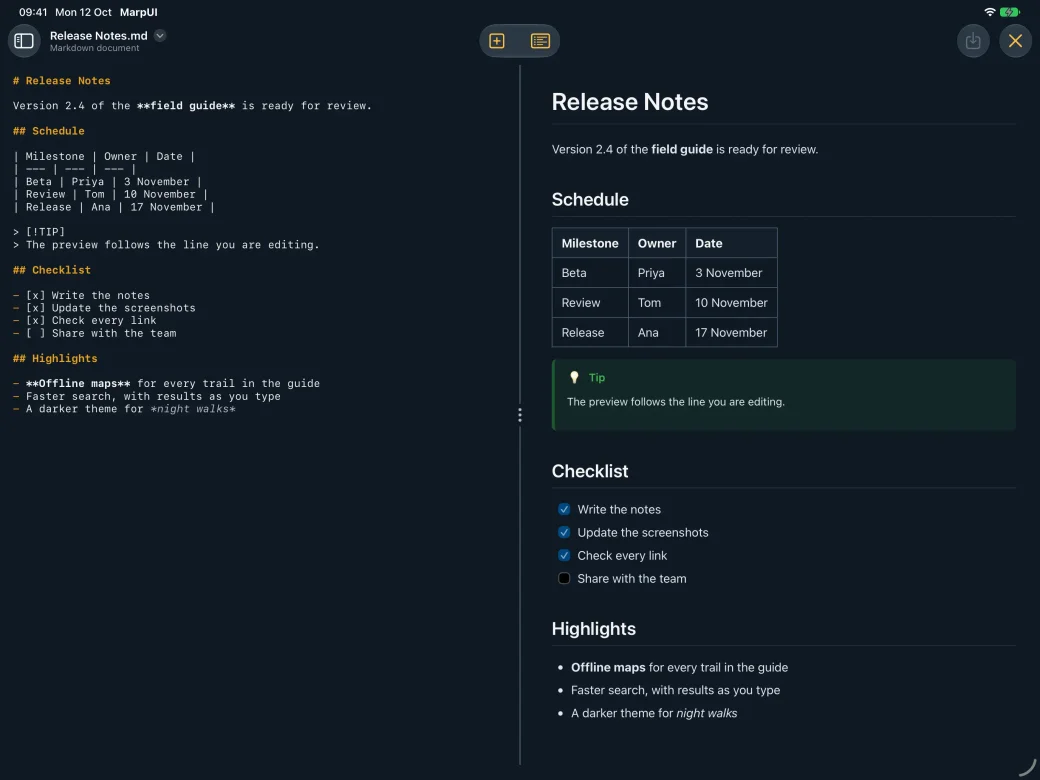
MarpUI now opens Markdown files from the Files app. Presentations open as decks. Anything else opens as a plain document, with a live preview that follows the line you are editing. You can start a new document from the + menu too.
Easier for everyone
- The editor and the document preview follow your system text size
- Clearer contrast throughout
- Clearer VoiceOver names for the editor's controls
- Slides can be reordered, and the panes resized, without dragging
Polish & fixes
- The exit button in the fullscreen slideshow now responds to taps
- Slideshow bars are black rather than navy
- Deleting a deck or a document asks first
- The Insert and Blocks menus fit without scrolling
Thanks for using MarpUI. As always, let us know what you'd love to see next.
Quyền riêng tư của ứng dụng
Những gì RICHARD JAMES HARVEY khai báo trên App Store về cách ứng dụng này xử lý dữ liệu.
-
Dữ liệu không được thu thập
Nhà phát triển không thu thập bất kỳ dữ liệu nào từ ứng dụng này.
Phương thức đảm bảo quyền riêng tư có thể khác nhau, chẳng hạn như tuỳ theo các tính năng bạn sử dụng hoặc độ tuổi của bạn.
Thông tin
- Người bán
- RICHARD JAMES HARVEY
- Danh mục
- Hiệu Suất
- Phiên bản
- 1.3.0
- Cập nhật
- 14/10/2026
- Phát hành
- 30/04/2026
- Kích thước
- 11,5 MB
- Yêu cầu
- iOS 26.0 trở lên
- Độ tuổi
- 4+
- Giá
- Miễn phí
- Ngôn ngữ
- Tiếng Anh
- Bản quyền
- © Ric Harvey
Có thể bạn cũng thích
-
 Marp Slide: Markdown PPTTạo và trình chiếu
-
 Marp Slide AITạo slide bằng AI
-
 mrkdwn — Ghi chú MarkdownViết tập trung, riêng tư
-
 Đọc Markdown: MD ReaderXem, viết, tô sáng, ghi chú
-
 AnyMarkdown-PDF sang MarkdownChuyển đổi: Word, EPUB, web
-
 Markdown Editor : Md ViewerHiệu Suất
-
 QuickHMI MobileHiệu Suất
-
 Deckset: Your Notes to SlidesHiệu Suất
-
 TroutHiệu Suất
-
 LLM Hub: Trợ lý AI offlineTạo ảnh, video, nhạc bằng AI