Master Camera for Work
Every shot, every detail
Conçue pour iPhone
Achats intégrés
- Classification d’âge4+
- CatégoriePhoto et vidéo
- DéveloppeurVIDANA ARACHCHIGE ANUPA UDANA DE SILVA
- LanguesAnglais
- Taille15,7 Mo
Master Camera for Work n’est peut-être pas disponible sur App Store pour le moment
La fiche de la boutique était inaccessible lors de notre dernière vérification. Le lien mène toujours à la page App Store officielle.
Captures d’écran

À propos
Le développeur n’a pas fourni ce texte dans votre langue.
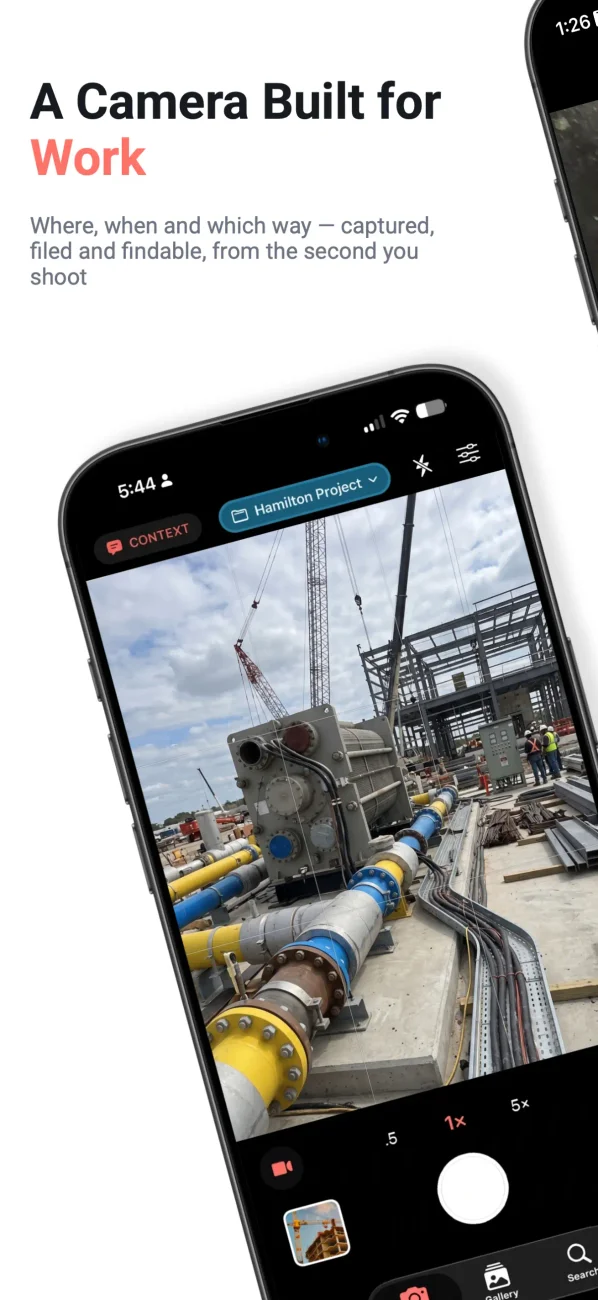
Turn every job-site photo into proof. Master Camera stamps the where, when, and which-way into every shot, files it under the right job as you shoot, and finds it again months later — even by the text visible in the photo.
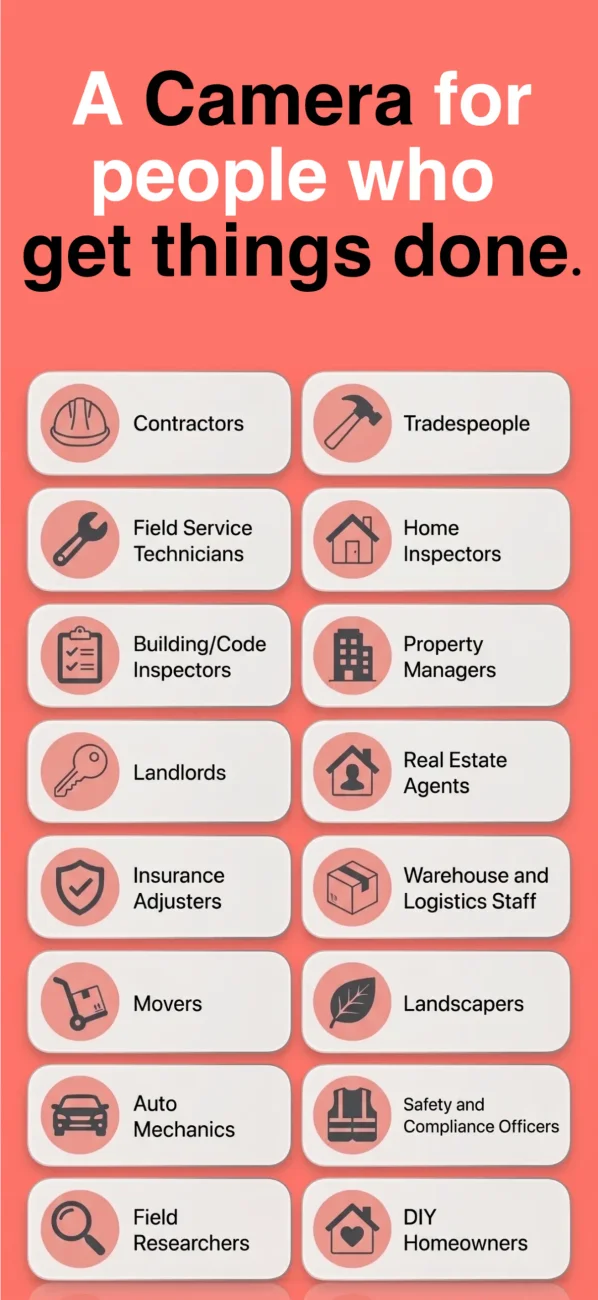
Built for tradespeople, contractors, inspectors and surveyors who are tired of scrolling a camera roll full of unlabelled photos when a client, builder, or insurer asks "show me." And it's free to use — no account, no subscription, no paywall on the day-to-day workflow.
STAMP THE FACTS ONTO THE PHOTO
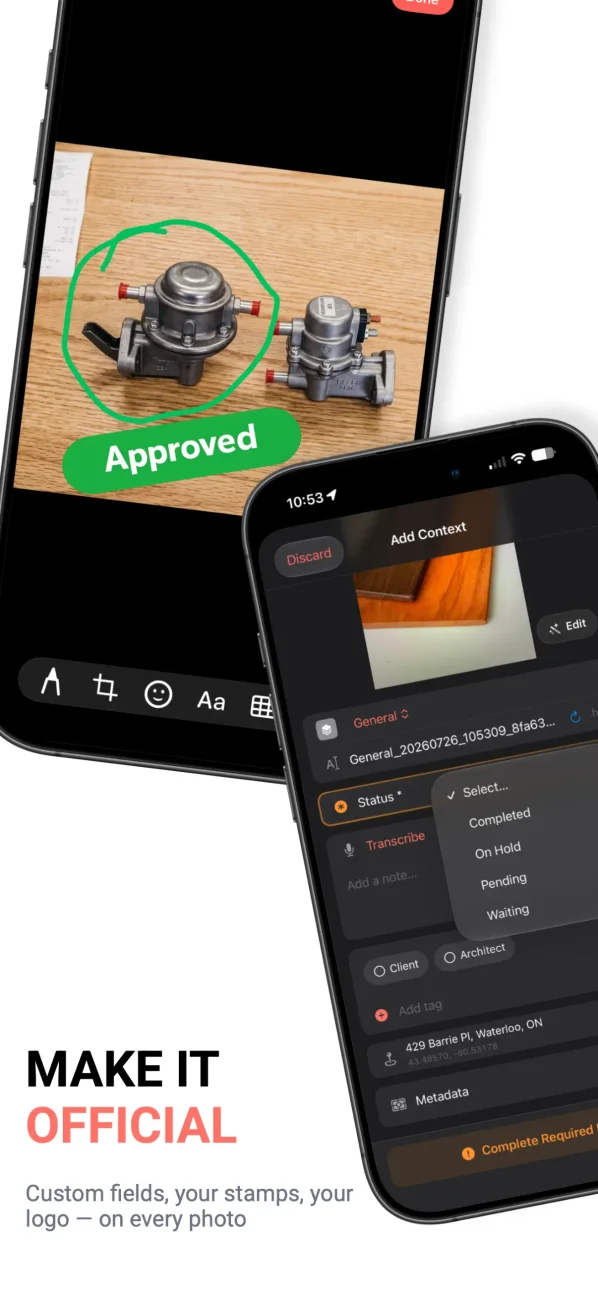
You choose exactly what gets burned into the image: GPS coordinates, UTM coordinates, street address, timestamp, GPS accuracy, altitude, bearing, lens, zoom, shutter speed, ISO and flash. Set it once per project and every shot carries the same record — plus your logo — so the facts survive even after the photo leaves your phone.
ADD CONTEXT THE SECOND YOU SHOOT
Tap the shutter and the Context Island pops up right above it. Type a note — or just talk, and your voice is transcribed on your device. Mark up the photo, add tags, fill in your project's fields, then swipe it away and keep shooting. No extra screens, no slowing down, and no photo is a mystery weeks later.
FIND ANY SHOT IN SECONDS
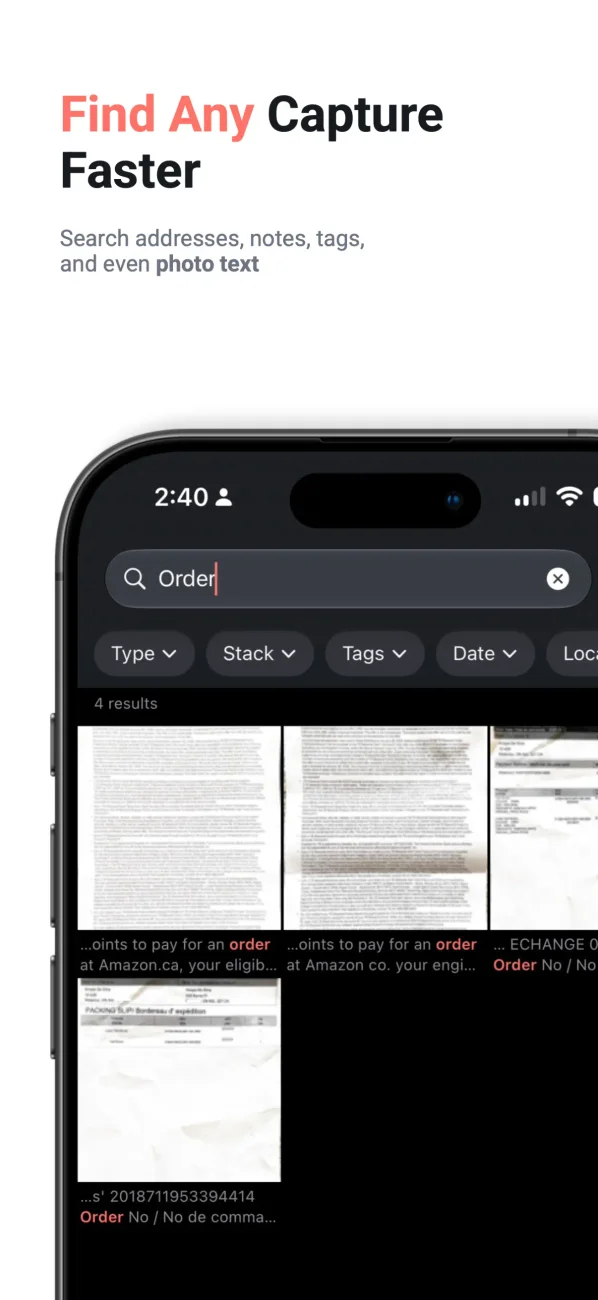
Search by note, tag, custom field, job, or street address — and by text in the photo itself, like a serial number on a boiler plate or a label on a panel. Or browse the map and see every geotagged shot pinned to its job site.
REPLICATE THE EXACT SHOT — nobody else does this
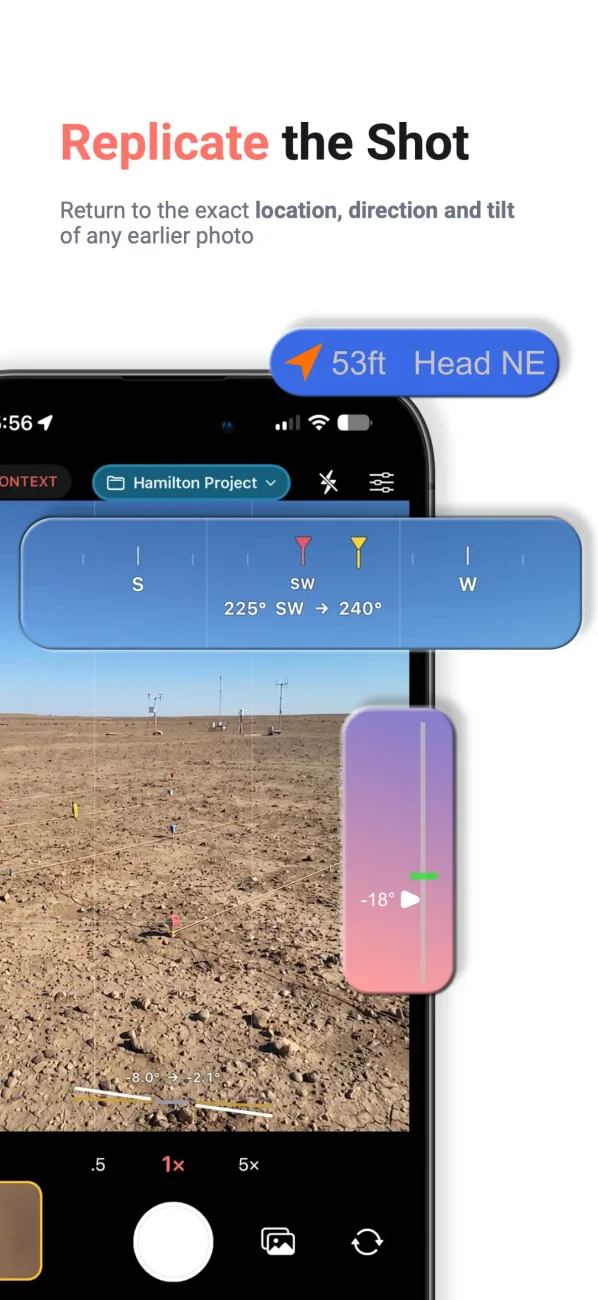
Pick any earlier photo and Master Camera walks you back to it. An on-screen compass points you to the exact GPS spot it was taken, then ghost guides in the viewfinder turn green as your direction, level, and tilt line up with the original. The result is a true like-for-like after shot — no more "close enough" before-and-afters. (Premium)
SHOW THE BEFORE AND AFTER
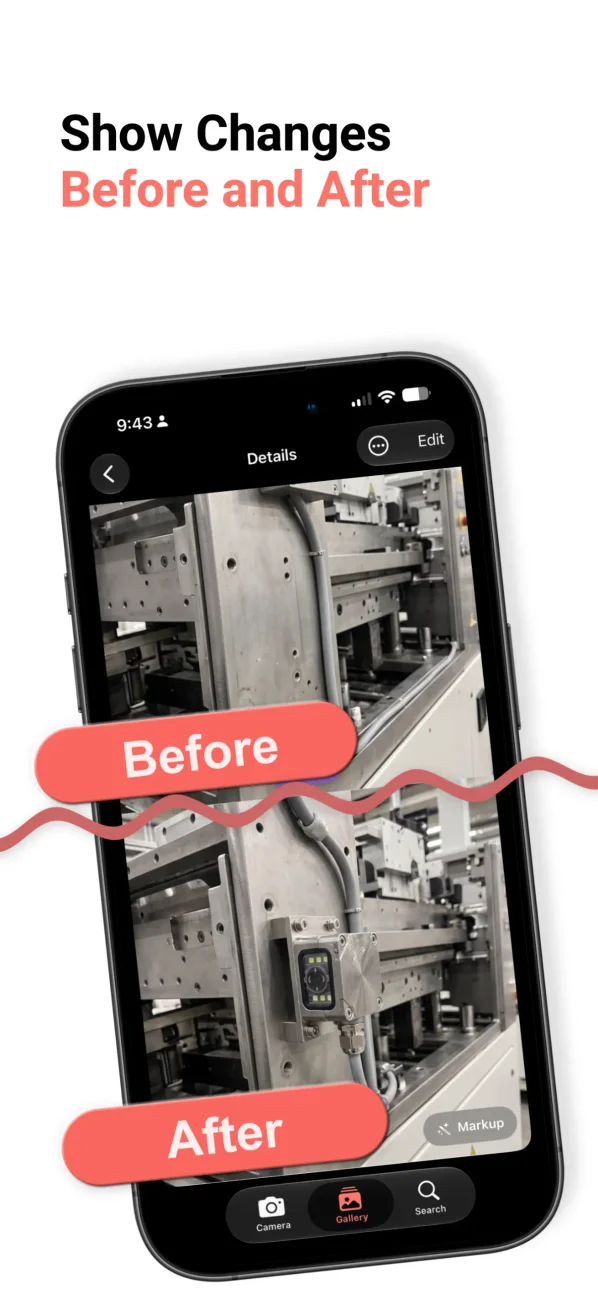
Compare any two shots side by side and export the composite with a labelled banner — the proof a job's done, in a single image you can hand to a client or drop in a report.
• PROVE IT: 12 kinds of capture data, from GPS and UTM to altitude — stamped on the image
• FILE IT NOW: notes, voice notes, markup and tags in the Context Island the moment you shoot
• FIND IT LATER: weighted search, text-in-photo (OCR) search, and a job-site map
• REPLICATE THE SHOT: return to the exact GPS spot, direction and tilt of any earlier photo (Premium)
• BEFORE & AFTER: export a labelled side-by-side in one tap
• MARK IT UP: stamp photos APPROVED, PASSED or FAILED, add arrows, shapes and your own stickers
• BRAND IT AUTOMATICALLY: set your logo once per project — it's baked into every photo
• LOCK IT: keep your gallery behind Face ID or your passcode
• MORE THAN PHOTOS: video, document scanning with auto-capture, and live QR reading
• SHOOT IT STRAIGHT: grid, level and compass guides; launch from the Camera Control button
• SEND IT ANYWHERE: share sheet or zip export with your filename format intact
PRIVATE BY DESIGN
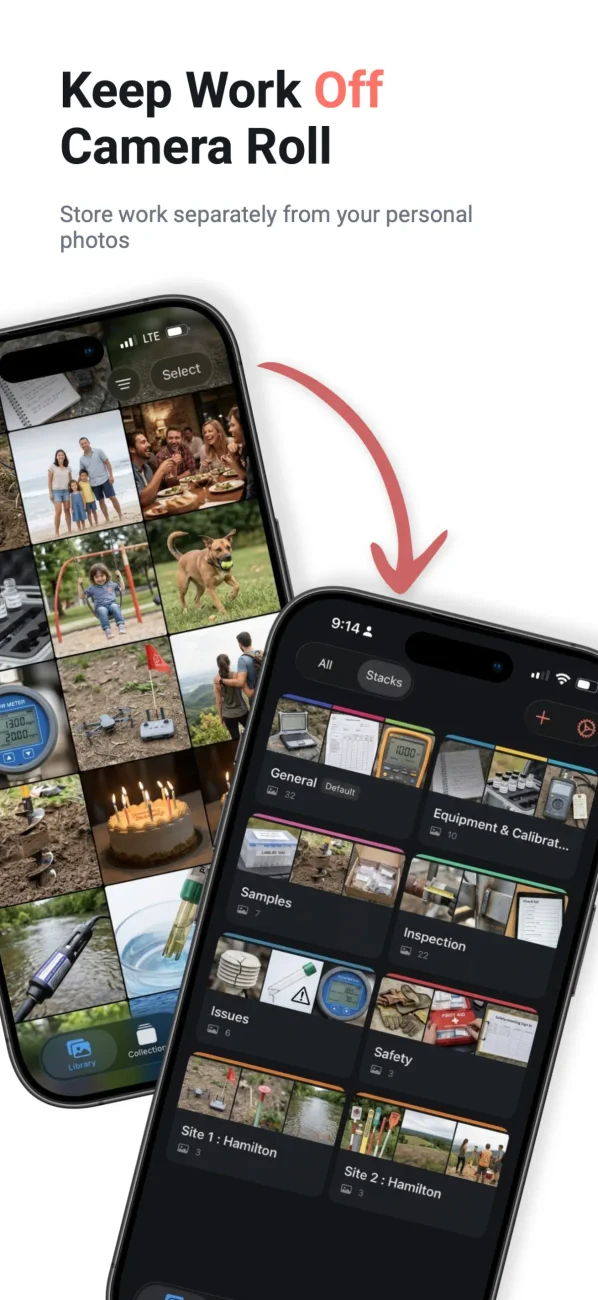
Job photos live in Master Camera's own library, never in your personal camera roll. Turn on Gallery Lock and your photos stay behind Face ID — hand your phone to a client and the camera works, but your gallery stays shut. No account. No backend servers. No analytics. Everything you capture stays on your device until you choose to share it.
FREE FOR THE FULL WORKFLOW — NO SUBSCRIPTION, EVER
Everything above is free: capture, organize, search (including text-in-photo), the map, compare, scan, mark up, Gallery Lock and export. No account to create, no trial that expires, no monthly fee. If you want more room to grow, a single one-time purchase unlocks unlimited stacks, unlimited tags, up to 6 custom fields per stack, custom filename formats, and Replicate — and it's yours for life.
If your camera roll is where job photos go to get lost, put Master Camera on your home screen instead.
Nouveautés
Version 1.4 · 16/11/2026
Under-the-hood improvements:
• Faster, smoother camera
• Steadier video
• Stability fixes
Confidentialité de l’application
Ce que VIDANA ARACHCHIGE ANUPA UDANA DE SILVA déclare sur l’App Store au sujet du traitement des données par cette application.
-
Données établissant un lien avec vous
Peuvent être collectées et liées à votre identité.
- Coordonnées
- Contenu utilisateur
- Diagnostic
Les pratiques en matière de confidentialité peuvent varier, notamment en fonction des fonctionnalités que vous utilisez ou de votre âge.
Informations
- Vendeur
- VIDANA ARACHCHIGE ANUPA UDANA DE SILVA
- Catégorie
- Photo et vidéo
- Version
- 1.4
- Mis à jour
- 16/11/2026
- Publié
- 20/08/2026
- Taille
- 15,7 Mo
- Nécessite
- iOS 17.6 ou version ultérieure
- Classification d’âge
- 4+
- Achats intégrés
- Oui
- Langues
- Anglais
- Copyright
- © 2026 Vidana De Silva
Vous aimerez peut-être aussi
-
 Field Photos AppPhoto et vidéo
-
 SitePic: Horodatage Photo GPSPhotos de chantier vers PDF
-
 FolderCam: Photos de TravailHorodatage, GPS et filigrane
-
 Folca - Folder First CameraPhoto et vidéo
-
 Piji Camera – Shoot to AlbumL'album d'abord, puis la photo
-
 TagShot - Appareil dossiersTriez dès la prise
-
 CC Album - Notes Photo & VidéoOrganisez avec tags et notes
-
 Lidr: Photo ManagementPhoto et vidéo
-
 Stampr - GPS Photo StampPhoto et vidéo
-
 TagCamera: Tag & Isolate WorkPhoto et vidéo