Master Camera for Work
Every shot, every detail
Được thiết kế cho iPhone
Miễn phí · Mua hàng trong ứng dụng
- Độ tuổi4+
- Danh mụcẢnh & Video
- Nhà phát triểnVIDANA ARACHCHIGE ANUPA UDANA DE SILVA
- Ngôn ngữTiếng Anh
- Kích thước15,7 MB
Liên kết đến trang App Store chính thức
Download.org không lưu trữ tệp nào của Master Camera for Work. Nút này mở trang ứng dụng trên App Store, nơi VIDANA ARACHCHIGE ANUPA UDANA DE SILVA phát hành ứng dụng. Trang được kiểm tra lần cuối: 18/11/2026.
Ảnh chụp màn hình

Giới thiệu
Nhà phát triển chưa cung cấp nội dung này bằng ngôn ngữ của bạn.
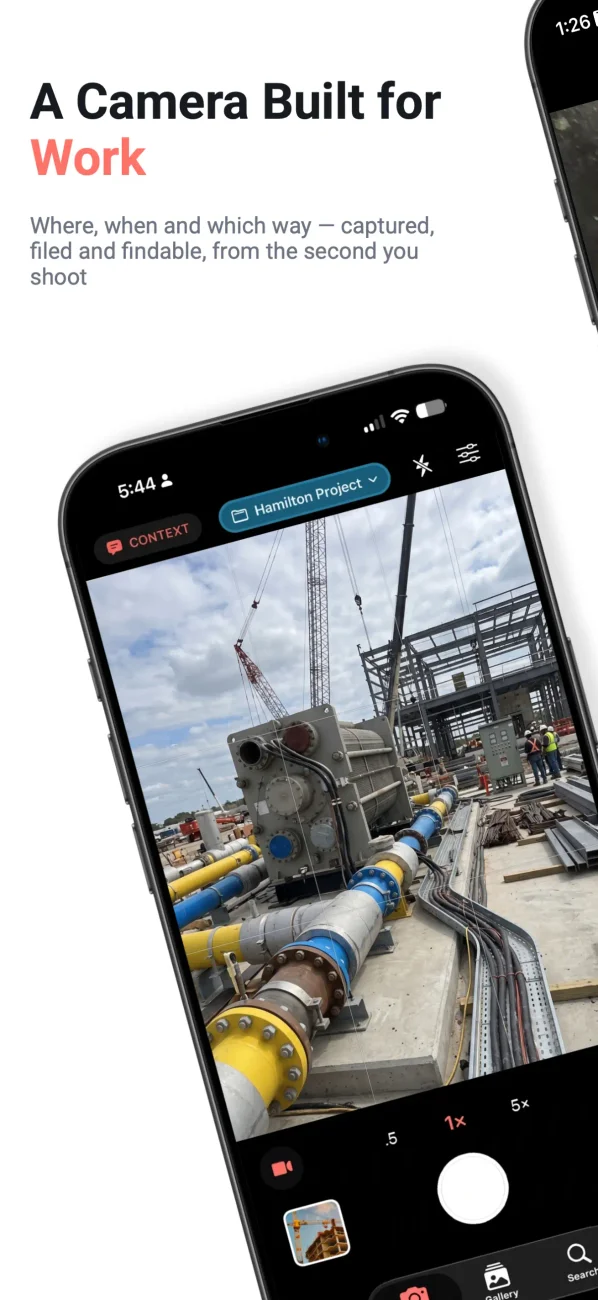
Turn every job-site photo into proof. Master Camera stamps the where, when, and which-way into every shot, files it under the right job as you shoot, and finds it again months later — even by the text visible in the photo.
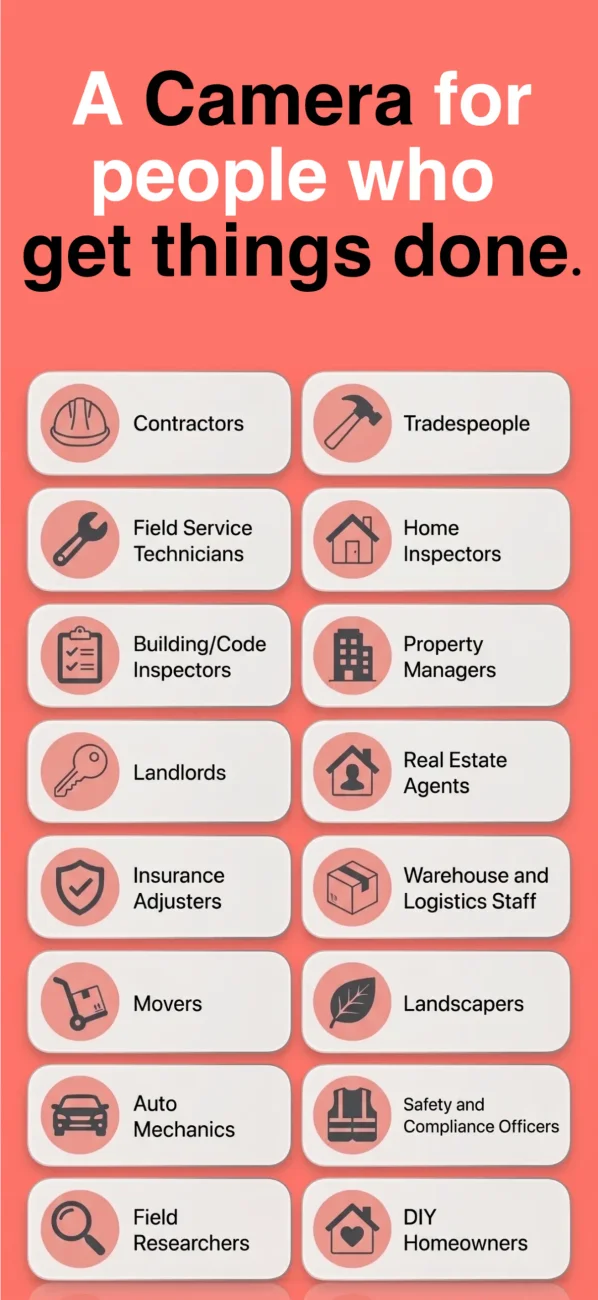
Built for tradespeople, contractors, inspectors and surveyors who are tired of scrolling a camera roll full of unlabelled photos when a client, builder, or insurer asks "show me." And it's free to use — no account, no subscription, no paywall on the day-to-day workflow.
STAMP THE FACTS ONTO THE PHOTO
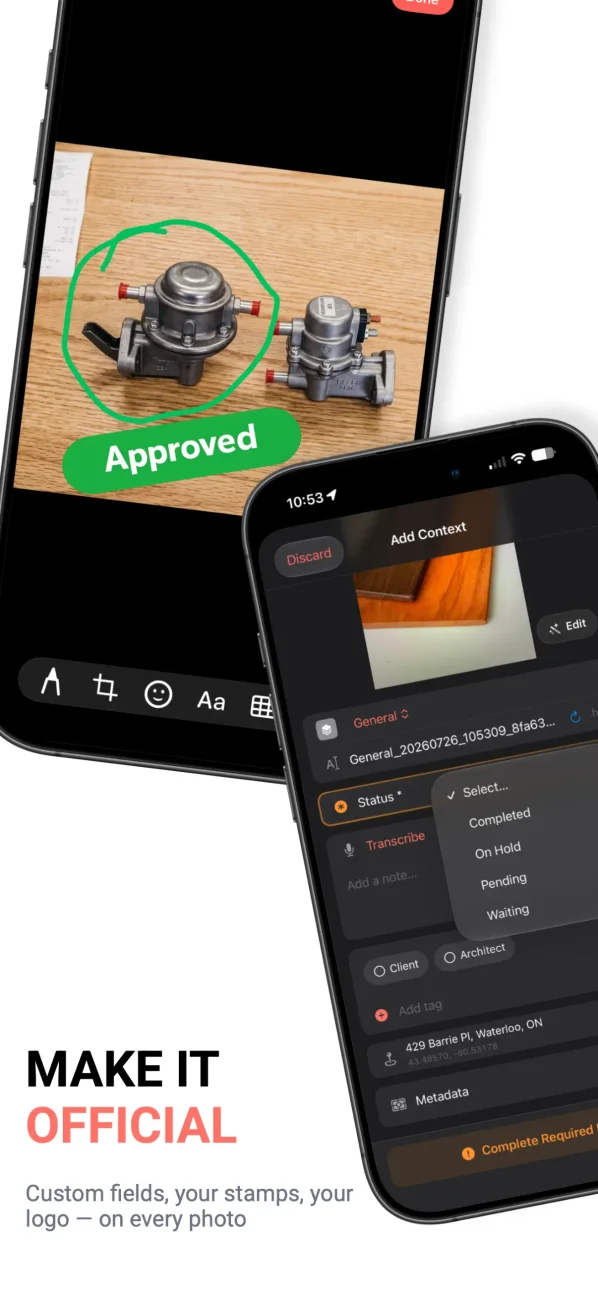
You choose exactly what gets burned into the image: GPS coordinates, UTM coordinates, street address, timestamp, GPS accuracy, altitude, bearing, lens, zoom, shutter speed, ISO and flash. Set it once per project and every shot carries the same record — plus your logo — so the facts survive even after the photo leaves your phone.
ADD CONTEXT THE SECOND YOU SHOOT
Tap the shutter and the Context Island pops up right above it. Type a note — or just talk, and your voice is transcribed on your device. Mark up the photo, add tags, fill in your project's fields, then swipe it away and keep shooting. No extra screens, no slowing down, and no photo is a mystery weeks later.
FIND ANY SHOT IN SECONDS
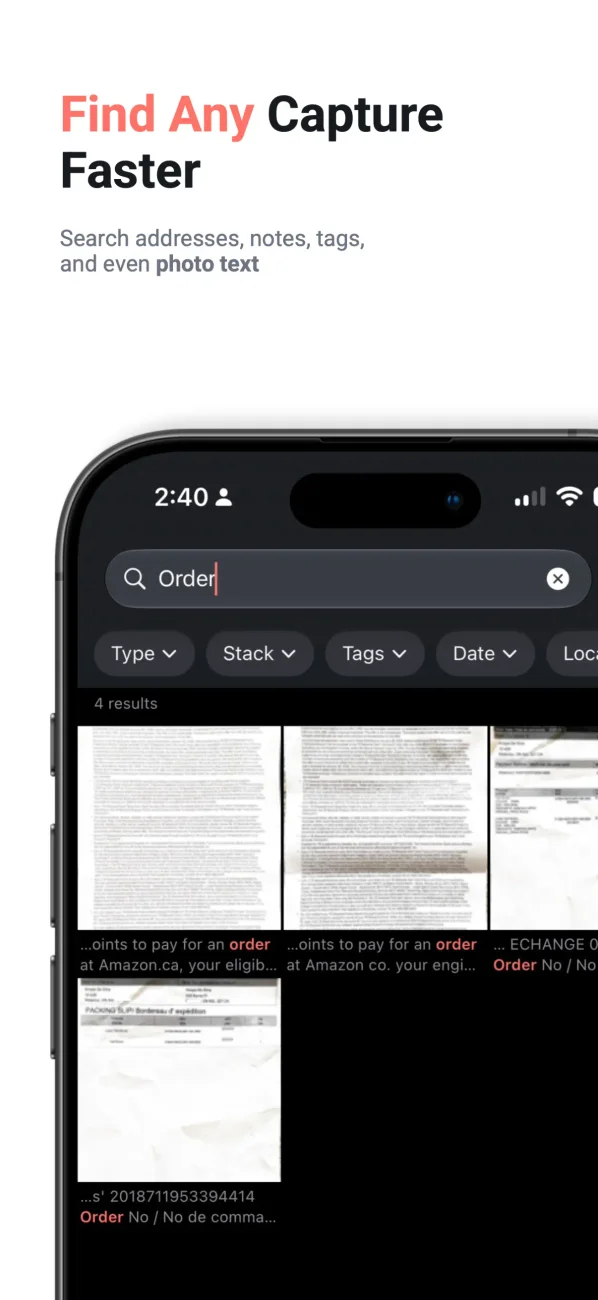
Search by note, tag, custom field, job, or street address — and by text in the photo itself, like a serial number on a boiler plate or a label on a panel. Or browse the map and see every geotagged shot pinned to its job site.
REPLICATE THE EXACT SHOT — nobody else does this
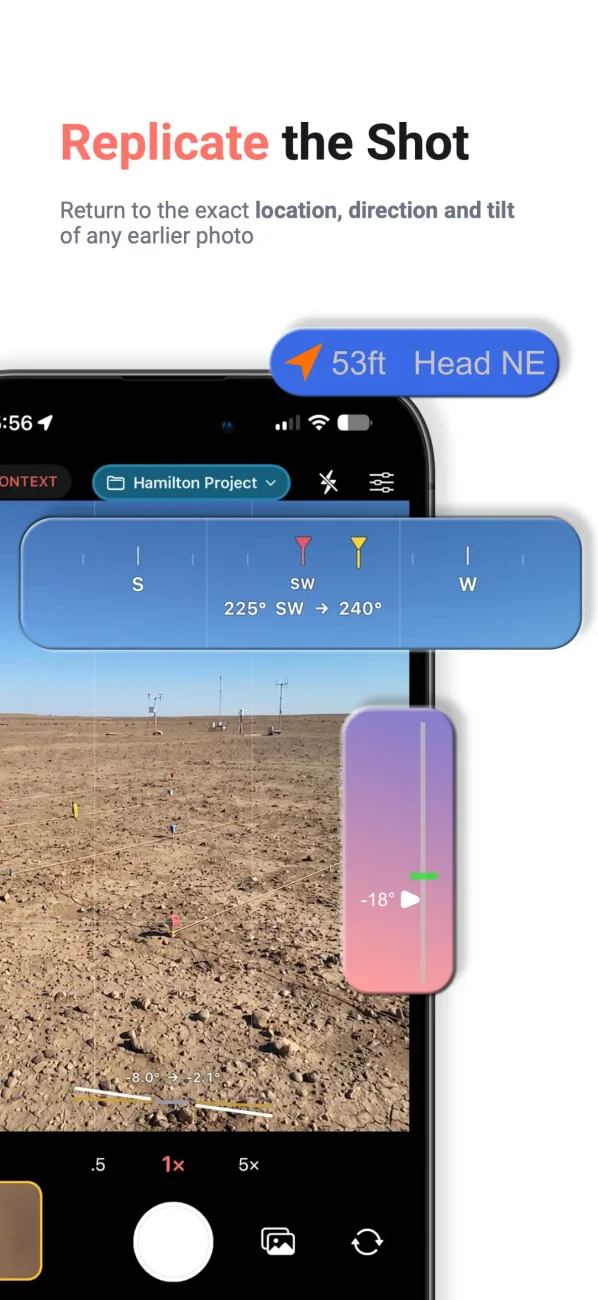
Pick any earlier photo and Master Camera walks you back to it. An on-screen compass points you to the exact GPS spot it was taken, then ghost guides in the viewfinder turn green as your direction, level, and tilt line up with the original. The result is a true like-for-like after shot — no more "close enough" before-and-afters. (Premium)
SHOW THE BEFORE AND AFTER
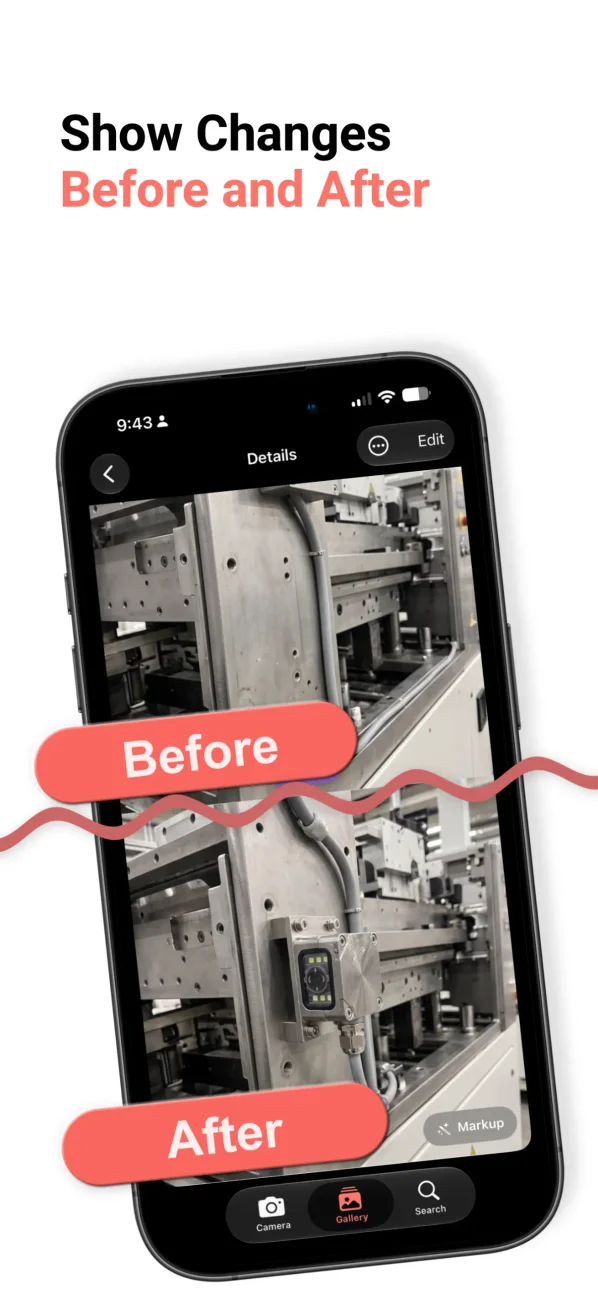
Compare any two shots side by side and export the composite with a labelled banner — the proof a job's done, in a single image you can hand to a client or drop in a report.
• PROVE IT: 12 kinds of capture data, from GPS and UTM to altitude — stamped on the image
• FILE IT NOW: notes, voice notes, markup and tags in the Context Island the moment you shoot
• FIND IT LATER: weighted search, text-in-photo (OCR) search, and a job-site map
• REPLICATE THE SHOT: return to the exact GPS spot, direction and tilt of any earlier photo (Premium)
• BEFORE & AFTER: export a labelled side-by-side in one tap
• MARK IT UP: stamp photos APPROVED, PASSED or FAILED, add arrows, shapes and your own stickers
• BRAND IT AUTOMATICALLY: set your logo once per project — it's baked into every photo
• LOCK IT: keep your gallery behind Face ID or your passcode
• MORE THAN PHOTOS: video, document scanning with auto-capture, and live QR reading
• SHOOT IT STRAIGHT: grid, level and compass guides; launch from the Camera Control button
• SEND IT ANYWHERE: share sheet or zip export with your filename format intact
PRIVATE BY DESIGN
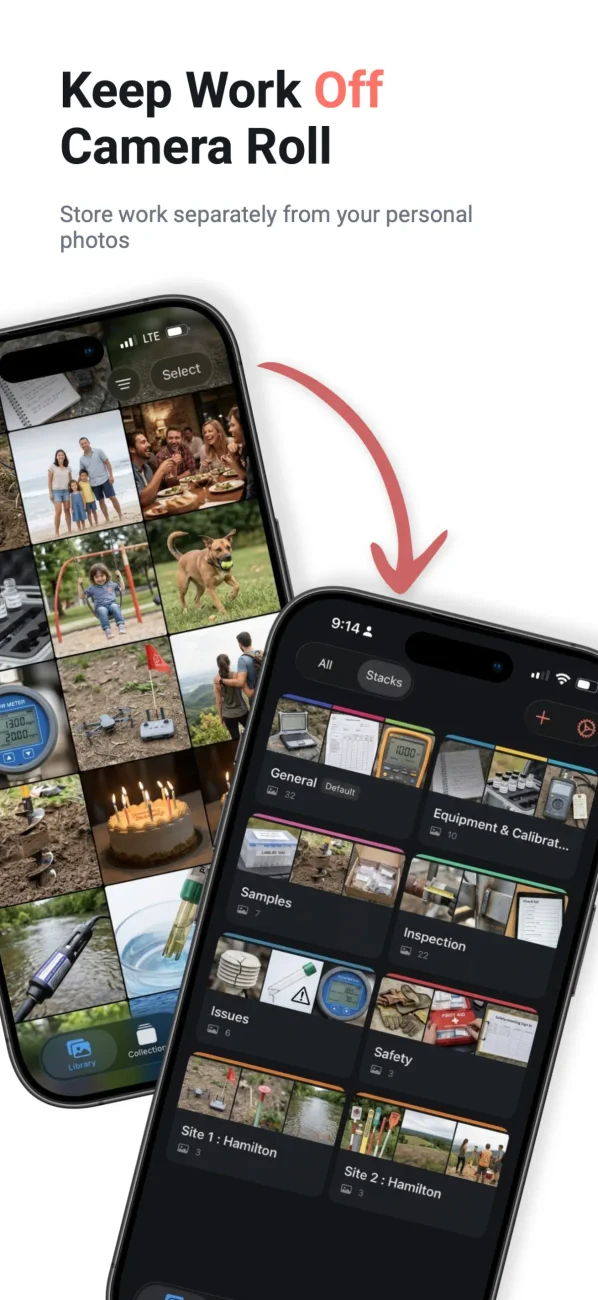
Job photos live in Master Camera's own library, never in your personal camera roll. Turn on Gallery Lock and your photos stay behind Face ID — hand your phone to a client and the camera works, but your gallery stays shut. No account. No backend servers. No analytics. Everything you capture stays on your device until you choose to share it.
FREE FOR THE FULL WORKFLOW — NO SUBSCRIPTION, EVER
Everything above is free: capture, organize, search (including text-in-photo), the map, compare, scan, mark up, Gallery Lock and export. No account to create, no trial that expires, no monthly fee. If you want more room to grow, a single one-time purchase unlocks unlimited stacks, unlimited tags, up to 6 custom fields per stack, custom filename formats, and Replicate — and it's yours for life.
If your camera roll is where job photos go to get lost, put Master Camera on your home screen instead.
Có gì mới
Phiên bản 1.4 · 16/11/2026
Under-the-hood improvements:
• Faster, smoother camera
• Steadier video
• Stability fixes
Quyền riêng tư của ứng dụng
Những gì VIDANA ARACHCHIGE ANUPA UDANA DE SILVA khai báo trên App Store về cách ứng dụng này xử lý dữ liệu.
-
Dữ liệu liên kết với bạn
Có thể được thu thập và liên kết với danh tính của bạn.
- Thông tin liên hệ
- Nội dung của người dùng
- Chẩn đoán
Phương thức đảm bảo quyền riêng tư có thể khác nhau, chẳng hạn như tuỳ theo các tính năng bạn sử dụng hoặc độ tuổi của bạn.
Thông tin
- Người bán
- VIDANA ARACHCHIGE ANUPA UDANA DE SILVA
- Danh mục
- Ảnh & Video
- Phiên bản
- 1.4
- Cập nhật
- 16/11/2026
- Phát hành
- 20/08/2026
- Kích thước
- 15,7 MB
- Yêu cầu
- iOS 17.6 trở lên
- Độ tuổi
- 4+
- Giá
- Miễn phí
- Mua hàng trong ứng dụng
- Có
- Ngôn ngữ
- Tiếng Anh
- Bản quyền
- © 2026 Vidana De Silva
Có thể bạn cũng thích
-
 Field Photos AppẢnh & Video
-
 SitePic: GPS Job Site CameraẢnh & Video
-
 FolderCam: Work Photo CameraẢnh & Video
-
 Folca - Folder First CameraẢnh & Video
-
 Piji Camera – Shoot to AlbumẢnh & Video
-
 TagShot - Camera Thư mụcSắp xếp khi chụp
-
 CC Album - Photo & Video NotesẢnh & Video
-
 Lidr: Photo ManagementẢnh & Video
-
 Stampr - GPS Photo StampẢnh & Video
-
 TagCamera: Tag & Isolate WorkẢnh & Video