
- Classification d’âge4+
- CatégorieUtilitaires
- DéveloppeurMINSIK KIM
- LanguesJaponais+ 4 de plus
- Taille58,7 Mo
Renvoie vers la page App Store officielle
Download.org n’héberge aucun fichier de Mollu. Le bouton ouvre la page de l’application sur App Store, où MINSIK KIM la publie. Fiche vérifiée pour la dernière fois le 23/11/2026.
Captures d’écran


À propos
Le développeur n’a pas fourni ce texte dans votre langue.
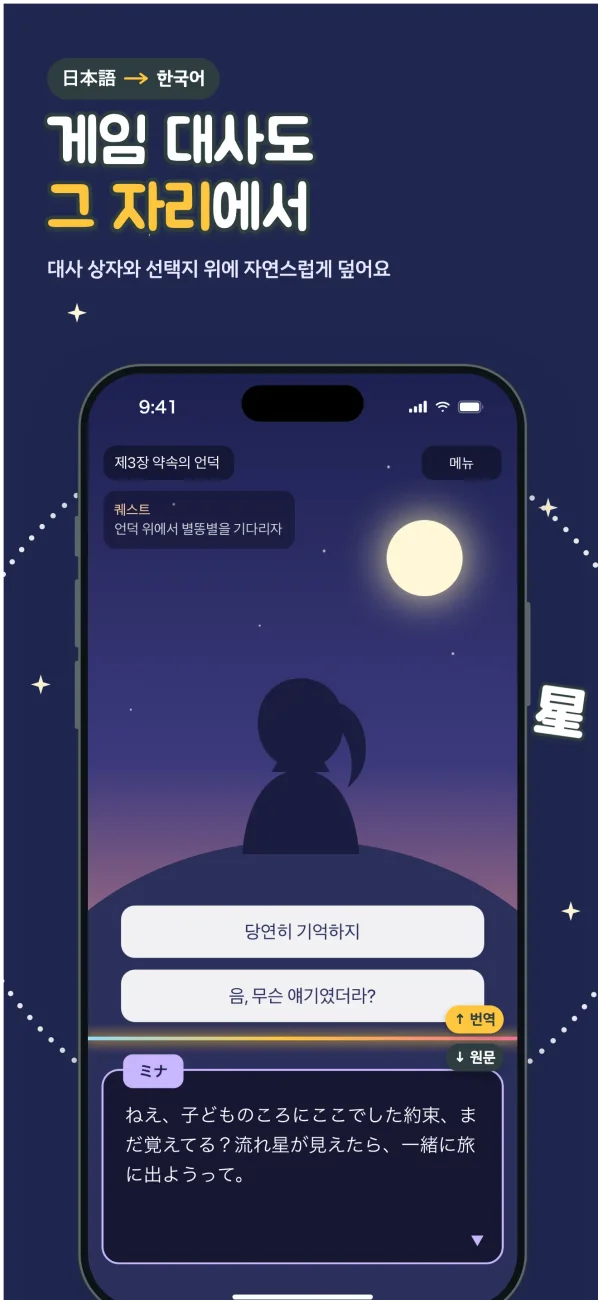
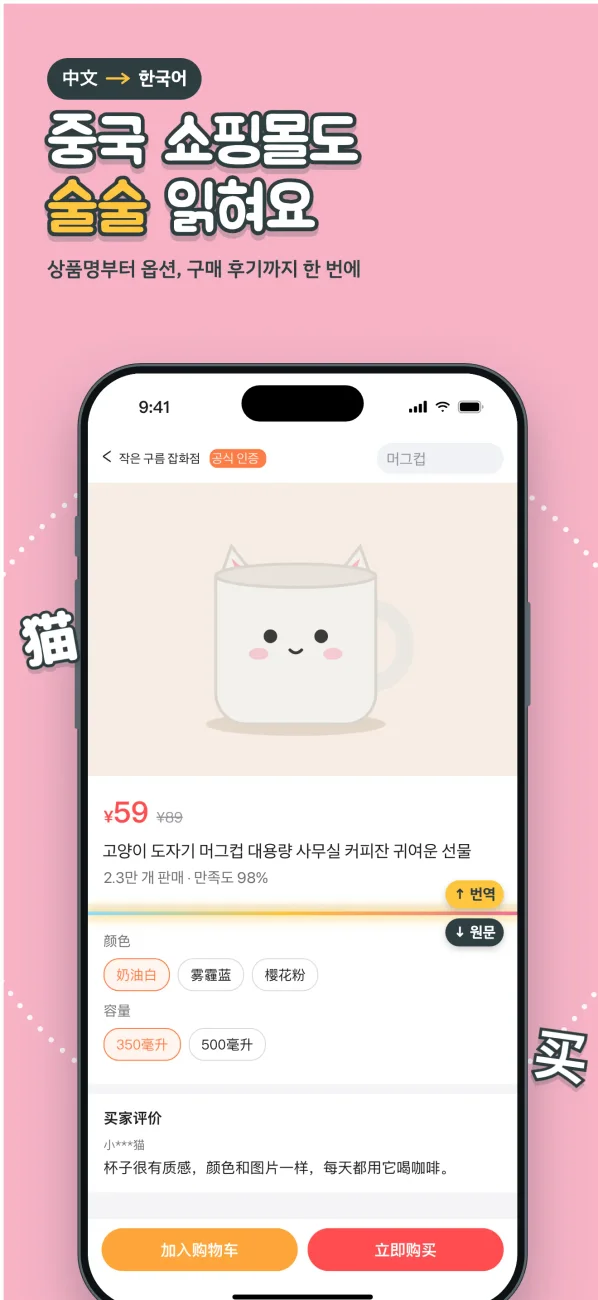
Japanese games, Chinese shopping apps, posts from anywhere. Translate your screen, or the text in front of you, right where it is.
Mollu reads the text in a screenshot or a photo you take and draws the translation over the original text, so the screen still looks like the app you were using. No copying, pasting, or switching apps.
■ Great for
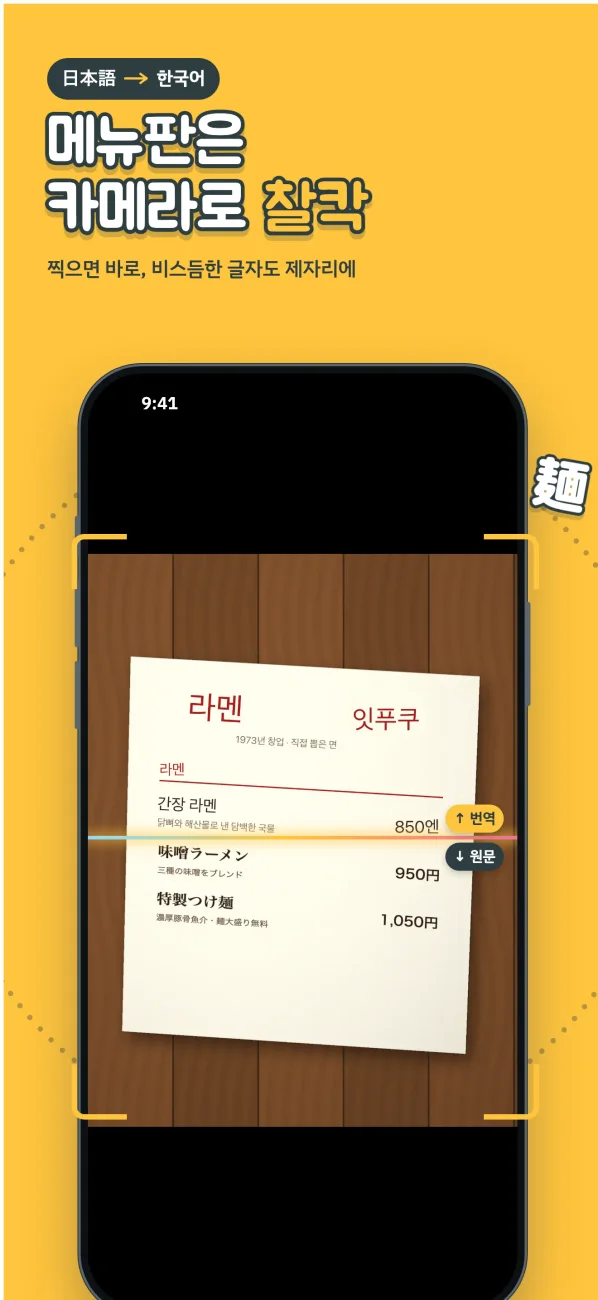
Games and manga from abroad, foreign social media and forums, product pages on overseas stores, chats with friends overseas, menus and signs while traveling, and settings screens in other languages.
■ One press to translate
Assign it to the Action button, AssistiveTouch (a floating on-screen button), Control Center, or Siri. Whatever app you're in, the translated screen appears instantly, and closing it takes you right back. On iPhone models without the Action button, one tap on AssistiveTouch does it (a double tap on iPad); on iPad, Apple Pencil Pro squeeze works too.
■ Snap to translate
Take a photo of a menu, sign, or ticket and the translation opens right away. Tilted text is translated at the right angle, line by line, and tables are translated cell by cell. Move in close and the camera switches to ultra-wide macro automatically (on supported models), and you can pinch to zoom. Open Translate with Camera straight from Siri, Spotlight, or Shortcuts.
■ In place, naturally
Translations are drawn on a matching background so the screen reads like the original. Pinch to zoom, switch between original and translation, or share.
■ Every sentence, one tap away
Tap a sentence to see the original and translation together and copy them, have it read aloud, add it to your glossary, or retranslate the screen with AI.
■ Read as a list
For long screens, see every translation as a list, copy it all, or have it read aloud.
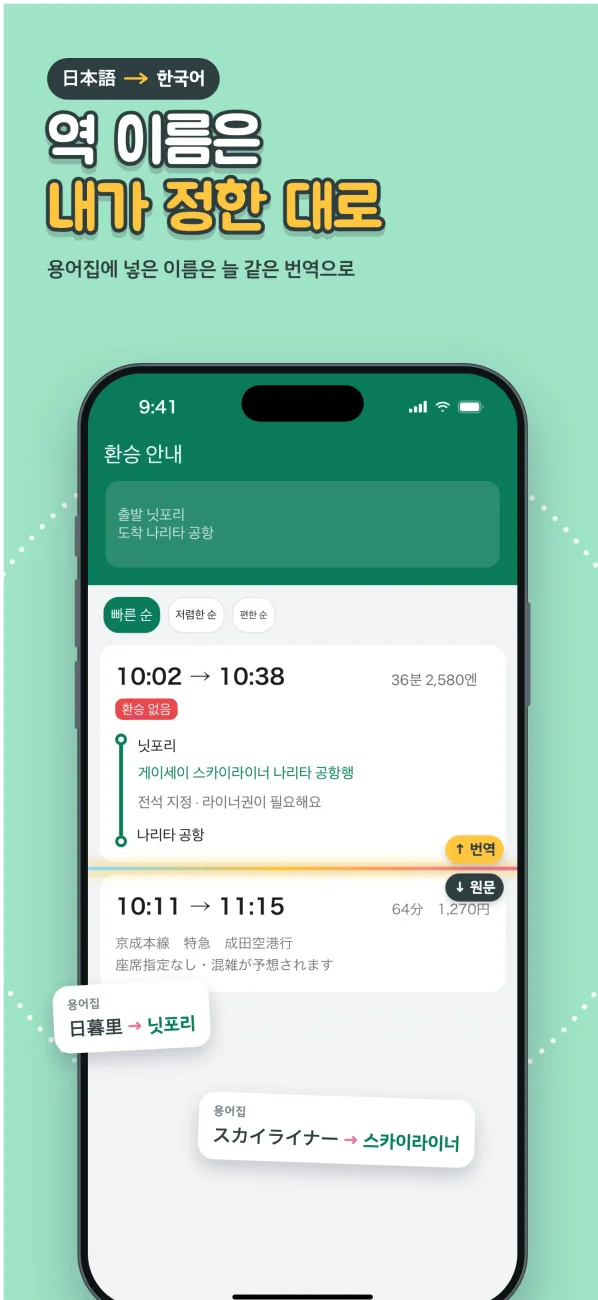
■ Glossary
Add character names, station names, and other proper nouns, and they're always translated the same way.
■ On-device and free
By default Mollu uses Apple's on-device translation. Once language packs are downloaded it works offline, and your screen never leaves your device.
■ When you want more natural translations (optional)
Connect Claude, GPT, or Gemini with your own API key for context-aware translation. Mollu asks for your consent first and sends the recognized text and any glossary terms it contains, never the image.
■ Private history
History stays on your device and is excluded from iCloud backups. You can search it by sentence, it's deleted automatically after the period you choose (7 days by default), and you can lock it with Face ID.
Languages: Korean, English, Japanese, Chinese (Simplified and Traditional), Spanish, French, German, Italian, Portuguese, Russian, Vietnamese, Thai, Indonesian, Arabic, Dutch, Hindi, Polish, Turkish, Ukrainian
(Some language pairs require Apple translation language packs.)
Nouveautés
Version 1.2.4 · 17/11/2026
• Text in images with transparent backgrounds can now be read.
• The missing language pack notice now stays visible even if AI Translation also fails.
• With Lock History on, a photo that is still loading no longer disappears when you switch apps.
• With Lock History on, a screen you just translated and saved to History now also closes when you leave the app.
• If the text recognition model can't be used, Mollu now falls back to system text recognition instead of reporting that no text was found.
• Report a Problem no longer sends the same report twice by accident.
Confidentialité de l’application
Ce que MINSIK KIM déclare sur l’App Store au sujet du traitement des données par cette application.
-
Données n’établissant aucun lien avec vous
Peuvent être collectées, mais ne sont pas liées à votre identité.
- Contenu utilisateur
- Diagnostic
Les pratiques en matière de confidentialité peuvent varier, notamment en fonction des fonctionnalités que vous utilisez ou de votre âge.
Informations
- Vendeur
- MINSIK KIM
- Catégorie
- Utilitaires
- Version
- 1.2.4
- Mis à jour
- 17/11/2026
- Publié
- 25/09/2026
- Taille
- 58,7 Mo
- Nécessite
- iOS 26.0 ou version ultérieure
- Classification d’âge
- 4+
- Prix
- Gratuit
- Langues
- Japonais, Chinois simplifié, Chinois traditionnel, Anglais, Coréen
- Copyright
- © 2026 Nyabi
Vous aimerez peut-être aussi
-
 PollyTapUtilitaires
-
 Translate Lens - écran et WebWeb bilingue et écran
-
 ChinaTap Screen TranslatorUtilitaires
-
 톡 번역 키보드Utilitaires
-
 OverLensUtilitaires
-
 ChecknightsUtilitaires
-
 LK 워치키보드Utilitaires
-
 Onscreen TranslateTraduire captures et photos
-
 tadak : Clavier personnaliséThèmes, sons et compagnons
-
 PixplyUtilitaires