- Classification d’âge4+
- CatégorieUtilitaires
- DéveloppeurAlejandro Maldonado Quintana
- LanguesAnglais+ 22 de plus
- Taille22,9 Mo
Renvoie vers la page App Store officielle
Download.org n’héberge aucun fichier de PollyTap. Le bouton ouvre la page de l’application sur App Store, où Alejandro Maldonado Quintana la publie. Fiche vérifiée pour la dernière fois le 14/11/2026.
Captures d’écran





À propos
Le développeur n’a pas fourni ce texte dans votre langue.
Read foreign-language text in screenshots with PollyTap.
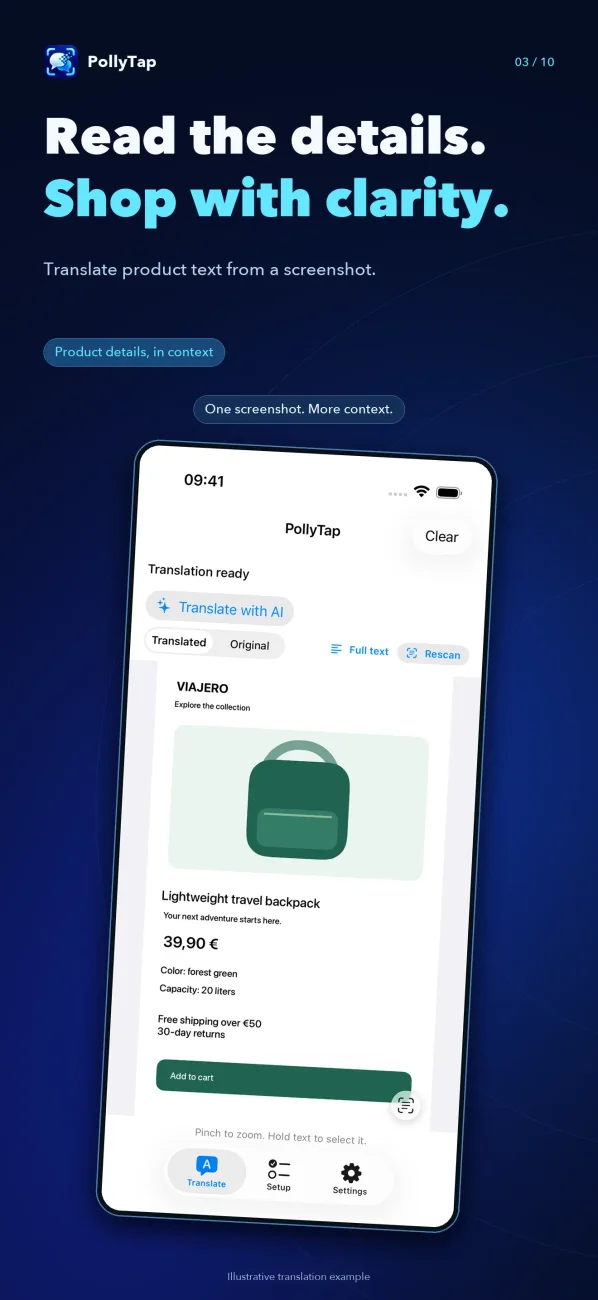
Capture a menu, message, sign, or web page, then view its translation over the original image. Compare the original, zoom into small print, or open the recognized and translated text in a readable list.
A SHORTCUT FOR YOUR SCREEN
The Setup tab helps you add the supplied shortcut, which takes a screenshot and sends it to PollyTap. Assign it to the Action Button on a compatible iPhone, use Back Tap, or run it from Shortcuts. A short visual guide shows each step. You can also choose an existing screenshot inside the app.
READ, COMPARE, AND RESCAN
• Automatically detect the source language or choose it yourself.
• Choose the language you want to read.
• View translated text in place on the screenshot.
• Compare the result with the original image.
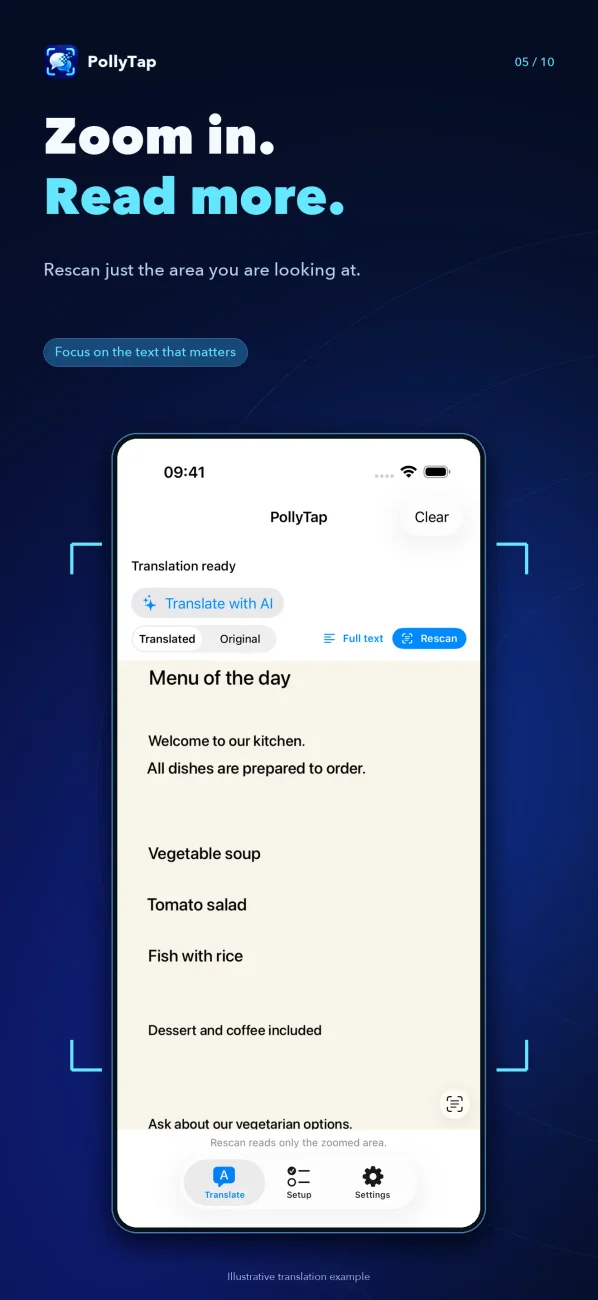
• Zoom and Rescan for a closer reading of a difficult area.
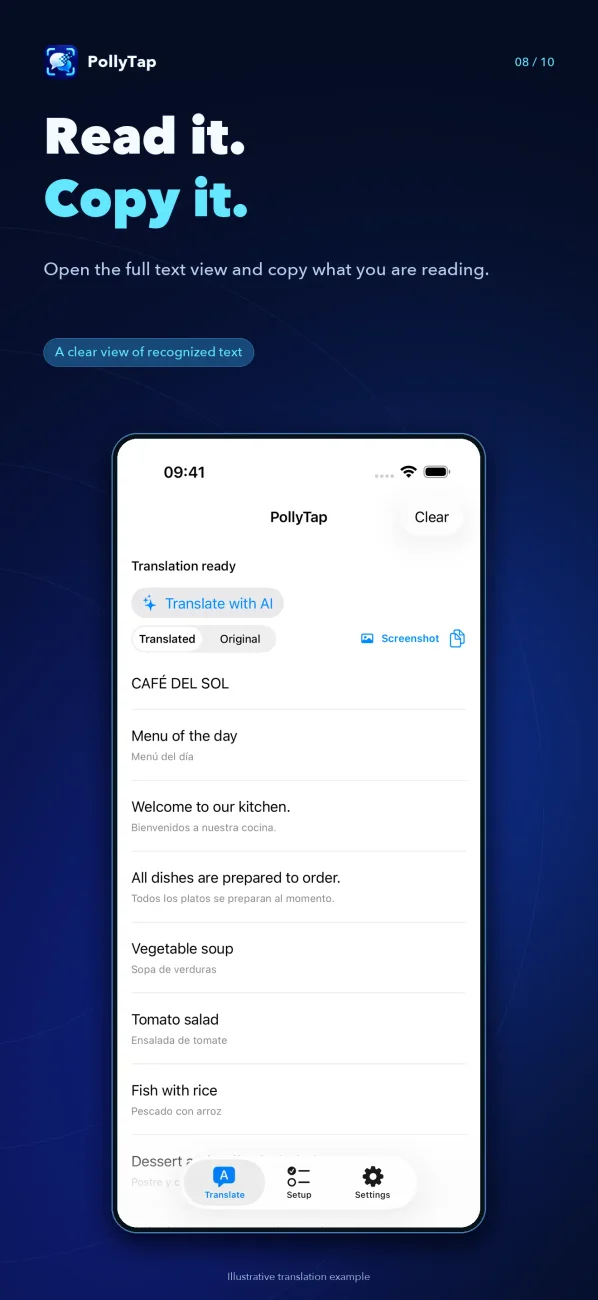
• Use Full text to read or copy the recognized and translated text.
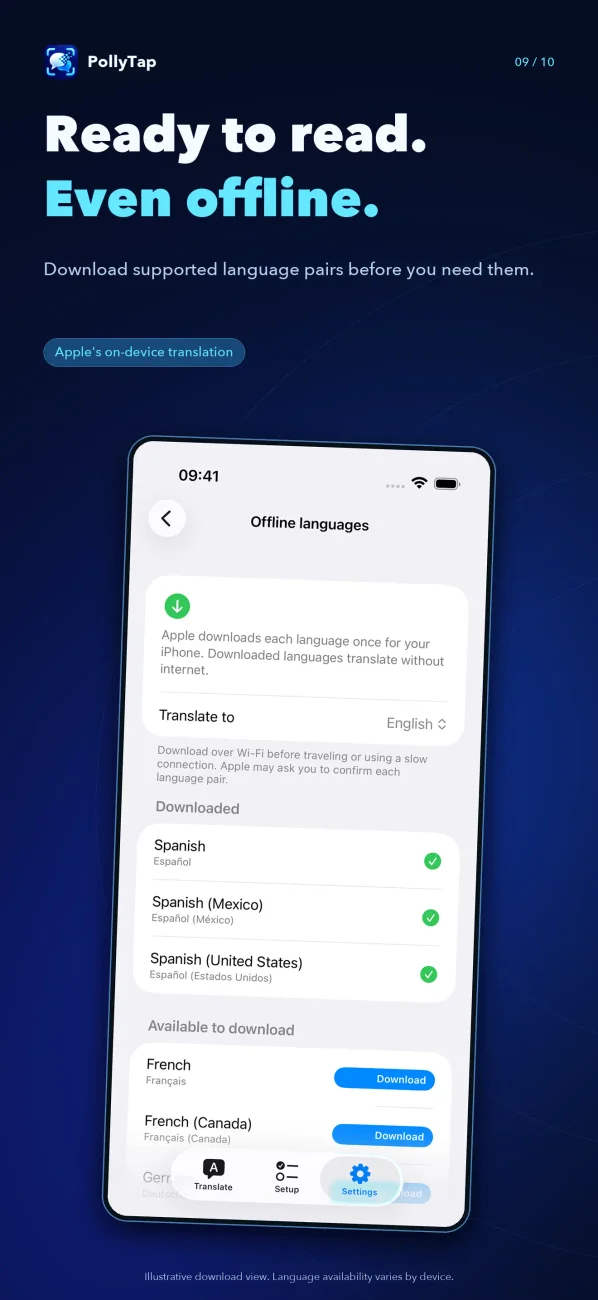
• Download supported language resources ahead of time for offline translation.
• Use menus and instructions in 23 app languages.
APPLE TRANSLATION ON YOUR IPHONE, FREE
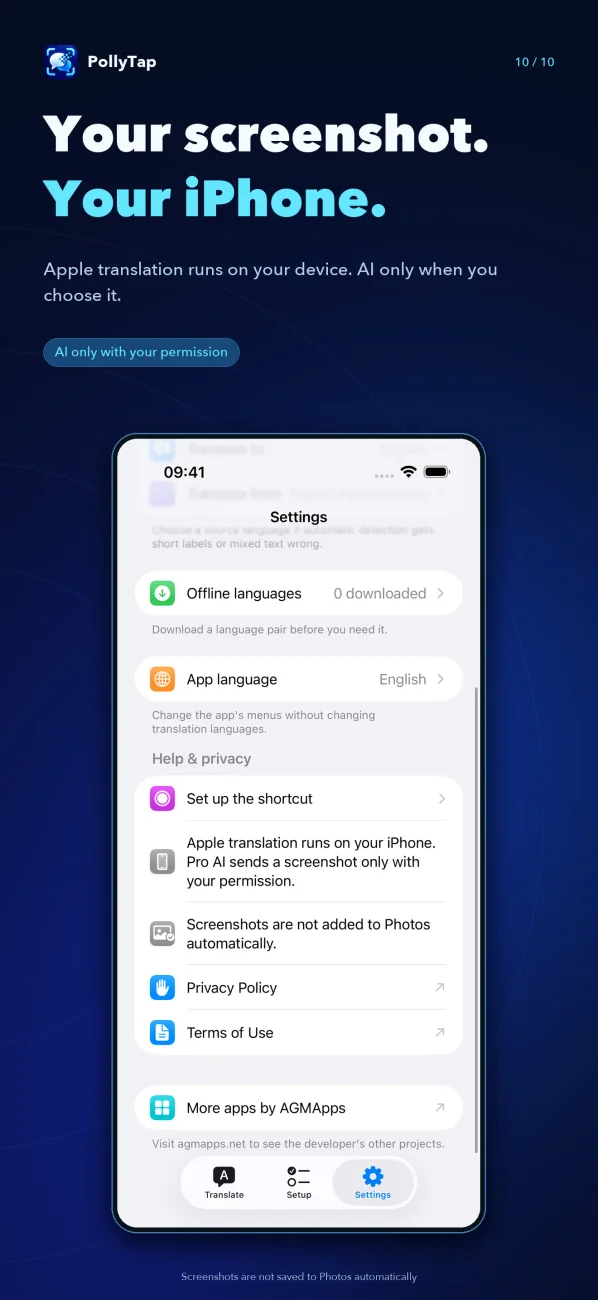
Text recognition uses Apple Vision, and translation uses Apple’s Translation framework on your iPhone. Apple translation and rescans are free and unlimited, with banner and occasional interstitial ads. A missing ad does not prevent translation. On iPhones with Apple Intelligence, you can turn on Best quality in Settings for Apple’s high-fidelity translation, which takes a few seconds longer.
AI TRANSLATION WHEN YOU CHOOSE IT
When your iPhone can’t translate a screen, or misses part of it, PollyTap offers AI translation. You can also tap Translate with AI on any result. Nothing is sent until you choose it and agree: the screenshot and its recognized text then go to PollyTap’s AI service for translation. AI translation needs Sign in with Apple and an internet connection. New accounts include 10 free AI translations to try.
POLLYTAP PRO
A one-time purchase that removes ads and includes 300 AI translations. Pro users can add packs of 100 AI translations. Apple translation stays free either way. You can delete your AI account in Settings at any time.
PollyTap requires iOS 26 or later. Available translation languages depend on Apple’s software and your device. Initial language downloads require internet access. Ads use internet access and are subject to privacy and tracking choices.
A translated screenshot is a still image: return to the original app to scroll or interact. Recognition and translation can make mistakes, particularly with small, decorative, or mixed-script text. Compare the original and use Rescan when needed.
Nouveautés
Version 2.0 · 11/11/2026
• Translations finish in one step: once your iPhone has translated a screen, it's done
• New: AI translation for screens your iPhone can't translate, with 10 free AI translations to try
• Translate just the part that was missed, and keep the rest
• Faster translation
• A short visual guide for the Action Button and Back Tap
• PollyTap Pro: no ads and 300 AI translations, one-time purchase
Confidentialité de l’application
Ce que Alejandro Maldonado Quintana déclare sur l’App Store au sujet du traitement des données par cette application.
-
Données utilisées pour vous suivre
Peuvent être utilisées pour vous suivre sur des applications et des sites web appartenant à d’autres sociétés.
- Achats
- Emplacement
- Identifiants
- Données d’utilisation
- Autres données
-
Données établissant un lien avec vous
Peuvent être collectées et liées à votre identité.
- Achats
- Emplacement
- Contenu utilisateur
- Identifiants
- Données d’utilisation
- Diagnostic
- Autres données
-
Données n’établissant aucun lien avec vous
Peuvent être collectées, mais ne sont pas liées à votre identité.
- Achats
- Contenu utilisateur
- Diagnostic
Les pratiques en matière de confidentialité peuvent varier, notamment en fonction des fonctionnalités que vous utilisez ou de votre âge.
Informations
- Vendeur
- Alejandro Maldonado Quintana
- Catégorie
- Utilitaires
- Version
- 2.0
- Mis à jour
- 11/11/2026
- Publié
- 28/10/2026
- Taille
- 22,9 Mo
- Nécessite
- iOS 26.0 ou version ultérieure
- Classification d’âge
- 4+
- Prix
- Gratuit
- Achats intégrés
- Oui
- Langues
- Anglais, Arabe, Néerlandais, Filipino, Français, Allemand, Hébreu, Hindi, Indonésien, Italien, Japonais, Coréen + 11 de plus
- Copyright
- © 2026 AGMApps
Vous aimerez peut-être aussi
-
 Translate Lens - écran et WebWeb bilingue et écran
-
 MolluUtilitaires
-
 Snap Screen TranslatorUtilitaires
-
 Onscreen TranslateTraduire captures et photos
-
 Securemme SmartUtilitaires
-
 Battery WatcherUtilitaires
-
 TRIGGERCAM 2.1Utilitaires
-
 AIGSMUtilitaires
-
 rDeviceUtilitaires
-
 Gotcha Screen TranslatorTranslate Any Chinese App