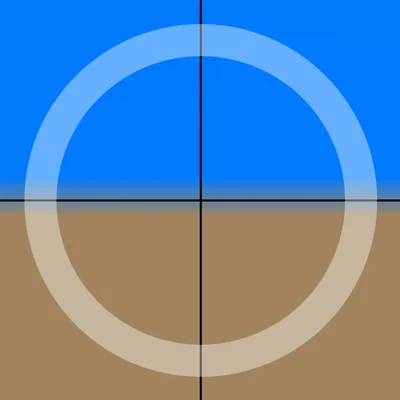
Multi Angle Meter For Watch
Angle meter on your arm
Conçue pour iPhone, iPod touch
Gratuit
- Classification d’âge4+
- CatégorieUtilitaires
- DéveloppeurHideo Nose
- LanguesAnglais+ 1 de plus
- Taille1,4 Mo
Renvoie vers la page App Store officielle
Download.org n’héberge aucun fichier de Multi Angle Meter For Watch. Le bouton ouvre la page de l’application sur App Store, où Hideo Nose la publie. Fiche vérifiée pour la dernière fois le 13/11/2026.
À propos
Le développeur n’a pas fourni ce texte dans votre langue.
INSTRUCTIONS
When the watch is tilted, the tilt angle is displayed in the three axes of yaw, pitch, and roll.
Long-tap the number of an angle degree on the screen: The angle is set "On the ground" is displayed in the upper left corner of the screen.
Double-tap the number of an angle degree on the screen: The angle is reset and "On the table" is displayed in the upper left corner of the screen. Each time you double-tap, the angle is reset.
Long press the number of an angle degree on the screen to initialize the angle. The angle based on the ground is displayed. "On the ground" is displayed in the upper left corner of the screen.
Setting: You can set the angle notification function.
*Screen Description
On the ground: Default value. Displays the angle to the ground.
On the table: Displayed when the angle is reset.
Yaw: Rotation angle of the horizontal plane with the vertical axis. If the Angle Notification function is set to On, the angle will be displayed in red from ±5 degrees of the set angle. If Vibration is set to On, The angle is displayed in red letters with vibration.
Roll: Angle of rotation on the front-back axis. If the Angle Notification function is set to On, the angle will be notified in orange from ±5 degrees of the set angle. (If Vibration is turned on, The angle is displayed in orange letters with vibration.
Pitch: Angle of rotation on the left/right axis. If the Angle Notification function is set to On, the angle will be notified in green from ±5 degrees of the set angle. (If Vibration is turned on, The angle is displayed in green letters with vibration.
Setting: Displays the angle set by the angle notification function on the Setting screen.
Save: All angles (yaw, pitch and roll) of the notification can be changed to the current angle.
Note: The angle displayed is the angle detected by the gyro sensor of this watch. To measure the angle accurately, use a calibrated angle meter or inclinometer instead of this application.
Nouveautés
Version 1.1.1 · 26/08/2025
This app has been updated by Apple to prepare for watchOS 27 compatibility. No new features are included.
Minor bug fixes.
Yaw, Pitch, and Roll angle display can now be selected on the settings.
Confidentialité de l’application
Ce que Hideo Nose déclare sur l’App Store au sujet du traitement des données par cette application.
-
Données non collectées
Le développeur ne collecte aucune donnée à partir de cette application.
Les pratiques en matière de confidentialité peuvent varier, notamment en fonction des fonctionnalités que vous utilisez ou de votre âge.
Informations
- Vendeur
- Hideo Nose
- Catégorie
- Utilitaires
- Version
- 1.1.1
- Mis à jour
- 26/08/2025
- Publié
- 17/10/2022
- Taille
- 1,4 Mo
- Nécessite
- iOS 13.0 ou version ultérieure
- Classification d’âge
- 4+
- Prix
- Gratuit
- Langues
- Anglais, Japonais
- Copyright
- © 2022 Hideo Nose
Vous aimerez peut-être aussi
-
 Cleanup # Hide Photos VideosUtilitaires
-
 Online Protector check a siteWebsite safe checker
-
 CleanAppPro - Contacts CleanerSupprimer le doublon
-
 QR Reader for iPhone & iPadUtilitaires
-
 BlurDataUtilitaires
-
 CamDocScanner- Scan DocumentsUtilitaires
-
 QRCodeScanner - Scan Any QRUtilitaires
-
 Swipe.OutUtilitaires
-
 Website Blocker for ParentsUtilitaires
-
 Snap Swipe - Nettoyer PhotosTrier Doublons, Libérer Espace