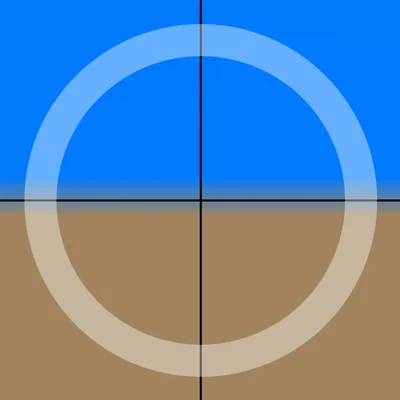
Multi Angle Meter For Watch
Angle meter on your arm
iPhone, iPod touch için tasarlandı
Ücretsiz
- Yaş sınırı4+
- KategoriYardımcılar
- GeliştiriciHideo Nose
- Dillerİngilizce+ 1 dil daha
- Boyut1,4 MB
Resmi App Store sayfasına bağlanır
Download.org, Multi Angle Meter For Watch için hiçbir dosya barındırmaz. Düğme, uygulamanın App Store üzerindeki sayfasını açar; uygulamayı orada Hideo Nose yayınlar. Sayfanın son kontrolü: 13.11.2026.
Hakkında
Geliştirici bu metni dilinizde sunmamış.
INSTRUCTIONS
When the watch is tilted, the tilt angle is displayed in the three axes of yaw, pitch, and roll.
Long-tap the number of an angle degree on the screen: The angle is set "On the ground" is displayed in the upper left corner of the screen.
Double-tap the number of an angle degree on the screen: The angle is reset and "On the table" is displayed in the upper left corner of the screen. Each time you double-tap, the angle is reset.
Long press the number of an angle degree on the screen to initialize the angle. The angle based on the ground is displayed. "On the ground" is displayed in the upper left corner of the screen.
Setting: You can set the angle notification function.
*Screen Description
On the ground: Default value. Displays the angle to the ground.
On the table: Displayed when the angle is reset.
Yaw: Rotation angle of the horizontal plane with the vertical axis. If the Angle Notification function is set to On, the angle will be displayed in red from ±5 degrees of the set angle. If Vibration is set to On, The angle is displayed in red letters with vibration.
Roll: Angle of rotation on the front-back axis. If the Angle Notification function is set to On, the angle will be notified in orange from ±5 degrees of the set angle. (If Vibration is turned on, The angle is displayed in orange letters with vibration.
Pitch: Angle of rotation on the left/right axis. If the Angle Notification function is set to On, the angle will be notified in green from ±5 degrees of the set angle. (If Vibration is turned on, The angle is displayed in green letters with vibration.
Setting: Displays the angle set by the angle notification function on the Setting screen.
Save: All angles (yaw, pitch and roll) of the notification can be changed to the current angle.
Note: The angle displayed is the angle detected by the gyro sensor of this watch. To measure the angle accurately, use a calibrated angle meter or inclinometer instead of this application.
Yenilikler
Sürüm 1.1.1 · 26.08.2025
This app has been updated by Apple to prepare for watchOS 27 compatibility. No new features are included.
Minor bug fixes.
Yaw, Pitch, and Roll angle display can now be selected on the settings.
Uygulama gizliliği
Bu uygulamanın verileri nasıl işlediği hakkında Hideo Nose tarafından App Store üzerinde yapılan beyan.
-
Veri toplanmıyor
Geliştirici bu uygulamadan hiçbir veri toplamıyor.
Gizlilik uygulamaları, örneğin kullandığınız özelliklere veya yaşınıza göre değişiklik gösterebilir.
Bilgiler
- Satıcı
- Hideo Nose
- Kategori
- Yardımcılar
- Sürüm
- 1.1.1
- Güncellendi
- 26.08.2025
- Yayın tarihi
- 17.10.2022
- Boyut
- 1,4 MB
- Gereksinim
- iOS 13.0 veya sonrası
- Yaş sınırı
- 4+
- Fiyat
- Ücretsiz
- Diller
- İngilizce, Japonca
- Telif hakkı
- © 2022 Hideo Nose
Bunları da beğenebilirsiniz
-
 Cleanup # Hide Photos VideosYardımcılar
-
 Online Protector check a siteYardımcılar
-
 CleanAppPro - Contacts CleanerYinelenen kişileri kaldır
-
 QR Reader for iPhone & iPadYardımcılar
-
 BlurDataYardımcılar
-
 CamDocScanner- Scan DocumentsYardımcılar
-
 QRCodeScanner - Scan Any QRYardımcılar
-
 Swipe.OutYardımcılar
-
 Website Blocker for ParentsYardımcılar
-
 Snap Swipe - Photo CleanerOrganize Gallery & Compress