
- Classification d’âge4+
- CatégorieUtilitaires
- Développeur小琴 庹
- LanguesAnglais
- Taille14,7 Mo
NetStability n’est peut-être pas disponible sur App Store pour le moment
La fiche de la boutique était inaccessible lors de notre dernière vérification. Le lien mène toujours à la page App Store officielle.
Captures d’écran

À propos
Le développeur n’a pas fourni ce texte dans votre langue.
NetStability is a network stability trend analysis tool that helps you understand how reliable your internet connection is over time — not just right now, but across hours, days, and weeks.
Unlike traditional network tools that show you a snapshot of your current connection, NetStability focuses on historical patterns, fluctuation trends, and connection reliability through local data collection and visualization.
WHAT MAKES NETSTABILITY DIFFERENT
• Trend-Focused Analysis — View stability scores across 24 hours, 7 days, or 30 days to understand your network's long-term behavior
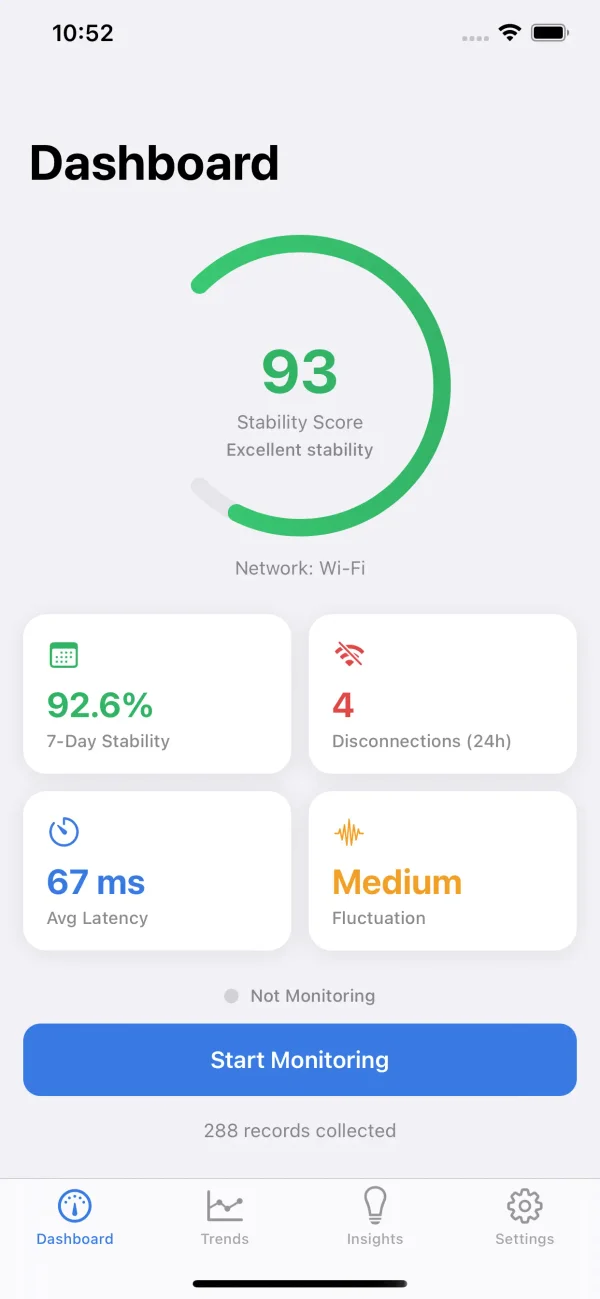
• Stability Scoring — Get a clear percentage-based stability score that reflects both connectivity uptime and latency consistency
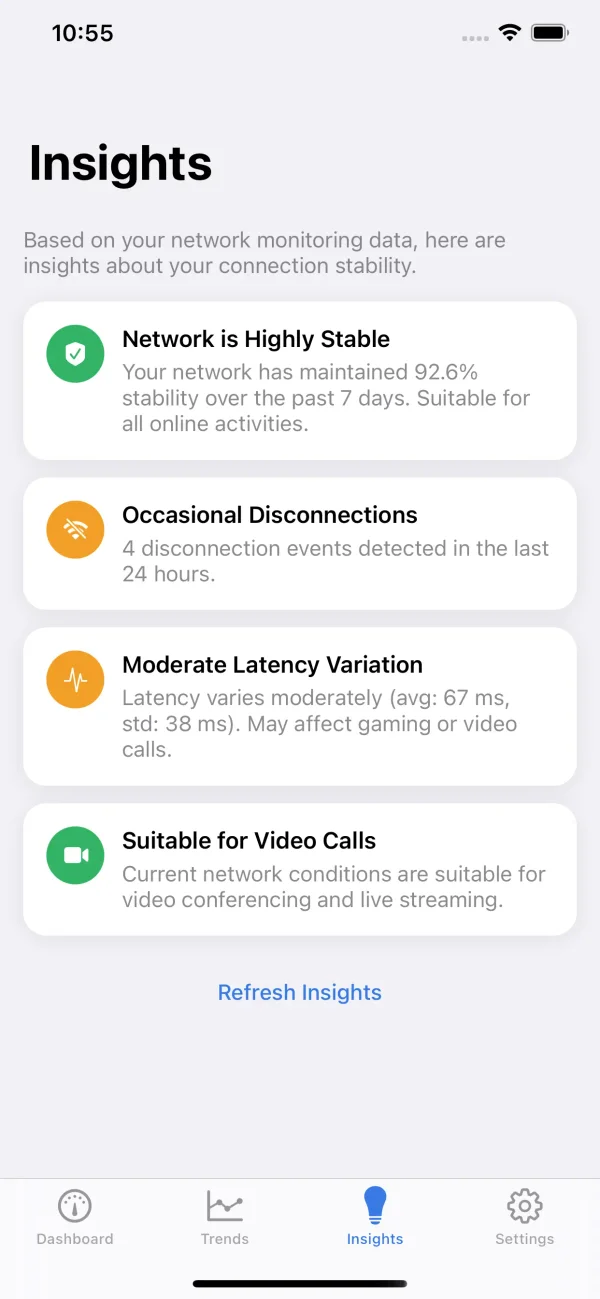
• Smart Insights — Receive actionable recommendations based on your network's historical performance, like whether conditions are suitable for video calls
• Latency Tracking — Monitor latency fluctuations over time, not just a single measurement
• Disconnection History — Track when and how often your connection drops
WHO IS IT FOR
• Remote workers who need reliable connections for video meetings
• Students preparing for online exams or interviews
• Streamers and gamers who need consistent network quality
• Anyone who wants to evaluate their home or office network reliability over time
KEY FEATURES
○ Dashboard — At-a-glance view of your current stability score, 7-day performance, disconnection count, average latency, and fluctuation level
○ Trends — Interactive charts showing stability, latency, and disconnection trends across configurable time ranges
○ Insights — AI-free, rule-based analysis that provides plain-language conclusions about your network's health and suitability for specific activities
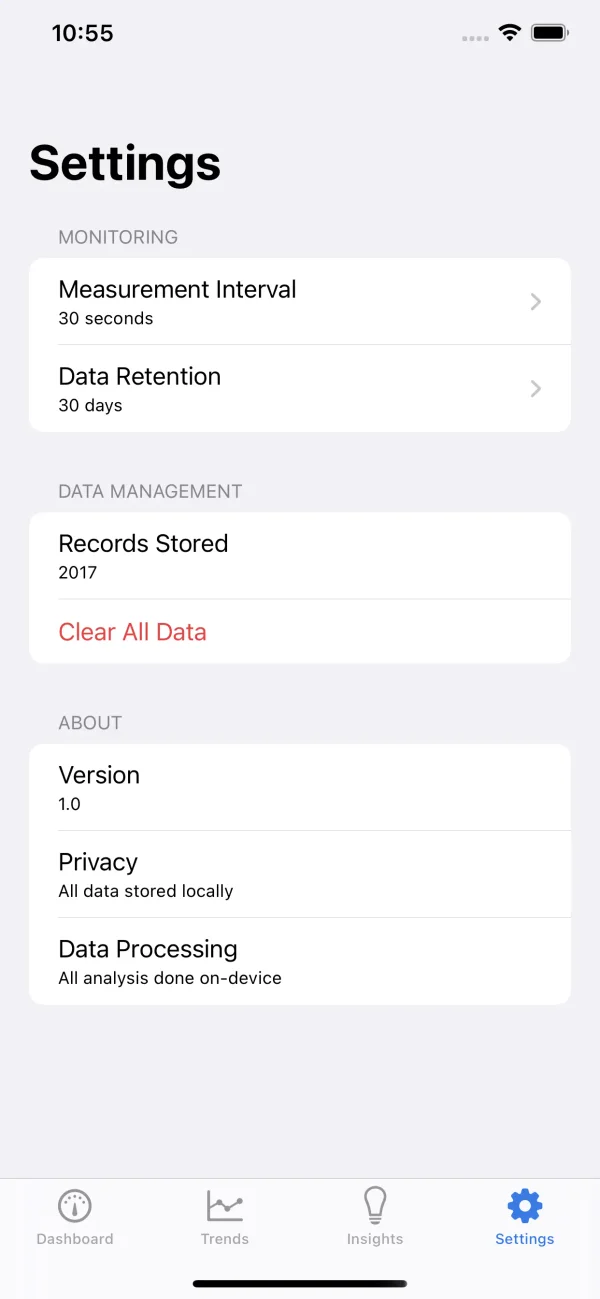
○ Monitoring Control — Start and stop monitoring sessions with configurable measurement intervals
○ Privacy First — All data is collected, stored, and analyzed entirely on your device. Nothing is uploaded or shared.
TECHNICAL DETAILS
• Uses Apple's Network.framework for connectivity monitoring
• Lightweight latency measurements via standard HTTP requests to public endpoints
• Local-only data storage with configurable retention (7–90 days)
• Supports Dark Mode
• Optimized for iPhone and iPad
NetStability gives you the data to answer: "Is my network reliable enough for what I need to do?"
Confidentialité de l’application
Ce que 小琴 庹 déclare sur l’App Store au sujet du traitement des données par cette application.
-
Données non collectées
Le développeur ne collecte aucune donnée à partir de cette application.
Les pratiques en matière de confidentialité peuvent varier, notamment en fonction des fonctionnalités que vous utilisez ou de votre âge.
Informations
- Vendeur
- 小琴 庹
- Catégorie
- Utilitaires
- Version
- 1.0
- Mis à jour
- 17/02/2026
- Publié
- 17/02/2026
- Taille
- 14,7 Mo
- Nécessite
- iOS 15.0 ou version ultérieure
- Classification d’âge
- 4+
- Langues
- Anglais
- Copyright
- © 2026 XiaoQin Tuo
Vous aimerez peut-être aussi
-
 NetState ToolUtilitaires
-
 NetSense Wi-Fi CheckUtilitaires
-
 NetTracer – TracerouteChemin réseau IPv4 et IPv6
-
 UAP VPNUtilitaires
-
 IP ProtectionUtilitaires
-
 Smart Device ProUtilitaires
-
 Nurunuru CheckerUtilitaires
-
 NetCheck ConnectivityUtilitaires
-
 Bluetooth Scanner: BlueTrackUtilitaires
-
 Nytrix Game Booster: Lag CheckUtilitaires