
- Age rating4+
- CategoryUtilities
- Developer小琴 庹
- LanguagesEnglish
- Size14.7 MB
Links to the official App Store page
Download.org hosts no file of NetStability. The button opens its official App Store page, published by 小琴 庹. Listing last checked on Nov 18, 2026.
Screenshots

About
NetStability is a network stability trend analysis tool that helps you understand how reliable your internet connection is over time — not just right now, but across hours, days, and weeks.
Unlike traditional network tools that show you a snapshot of your current connection, NetStability focuses on historical patterns, fluctuation trends, and connection reliability through local data collection and visualization.
WHAT MAKES NETSTABILITY DIFFERENT
• Trend-Focused Analysis — View stability scores across 24 hours, 7 days, or 30 days to understand your network's long-term behavior
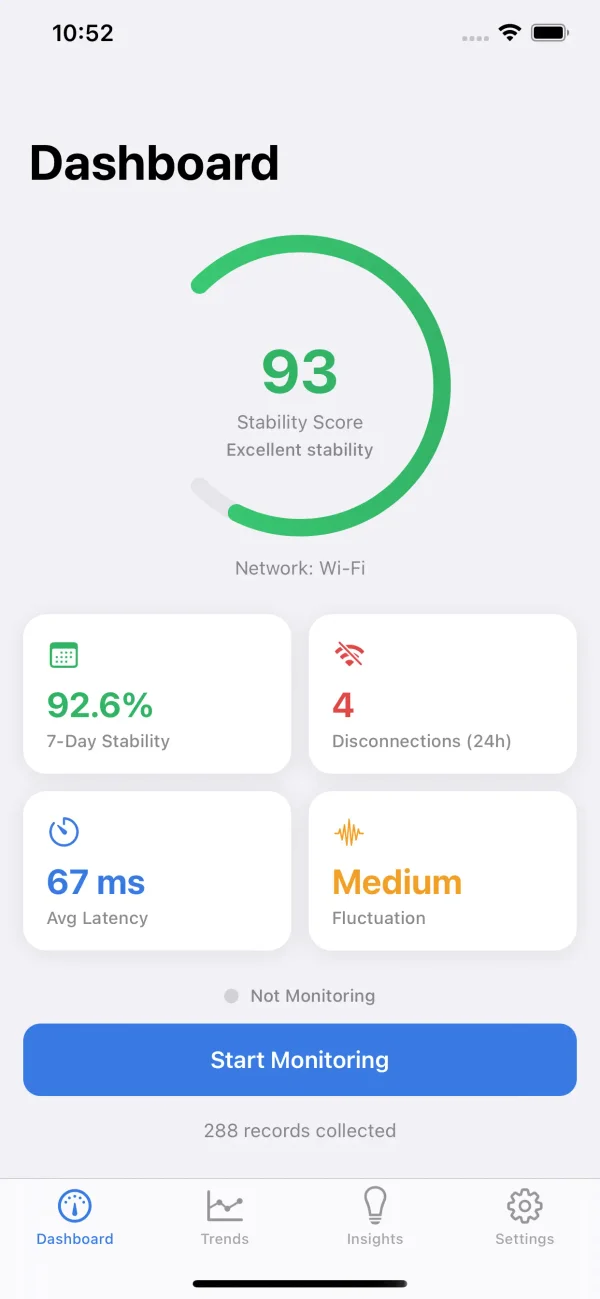
• Stability Scoring — Get a clear percentage-based stability score that reflects both connectivity uptime and latency consistency
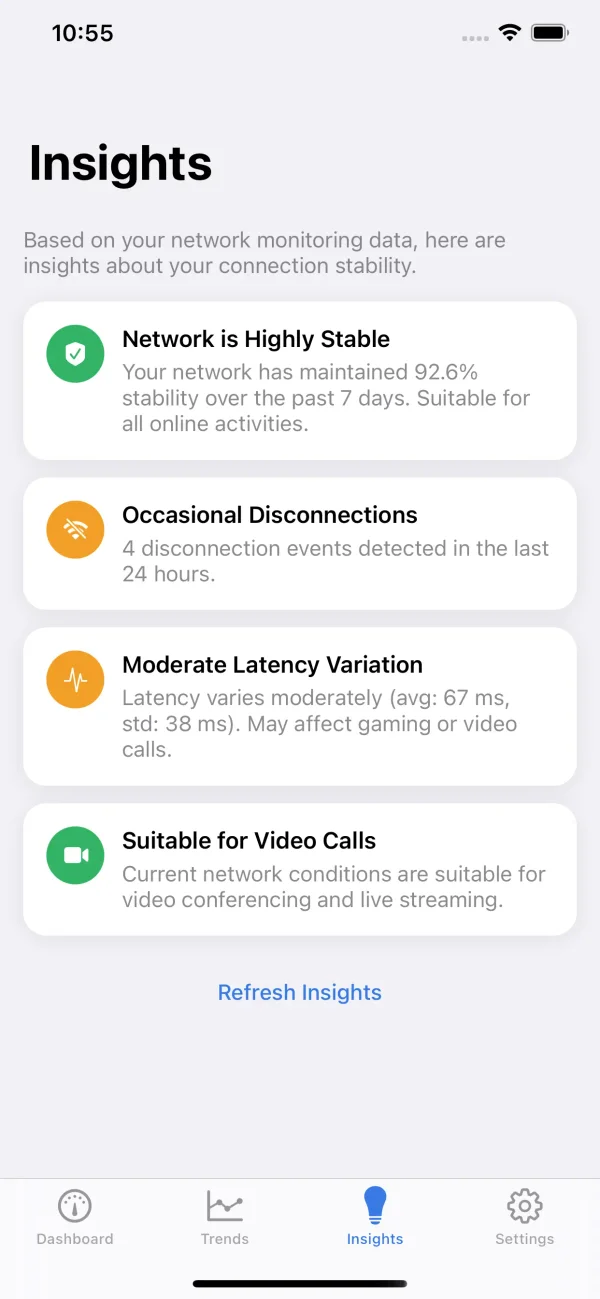
• Smart Insights — Receive actionable recommendations based on your network's historical performance, like whether conditions are suitable for video calls
• Latency Tracking — Monitor latency fluctuations over time, not just a single measurement
• Disconnection History — Track when and how often your connection drops
WHO IS IT FOR
• Remote workers who need reliable connections for video meetings
• Students preparing for online exams or interviews
• Streamers and gamers who need consistent network quality
• Anyone who wants to evaluate their home or office network reliability over time
KEY FEATURES
○ Dashboard — At-a-glance view of your current stability score, 7-day performance, disconnection count, average latency, and fluctuation level
○ Trends — Interactive charts showing stability, latency, and disconnection trends across configurable time ranges
○ Insights — AI-free, rule-based analysis that provides plain-language conclusions about your network's health and suitability for specific activities
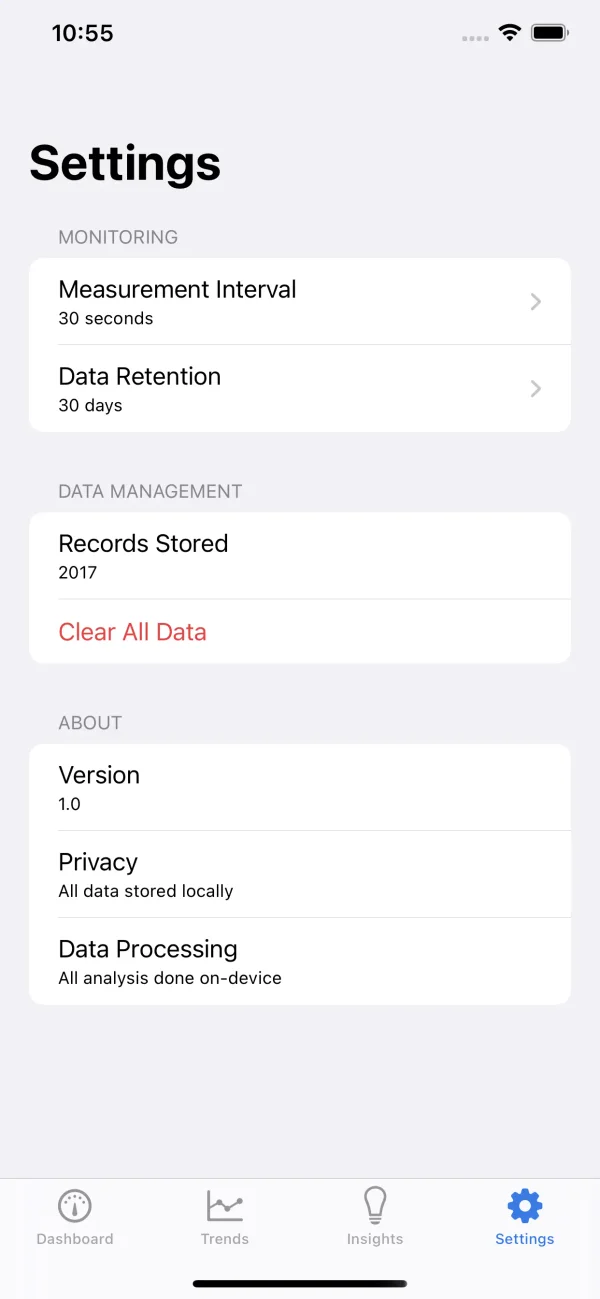
○ Monitoring Control — Start and stop monitoring sessions with configurable measurement intervals
○ Privacy First — All data is collected, stored, and analyzed entirely on your device. Nothing is uploaded or shared.
TECHNICAL DETAILS
• Uses Apple's Network.framework for connectivity monitoring
• Lightweight latency measurements via standard HTTP requests to public endpoints
• Local-only data storage with configurable retention (7–90 days)
• Supports Dark Mode
• Optimized for iPhone and iPad
NetStability gives you the data to answer: "Is my network reliable enough for what I need to do?"
App privacy
What 小琴 庹 declares on the App Store about how this app handles data.
-
Data not collected
The developer does not collect any data from this app.
Privacy practices may vary, for example with the features you use or your age.
Information
- Seller
- 小琴 庹
- Category
- Utilities
- Version
- 1.0
- Updated
- Feb 17, 2026
- Released
- Feb 17, 2026
- Size
- 14.7 MB
- Requires
- iOS 15.0 or later
- Age rating
- 4+
- Price
- Free
- Languages
- English
- Copyright
- © 2026 XiaoQin Tuo
You might also like
-
 NetState ToolNetState - tool for analysis
-
 NetSense Wi-Fi CheckSpot weak zones before install
-
 NetTracer – TracerouteIPv4 & IPv6 network path
-
 UAP VPNSecure & Fast Network Tunnel
-
 IP ProtectionBlock trackers. Hide your IP.
-
 Smart Device ProUtilities
-
 Nurunuru CheckerTest 120Hz ProMotion displays
-
 NetCheck ConnectivityNetwork Testing Utility
-
 Bluetooth Scanner: BlueTrackFind My Device & AirPods
-
 Nytrix Game Booster: Lag CheckPing Test & Phone Heat Check