
OnsiteBIM
True 1:1 Scale BIM on Jobsite
Conçue pour iPhone, iPad
Achats intégrés
- Classification d’âge4+
- CatégorieUtilitaires
- DéveloppeurMihir Patel
- LanguesAnglais
- Taille26,0 Mo
OnsiteBIM n’est peut-être pas disponible sur App Store pour le moment
La fiche de la boutique était inaccessible lors de notre dernière vérification. Le lien mène toujours à la page App Store officielle.
Captures d’écran


À propos
Le développeur n’a pas fourni ce texte dans votre langue.
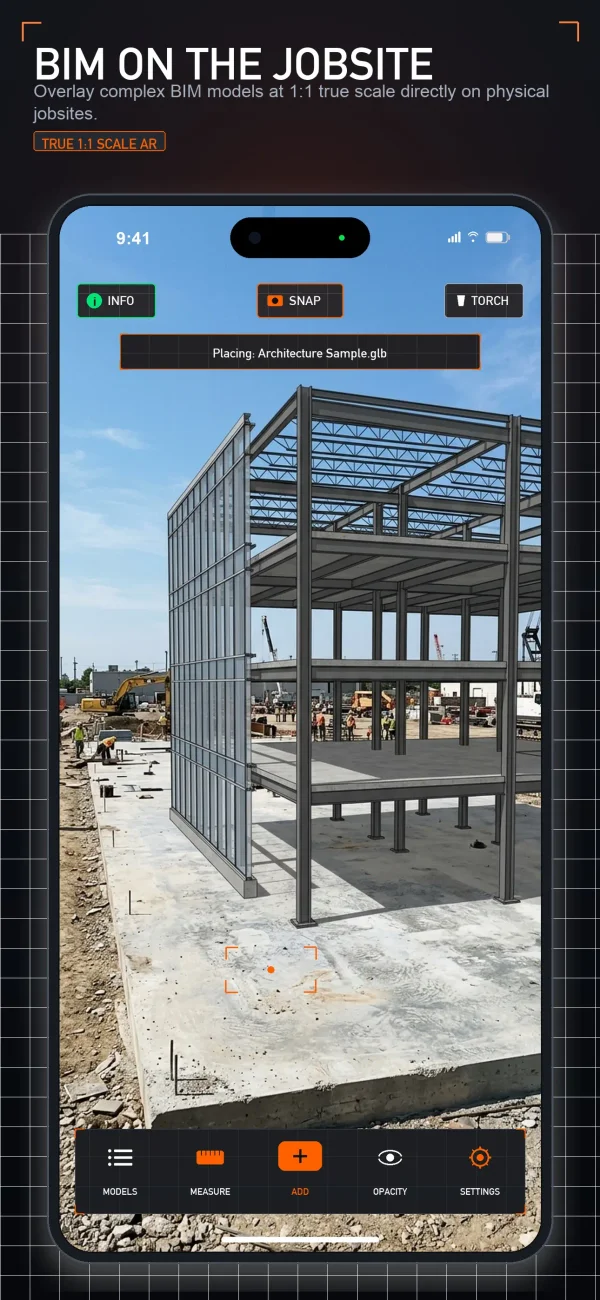
See your BIM model where it belongs: on the jobsite.
OnsiteBIM places 3D building models directly into the real world using your iPhone or iPad.
Inspect, navigate, measure, and compare digital BIM designs against physical construction—from active floor plates and mechanical rooms to basements and remote jobsites.
HOW IT WORKS — FROM OFFICE TO JOBSITE
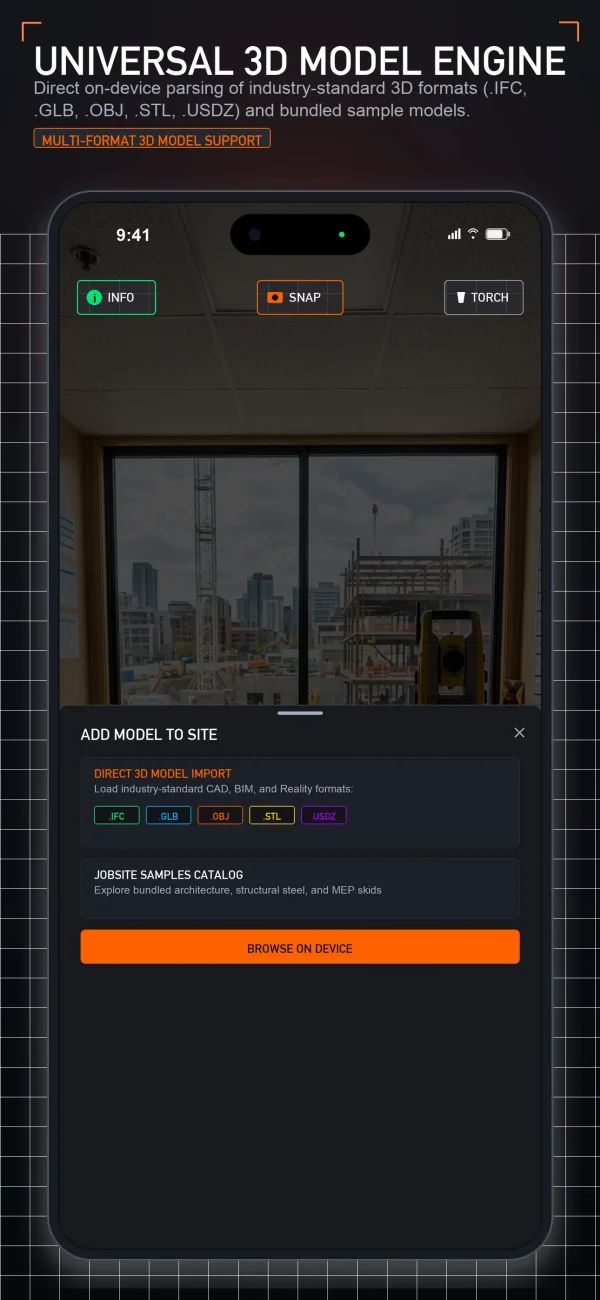
Open Your 3D Model
Open BIM and CAD models directly from device storage, Apple Files, iCloud Drive, Google Drive, OneDrive, or Dropbox.
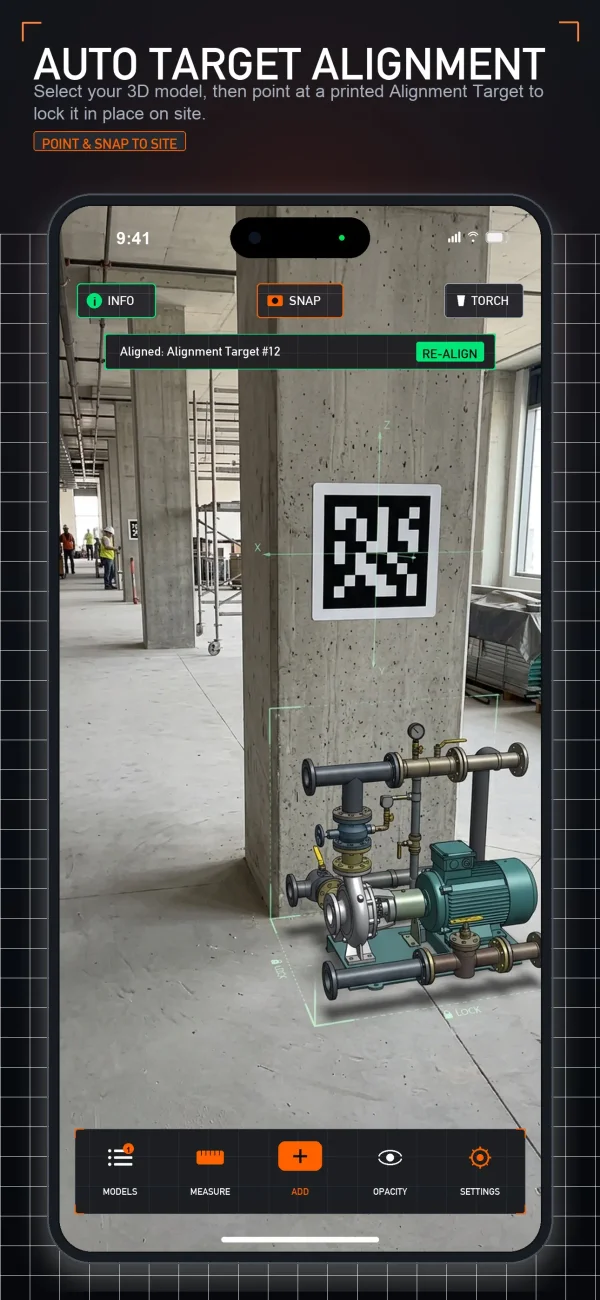
Place Your Alignment Target
Tape a printed Alignment Target to a known column, wall, or floor benchmark. Print-ready targets and Revit families are available at www.onsitebim.app.
Aim Camera & Inspect at 1:1 Scale
Point your camera at the target, and your 3D model locks into place at 1:1 scale. Alignment Targets are physical positioning anchors—not QR download links.
POSITION YOUR MODEL YOUR WAY
• Auto Target Alignment — Lock models into real-world space using an Alignment Target (position, elevation, orientation).
• Manual Surface Placement — Position models on floor surfaces using joystick navigation, rotation controls, and elevation nudging.
LOG FIELD ISSUES & GENERATE PDF REPORTS
Document field findings and clashes directly in AR:
• 1-Tap Issue Capture — Freeze viewport with stamped evidence badges, priority tags, and GPS geotagging.
• BIM Element Metadata — Auto-links active IFC element details, GUIDs, specs, and measured tolerances.
• On-Device PDF Reports — Generate executive 1-page PDF punch reports locally with zero internet access required.
EXPORT TO REVIZTO, REVIT & AUTODESK ACC
• buildingSMART BCF 2.1 — Export standardized .bcfzip packages with true 6-DoF AR camera viewpoints and component GUIDs for Revizto, Revit, and BIMcollab.
• Autodesk Construction Cloud (ACC) — Export structured CSV issue logs formatted for direct import into ACC and BIM 360 Docs.
SEE EXACTLY WHAT MATTERS
Filter individual BIM layers or use MEP ONLY to hide architecture and isolate critical systems:
• HVAC ductwork & equipment
• Plumbing & piping
• Fire suppression
• Electrical conduits & cable trays
• Structural steel, concrete & rebar
WORK WITH MAJOR BIM & 3D FORMATS
Open models without cloud conversion:
• IFC — OpenBIM models (IFC 2x3 and IFC4)
• GLB & glTF — 3D models with PBR materials
• USDZ — Apple spatial 3D models
• OBJ & STL — 3D geometry with selectable measurement units
Compatible with Autodesk Revit, Navisworks, SolidWorks, Archicad, Rhino, and SketchUp.
MIX DIGITAL MODELS WITH THE REAL WORLD
• Real-Time LiDAR Occlusion — Physical walls, slabs, and columns naturally hide virtual geometry positioned behind them.
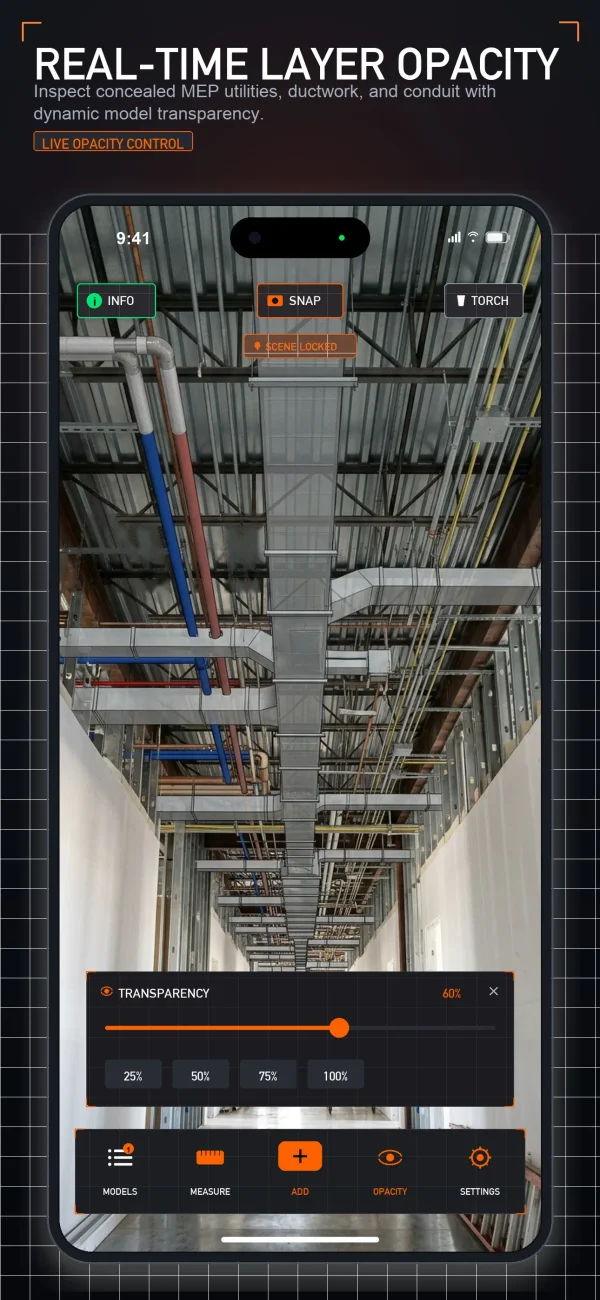
• Interactive Transparency — Inspect digital building systems behind physical surfaces or inside forms.
• Model Opacity Control — Adjust opacity from 0% to 100% to cross-reference virtual MEP runs against as-built conditions.
MEASURE IN 3D
Use the surface-aligned 3D tape measure to verify clearances and tolerances in metric and imperial units.
100% ON-DEVICE & PRIVATE
• Work Offline — Inspect models in basements, mechanical rooms, tunnels, and remote sites without Wi-Fi or cellular signal.
• Private by Design — Model geometry never leaves your device.
BUILT FOR THE JOBSITE
High-contrast outdoor HUD, large glove-friendly controls, 2D joystick, and thermal battery optimization.
Free companion web tools at www.onsitebim.app
Nouveautés
Version 2.2.0 · 08/11/2026
• FIELD ISSUE TRACKING & PDF REPORTS
Log jobsite issues in 1 tap directly from the AR viewport. Capture stamped photo evidence and compile professional 1-page PDF punch reports on-device.
• REVIZTO BCF 2.1 & AUTODESK ACC EXPORT
Share standardized BCF 2.1 viewpoint archives for Revizto, Revit, and BIMcollab, or export CSV issue logs for Autodesk Construction Cloud (ACC).
• INSTANT MEP QUICKSTART
Explore true 1:1 scale AR instantly using built-in engineering sample models—no files needed to get started.
• PERFORMANCE & STABILITY
Enhanced spatial tracking precision, improved thermal management, and UI polish for bright outdoor jobsites.
Confidentialité de l’application
Ce que Mihir Patel déclare sur l’App Store au sujet du traitement des données par cette application.
-
Données n’établissant aucun lien avec vous
Peuvent être collectées, mais ne sont pas liées à votre identité.
- Achats
Les pratiques en matière de confidentialité peuvent varier, notamment en fonction des fonctionnalités que vous utilisez ou de votre âge.
Informations
- Vendeur
- Mihir Patel
- Catégorie
- Utilitaires
- Version
- 2.2.0
- Mis à jour
- 08/11/2026
- Publié
- 18/08/2026
- Taille
- 26,0 Mo
- Nécessite
- iOS 16.0 ou version ultérieure
- Classification d’âge
- 4+
- Achats intégrés
- Oui
- Langues
- Anglais
- Copyright
- © 2026 Mihir Patel