
- Classification d’âge4+
- CatégorieUtilitaires
- DéveloppeurDropDollar, LLC
- LanguesAnglais
- Taille8,8 Mo
Renvoie vers la page App Store officielle
Download.org n’héberge aucun fichier de MouseMe. Le bouton ouvre la page de l’application sur App Store, où DropDollar, LLC la publie. Fiche vérifiée pour la dernière fois le 14/11/2026.
Captures d’écran




À propos
Le développeur n’a pas fourni ce texte dans votre langue.
MouseMe turns your iPhone or iPad into a wireless trackpad, keyboard, media remote, and TV controller for your Mac — over your local Wi‑Fi. No subscription, no account, and no data sent to our servers.
GET STARTED
1. Install MouseMe on your Mac and iPhone (same app on both).
2. On your Mac, open MouseMe and turn on Receiving. Grant Accessibility when macOS asks — this lets MouseMe move the cursor and type.
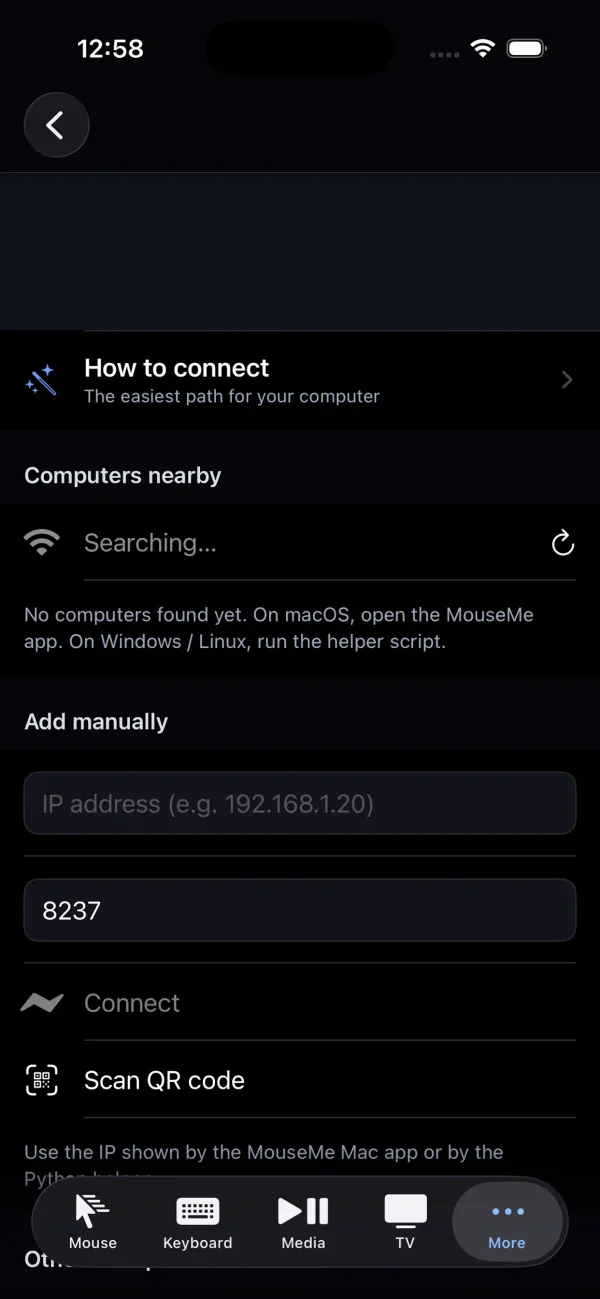
3. On your iPhone, open Connect and tap your Mac under Computers nearby.
4. Use the Mouse tab to move and click, or switch to Keyboard, Media, or TV.
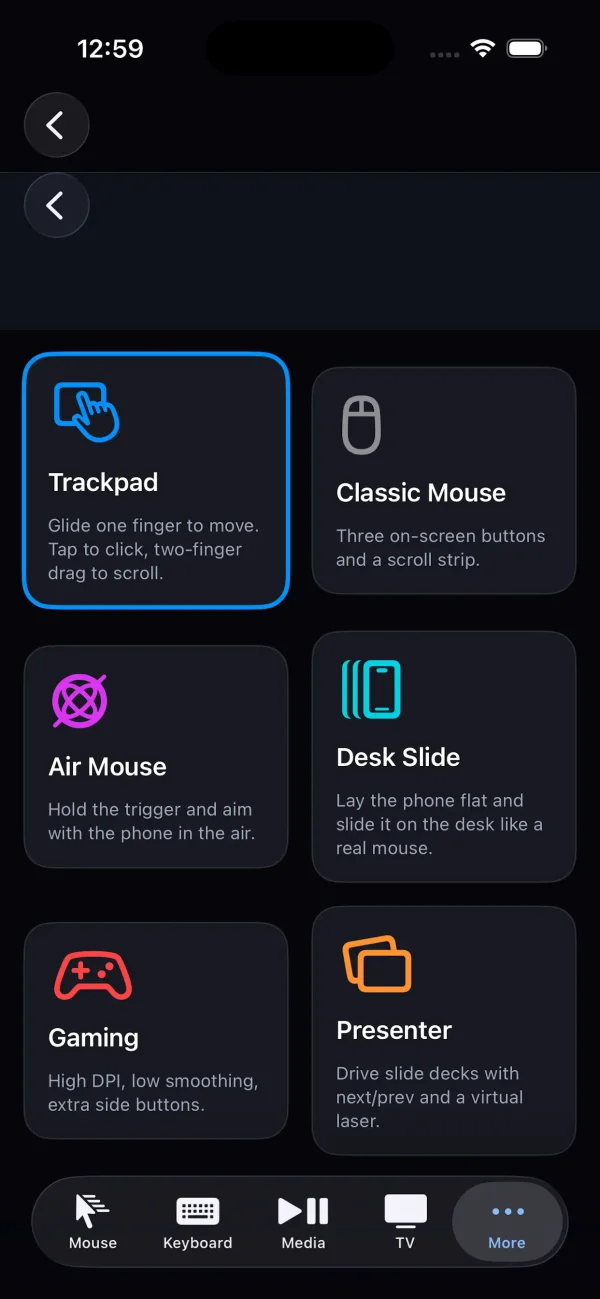
MOUSE MODES
• Trackpad — glide to move, tap to click, two-finger scroll
• Classic Mouse — left, right, and middle buttons plus scroll
• Air Mouse — aim with your phone in the air
• Desk Slide — lay the phone flat and slide it on your desk
• Gaming — high sensitivity with extra buttons
• Presenter — next/previous slide controls and pointing
KEYBOARD & MEDIA
• Full keyboard with modifier keys sent to your Mac
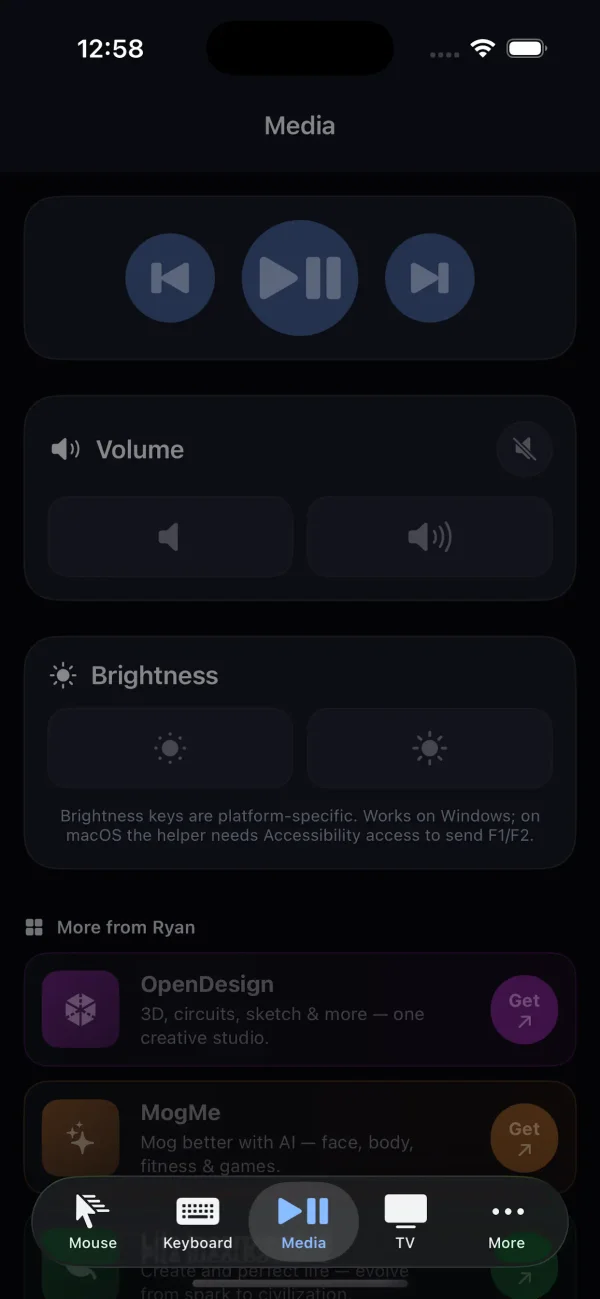
• Media controls for volume, brightness, and playback
TV REMOTE
• Control a Roku TV on your network through your Mac
• Multiple layouts including Universal, Apple TV, Roku, and Simple
• Find TVs automatically on your Wi‑Fi
CONNECTION
• Automatic discovery on the same Wi‑Fi (Bonjour)
• Manual IP entry and QR code pairing
• Optional Bluetooth when Wi‑Fi is unavailable
PRIVACY
All input stays on your local network between your phone and Mac. MouseMe does not collect or sell your data.
REQUIREMENTS
• iPhone or iPad with iOS/iPadOS 26.2 or later
• Mac with macOS 26.2 or later on the same Wi‑Fi network
• Local Network permission on iPhone (for discovery)
• Accessibility permission on Mac (to control cursor and keyboard)
Perfect for your desk, the couch, or presentations — your phone becomes a portable mouse and keyboard for the Mac you already own.
Confidentialité de l’application
Ce que DropDollar, LLC déclare sur l’App Store au sujet du traitement des données par cette application.
-
Données non collectées
Le développeur ne collecte aucune donnée à partir de cette application.
Les pratiques en matière de confidentialité peuvent varier, notamment en fonction des fonctionnalités que vous utilisez ou de votre âge.
Informations
- Vendeur
- DropDollar, LLC
- Catégorie
- Utilitaires
- Version
- 1.0
- Mis à jour
- 01/07/2026
- Publié
- 01/07/2026
- Taille
- 8,8 Mo
- Nécessite
- iOS 26.2 ou version ultérieure
- Classification d’âge
- 4+
- Prix
- Gratuit
- Langues
- Anglais
- Copyright
- © DropDollar, LLC
Vous aimerez peut-être aussi
-
 PhoneMouse – Wireless MouseUtilitaires
-
 Laser MouseUtilitaires
-
 Bluetooth MouseUtilitaires
-
 Phone Mouse・Remote・KeyboardUtilitaires
-
 Mobile Mouse USB RemoteUtilitaires
-
 Mouse LinkUtilitaires
-
 AirBoard ProClavier et pavé tactile
-
 BT Remote: Keyboard & TrackpadUtilitaires
-
 MultiLink : Clavier à distanceVotre tablette en trackpad
-
 Mobile Mouse Bluetooth RemoteUtilitaires