- Classification d’âge4+
- CatégorieProductivité
- DéveloppeurChih-Yu Tung
- LanguesAnglais
- Taille5,6 Mo
Renvoie vers la page App Store officielle
Download.org n’héberge aucun fichier de PaperSpeak. Le bouton ouvre la page de l’application sur App Store, où Chih-Yu Tung la publie. Fiche vérifiée pour la dernière fois le 12/11/2026.
Captures d’écran


À propos
Le développeur n’a pas fourni ce texte dans votre langue.
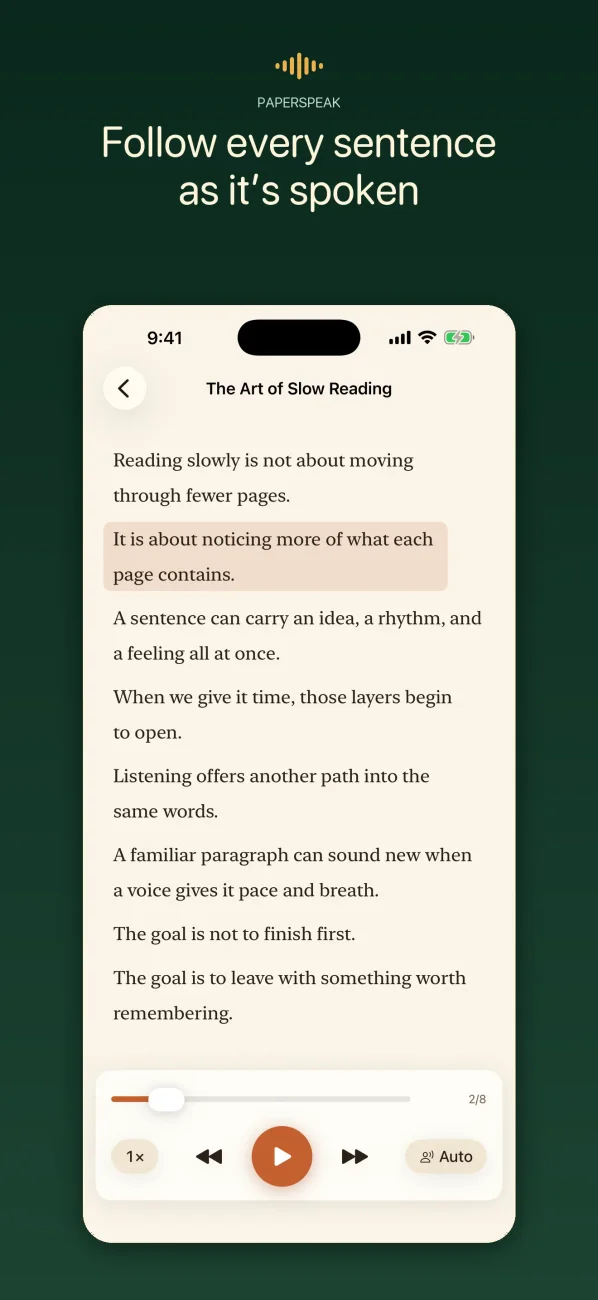
PaperSpeak turns the documents you already have into a calm, focused listening experience.
PaperSpeak is free to download and use, with no ads, subscriptions, or in-app purchases.
Import a file or paste text, choose a voice, and listen while PaperSpeak highlights each sentence. Tap any sentence to jump directly to it, adjust the playback speed, and continue later from where you stopped.
READ AND LISTEN TOGETHER
• Follow clear sentence-by-sentence highlighting
• Tap any sentence to start from that point
• Adjust playback speed from 0.5× to 2×
• Continue listening in the background
• Resume each document from your saved position
BRING YOUR OWN DOCUMENTS
• Import PDF, TXT, RTF, HTML, DOCX, and Pages files
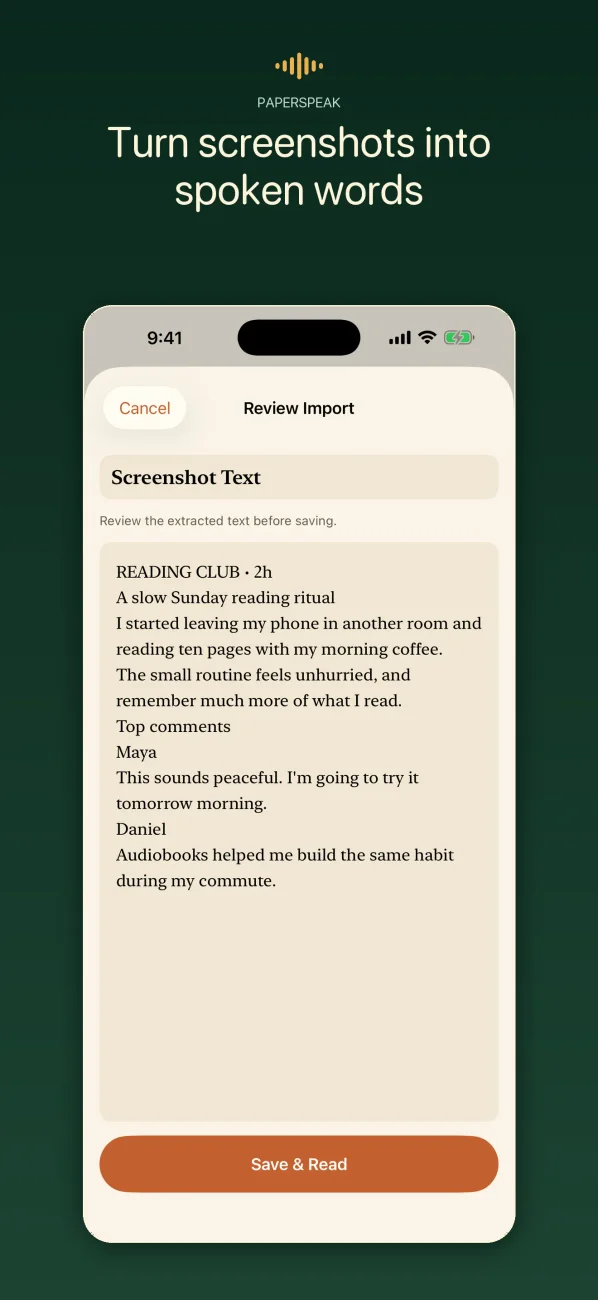
• Read text-based and scanned PDFs with on-device recognition
• Keep PDF reading order while common repeated headers, footers, and page numbers are removed
• Follow PDF page progress and resume where you stopped
• Import several documents at once
• Paste text to create a document instantly
• Share text, webpages, and supported document files directly from other apps
• Webpage import focuses on the main article and skips common banners, navigation, sidebars, related-content grids, comments, and footers
• Share one or several screenshots and extract editable text on-device
• Older DOC files can be converted to DOCX before import
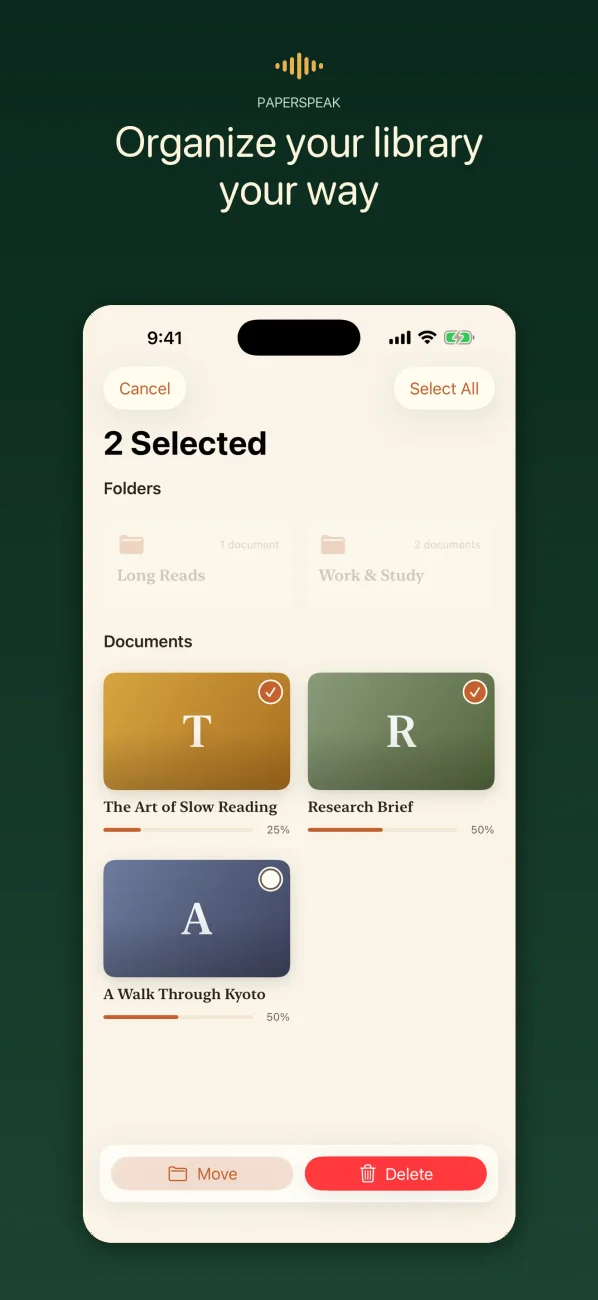
KEEP YOUR LIBRARY ORGANIZED
• Create and rename folders
• Select several documents at once
• Move documents between folders
• Rename or delete documents whenever you like
CHOOSE HOW PAPER SPEAKS
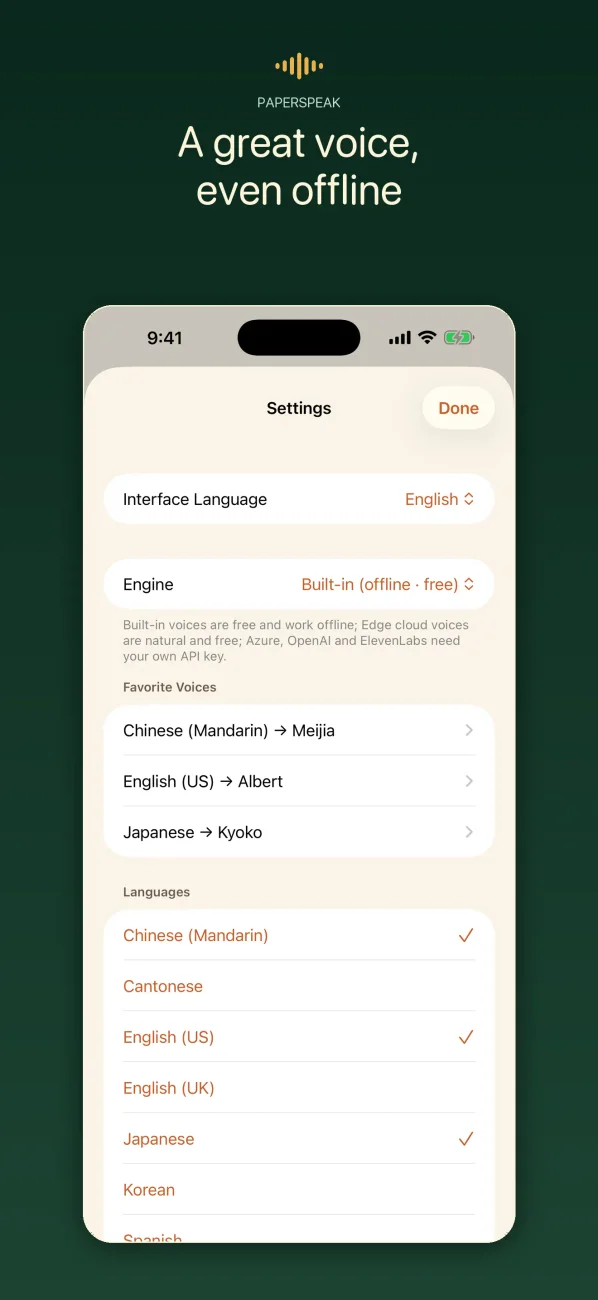
• Use built-in Apple voices offline
• Choose from 13 language options: Mandarin, Cantonese, US and UK English, Japanese, Korean, Spanish, French, German, Italian, Brazilian Portuguese, Hindi, and Arabic
• Set a favorite voice for each selected language
• Optionally connect Azure, OpenAI, or ElevenLabs with your own API key
PaperSpeak does not require an account and does not contain advertising or tracking. Documents, screenshot recognition, and scanned-PDF recognition stay on your device when using built-in voices. When you choose a cloud speech engine, the text being spoken is sent directly to that provider to generate audio. Optional cloud providers may charge for their services; see each provider’s official website for more information.
Confidentialité de l’application
Ce que Chih-Yu Tung déclare sur l’App Store au sujet du traitement des données par cette application.
-
Données non collectées
Le développeur ne collecte aucune donnée à partir de cette application.
Les pratiques en matière de confidentialité peuvent varier, notamment en fonction des fonctionnalités que vous utilisez ou de votre âge.
Informations
- Vendeur
- Chih-Yu Tung
- Catégorie
- Productivité
- Version
- 1.0
- Mis à jour
- 30/07/2026
- Publié
- 31/07/2026
- Taille
- 5,6 Mo
- Nécessite
- iOS 17.0 ou version ultérieure
- Classification d’âge
- 4+
- Prix
- Gratuit
- Langues
- Anglais
- Copyright
- © Nonagon Studio
Vous aimerez peut-être aussi
-
 SonooraProductivité
-
 Aloudia - Synthèse vocaleLire à voix haute, hors ligne
-
 Drissy - Local AI ChatProductivité
-
 Text Repeat AppProductivité
-
 Read Text & PDF: Voice ChangerProductivité
-
 Lecteur de texte - LoudScriptÉcouter, Scanner et Lire
-
 DeepReader - Synthèse VocaleLecteur Audio IA : PDF et Web
-
 Breaks: Focus TimerProductivité
-
 Aloud: AI Text to SpeechÉcoutez PDF et documents
-
 iRecordAudio - Voice RecorderProductivité