- 対象年齢4+
- カテゴリ仕事効率化
- 開発元Chih-Yu Tung
- 言語英語
- サイズ5.6 MB
App Storeの公式ページにリンクしています
Download.orgはPaperSpeakのファイルを一切ホストしていません。ボタンを押すと、Chih-Yu Tungが公開しているApp Storeのアプリページが開きます。ページの最終確認:2026/11/12。
スクリーンショット


概要
開発元はこのテキストをお使いの言語で提供していません。
PaperSpeak turns the documents you already have into a calm, focused listening experience.
PaperSpeak is free to download and use, with no ads, subscriptions, or in-app purchases.
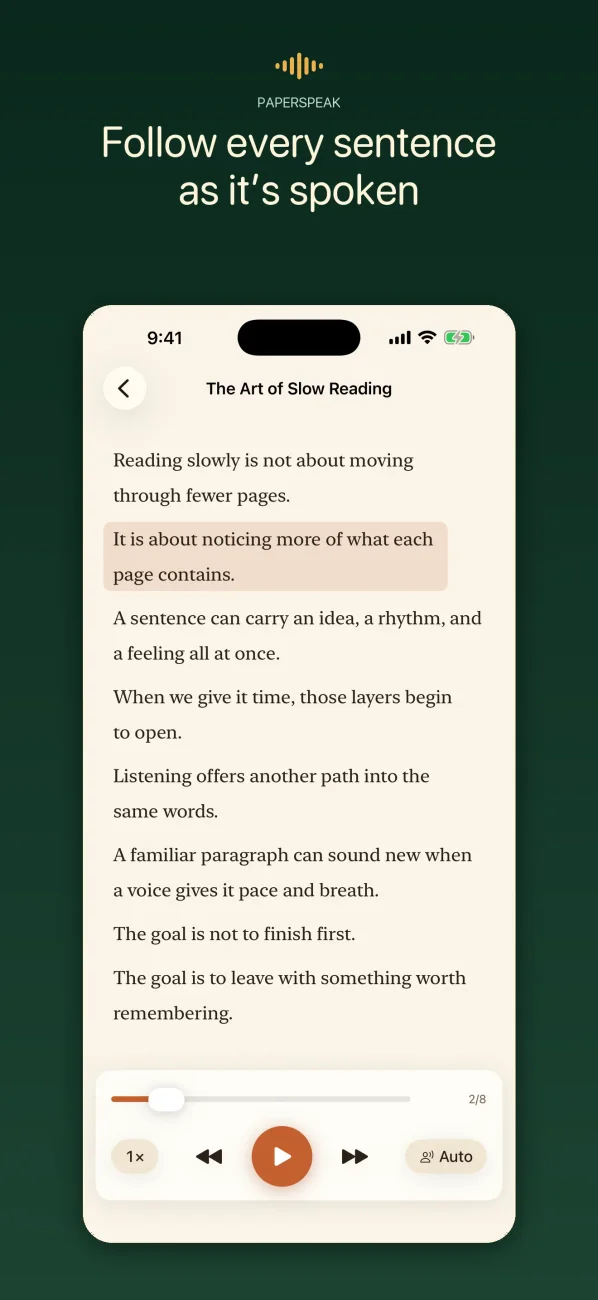
Import a file or paste text, choose a voice, and listen while PaperSpeak highlights each sentence. Tap any sentence to jump directly to it, adjust the playback speed, and continue later from where you stopped.
READ AND LISTEN TOGETHER
• Follow clear sentence-by-sentence highlighting
• Tap any sentence to start from that point
• Adjust playback speed from 0.5× to 2×
• Continue listening in the background
• Resume each document from your saved position
BRING YOUR OWN DOCUMENTS
• Import PDF, TXT, RTF, HTML, DOCX, and Pages files
• Read text-based and scanned PDFs with on-device recognition
• Keep PDF reading order while common repeated headers, footers, and page numbers are removed
• Follow PDF page progress and resume where you stopped
• Import several documents at once
• Paste text to create a document instantly
• Share text, webpages, and supported document files directly from other apps
• Webpage import focuses on the main article and skips common banners, navigation, sidebars, related-content grids, comments, and footers
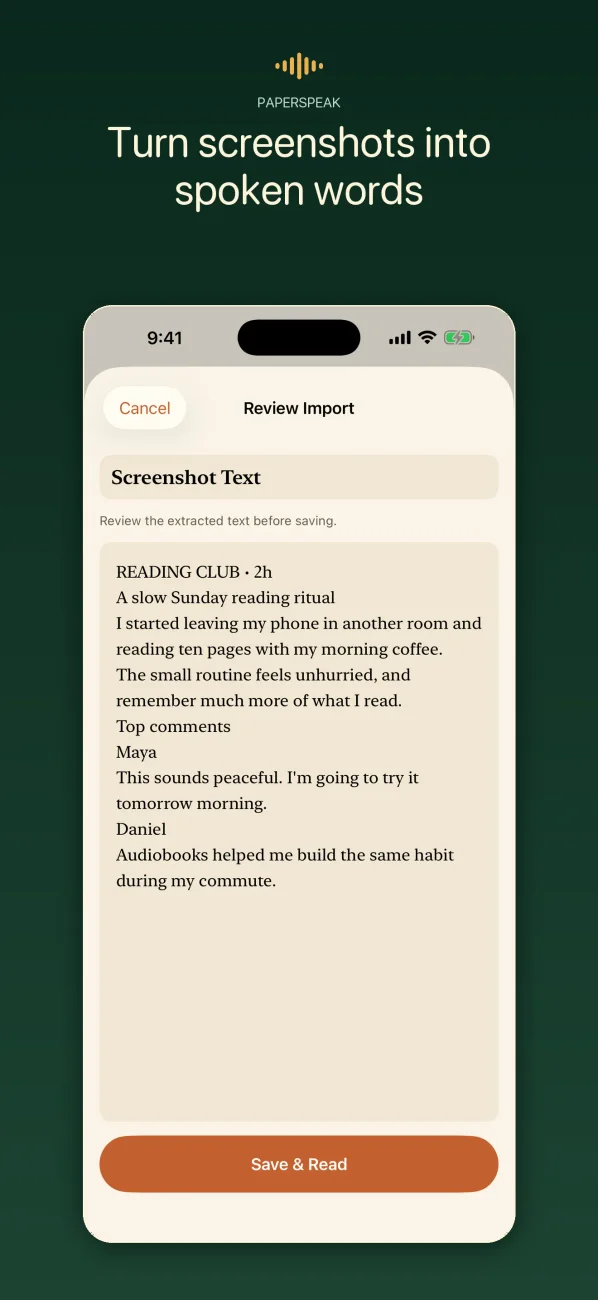
• Share one or several screenshots and extract editable text on-device
• Older DOC files can be converted to DOCX before import
KEEP YOUR LIBRARY ORGANIZED
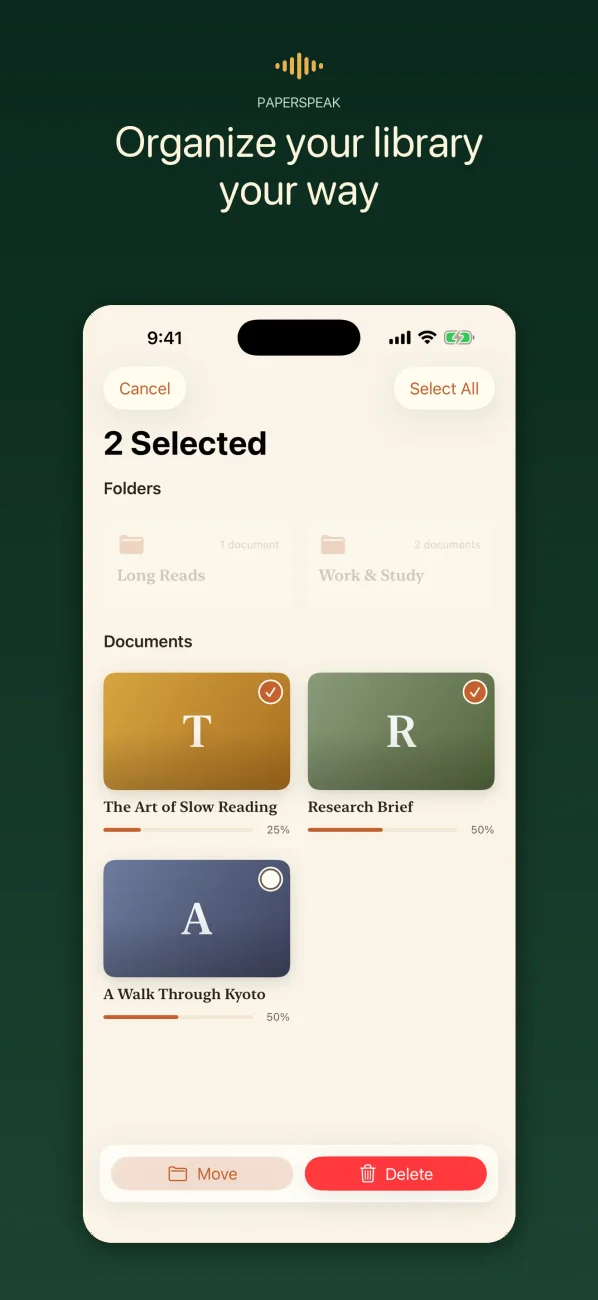
• Create and rename folders
• Select several documents at once
• Move documents between folders
• Rename or delete documents whenever you like
CHOOSE HOW PAPER SPEAKS
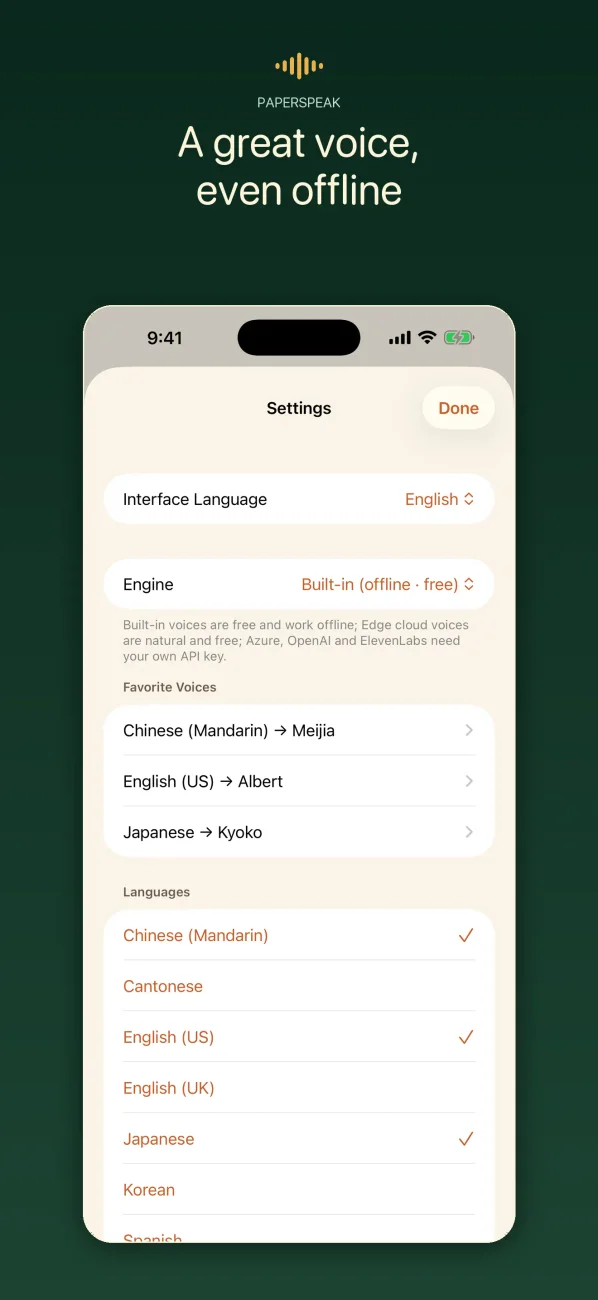
• Use built-in Apple voices offline
• Choose from 13 language options: Mandarin, Cantonese, US and UK English, Japanese, Korean, Spanish, French, German, Italian, Brazilian Portuguese, Hindi, and Arabic
• Set a favorite voice for each selected language
• Optionally connect Azure, OpenAI, or ElevenLabs with your own API key
PaperSpeak does not require an account and does not contain advertising or tracking. Documents, screenshot recognition, and scanned-PDF recognition stay on your device when using built-in voices. When you choose a cloud speech engine, the text being spoken is sent directly to that provider to generate audio. Optional cloud providers may charge for their services; see each provider’s official website for more information.
アプリのプライバシー
このアプリのデータの取り扱いについて、Chih-Yu TungがApp Storeで申告している内容です。
-
データの収集なし
開発元はこのアプリからデータを収集しません。
プライバシーの取り扱いは、ご利用の機能やお客様の年齢などに応じて異なる場合があります。
情報
- 販売元
- Chih-Yu Tung
- カテゴリ
- 仕事効率化
- バージョン
- 1.0
- 更新日
- 2026/7/30
- リリース
- 2026/7/31
- サイズ
- 5.6 MB
- 必要条件
- iOS 17.0以降
- 対象年齢
- 4+
- 価格
- 無料
- 言語
- 英語
- 著作権
- © Nonagon Studio
こちらもおすすめ
-
 Sonoora仕事効率化
-
 Aloudia - テキスト読み上げPDFも電子書籍も音声で聴ける
-
 Drissy - Local AI Chat仕事効率化
-
 Text Repeat App仕事効率化
-
 文章読み上げ・ボイスチェンジャー・音声保存・字幕付き動画作成写真・PDF・テキスト・RTF対応、再生速度や声を自由に調整
-
 LoudScript: Text to Speech仕事効率化
-
 DeepReader - 読み上げアプリ 文本 KIオーディオブック: PDF 読み上げ & 音読
-
 Breaks: Focus Timer仕事効率化
-
 Aloud: AI Text to SpeechPDFと書類を音声で聴く
-
 iRecordAudio - Voice Recorder仕事効率化