
Parefy
Scan, Compress & Edit PDFs
Conçue pour iPhone, iPad
Gratuit · Achats intégrés
- Classification d’âge4+
- CatégorieProductivité
- DéveloppeurPhi Vu Hoang
- LanguesAnglais
- Taille12,9 Mo
Renvoie vers la page App Store officielle
Download.org n’héberge aucun fichier de Parefy. Le bouton ouvre la page de l’application sur App Store, où Phi Vu Hoang la publie. Fiche vérifiée pour la dernière fois le 12/11/2026.
Captures d’écran




À propos
Le développeur n’a pas fourni ce texte dans votre langue.
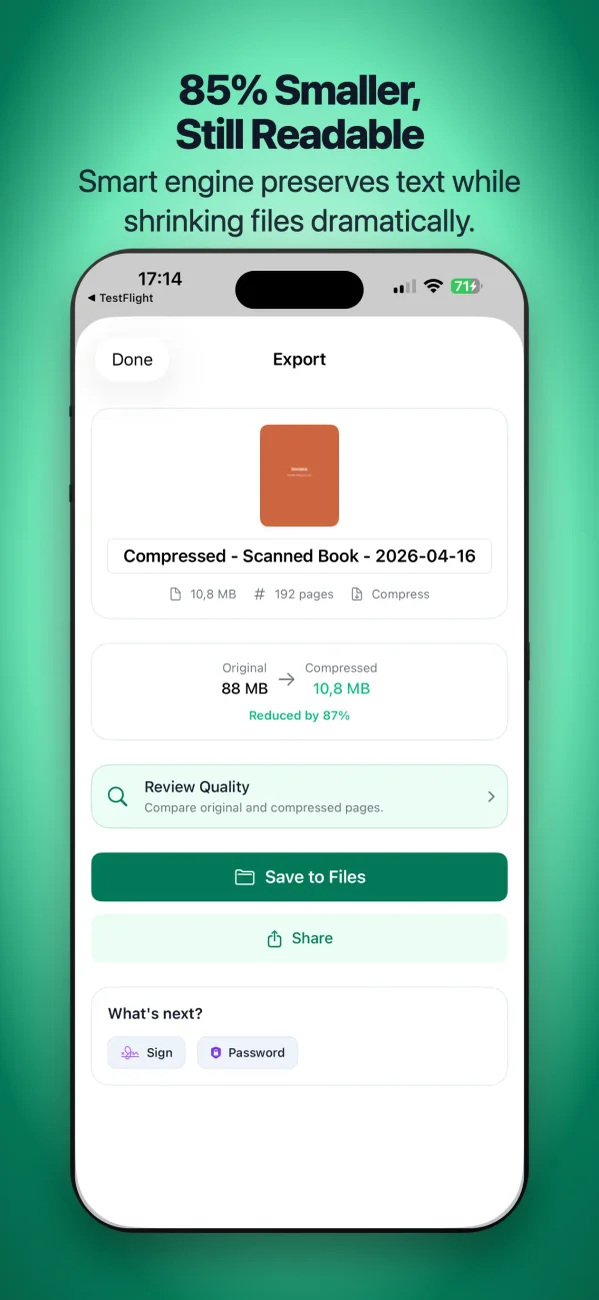
Parefy shrinks PDFs to any target file size you set — and keeps text readable. Set the size you need, pick a quality preference, and the compression engine hits your target automatically. No other mobile PDF app does this.
But that's just the start. Parefy is a complete offline PDF toolkit for iPhone and iPad. Every tool runs entirely on your device — no uploads, no cloud, no tracking.
Terms of Use (EULA): https://www.apple.com/legal/internet-services/itunes/dev/stdeula/
COMPRESS PDFs
The most advanced PDF compression on iOS. Four quality presets — Keep Quality, Balanced, Smaller File, and Extreme — plus target-size mode with a simple slider. The engine classifies each page (text, scanned, photo, mixed) and applies the right strategy automatically. Advanced mode gives you full control.
SCAN DOCUMENTS
Point your camera at any document and Parefy creates a clean PDF instantly. Auto-edge detection, perspective correction, and image enhancement built in. Or import existing photos from your library and convert them to PDF with quality presets.
MERGE PDFs
Combine multiple PDF files into one. Append documents back-to-back or interleave pages alternately (perfect for combining front/back scans). Drag to reorder and merge in seconds.
SPLIT & EXTRACT PAGES
Pull out specific pages or page ranges. Select individual pages, odd/even, or custom ranges to create new documents instantly.
SIGN DOCUMENTS
Place your handwritten signature on any PDF. Draw once, save, and reuse. Pinch to resize, drag to position, two-finger rotate.
ORGANIZE PAGES
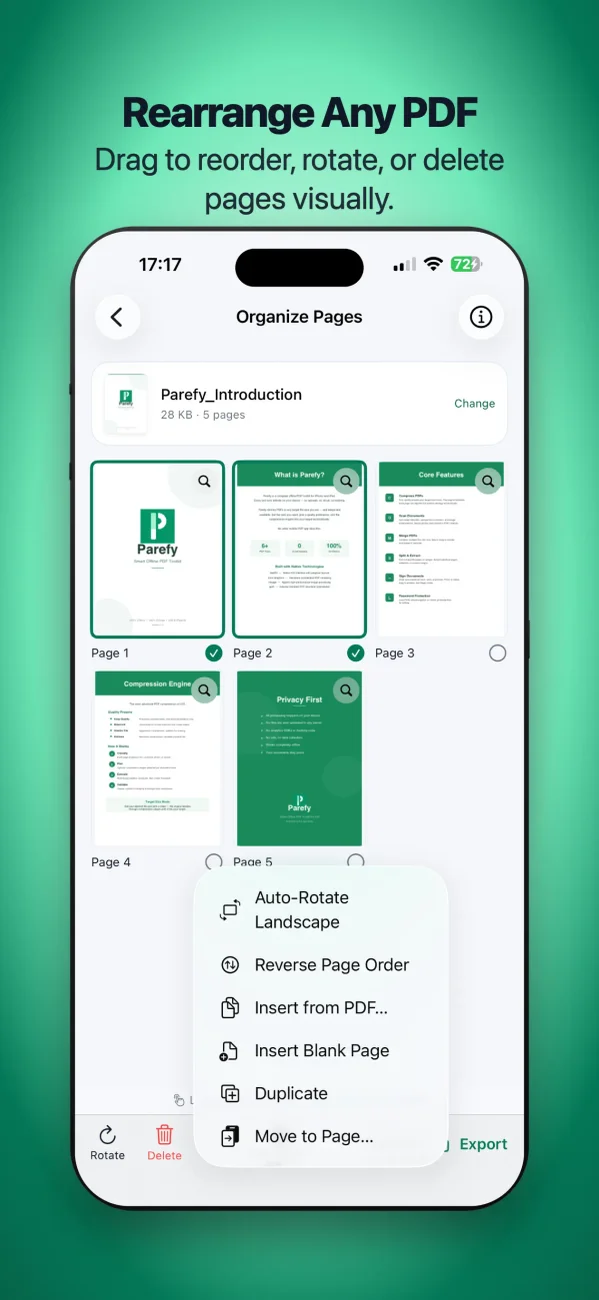
Rearrange, rotate, and delete pages within any PDF. Visual thumbnails make it easy to reorganize exactly how you want.
PASSWORD PROTECTION
Lock PDFs with encryption or unlock protected files for editing.
100% OFFLINE. 100% PRIVATE.
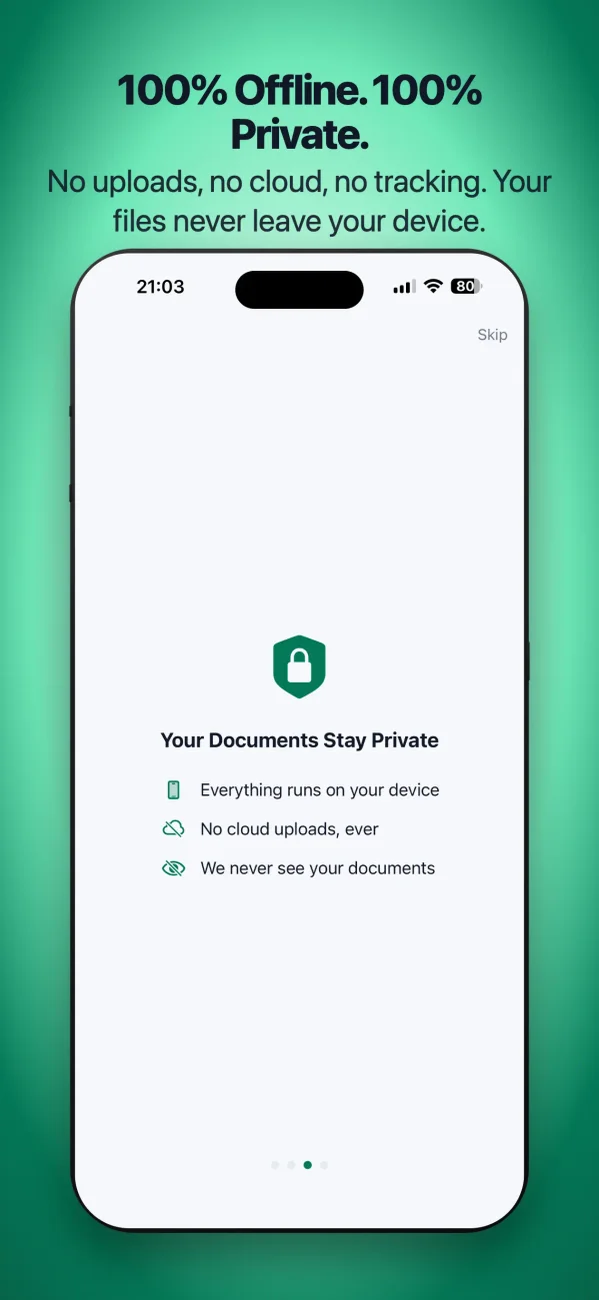
Parefy processes all files on your device. No uploads, no cloud servers, no tracking, no ads, and no analytics SDKs. Your documents never leave your iPhone or iPad.
- Native SwiftUI interface
- Works without internet
- Handles large PDFs (1,000+ pages)
- Files app and Share sheet integration
- Universal app for iPhone and iPad
Confidentialité de l’application
Ce que Phi Vu Hoang déclare sur l’App Store au sujet du traitement des données par cette application.
-
Données n’établissant aucun lien avec vous
Peuvent être collectées, mais ne sont pas liées à votre identité.
- Identifiants
- Données d’utilisation
- Diagnostic
Les pratiques en matière de confidentialité peuvent varier, notamment en fonction des fonctionnalités que vous utilisez ou de votre âge.
Informations
- Vendeur
- Phi Vu Hoang
- Catégorie
- Productivité
- Version
- 1.0
- Mis à jour
- 25/04/2026
- Publié
- 25/04/2026
- Taille
- 12,9 Mo
- Nécessite
- iOS 17.0 ou version ultérieure
- Classification d’âge
- 4+
- Prix
- Gratuit
- Achats intégrés
- Oui
- Langues
- Anglais
- Copyright
- © 2026 Vu Hoang. All rights reserved.
Vous aimerez peut-être aussi
-
 GuardianScan Pro: PDF ScannerProductivité
-
 PDF Squeezer: Compress PDFCompressez, Fusionnez vos PDF
-
 Markdown.md - LecteurLisez et éditez du Markdown
-
 PDF Compressor OfflineProductivité
-
 Swype: Rewards & ExpensesProductivité
-
 Réduire Taille PDF SquashPDFCompresser Document par Lot
-
 PDF Compressor: Compress PDF .Productivité
-
 EasyMD - MD reader & editorProductivité
-
 PDF SqueezerCompress PDFs Offline
-
 PDFOptimProductivité