
Passwords Cloud
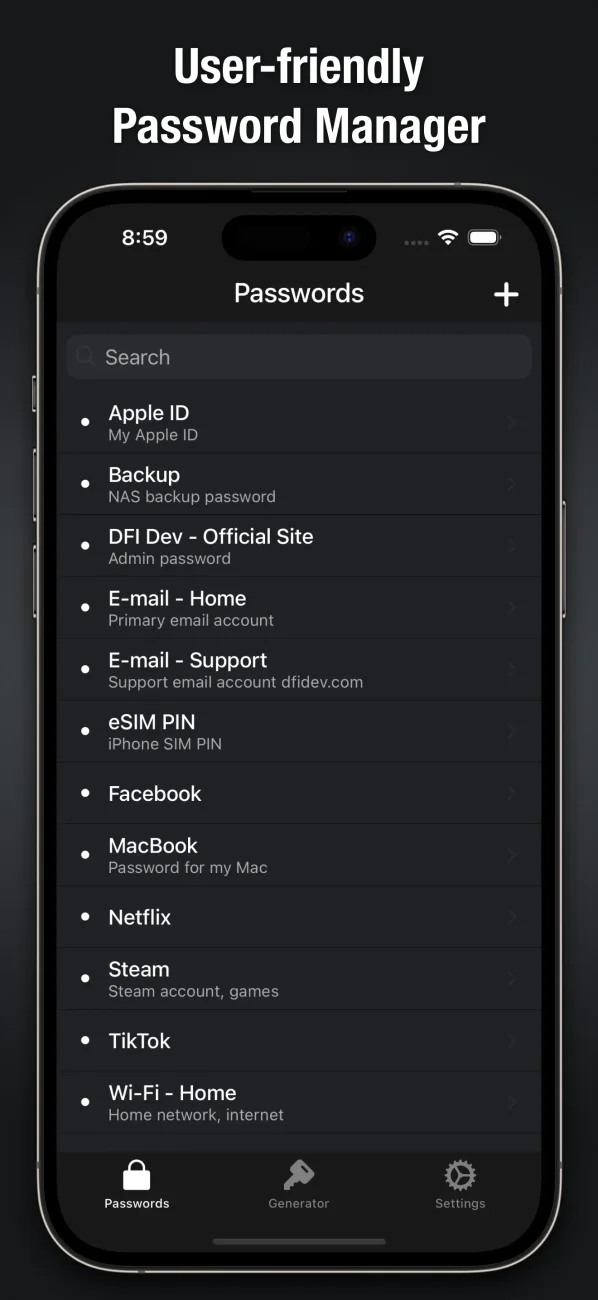
User-friendly Password Manager
Conçue pour iPhone, iPad, iPod touch
Gratuit · Achats intégrés
- Classification d’âge4+
- CatégorieProductivité
- DéveloppeurDmytro Vynokurov
- LanguesAnglais+ 1 de plus
- Taille1,7 Mo
Renvoie vers la page App Store officielle
Download.org n’héberge aucun fichier de Passwords Cloud. Le bouton ouvre la page de l’application sur App Store, où Dmytro Vynokurov la publie. Fiche vérifiée pour la dernière fois le 17/11/2026.
Captures d’écran

À propos
Le développeur n’a pas fourni ce texte dans votre langue.
Passwords Cloud is an essential password manager that combines simplicity, security, and speed in one app. With its intuitive design, unique features, and seamless performance, Passwords Cloud stands out as the perfect choice for anyone who values a dependable and user-friendly password management experience.
Key Features:
• Ad-Free Experience: Enjoy a completely ad-free app designed for focus and efficiency.
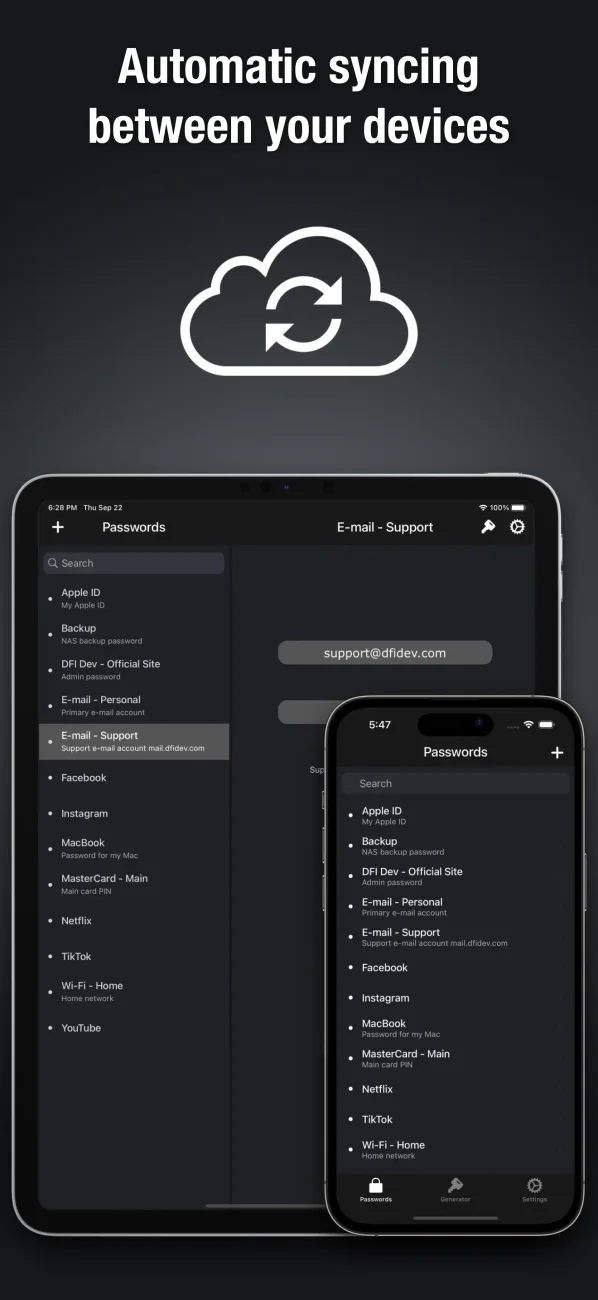
• iCloud Sync: Automatically synchronize all your data across devices with iCloud.
• Offline Access: Your passwords are available offline, ensuring you always have access to them.
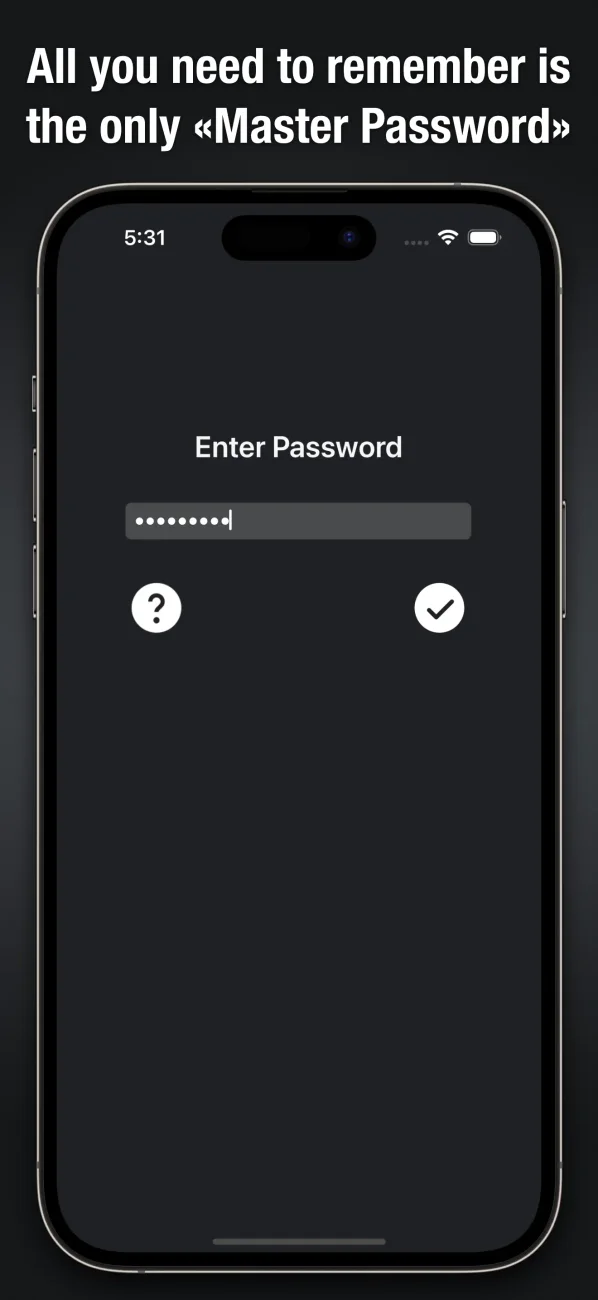
• Secure Master Password: Access the app with a single Master Password or use biometric login with Face ID or Touch ID for added convenience.
• Effortless Navigation: Forget complicated catalogs — Passwords Cloud makes it faster and easier to find the information you need with just a few taps.
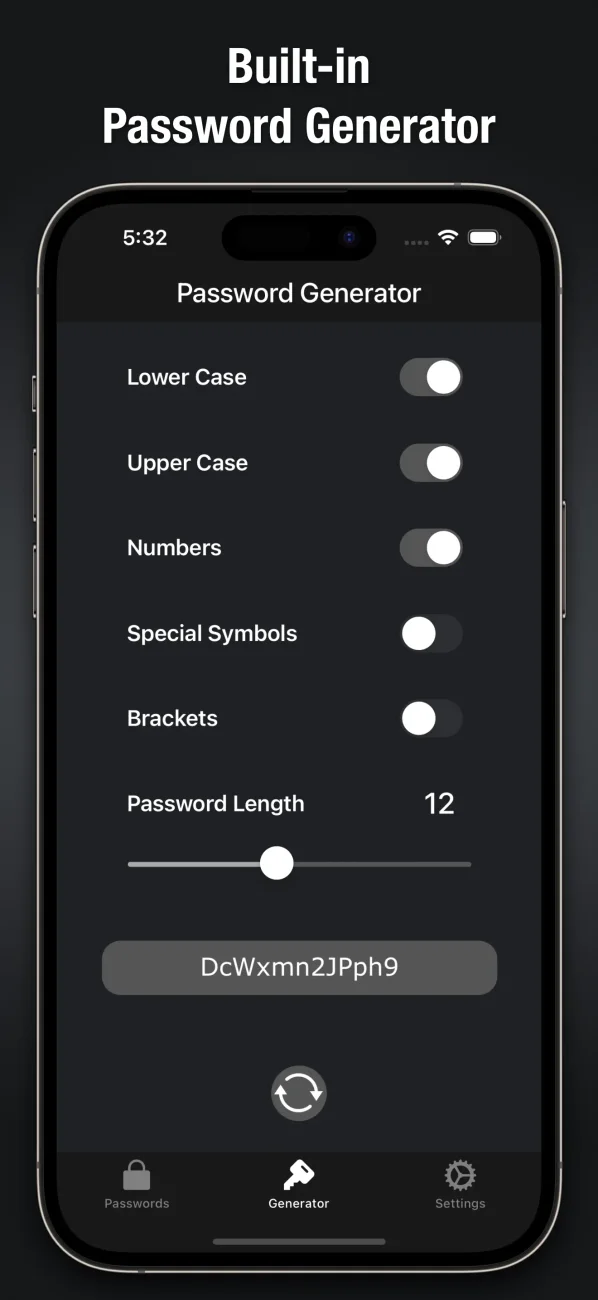
• Built-In Password Generator: Create strong, unique passwords instantly and enhance your security.
• Quick Password Create: Generate and fill in secure passwords on the spot while creating a new entry
• Export and Print: Export your password database and print it or store it in a secure location for safekeeping.
• Smart Auto-Lock: Enjoy seamless access to the app without repeated authentication if you return within 30 seconds. For your security, the app automatically locks and requires reauthentication after 30 seconds of inactivity.
Tips for Getting the Most Out of Passwords Cloud:
- Swipe left on an entry to delete it quickly.
- Simply tap on the password to copy it.
- Forgot Your Master Password? Restore it by answering your security question.
- Change your security question periodically for an extra layer of protection, but make sure to choose an answer you won’t forget.
- Use the Quick Password Create button to instantly generate a password and fill it in when creating a new entry. This feature uses your custom settings from the built-in Password Generator.
- Avoid using the same password for multiple services to strengthen your overall security.
- Use the search bar to quickly locate specific entries by title or keywords.
- Add a link in the description field to quickly access websites with a single tap.
- Turn on biometric authentication for faster access to the app.
Nouveautés
Version 5.5.1 · 27/06/2025
Bug fixes and performance improvements.
Confidentialité de l’application
Ce que Dmytro Vynokurov déclare sur l’App Store au sujet du traitement des données par cette application.
-
Données non collectées
Le développeur ne collecte aucune donnée à partir de cette application.
Les pratiques en matière de confidentialité peuvent varier, notamment en fonction des fonctionnalités que vous utilisez ou de votre âge.
Informations
- Vendeur
- Dmytro Vynokurov
- Catégorie
- Productivité
- Version
- 5.5.1
- Mis à jour
- 27/06/2025
- Publié
- 10/02/2010
- Taille
- 1,7 Mo
- Nécessite
- iOS 15.0 ou version ultérieure
- Classification d’âge
- 4+
- Prix
- Gratuit
- Achats intégrés
- Oui
- Langues
- Anglais, Russe
- Copyright
- © Dmytro Vynokurov
Vous aimerez peut-être aussi
-
 Password Manager iPassSafeProductivité
-
 Sync with iCloud DriveProductivité
-
 My Passwords ManagerProductivité
-
 Password Manager'Productivité
-
 aWallet Password ManagerGestionnaire de mots de passe
-
 Mots de passe et clés: SafeGestionnaire sécurisé
-
 Codebook Password ManagerProductivité
-
 Password Manager & GeneratorProductivité
-
 SplashID Safe Password ManagerProductivité
-
 Lockit - Mots de PasseCoffre, clés d'accès & 2FA