
Performance Evaluation Manager
Employee Performance Tracking
Conçue pour iPhone, iPad, iPod touch
Gratuit
- Classification d’âge4+
- CatégorieProductivité
- DéveloppeurWeb Coast Apps
- LanguesAnglais
- Taille34,9 Mo
Renvoie vers la page App Store officielle
Download.org n’héberge aucun fichier de Performance Evaluation Manager. Le bouton ouvre la page de l’application sur App Store, où Web Coast Apps la publie. Fiche vérifiée pour la dernière fois le 12/11/2026.
Captures d’écran





À propos
Le développeur n’a pas fourni ce texte dans votre langue.
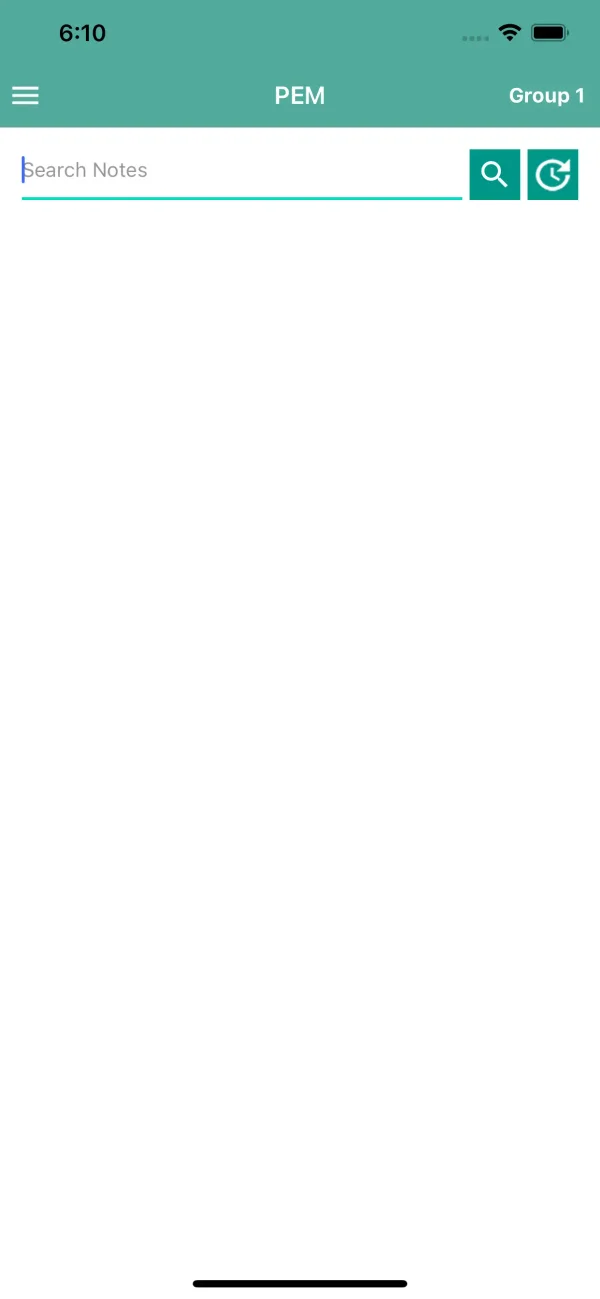
This app allows managers and users to quickly and easily evaluate Employees often between formal evaluation periods. It is intended to work concurrently with current company performance evaluation systems and procedures. Usually, formal reviews have long gaps, which makes it hard to track performance (good or bad). PEM allow for quick capture of performance records between formal reviews. With the ability to keep notes. Also, multiple categories can be weighted so quantitative results can be compared.
Not only employees can be tracked, but maybe even more importantly, you can track and document your own performance or create a self evaluation on a regular and timely basis between formal evaluations. You can track how well you are doing against your own personal goals and objectives.
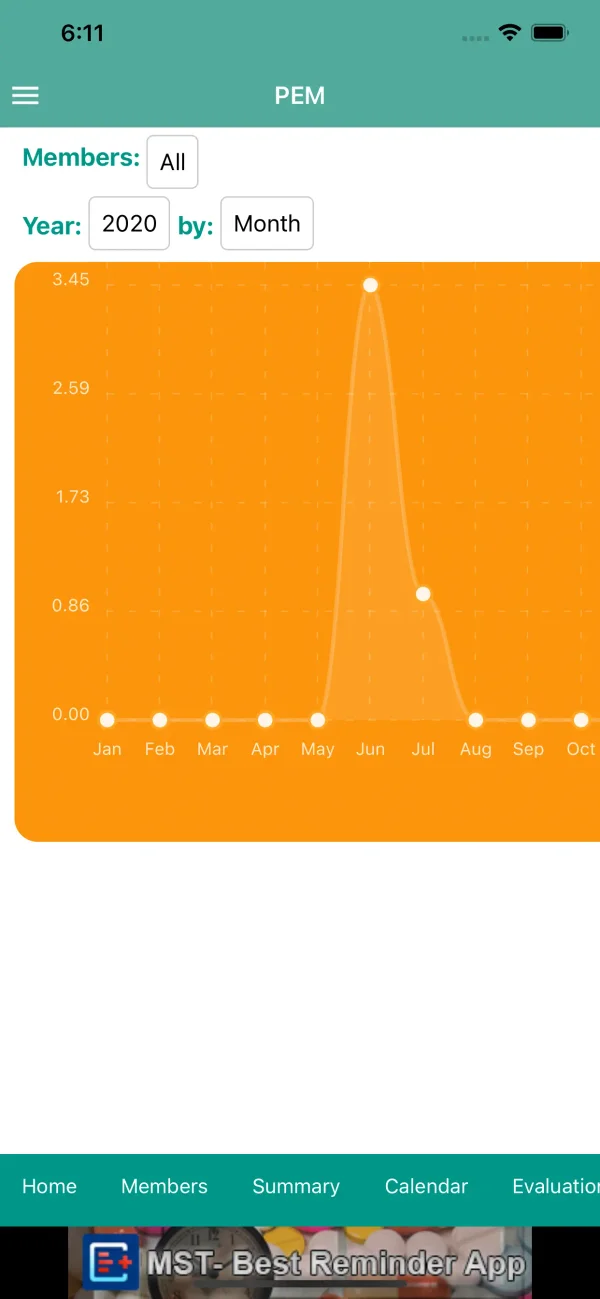
PEM was designed for managers and supervisors, you want to quickly and easily record evaluations on a regular basis. The evaluations (ratings and Notes) get recorded and summed. After any period of time, eg a year, you can see the average of your ratings that makes it easy to quantify and write a formal review. You will have documented the year, and will feel confident your rating and reviews are accurate, fair and complete.
SELF Evaluation:
What is Self Evaluation and why do it?
Self evaluation helps you be aware of what you are doing well and what you are doing poorly to help you be conscious of what you should improve on, whether is is working on a bad habit or setting a goal for self improvement.
The benefits are:
Being able to express to management the accomplishments you’ve achieved between evaluations.
Keeping track of repeated problems for you to improve on.
See if you are making improvements, gaining knowledge and experience.
Better track mistakes you have made to focus on
Record of past issues
EMPLOYEE Evaluation:
What is Employee Evaluation and why do it?
Employee evaluation helps you be aware of what your employees are doing well and what they are doing poorly to help you be conscious of what they can improve on.
The benefits are:
Being able to express to your employees the accomplishments that they achieved between evaluations.
Keeping track of repeated problems for your employees to improve on.
See if your employees are making improvements, gaining knowledge and experience.
Better track mistakes your employees have made to focus on
Record of past issues
This app can be used by any employee who gets reviewed by their employer, to evaluate themselves on a regular basis. This is extremely useful for several reasons:
1. To have a record of your own performance as documentation for company formal reviews.
2. Self evaluation as a means for improvement over time.
3. To record and document employee evaluations you will be required to write at formal company review schedules, including your supervisor, manager or peers.
The App is made up of 5 parts:
1. An Employee Contact page to choose which employee to review/evaluate.
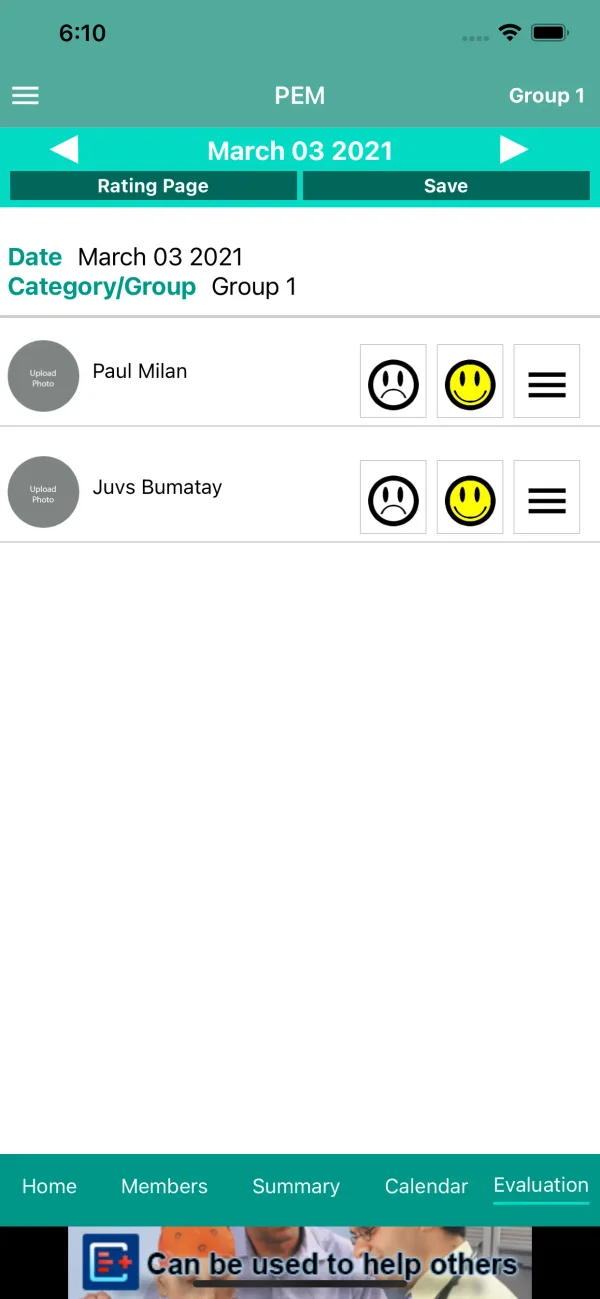
2. Employee evaluation form. There are two basic approaches managers can choose between to give an evaluation:
1. a rating system based on numbers, eg 4.5
2. a rating system based on stars, eg 7 stars
3. A Calendar page used to display which employees got evaluated on which day. Selecting a calendar day will be used to pull up the evaluation page.
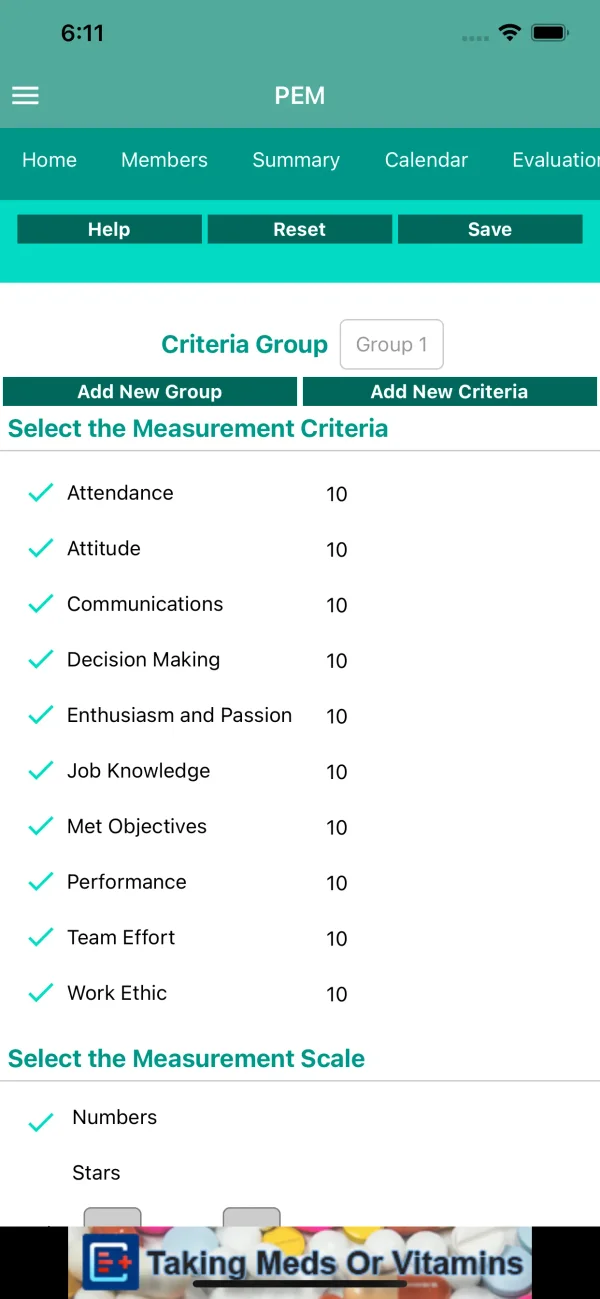
4. Setup pages. This is where a reminder notification can be configured, or the start of the work week can be configured for the calendar, and the Evaluation Criteria will be set up.
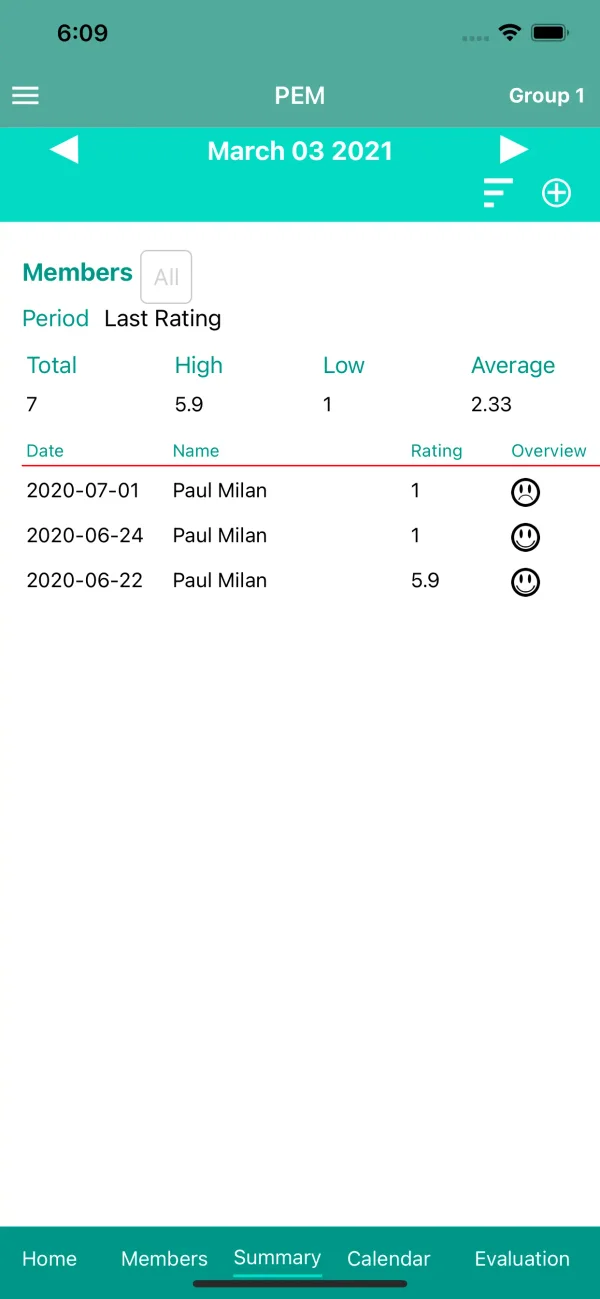
5. Reporting is a summary page to allow the user to select the range of dates to see the evaluation results for each employee. The evaluation results is the averages of the evaluations over any selected period, eg current month, last month, etc.
Nouveautés
Version 107.0.3 · 13/08/2026
Bug Fixes and Maintenance Updates
Confidentialité de l’application
Ce que Web Coast Apps déclare sur l’App Store au sujet du traitement des données par cette application.
-
Données établissant un lien avec vous
Peuvent être collectées et liées à votre identité.
- Coordonnées
- Contenu utilisateur
-
Données n’établissant aucun lien avec vous
Peuvent être collectées, mais ne sont pas liées à votre identité.
- Identifiants
- Diagnostic
Les pratiques en matière de confidentialité peuvent varier, notamment en fonction des fonctionnalités que vous utilisez ou de votre âge.
Informations
- Vendeur
- web coast apps llc
- Catégorie
- Productivité
- Version
- 107.0.3
- Mis à jour
- 13/08/2026
- Publié
- 22/03/2021
- Taille
- 34,9 Mo
- Nécessite
- iOS 15.0 ou version ultérieure
- Classification d’âge
- 4+
- Prix
- Gratuit
- Langues
- Anglais
- Copyright
- © 2021 Web Coast Apps, LLC
Vous aimerez peut-être aussi
-
 Happy5 PerformanceProductivité
-
 AI Email Writer - BossProductivité
-
 ATracker Gestion du tempsHabitude quotidienne+objectif
-
 Quick Send: Mass Text MessageProductivité
-
 Flux Jour : Agenda IACalendrier TDAH & Rappels
-
 Friday : Assistant Email IAEmail, essai, récit, chat bot
-
 Planner Pro - Daily CalendarA Personal Organizer App
-
 Clockify Time TrackerTime tracker and timesheet
-
 Plaud: Assistant IA au travailConversation au travail fini.