
Performance Evaluation Manager
Employee Performance Tracking
iPhone, iPad, iPod touch向けに設計
無料
- 対象年齢4+
- カテゴリ仕事効率化
- 開発元Web Coast Apps
- 言語英語
- サイズ34.9 MB
App Storeの公式ページにリンクしています
Download.orgはPerformance Evaluation Managerのファイルを一切ホストしていません。ボタンを押すと、Web Coast Appsが公開しているApp Storeのアプリページが開きます。ページの最終確認:2026/11/12。
スクリーンショット





概要
開発元はこのテキストをお使いの言語で提供していません。
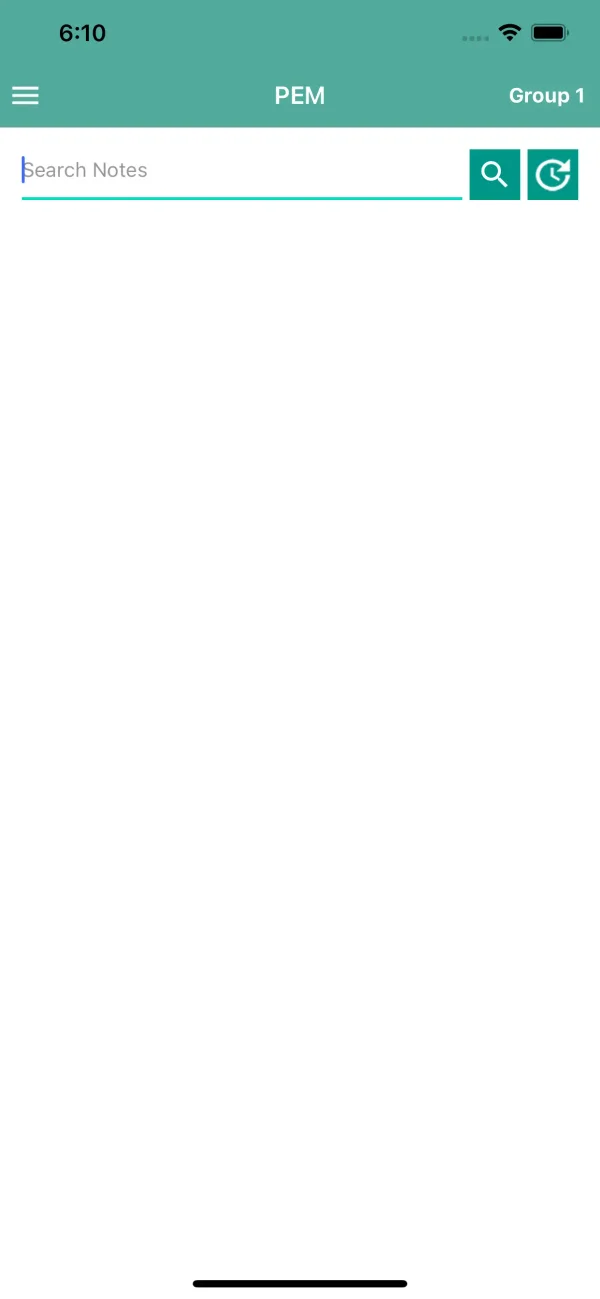
This app allows managers and users to quickly and easily evaluate Employees often between formal evaluation periods. It is intended to work concurrently with current company performance evaluation systems and procedures. Usually, formal reviews have long gaps, which makes it hard to track performance (good or bad). PEM allow for quick capture of performance records between formal reviews. With the ability to keep notes. Also, multiple categories can be weighted so quantitative results can be compared.
Not only employees can be tracked, but maybe even more importantly, you can track and document your own performance or create a self evaluation on a regular and timely basis between formal evaluations. You can track how well you are doing against your own personal goals and objectives.
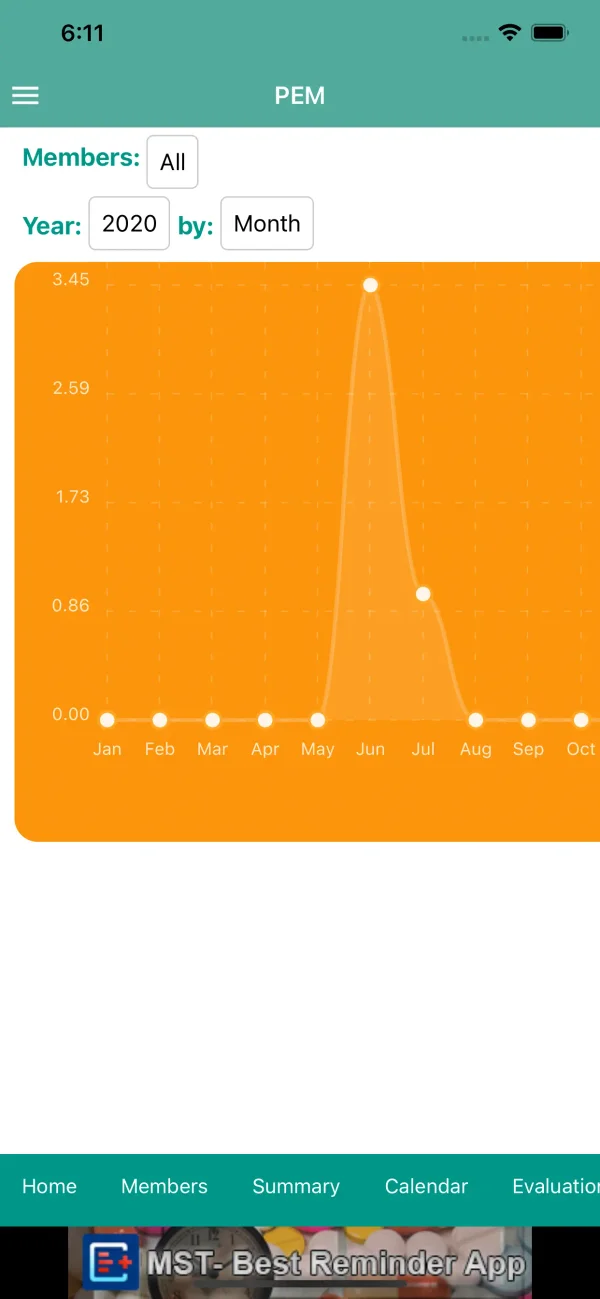
PEM was designed for managers and supervisors, you want to quickly and easily record evaluations on a regular basis. The evaluations (ratings and Notes) get recorded and summed. After any period of time, eg a year, you can see the average of your ratings that makes it easy to quantify and write a formal review. You will have documented the year, and will feel confident your rating and reviews are accurate, fair and complete.
SELF Evaluation:
What is Self Evaluation and why do it?
Self evaluation helps you be aware of what you are doing well and what you are doing poorly to help you be conscious of what you should improve on, whether is is working on a bad habit or setting a goal for self improvement.
The benefits are:
Being able to express to management the accomplishments you’ve achieved between evaluations.
Keeping track of repeated problems for you to improve on.
See if you are making improvements, gaining knowledge and experience.
Better track mistakes you have made to focus on
Record of past issues
EMPLOYEE Evaluation:
What is Employee Evaluation and why do it?
Employee evaluation helps you be aware of what your employees are doing well and what they are doing poorly to help you be conscious of what they can improve on.
The benefits are:
Being able to express to your employees the accomplishments that they achieved between evaluations.
Keeping track of repeated problems for your employees to improve on.
See if your employees are making improvements, gaining knowledge and experience.
Better track mistakes your employees have made to focus on
Record of past issues
This app can be used by any employee who gets reviewed by their employer, to evaluate themselves on a regular basis. This is extremely useful for several reasons:
1. To have a record of your own performance as documentation for company formal reviews.
2. Self evaluation as a means for improvement over time.
3. To record and document employee evaluations you will be required to write at formal company review schedules, including your supervisor, manager or peers.
The App is made up of 5 parts:
1. An Employee Contact page to choose which employee to review/evaluate.
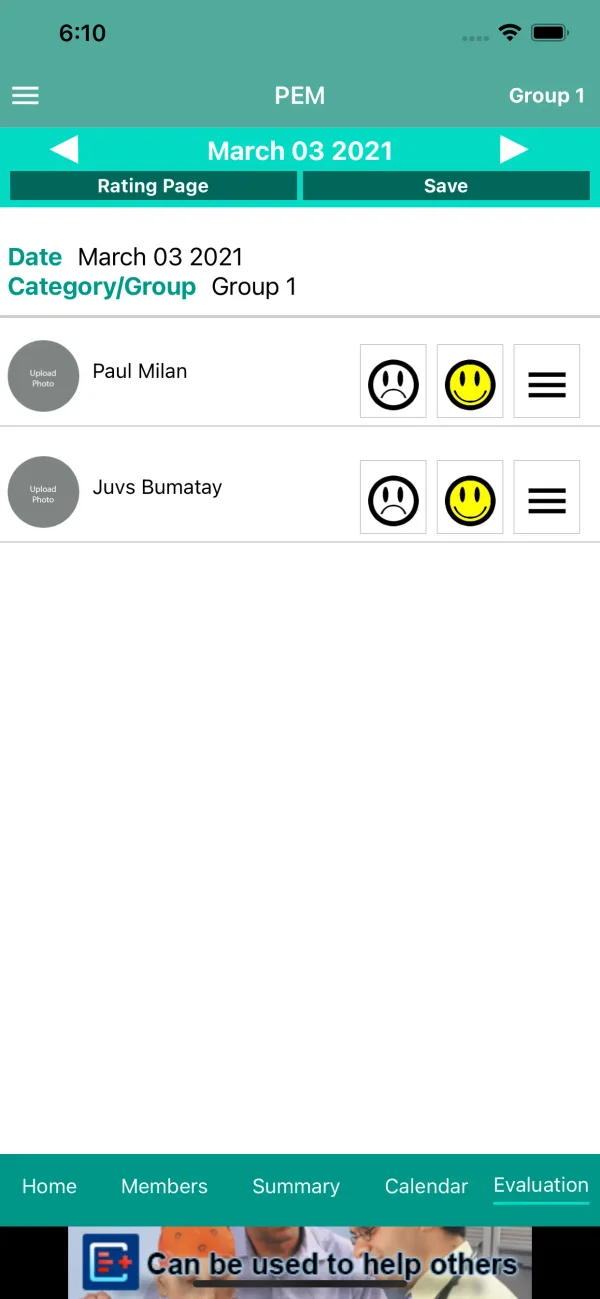
2. Employee evaluation form. There are two basic approaches managers can choose between to give an evaluation:
1. a rating system based on numbers, eg 4.5
2. a rating system based on stars, eg 7 stars
3. A Calendar page used to display which employees got evaluated on which day. Selecting a calendar day will be used to pull up the evaluation page.
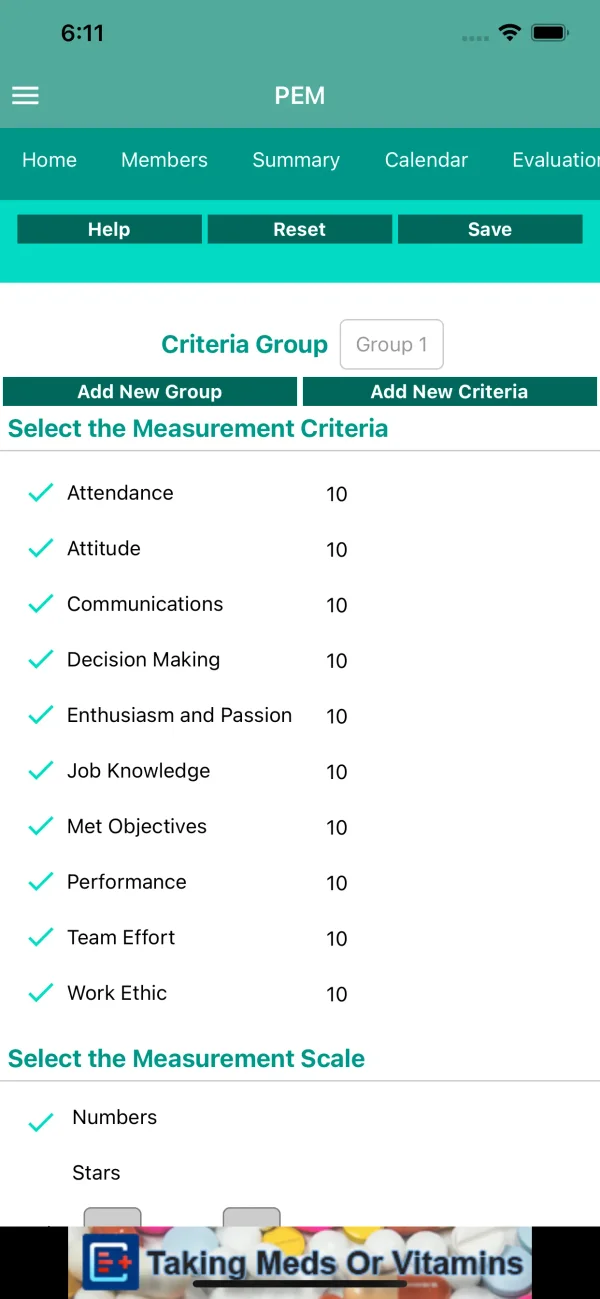
4. Setup pages. This is where a reminder notification can be configured, or the start of the work week can be configured for the calendar, and the Evaluation Criteria will be set up.
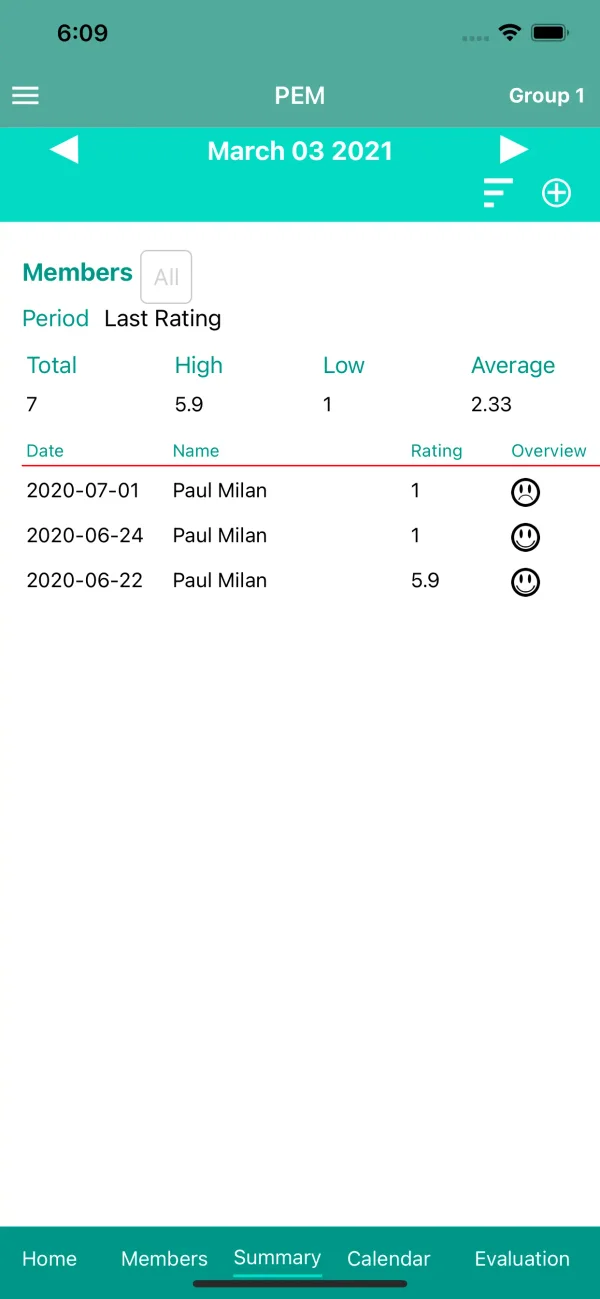
5. Reporting is a summary page to allow the user to select the range of dates to see the evaluation results for each employee. The evaluation results is the averages of the evaluations over any selected period, eg current month, last month, etc.
新機能
バージョン 107.0.3 · 2026/8/13
Bug Fixes and Maintenance Updates
アプリのプライバシー
このアプリのデータの取り扱いについて、Web Coast AppsがApp Storeで申告している内容です。
-
ユーザーに関連付けられたデータ
収集され、ユーザーの識別情報に関連付けられる場合があります。
- 連絡先情報
- ユーザーコンテンツ
-
ユーザーに関連付けられないデータ
収集される場合がありますが、ユーザーの識別情報には関連付けられません。
- ID
- 診断
プライバシーの取り扱いは、ご利用の機能やお客様の年齢などに応じて異なる場合があります。
情報
- 販売元
- web coast apps llc
- カテゴリ
- 仕事効率化
- バージョン
- 107.0.3
- 更新日
- 2026/8/13
- リリース
- 2021/3/22
- サイズ
- 34.9 MB
- 必要条件
- iOS 15.0以降
- 対象年齢
- 4+
- 価格
- 無料
- 言語
- 英語
- 著作権
- © 2021 Web Coast Apps, LLC
こちらもおすすめ
-
 Happy5 Performance仕事効率化
-
 AI Email Writer - Boss仕事効率化
-
 ATracker - デイリータスクトラッキング時間管理・毎日の習慣・目標・ルーチン
-
 Quick Send: Mass Text Message仕事効率化
-
 デイフロー:AIプランナーADHDの習慣カレンダー
-
 Friday AI メールの文書作成・ライター・お手伝いメールを簡単に作成/仕事効率化/AIで文章の質/語彙力を向上
-
 Planner Pro - Daily PlannerDaily To Do List & Organizer
-
 Clockify Time Tracker仕事効率化
-
 Plaud:AI業務パートナー会話から、仕事の完成まで。
-
 Notee:AIノート・文字起こし・議事録もじおこし・録音・要約・会議メモ作成