- Classification d’âge4+
- CatégorieUtilitaires
- DéveloppeurJake Jin
- LanguesAnglais
- Taille591,0 Ko
Renvoie vers la page App Store officielle
Download.org n’héberge aucun fichier de Phone Controller. Le bouton ouvre la page de l’application sur App Store, où Jake Jin la publie. Fiche vérifiée pour la dernière fois le 17/11/2026.
Captures d’écran

À propos
Le développeur n’a pas fourni ce texte dans votre langue.
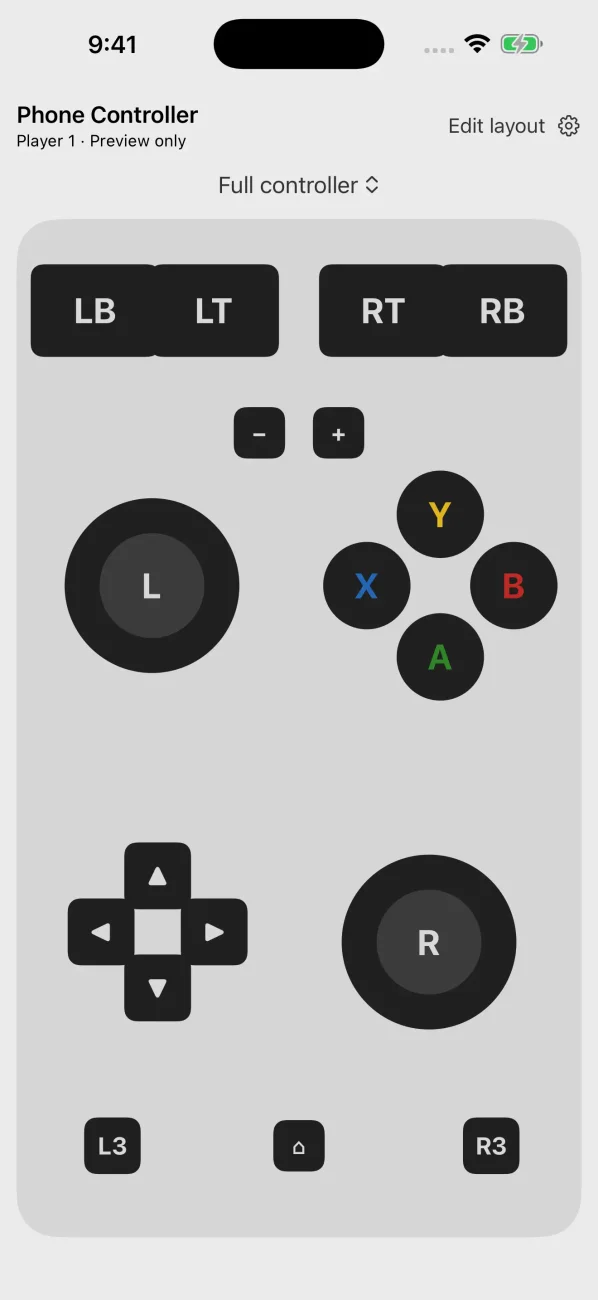
Turn your iPhone into a wireless gamepad for a Windows PC on the same Wi-Fi network.
Phone Controller requires the Phone Controller Windows companion and the
ViGEmBus virtual controller driver on your PC. Install them before playing.
This app does not connect directly to a game console and does not include games.
CUSTOMIZE YOUR CONTROLS
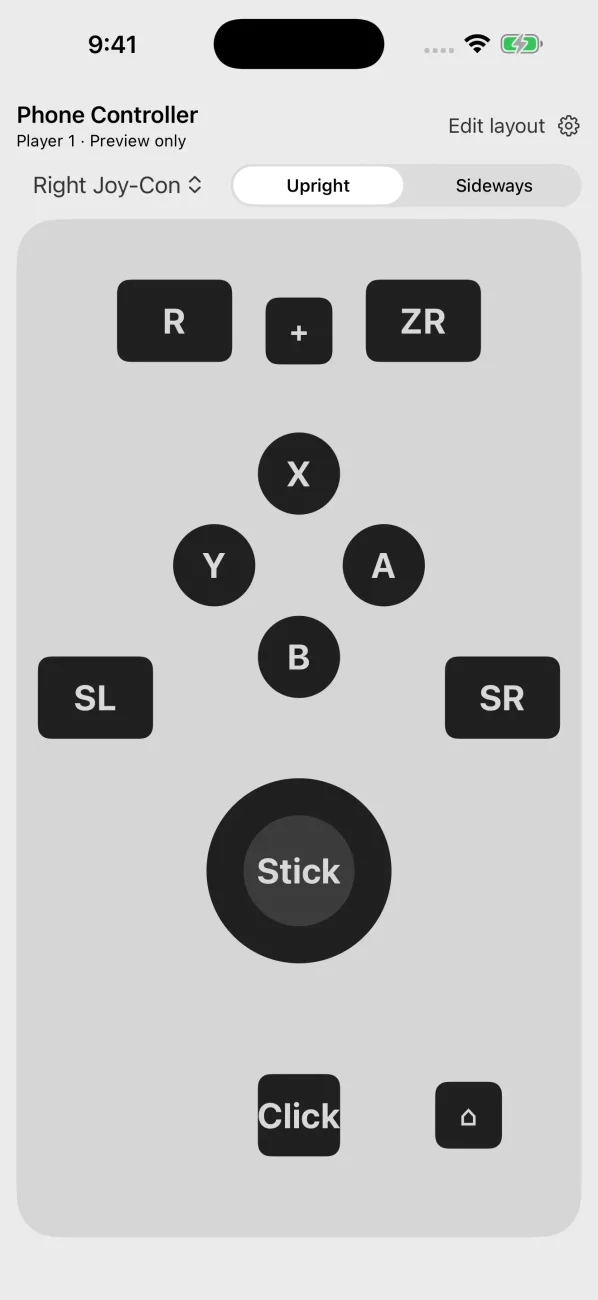
Use a full two-stick controller or left- or right-hand single-stick layouts.
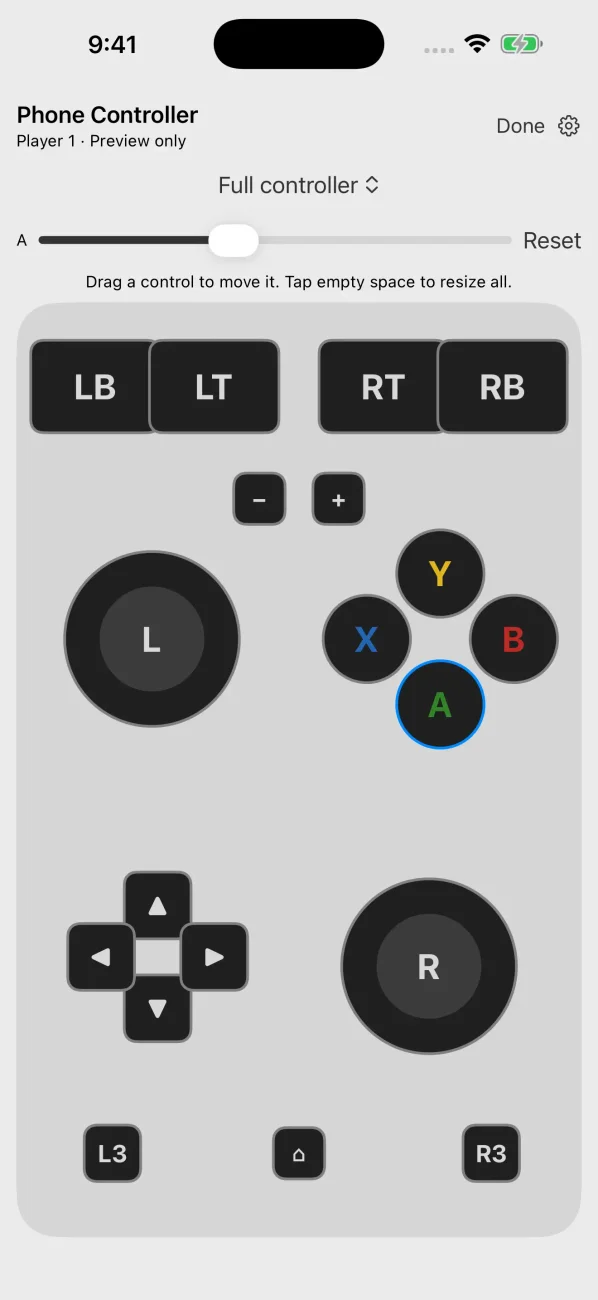
Move and resize buttons, with separate saved layouts for portrait, landscape and
upright or sideways holding. Use independent touches for sticks and buttons.
ADD MOTION AND TOUCH FEEDBACK
Enable optional gyroscope and accelerometer controls for compatible PC software
through the companion's DSU motion bridge. Adjust sensitivity and calibrate while
still. Optional iPhone haptics provide feedback for button presses and stick
movement. Motion support depends on the game or emulator and its configuration.
CONNECT ON YOUR LOCAL NETWORK
Scan the QR code in the Windows companion using the in-app scanner, or paste the
pairing URL. Keep the companion open while playing. Up to four phones can connect
as independent controllers. One phone supplies one motion source.
No app account, ads or analytics. Use a trusted private network: local controller
traffic is unencrypted. See the privacy policy for the data sent to your computer.
Compatibility: iPhone with iOS 17 or later; Windows PC with the companion and
ViGEmBus installed; both devices on the same local network. Games must support
compatible controller input. Motion requires a compatible DSU client. Standalone
left/right layouts require manual game or emulator bindings. Haptic feedback
depends on device hardware.
Phone Controller is an independent app and is not affiliated with Nintendo or
Microsoft. Joy-Con and Xbox names describe control compatibility. The app does
not provide IR, NFC, Nintendo HD rumble or absolute positional tracking.
Confidentialité de l’application
Ce que Jake Jin déclare sur l’App Store au sujet du traitement des données par cette application.
-
Données non collectées
Le développeur ne collecte aucune donnée à partir de cette application.
Les pratiques en matière de confidentialité peuvent varier, notamment en fonction des fonctionnalités que vous utilisez ou de votre âge.
Informations
- Vendeur
- Jake Jin
- Catégorie
- Utilitaires
- Version
- 1.0
- Mis à jour
- 15/09/2026
- Publié
- 15/09/2026
- Taille
- 591,0 Ko
- Nécessite
- iOS 17.0 ou version ultérieure
- Classification d’âge
- 4+
- Prix
- Gratuit
- Langues
- Anglais
- Copyright
- © 2026 Jake Jin
Vous aimerez peut-être aussi
-
 Lose Control: PC ControllerUtilitaires
-
 Gamepad Pro – Remote for PCUtilitaires
-
 V-Pad: Virtual GamepadUtilitaires
-
 PadLink RemoteUtilitaires
-
 TapDeck - PC ControllerUtilitaires
-
 Console Controller - CustomizeUtilitaires
-
 RojX: PC Gaming ControllerUtilitaires
-
 iKontrollerUtilitaires
-
 PX Controller - Remote PlayUtilitaires
-
 BLE JoystickUtilitaires