
- Classification d’âge4+
- CatégorieUtilitaires
- DéveloppeurSocheat Rath
- LanguesAnglais
- Taille15,8 Mo
Renvoie vers la page App Store officielle
Download.org n’héberge aucun fichier de PadLink Remote. Le bouton ouvre la page de l’application sur App Store, où Socheat Rath la publie. Fiche vérifiée pour la dernière fois le 12/11/2026.
Captures d’écran



À propos
Le développeur n’a pas fourni ce texte dans votre langue.
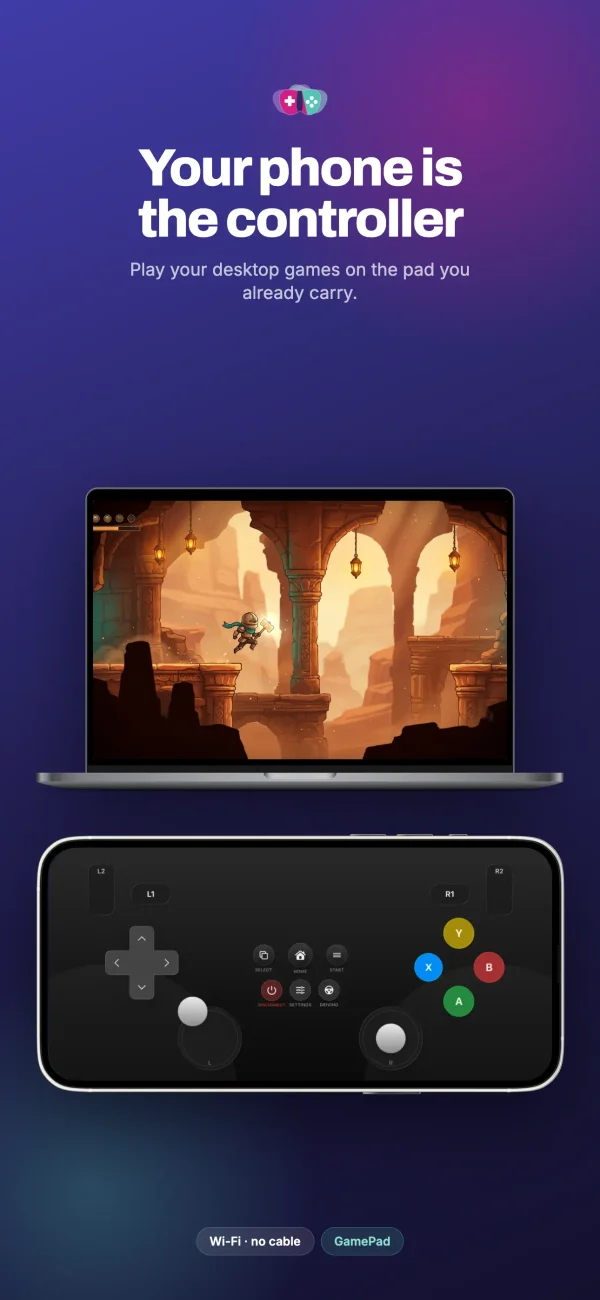
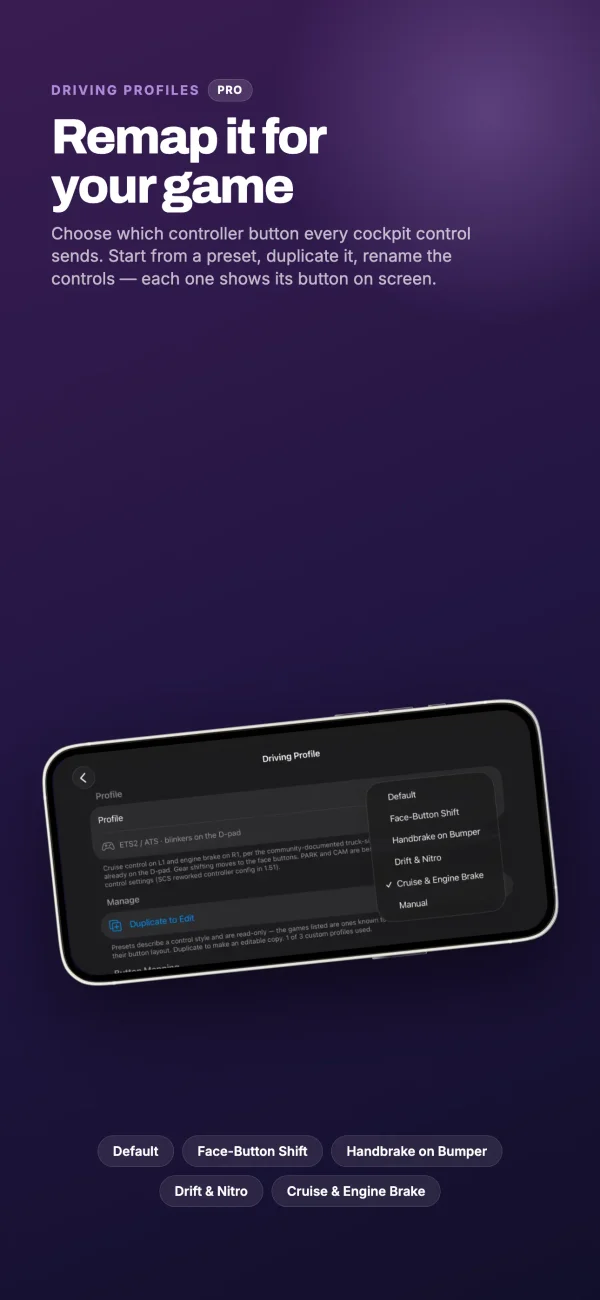
PadLink Remote turns your phone into a wireless game controller for your computer. Play with an on-screen gamepad, a full racing cockpit, or a touchpad mouse — over your local Wi-Fi, with no cables and no account.
HOW IT WORKS
1. Install the free PadLink desktop app on your computer.
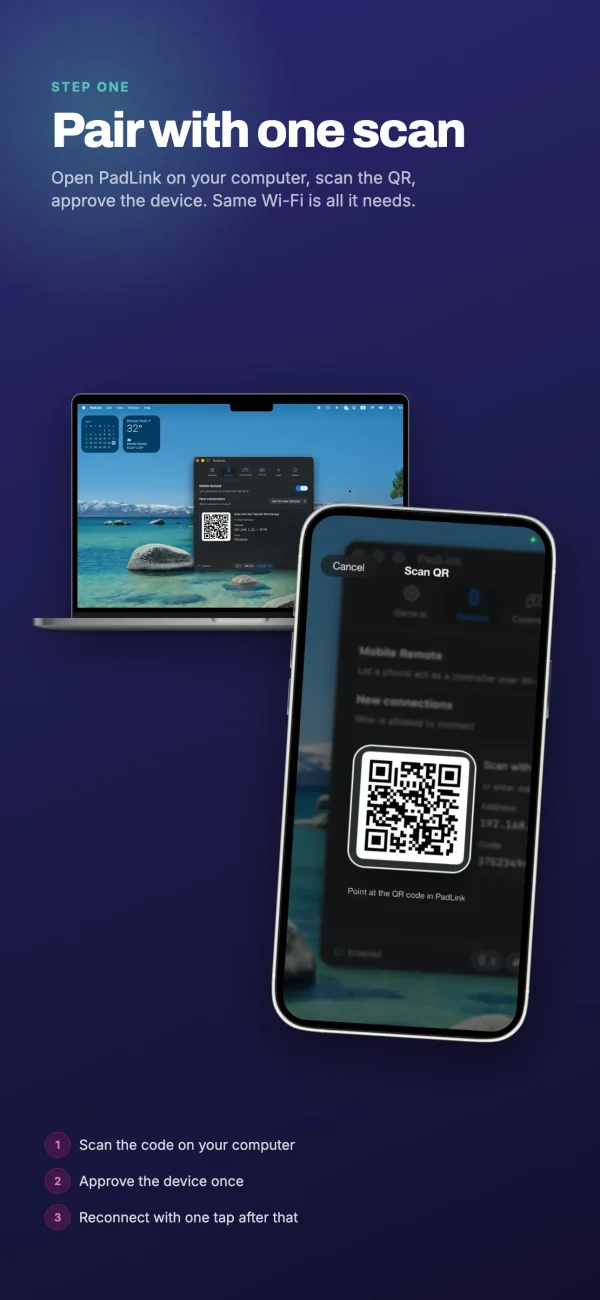
2. Open PadLink Remote and pair in seconds — scan the QR code or type the pairing code.
3. Start playing. PadLink presents your phone as a standard gamepad your games already recognize (or as keyboard & mouse).
CONTROL SURFACES
• Gamepad — dual thumbsticks, D-pad, face buttons, shoulder buttons, analog triggers, and menu buttons, laid out like a real controller.
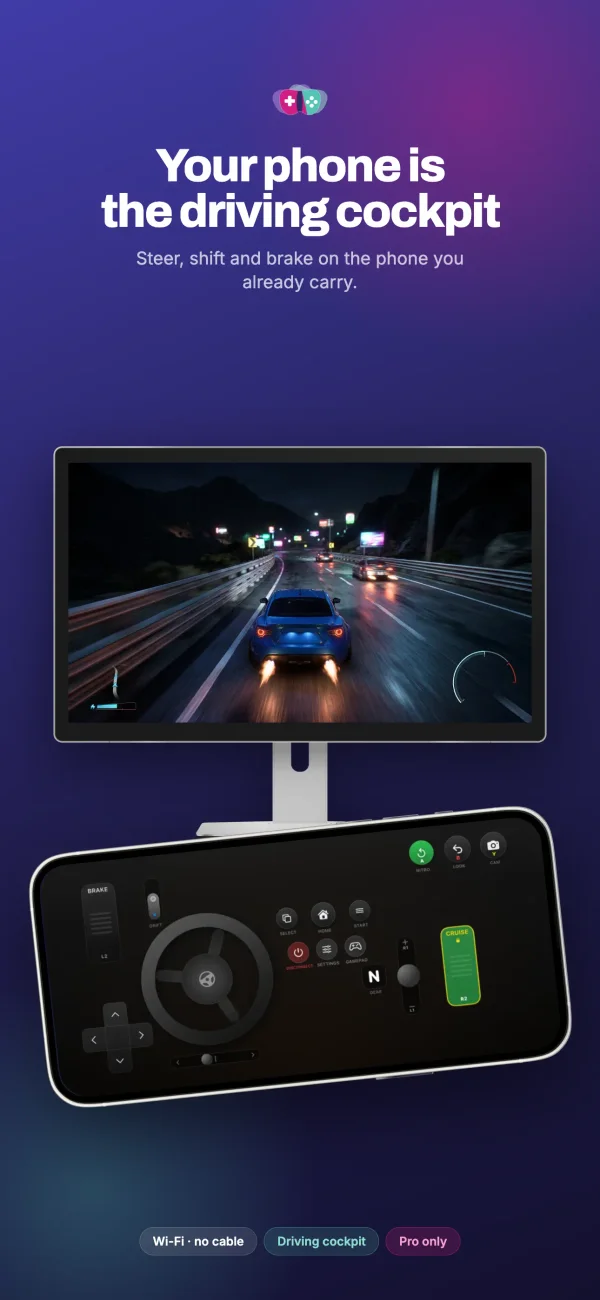
• Car Driving cockpit — a steering wheel with tilt (gyro) steering, gas and brake pedals with cruise-lock, a sequential gear shifter, and a handbrake. Built for racing games.
• Touchpad mouse — use your phone as a trackpad whenever you need a pointer.
FEATURES
• Low-latency input over your local network — no internet connection needed for gameplay.
• Easy pairing by QR code, manual code, or one-tap reconnect to a known computer.
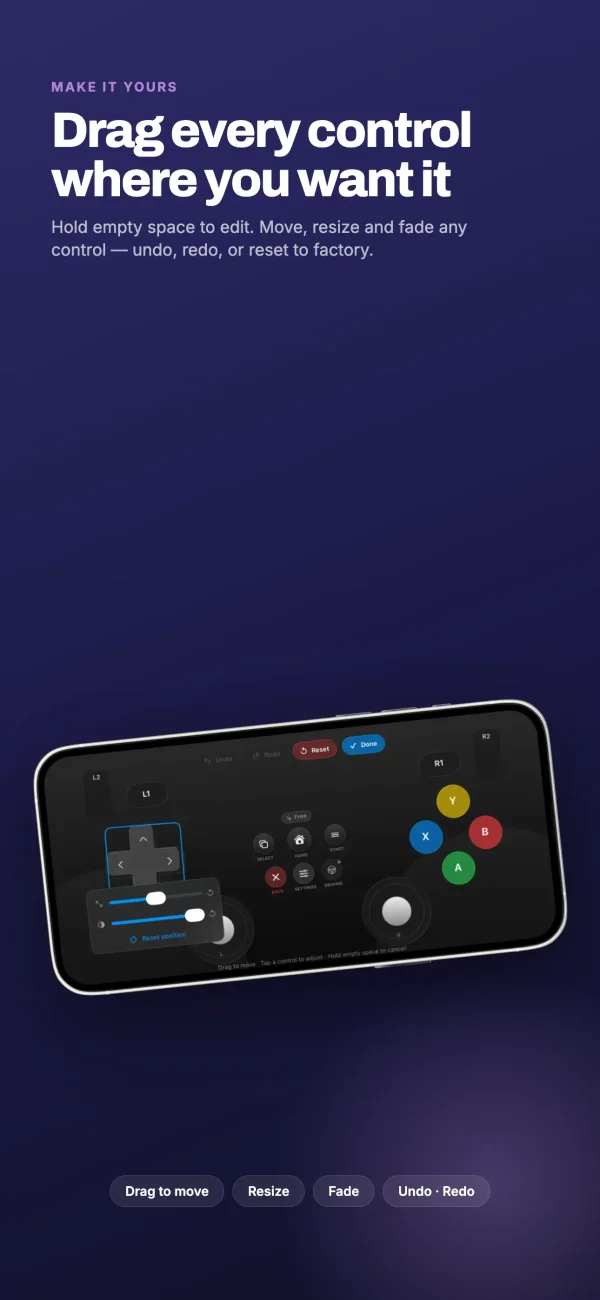
• Customizable layout — move, resize, and set the opacity of every control to fit your hands and your screen. Free for everyone.
• Haptic feedback on button presses and triggers.
• Automatic reconnect if your Wi-Fi drops mid-session.
• Designed for landscape play.
REQUIREMENTS
• The free PadLink desktop app, available for Windows and macOS.
• Your phone and computer on the same Wi-Fi / local network.
• No sign-in and no account — your controller input goes only to your own computer.
FREE & PRO
PadLink Remote is free to download and play. The Car Driving cockpit becomes available when the computer you connect to is running PadLink Pro or its free trial — it is a capability of the desktop app. While connected to a computer on the free plan, a small banner ad appears during play.
PRIVACY
Your controller input is sent only to your own computer over your local network. The camera is used solely to scan the pairing QR code, on your device.
Turn the phone in your pocket into the controller your games have been waiting for.
Nouveautés
Version 1.0.0 · 22/09/2026
• Fixed the app rotating back to portrait when the connection stuttered.
• Steadier reconnection after a brief Wi-Fi drop.
Confidentialité de l’application
Ce que Socheat Rath déclare sur l’App Store au sujet du traitement des données par cette application.
-
Données utilisées pour vous suivre
Peuvent être utilisées pour vous suivre sur des applications et des sites web appartenant à d’autres sociétés.
- Identifiants
- Données d’utilisation
- Diagnostic
-
Données établissant un lien avec vous
Peuvent être collectées et liées à votre identité.
- Identifiants
- Données d’utilisation
- Diagnostic
Les pratiques en matière de confidentialité peuvent varier, notamment en fonction des fonctionnalités que vous utilisez ou de votre âge.
Informations
- Vendeur
- Socheat Rath
- Catégorie
- Utilitaires
- Version
- 1.0.0
- Mis à jour
- 22/09/2026
- Publié
- 04/09/2026
- Taille
- 15,8 Mo
- Nécessite
- iOS 16.0 ou version ultérieure
- Classification d’âge
- 4+
- Prix
- Gratuit
- Langues
- Anglais
- Copyright
- © 2026 Nimets Technology
Vous aimerez peut-être aussi
-
 Gamepad Pro – Remote for PCUtilitaires
-
 Phone ControllerUtilitaires
-
 TouchNow - Bureau à distanceTrackpad, clavier, manette Mac
-
 V-Pad: Virtual GamepadUtilitaires
-
 TabletHIDUtilitaires
-
 Lose Control: PC ControllerUtilitaires
-
 RojX: PC Gaming ControllerUtilitaires
-
 Virtual Steering ControllerUtilitaires
-
 iKontrollerUtilitaires
-
 BLE JoystickUtilitaires