
PinWall: Lock Screen Notes
Photo Stickers & Wallpaper
Conçue pour iPhone
Gratuit · Achats intégrés
- Classification d’âge4+
- CatégorieGraphisme et design
- DéveloppeurYang Wang
- LanguesAnglais+ 3 de plus
- Taille3,4 Mo
Renvoie vers la page App Store officielle
Download.org n’héberge aucun fichier de PinWall: Lock Screen Notes. Le bouton ouvre la page de l’application sur App Store, où Yang Wang la publie. Fiche vérifiée pour la dernière fois le 15/11/2026.
Captures d’écran
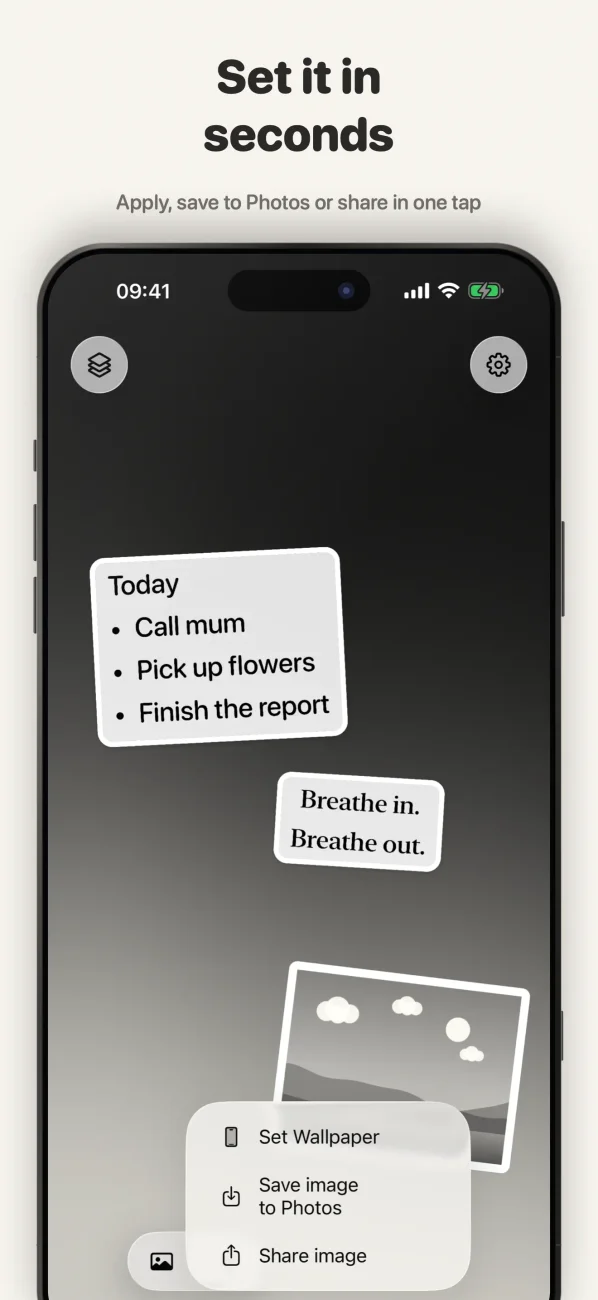
À propos
Le développeur n’a pas fourni ce texte dans votre langue.
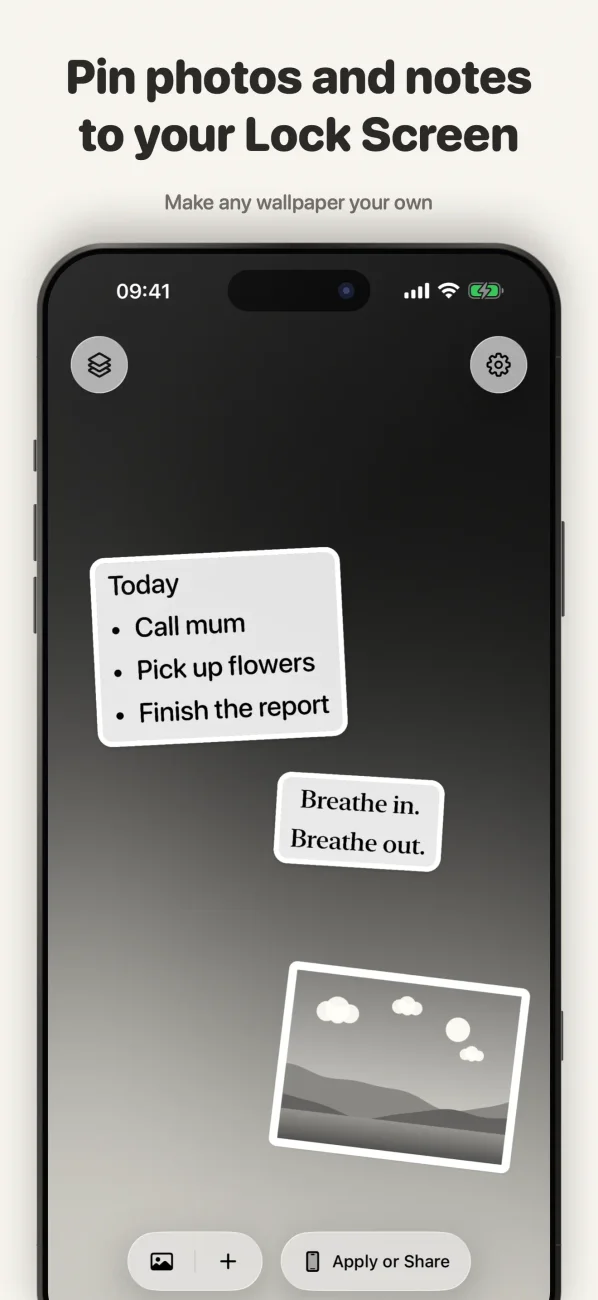
Create a personal iPhone Lock Screen with sticky notes, reminders, quotes, and photo stickers.
PinWall is a wallpaper editor for the things you want to keep in view. Add a to-do list, an inspiring sentence, or a favorite photo to your own background. Move, resize, rotate, and style each element to make a Lock Screen that feels like yours.
MAKE IT YOURS
- Choose a wallpaper background from Photos or Files.
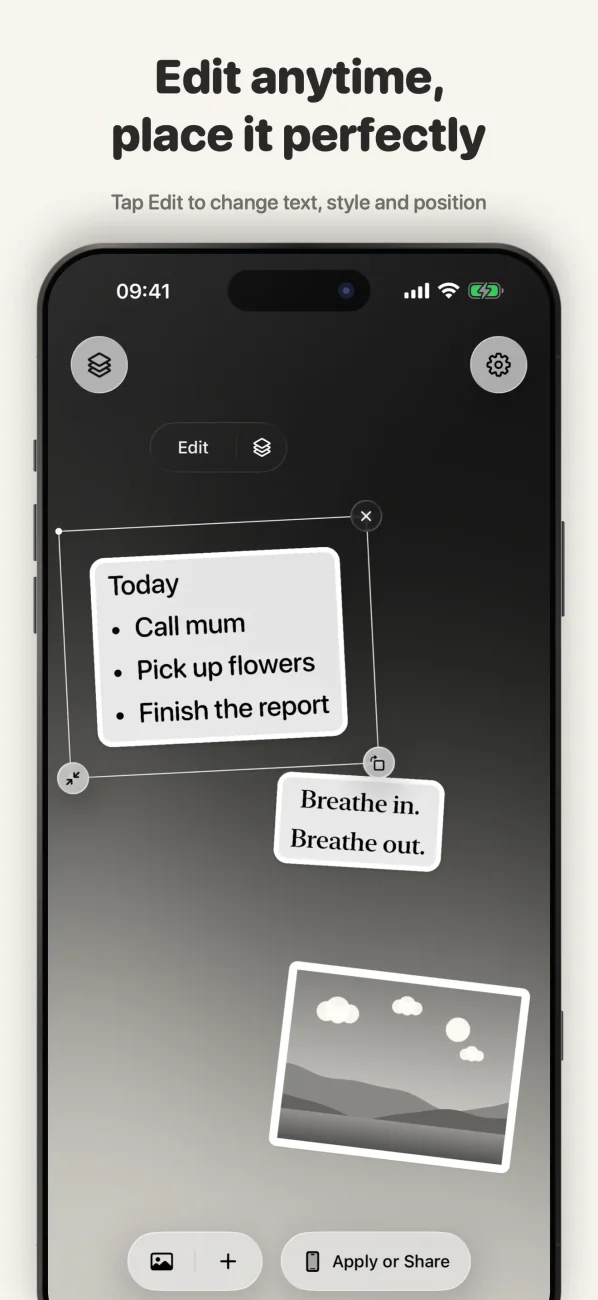
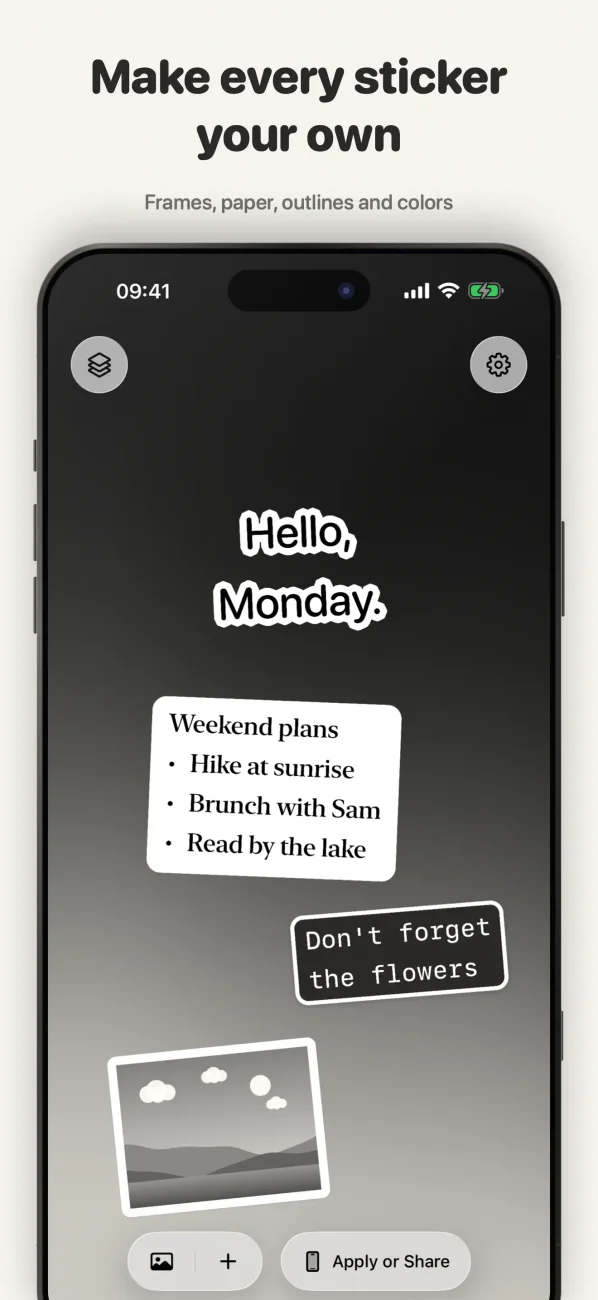
- Add notes with custom fonts, colors, alignment, and backgrounds.
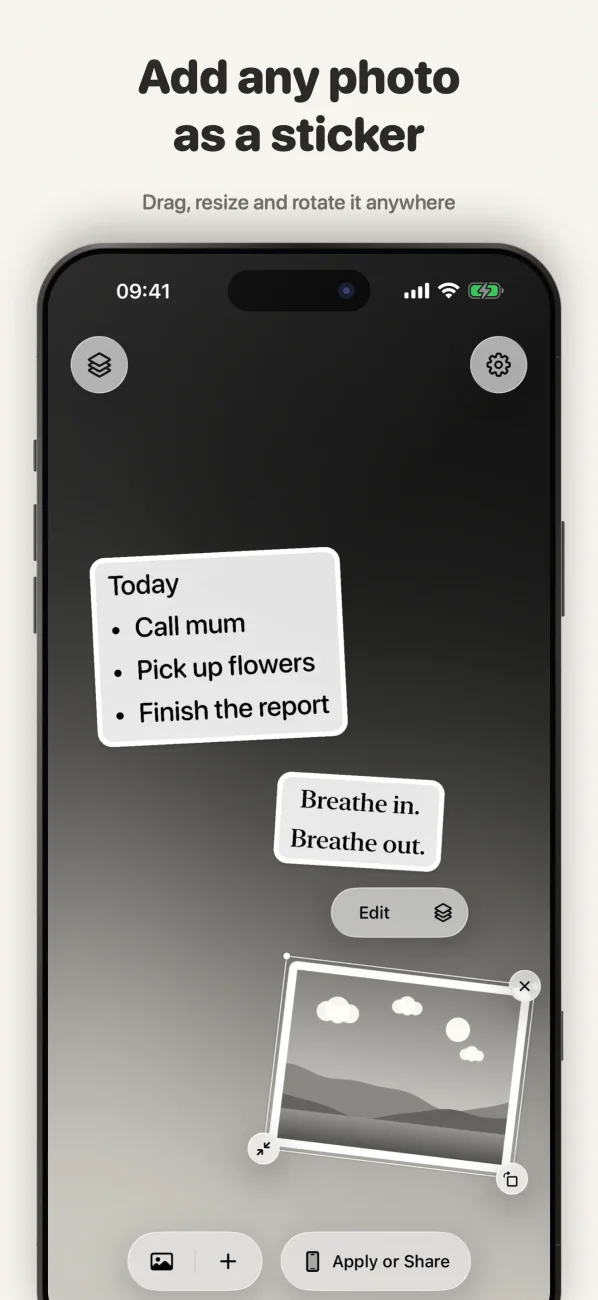
- Add photos or transparent images and give them sticker outlines or a paper backing.
- Arrange notes and images in layers with drag, pinch, rotation, and alignment guides.
SAVE AND APPLY
- Your current wallpaper draft saves automatically on your device.
- Save the finished PNG to Photos or share it with another app.
- Follow the illustrated guide in Settings to set your wallpaper manually on your iPhone.
- Or add the included companion shortcut to set your Lock Screen through Apple Shortcuts.
- If photo saving is denied, open iPhone Settings from PinWall to allow adding photos.
PRIVATE BY DESIGN
Your text, photos, and wallpaper draft are processed on your device. No account is required, and PinWall includes no ads or third-party analytics SDKs.
PinWall supports portrait iPhone layouts on iOS 18 or later. Saving and sharing images, and following the manual wallpaper guide, do not require Shortcuts. The Set Wallpaper action uses Apple's Shortcuts app and requires adding the companion shortcut. Notes are part of the exported image; they are not interactive widgets or notification alerts.
PINWALL PRO
The free plan includes one note and one image per wallpaper. All sticker styles, export and Shortcuts are included. Upgrade to PinWall Pro for unlimited notes and images with a lifetime one-time purchase or a monthly auto-renewable subscription. Prices are shown in the app for your App Store region. When Pro ends, each wallpaper keeps only its most recently added note and image. Older items are permanently deleted and are not restored if you purchase Pro again.
Payment is charged to your Apple Account. Monthly subscriptions renew automatically unless cancelled at least 24 hours before the end of the current period. Manage or cancel your subscription in App Store subscription settings. Restore Purchases is available in PinWall Settings.
Privacy Policy: https://github.com/ywang035/pinwall-ios-app/blob/main/PRIVACY.md
Terms of Use: https://www.apple.com/legal/internet-services/itunes/dev/stdeula/
Nouveautés
Version 1.1 · 18/10/2026
Make your wallpaper with fewer interruptions.
- Follow a new illustrated guide to set your wallpaper manually from iPhone Settings.
- Re-enable photo saving from Settings if you previously denied permission, with clearer guidance when saving is blocked.
- Dismiss the keyboard with one tap while editing notes or your shortcut name.
- Enjoy a refreshed app icon and a coordinated light and dark appearance.
Confidentialité de l’application
Ce que Yang Wang déclare sur l’App Store au sujet du traitement des données par cette application.
-
Données non collectées
Le développeur ne collecte aucune donnée à partir de cette application.
Les pratiques en matière de confidentialité peuvent varier, notamment en fonction des fonctionnalités que vous utilisez ou de votre âge.
Informations
- Vendeur
- Yang Wang
- Catégorie
- Graphisme et design
- Version
- 1.1
- Mis à jour
- 18/10/2026
- Publié
- 16/10/2026
- Taille
- 3,4 Mo
- Nécessite
- iOS 18.0 ou version ultérieure
- Classification d’âge
- 4+
- Prix
- Gratuit
- Achats intégrés
- Oui
- Langues
- Anglais, Japonais, Chinois simplifié, Espagnol
- Copyright
- © 2026 Yang Wang
Vous aimerez peut-être aussi
-
 TypePick: Comparez Les PolicesTypographie, Design, Dév
-
 Toybox: SwiftUI & Metal LabGraphisme et design
-
 Image Utils - Image EditorGraphisme et design
-
 3minders - Lock Screen NotesGraphisme et design
-
 EmoGen AI - Emoji GeneratorGraphisme et design
-
 Await - Make Anything a WidgetGraphisme et design
-
 DS Card - Markdown text cardGraphisme et design
-
 yoi: Retouche et Live PhotosDétourage, modèles et filtres
-
 Mixy-Themes, Lock WidgetColor Widgets, Wallpaper
-
 GenTheme:Stunning ThemesGraphisme et design