pixelizer: Pixel Art Camera
Real-time pixel art filter
Conçue pour iPhone, iPad
0,99 € · Achats intégrés
- Classification d’âge4+
- CatégorieDivertissement
- Développeuricot
- LanguesAnglais+ 1 de plus
- Taille3,0 Mo
Renvoie vers la page App Store officielle
Download.org n’héberge aucun fichier de pixelizer: Pixel Art Camera. Le bouton ouvre la page de l’application sur App Store, où icot la publie. Fiche vérifiée pour la dernière fois le 12/11/2026.
Captures d’écran
À propos
Le développeur n’a pas fourni ce texte dans votre langue.
Welcome to the 8-bit world.
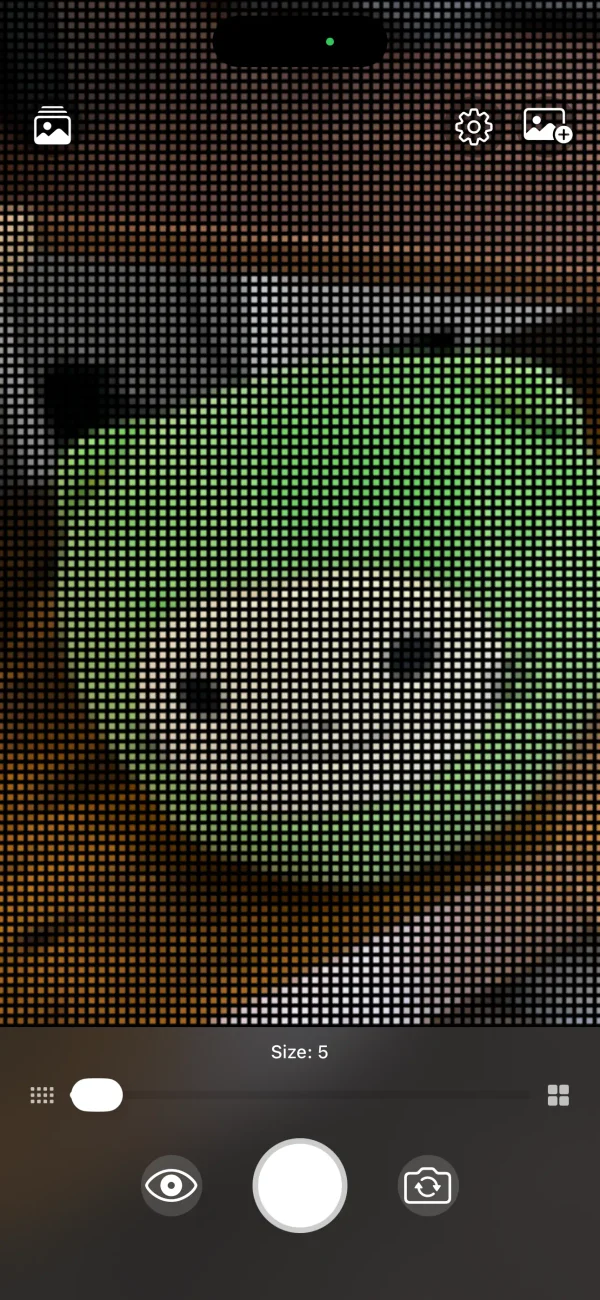
pixelizer turns everything your camera sees into real-time pixel art. Before you even press the shutter, you're already living inside a retro video game — complete with Game Boy greens, PICO-8 blues, LED-style dot matrices, and CRT scanlines.
■ Real-time pixelization
• Live camera feed becomes pixel art instantly
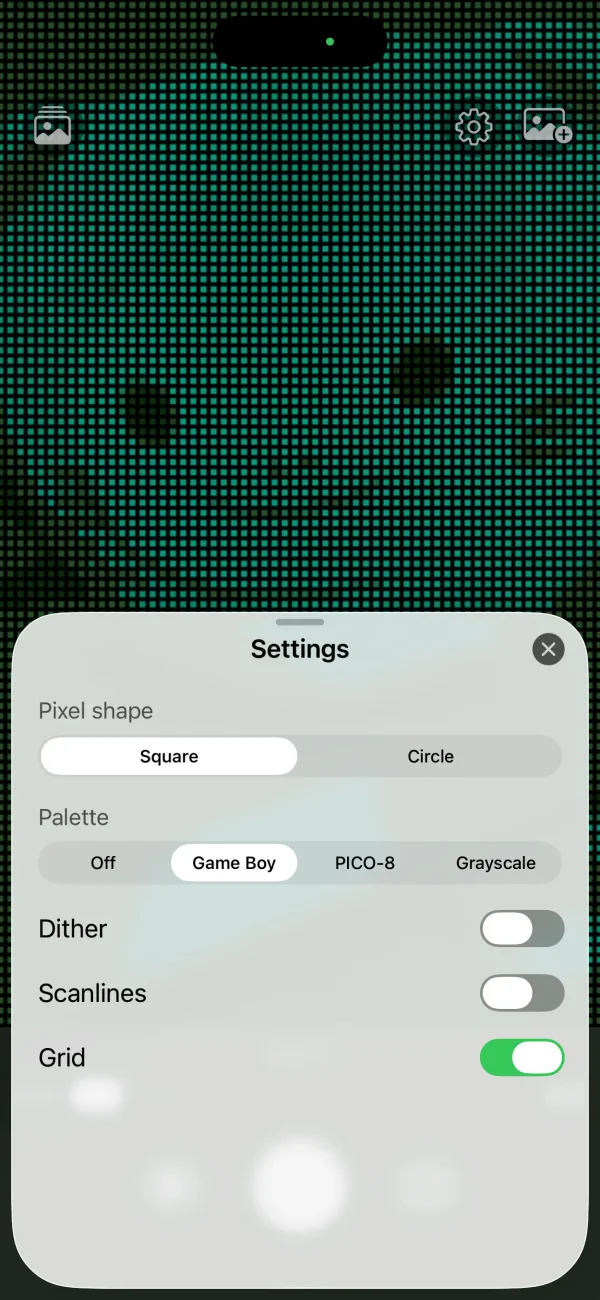
• Pick your pixel shape: classic squares or LED dots
• Retro palettes built in: Off / Game Boy / PICO-8 / Grayscale / Apple II / MSX / Arcade
• Bayer 4×4 ordered dithering for authentic pixel-art shading
• Optional CRT scanline effect for extra nostalgia
• Adjustable pixel size (5–50) via slider
• Toggle cell borders on/off to change the mood
■ Gestures
• Tap: focus
• Double-tap: toggle the controls
• Pinch: zoom
• Shutter: tap to shoot, hold to record
■ A great camera experience
• Full-screen preview, edge to edge
• Tap anywhere to focus and lock exposure
• Pinch to zoom
• Press and hold the peek button to see the original frame
• Shoot with the volume buttons or the Camera Control button
• Shutter sound and one-tap save to a dedicated "pixelizer" album
■ Gallery & sharing
• Browse, share, or delete your shots right inside the app
• One-tap share with a built-in #pixelizer tag
• Import photos from your library to pixelize anything you've already shot
■ System integration
• Siri & Shortcuts support — just say "Open pixelizer"
• Full Japanese / English localization
Your street, your selfie, your lunch, your pet — everything becomes an 8-bit adventure. Start cropping the world in pixels today.
Nouveautés
Version 1.5.0 · 26/05/2026
Two new ways to play:
• ASCII mode — turn the live camera into text art for a retro terminal look.
• Presets — jump straight to Game Boy, 8-bit, Arcade, CRT, ASCII, or Dots with a single tap.
Switch looks anytime from the new strip below the shutter.
Confidentialité de l’application
Ce que icot déclare sur l’App Store au sujet du traitement des données par cette application.
-
Données non collectées
Le développeur ne collecte aucune donnée à partir de cette application.
Les pratiques en matière de confidentialité peuvent varier, notamment en fonction des fonctionnalités que vous utilisez ou de votre âge.
Informations
- Vendeur
- 隆明 弥生
- Catégorie
- Divertissement
- Version
- 1.5.0
- Mis à jour
- 26/05/2026
- Publié
- 18/10/2016
- Taille
- 3,0 Mo
- Nécessite
- iOS 17.0 ou version ultérieure
- Classification d’âge
- 4+
- Prix
- 0,99 €
- Achats intégrés
- Oui
- Langues
- Anglais, Japonais
- Copyright
- © icot
Vous aimerez peut-être aussi
-
 Ask DonaldDivertissement
-
 Flipbook - Studio d'AnimationDessinez un folioscope animé
-
 Balloon Darts: Score BattleDivertissement
-
 MX Movie & X Media PlayerDivertissement
-
 Doodle DandyDivertissement
-
 Karaoke ClsubDivertissement
-
 Night StarsDivertissement
-
 Media-AI: AI Subtitle PlayerDivertissement
-
 Chipunk: Soundboard & EffectsDivertissement
-
 OrigamiDrawCanevas de Plis, aisément