
pixelizer: Pixel Art Camera
Real-time pixel art filter
Designed for iPhone, iPad
$0.99 · In-app purchases
- Age rating4+
- CategoryEntertainment
- Developericot
- LanguagesEnglish+ 1 more
- Size3.0 MB
Links to the official App Store page
Download.org hosts no file of pixelizer: Pixel Art Camera. The button opens its official App Store page, published by icot. Listing last checked on Nov 12, 2026.
Screenshots
About
Welcome to the 8-bit world.
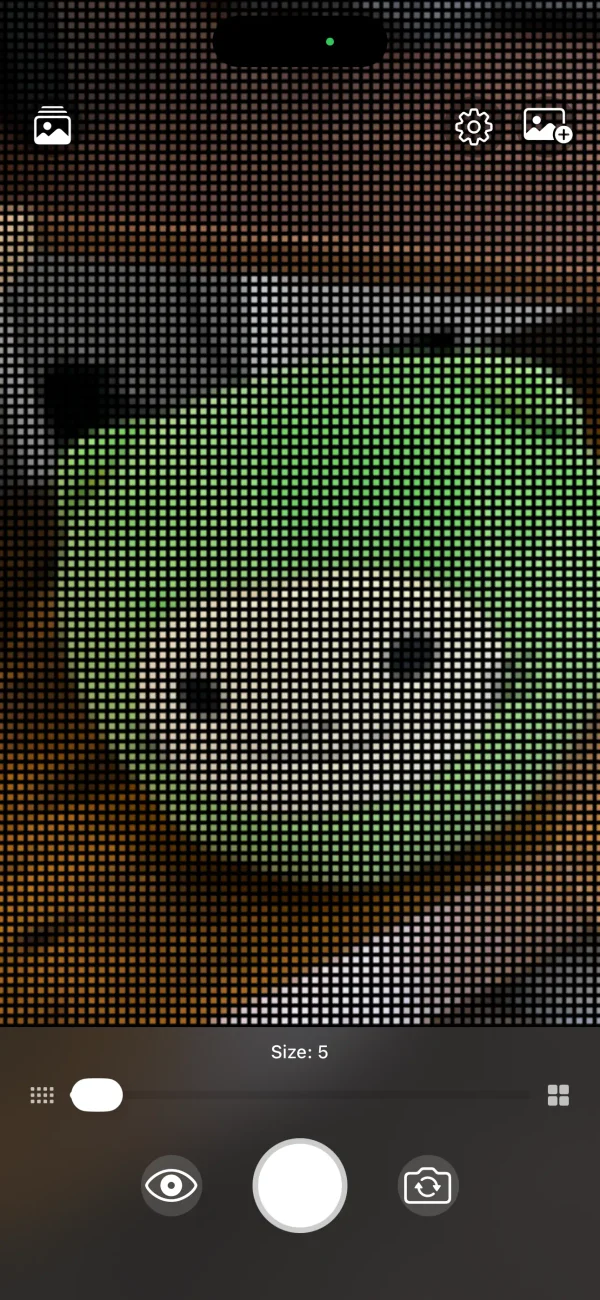
pixelizer turns everything your camera sees into real-time pixel art. Before you even press the shutter, you're already living inside a retro video game — complete with Game Boy greens, PICO-8 blues, LED-style dot matrices, and CRT scanlines.
■ Real-time pixelization
• Live camera feed becomes pixel art instantly
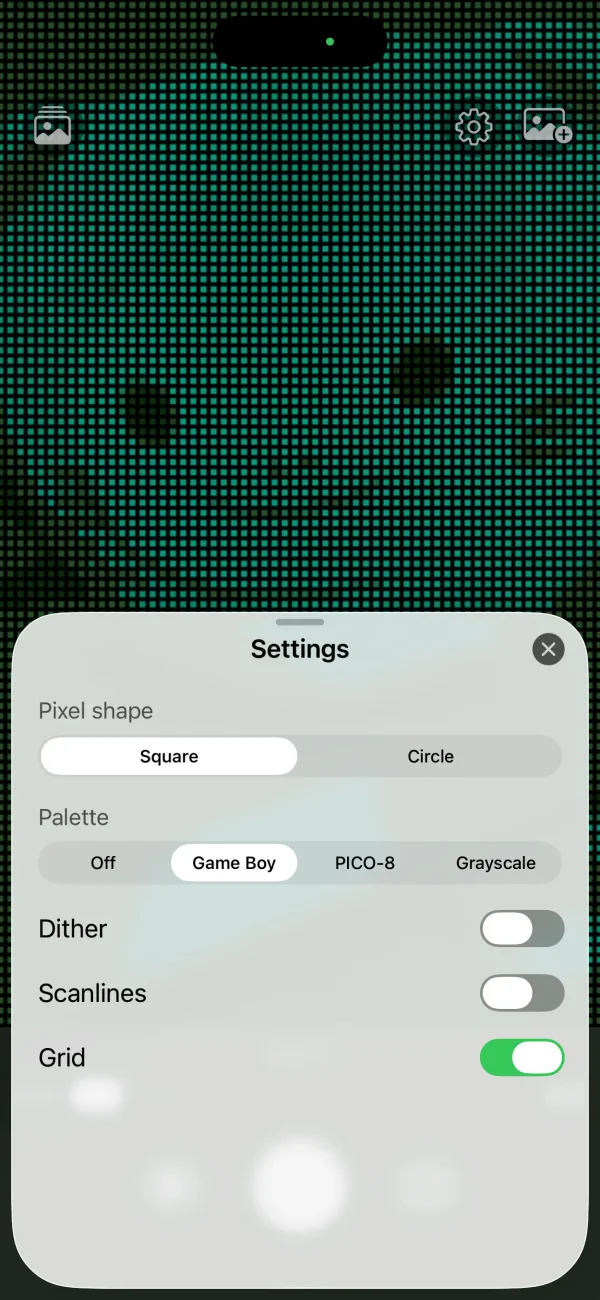
• Pick your pixel shape: classic squares or LED dots
• Retro palettes built in: Off / Game Boy / PICO-8 / Grayscale / Apple II / MSX / Arcade
• Bayer 4×4 ordered dithering for authentic pixel-art shading
• Optional CRT scanline effect for extra nostalgia
• Adjustable pixel size (5–50) via slider
• Toggle cell borders on/off to change the mood
■ Gestures
• Tap: focus
• Double-tap: toggle the controls
• Pinch: zoom
• Shutter: tap to shoot, hold to record
■ A great camera experience
• Full-screen preview, edge to edge
• Tap anywhere to focus and lock exposure
• Pinch to zoom
• Press and hold the peek button to see the original frame
• Shoot with the volume buttons or the Camera Control button
• Shutter sound and one-tap save to a dedicated "pixelizer" album
■ Gallery & sharing
• Browse, share, or delete your shots right inside the app
• One-tap share with a built-in #pixelizer tag
• Import photos from your library to pixelize anything you've already shot
■ System integration
• Siri & Shortcuts support — just say "Open pixelizer"
• Full Japanese / English localization
Your street, your selfie, your lunch, your pet — everything becomes an 8-bit adventure. Start cropping the world in pixels today.
What’s new
Version 1.5.0 · May 26, 2026
Two new ways to play:
• ASCII mode — turn the live camera into text art for a retro terminal look.
• Presets — jump straight to Game Boy, 8-bit, Arcade, CRT, ASCII, or Dots with a single tap.
Switch looks anytime from the new strip below the shutter.
App privacy
What icot declares on the App Store about how this app handles data.
-
Data not collected
The developer does not collect any data from this app.
Privacy practices may vary, for example with the features you use or your age.
Information
- Seller
- 隆明 弥生
- Category
- Entertainment
- Version
- 1.5.0
- Updated
- May 26, 2026
- Released
- Oct 18, 2016
- Size
- 3.0 MB
- Requires
- iOS 17.0 or later
- Age rating
- 4+
- Price
- $0.99
- In-app purchases
- Yes
- Languages
- English, Japanese
- Copyright
- © icot
You might also like
-
 Ask DonaldTrump Magic 8 Ball
-
 Flipbook - Animation MakerDraw It, Then Watch It Move
-
 Balloon Darts: Score BattleParty Game for 1–4 Players
-
 MX Movie & X Media PlayerPlay Video of All Format
-
 Doodle DandyEntertainment
-
 Karaoke Clsub卡拉ok Club
-
 Night StarsOnce you start you cannot stop
-
 Media-AI: AI Subtitle PlayerOn-Device Captions as You Play
-
 Chipunk: Soundboard & Effects900,000+ Sounds, Memes, Voices
-
 OrigamiDrawCrease Patterns with Ease