- Classification d’âge4+
- CatégorieUtilitaires
- Développeursighmon
- LanguesAnglais
- Taille9,5 Mo
Renvoie vers la page App Store officielle
Download.org n’héberge aucun fichier de Powerwall TV. Le bouton ouvre la page de l’application sur App Store, où sighmon la publie. Fiche vérifiée pour la dernière fois le 17/11/2026.
Captures d’écran


À propos
Le développeur n’a pas fourni ce texte dans votre langue.
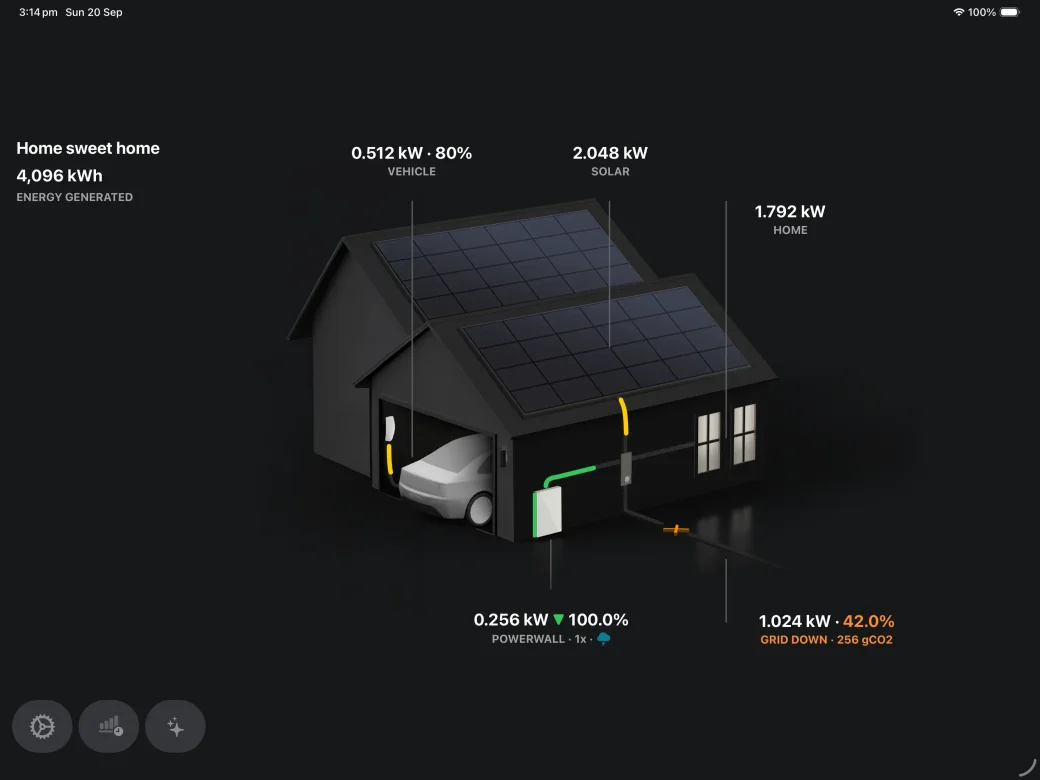
An iPad application to view the current state of your Powerwall, via your local network, or the Fleet API.
Local network setup:
* Connect your Powerwall to your WiFi: https://www.tesla.com/en_au/support/energy/powerwall/mobile-app/connecting-powerwall-wi-fi
* Visit your Powerwall's IP address and make sure you can login with your credentials
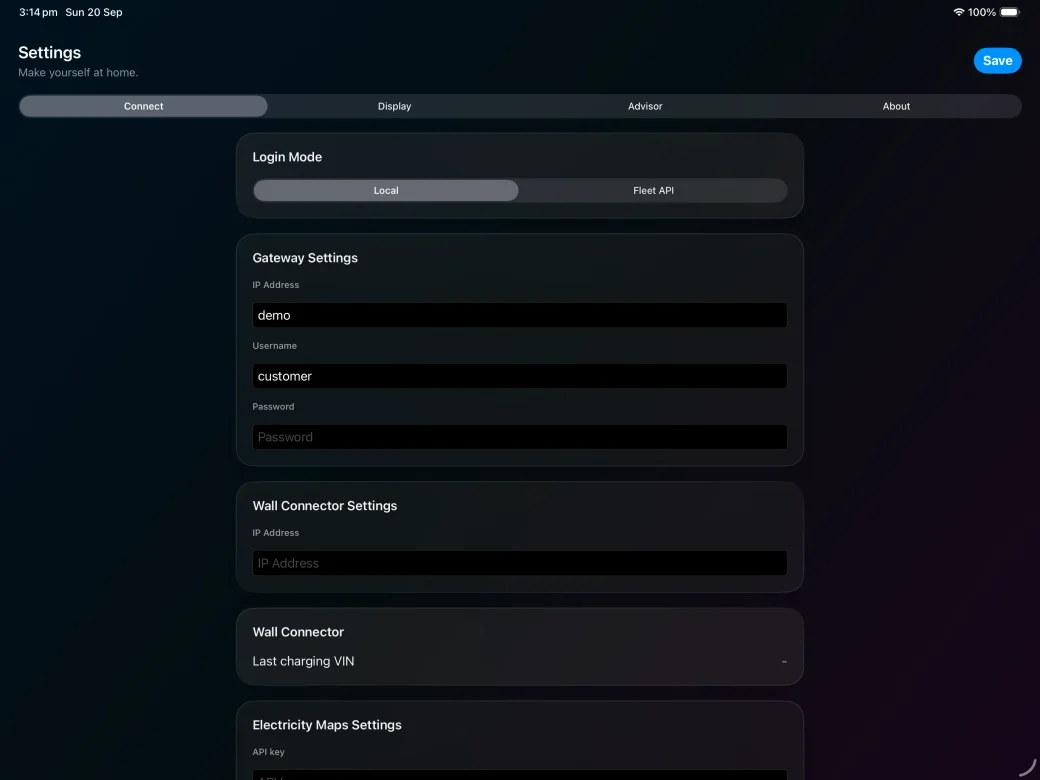
* Open this application, tap settings, and select the "Local" tab
* Add your Powerwall's IP address and credentials to the fields, and tap save
The data will then show on screen and update every 10 seconds.
If you don't have a Powerwall and would just like to see what this application does, enter "demo" in the IP address field and press save.
Fleet API setup:
If you'd like to see your Powerwall statistics away from home, or your Powerwall isn't setup on your local network, you can use Fleet API mode.
* Open this application, tap settings, and select the "Fleet API" tab and tap save
* The application will now ask you to login via your iPhone or iPad with your Tesla credentials via the Tesla website
* Once approved, an access token will be saved to your AppleTV Keychain so it can access your Powerwall via the Tesla Fleet API cloud
None of your Tesla credentials will be saved in the application or anywhere else. Only the access token, refresh token, and expiry date will be saved so that you don't need to authenticate each time you open the application.
Grid data setup:
If you'd like to see the carbon intensity of your grid via electricitymaps.com, follow these steps:
* Sign up for a Home Assistant account/API Key: https://portal.electricitymaps.com/auth/signup/home-assistant
* Enter your API Key and Zone (country code/state) into the Settings view of this app.
* The percentage of renewable energy in the grid, and the gCO2eq/kWh for your zone will show in the Grid label.
This is an open source project: https://github.com/sighmon/Powerwall-TV
This is an unofficial app – not affiliated with Tesla, Inc. Tesla, Powerwall, and related marks are trademarks of Tesla, Inc.
Nouveautés
Version 1.31 · 07/10/2026
Added the ability to see energy summaries without Grok, and the ability to choose which Grok model to use.
Confidentialité de l’application
Ce que sighmon déclare sur l’App Store au sujet du traitement des données par cette application.
-
Données non collectées
Le développeur ne collecte aucune donnée à partir de cette application.
Les pratiques en matière de confidentialité peuvent varier, notamment en fonction des fonctionnalités que vous utilisez ou de votre âge.
Informations
- Vendeur
- Simon Loffler
- Catégorie
- Utilitaires
- Version
- 1.31
- Mis à jour
- 07/10/2026
- Publié
- 19/03/2025
- Taille
- 9,5 Mo
- Nécessite
- iOS 17.6 ou version ultérieure
- Classification d’âge
- 4+
- Prix
- Gratuit
- Langues
- Anglais
- Copyright
- © 2026 Simon Loffler