- Độ tuổi4+
- Danh mụcTiện Ích
- Nhà phát triểnsighmon
- Ngôn ngữTiếng Anh
- Kích thước9,5 MB
Liên kết đến trang App Store chính thức
Download.org không lưu trữ tệp nào của Powerwall TV. Nút này mở trang ứng dụng trên App Store, nơi sighmon phát hành ứng dụng. Trang được kiểm tra lần cuối: 17/11/2026.
Ảnh chụp màn hình
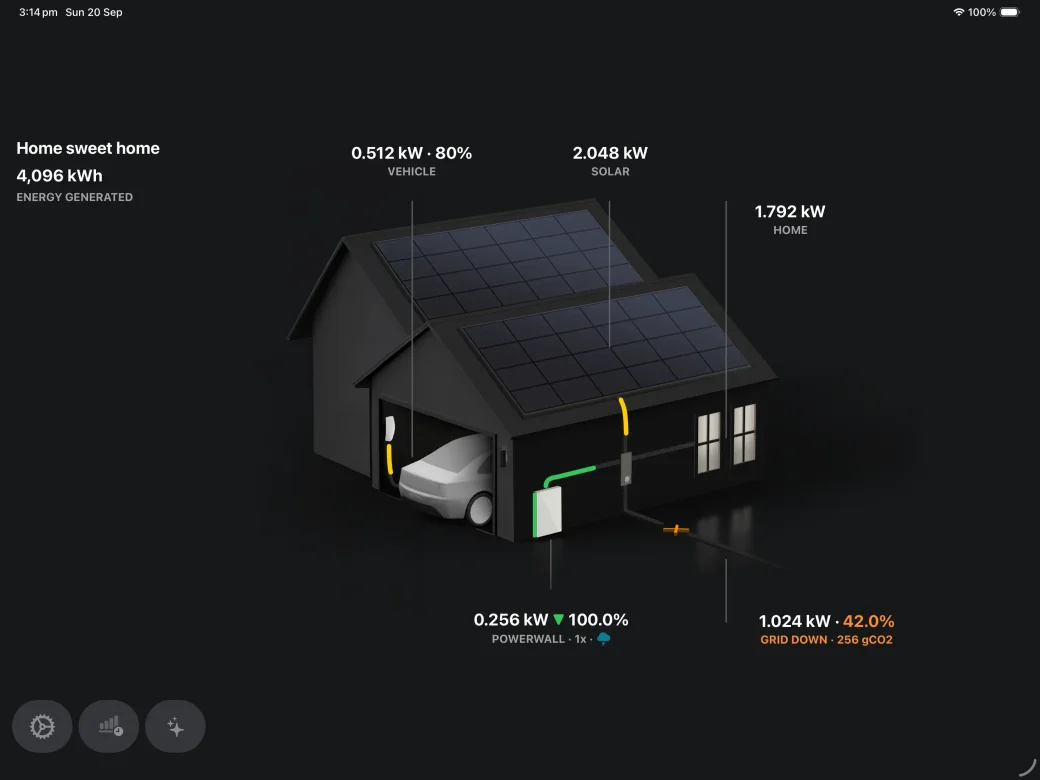


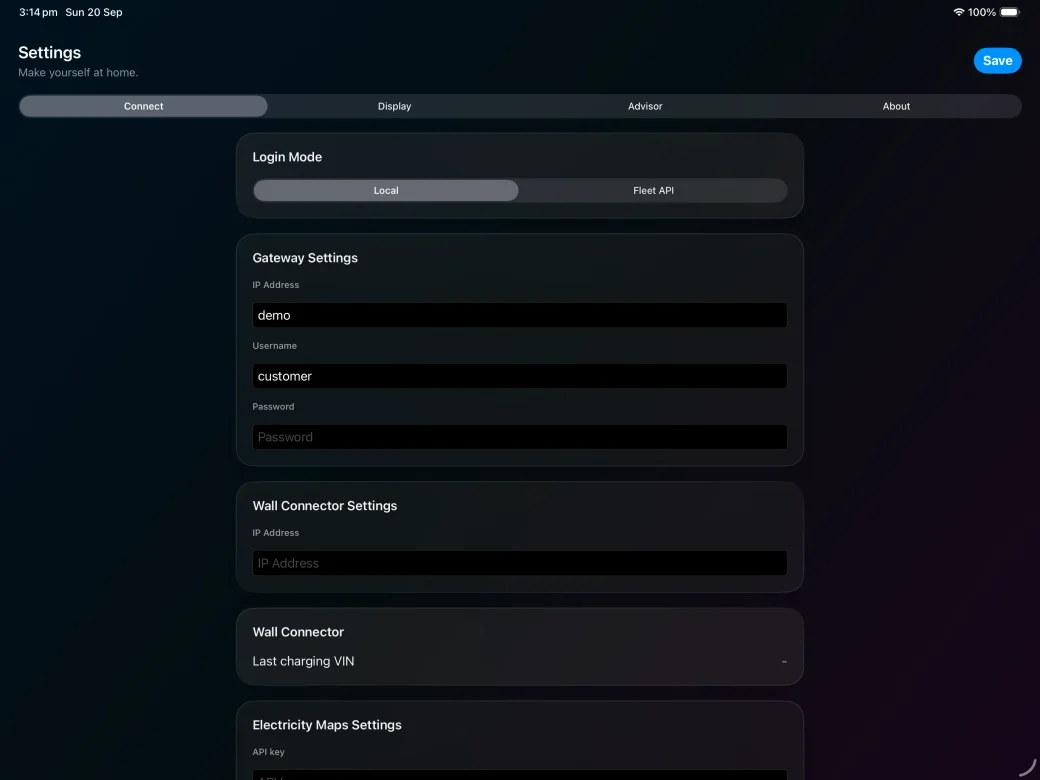
Giới thiệu
Nhà phát triển chưa cung cấp nội dung này bằng ngôn ngữ của bạn.
An iPad application to view the current state of your Powerwall, via your local network, or the Fleet API.
Local network setup:
* Connect your Powerwall to your WiFi: https://www.tesla.com/en_au/support/energy/powerwall/mobile-app/connecting-powerwall-wi-fi
* Visit your Powerwall's IP address and make sure you can login with your credentials
* Open this application, tap settings, and select the "Local" tab
* Add your Powerwall's IP address and credentials to the fields, and tap save
The data will then show on screen and update every 10 seconds.
If you don't have a Powerwall and would just like to see what this application does, enter "demo" in the IP address field and press save.
Fleet API setup:
If you'd like to see your Powerwall statistics away from home, or your Powerwall isn't setup on your local network, you can use Fleet API mode.
* Open this application, tap settings, and select the "Fleet API" tab and tap save
* The application will now ask you to login via your iPhone or iPad with your Tesla credentials via the Tesla website
* Once approved, an access token will be saved to your AppleTV Keychain so it can access your Powerwall via the Tesla Fleet API cloud
None of your Tesla credentials will be saved in the application or anywhere else. Only the access token, refresh token, and expiry date will be saved so that you don't need to authenticate each time you open the application.
Grid data setup:
If you'd like to see the carbon intensity of your grid via electricitymaps.com, follow these steps:
* Sign up for a Home Assistant account/API Key: https://portal.electricitymaps.com/auth/signup/home-assistant
* Enter your API Key and Zone (country code/state) into the Settings view of this app.
* The percentage of renewable energy in the grid, and the gCO2eq/kWh for your zone will show in the Grid label.
This is an open source project: https://github.com/sighmon/Powerwall-TV
This is an unofficial app – not affiliated with Tesla, Inc. Tesla, Powerwall, and related marks are trademarks of Tesla, Inc.
Có gì mới
Phiên bản 1.31 · 07/10/2026
Added the ability to see energy summaries without Grok, and the ability to choose which Grok model to use.
Quyền riêng tư của ứng dụng
Những gì sighmon khai báo trên App Store về cách ứng dụng này xử lý dữ liệu.
-
Dữ liệu không được thu thập
Nhà phát triển không thu thập bất kỳ dữ liệu nào từ ứng dụng này.
Phương thức đảm bảo quyền riêng tư có thể khác nhau, chẳng hạn như tuỳ theo các tính năng bạn sử dụng hoặc độ tuổi của bạn.
Thông tin
- Người bán
- Simon Loffler
- Danh mục
- Tiện Ích
- Phiên bản
- 1.31
- Cập nhật
- 07/10/2026
- Phát hành
- 19/03/2025
- Kích thước
- 9,5 MB
- Yêu cầu
- iOS 17.6 trở lên
- Độ tuổi
- 4+
- Giá
- Miễn phí
- Ngôn ngữ
- Tiếng Anh
- Bản quyền
- © 2026 Simon Loffler