
Purnote — Plain Markdown Notes
Files you own, in iCloud Drive
Conçue pour iPhone
Gratuit
- Classification d’âge4+
- CatégorieProductivité
- DéveloppeurSasa Mitrovic
- LanguesAnglais
- Taille2,8 Mo
Renvoie vers la page App Store officielle
Download.org n’héberge aucun fichier de Purnote — Plain Markdown Notes. Le bouton ouvre la page de l’application sur App Store, où Sasa Mitrovic la publie. Fiche vérifiée pour la dernière fois le 17/11/2026.
Captures d’écran
À propos
Le développeur n’a pas fourni ce texte dans votre langue.
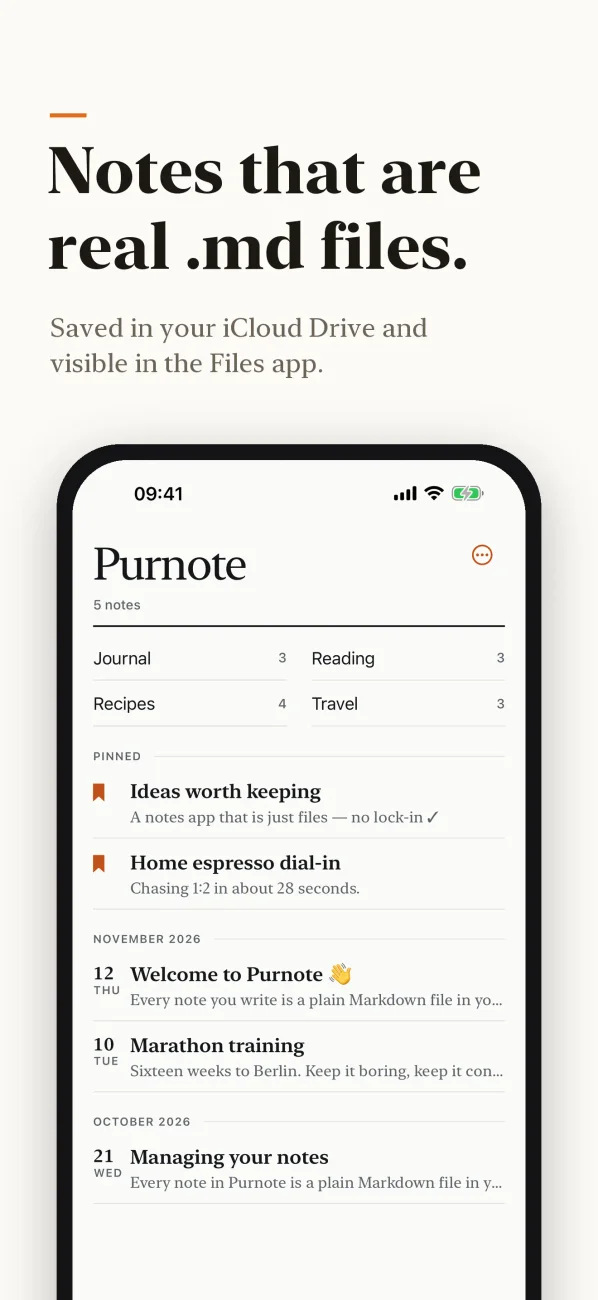
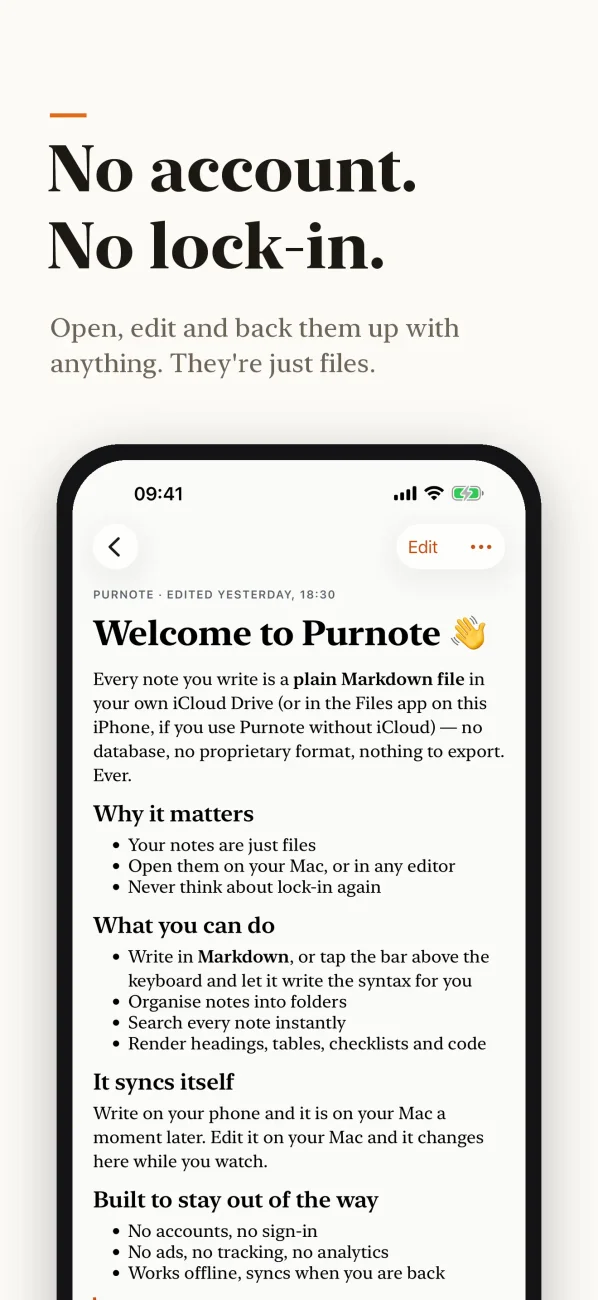
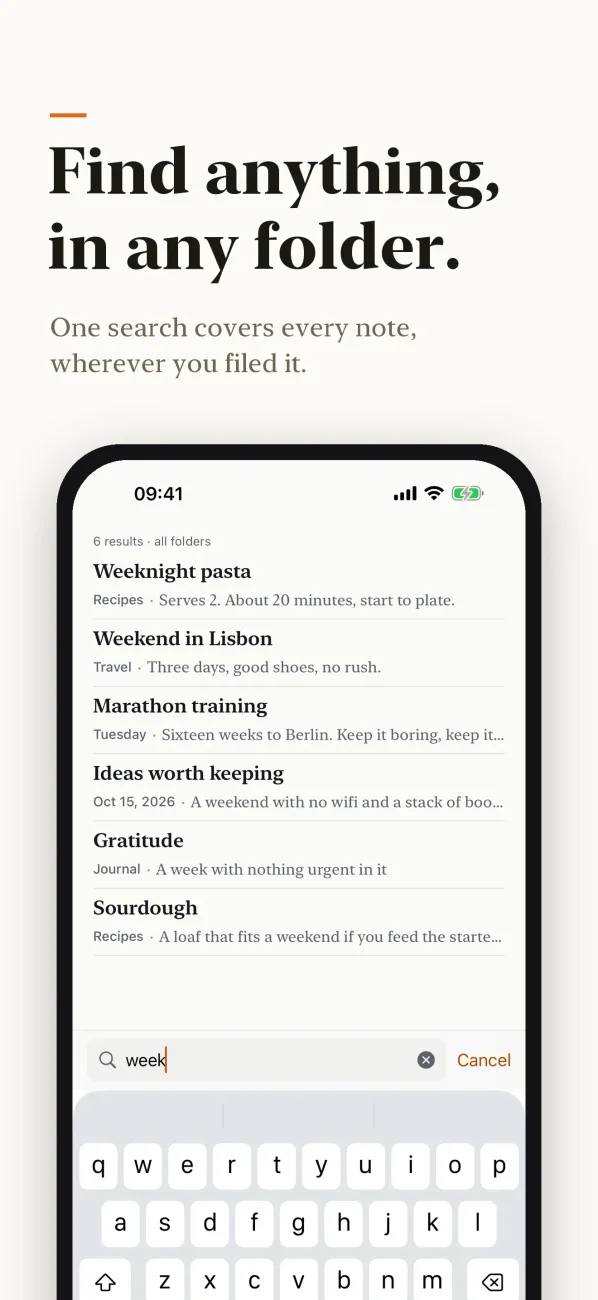
Notes you actually own. Purnote keeps every note as a plain Markdown file in your own iCloud Drive — no database, no proprietary format, no lock-in.
Every note is an ordinary .md file in a folder called purnote, so you can open, edit, search, back up or move your notes with any tool you like — on your Mac, in any text editor, forever. Write a note on your phone and it is on your Mac a moment later. Edit it on your Mac and it changes on your phone while you are looking at it.
If you ever stop using Purnote, you still have your notes. That is the whole idea.
• Free — no subscription, no ads, no accounts
• Plain Markdown files, stored in iCloud Drive where you can see them
• Share from any app into Purnote — save a post or link as a note, in the folder you choose
• Organise notes in folders, with #tags and Smart Folders
• Add photos to a note — saved as plain files beside it, never locked in
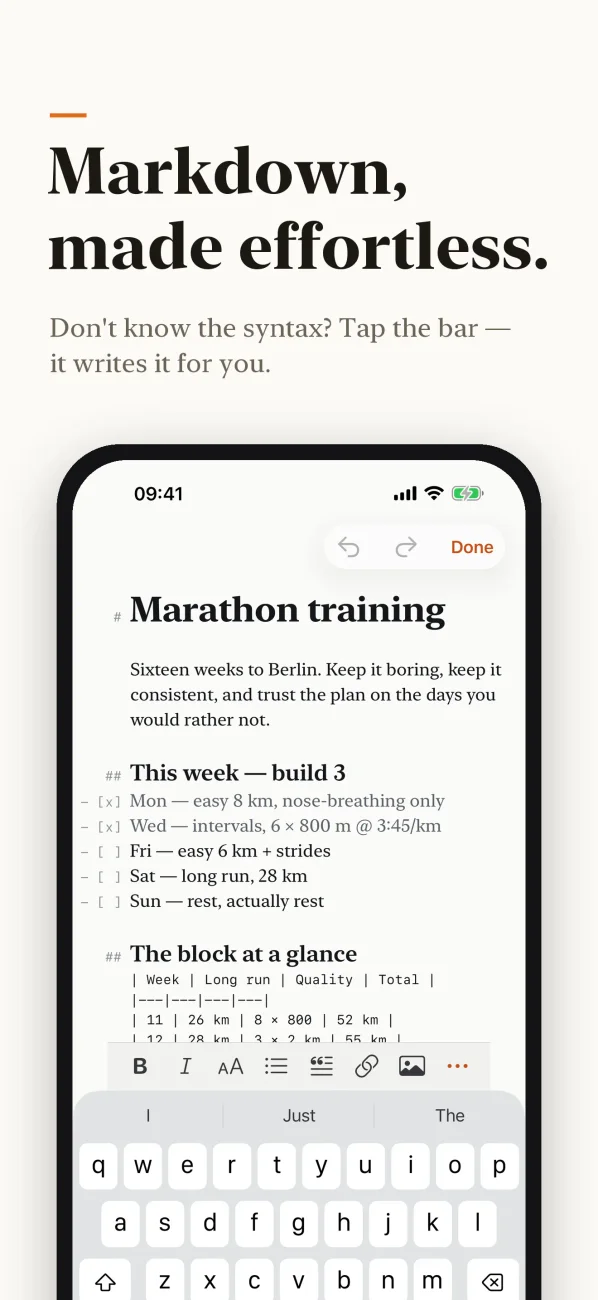
• Create tables from the formatting bar
• Drag a note onto a folder to move it
• Formatting buttons above the keyboard — headings, bold, italic, lists, checklists, quotes, links — so you do not need to know Markdown to write it
• Notes are named after their first line, so the folder makes sense on your Mac
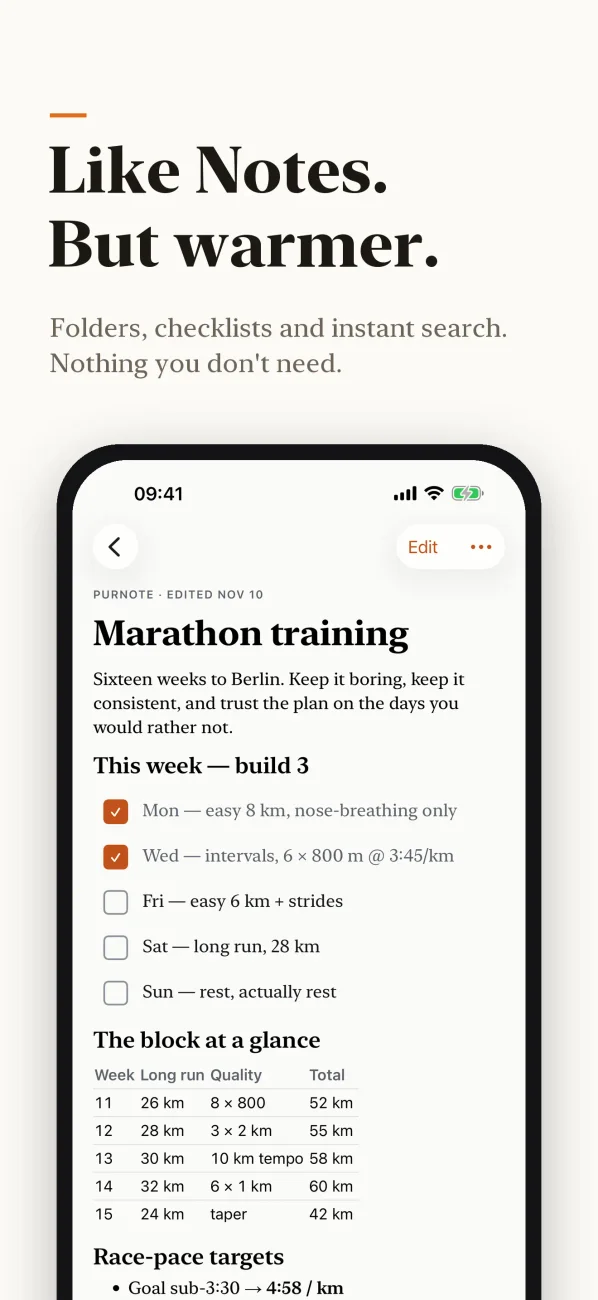
• Rendered notes with headings, tables, task lists and code blocks
• Full text search across every note
• Pin notes to the top, and sort by date edited or title
• Deleted notes wait in Recently Deleted until you delete them there for good
• Undo, Redo and Find in Note
• Works without iCloud too, keeping notes on this iPhone
Purnote collects nothing. There are no accounts, no analytics, and no servers other than your own iCloud.
Nouveautés
Version 1.5 · 14/11/2026
A redesign, and a safer delete.
• New look: your words in a serif typeface, notes grouped by month, folders as an index, and a new Pilcrow icon.
• Pin notes to the top of your list. Sort by date edited or by title.
• Deleted notes go to Recently Deleted, with an Undo bar. Restore them, or delete them for good.
• Undo, Redo and Find in Note in the editor.
• Fixes: tapping anywhere on a note's row opens it; the list menu no longer closes by itself; renaming or moving a note with pictures is safer; ticking a checkbox no longer overwrites a newer edit made on your Mac.
Confidentialité de l’application
Ce que Sasa Mitrovic déclare sur l’App Store au sujet du traitement des données par cette application.
-
Données non collectées
Le développeur ne collecte aucune donnée à partir de cette application.
Les pratiques en matière de confidentialité peuvent varier, notamment en fonction des fonctionnalités que vous utilisez ou de votre âge.
Informations
- Vendeur
- Sasa Mitrovic
- Catégorie
- Productivité
- Version
- 1.5
- Mis à jour
- 14/11/2026
- Publié
- 15/08/2026
- Taille
- 2,8 Mo
- Nécessite
- iOS 18.0 ou version ultérieure
- Classification d’âge
- 4+
- Prix
- Gratuit
- Langues
- Anglais
- Copyright
- © 2020 Saša Mitrović
Vous aimerez peut-être aussi
-
 My Next: NoteDes pensées sans pression.
-
 Bubble DaysProductivité
-
 RichdownProductivité
-
 Ermine.md MarkDownProductivité
-
 TimeConsole: Focus TimerProductivité
-
 Pay Yourself Daily: HabitsProductivité
-
 CoreNote: Notes & Todo StarProductivité
-
 ThinkCapture: Notes That SortProductivité
-
 Stream NoteProductivité
-
 Ties AI · Reminder & SchedulerProductivité