
Purnote — Plain Markdown Notes
Files you own, in iCloud Drive
Designed for iPhone
Free
- Age rating4+
- CategoryProductivity
- DeveloperSasa Mitrovic
- LanguagesEnglish
- Size2.8 MB
Links to the official App Store page
Download.org hosts no file of Purnote — Plain Markdown Notes. The button opens its official App Store page, published by Sasa Mitrovic. Listing last checked on Nov 17, 2026.
Screenshots
About
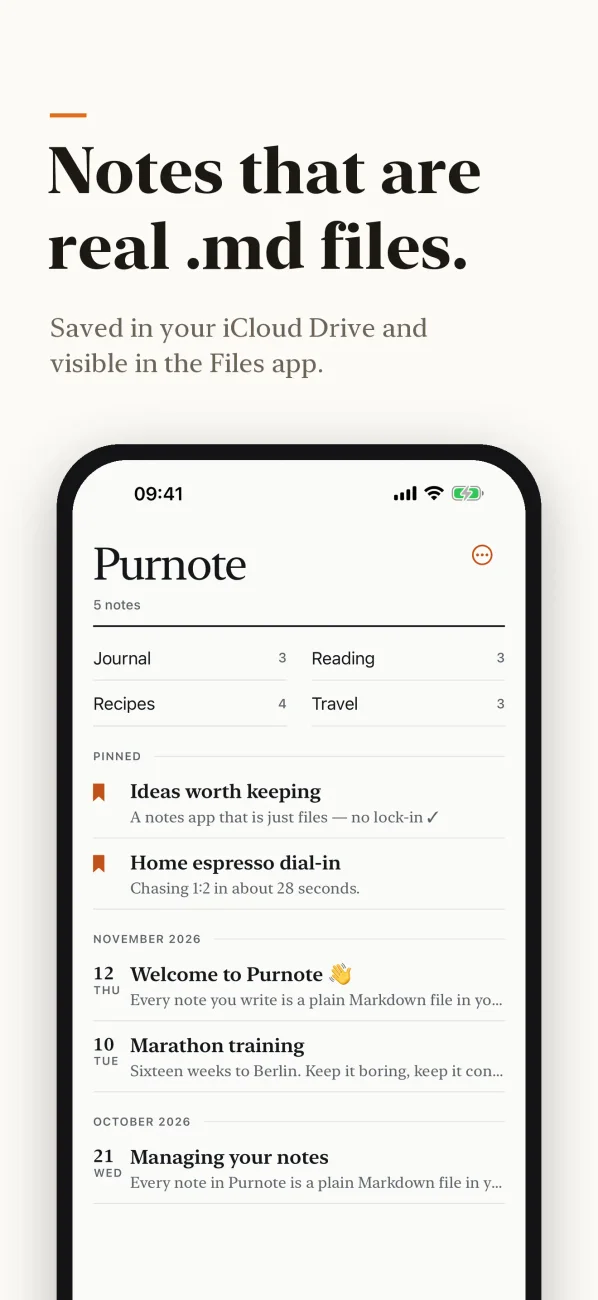
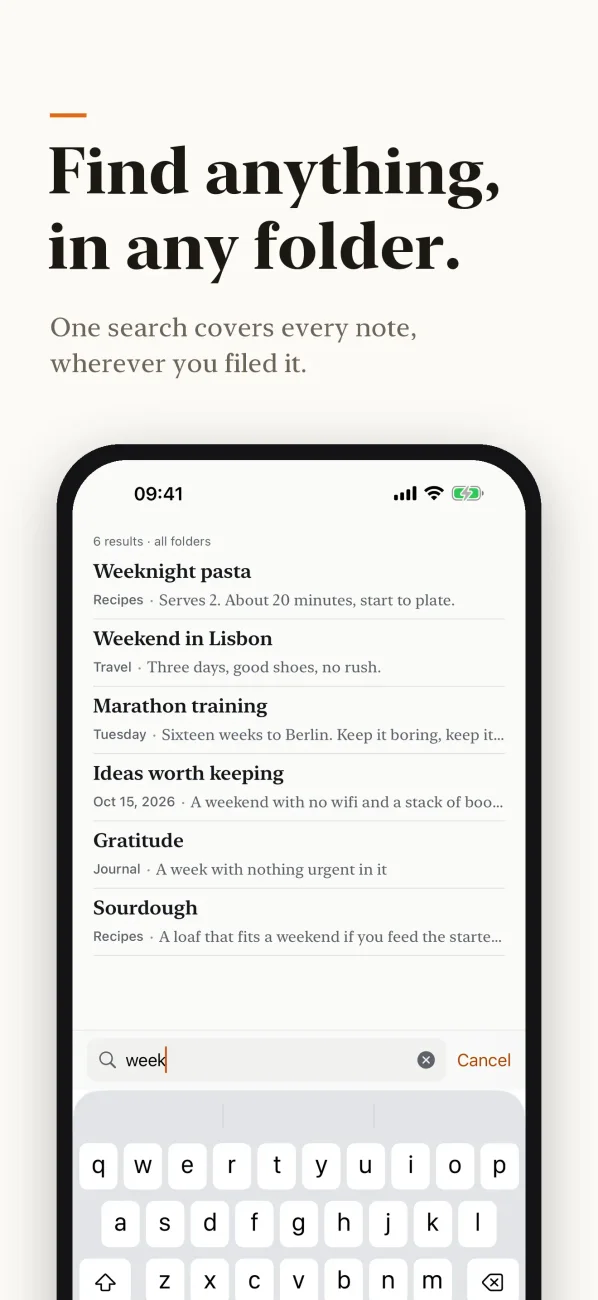
Notes you actually own. Purnote keeps every note as a plain Markdown file in your own iCloud Drive — no database, no proprietary format, no lock-in.
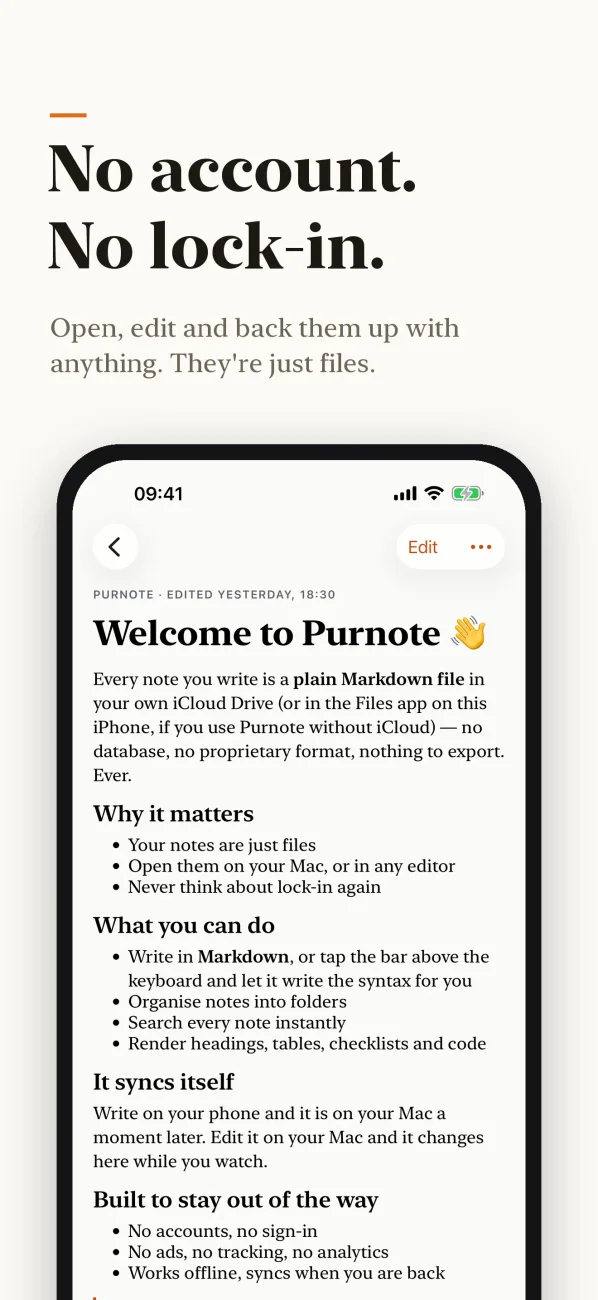
Every note is an ordinary .md file in a folder called purnote, so you can open, edit, search, back up or move your notes with any tool you like — on your Mac, in any text editor, forever. Write a note on your phone and it is on your Mac a moment later. Edit it on your Mac and it changes on your phone while you are looking at it.
If you ever stop using Purnote, you still have your notes. That is the whole idea.
• Free — no subscription, no ads, no accounts
• Plain Markdown files, stored in iCloud Drive where you can see them
• Share from any app into Purnote — save a post or link as a note, in the folder you choose
• Organise notes in folders, with #tags and Smart Folders
• Add photos to a note — saved as plain files beside it, never locked in
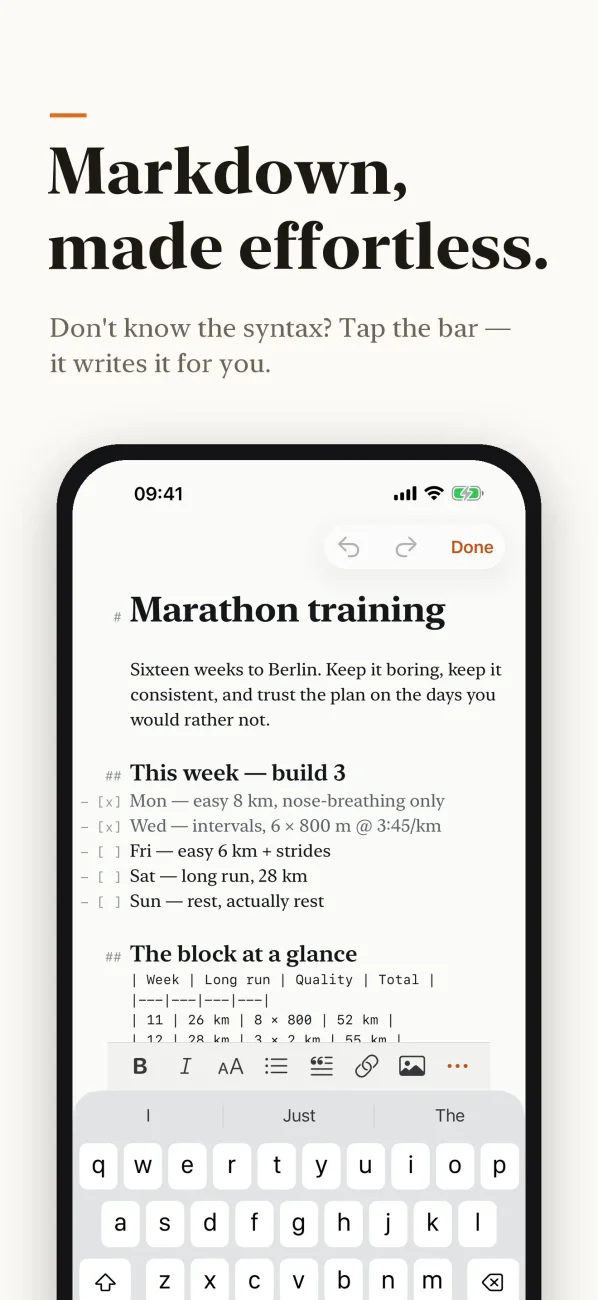
• Create tables from the formatting bar
• Drag a note onto a folder to move it
• Formatting buttons above the keyboard — headings, bold, italic, lists, checklists, quotes, links — so you do not need to know Markdown to write it
• Notes are named after their first line, so the folder makes sense on your Mac
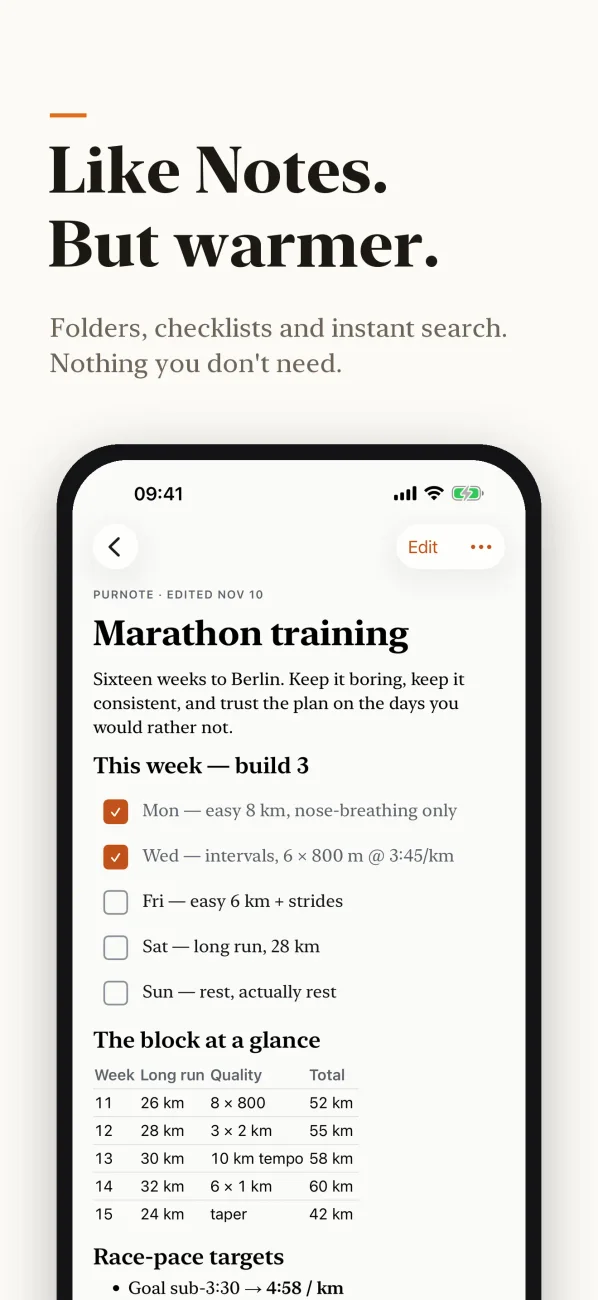
• Rendered notes with headings, tables, task lists and code blocks
• Full text search across every note
• Pin notes to the top, and sort by date edited or title
• Deleted notes wait in Recently Deleted until you delete them there for good
• Undo, Redo and Find in Note
• Works without iCloud too, keeping notes on this iPhone
Purnote collects nothing. There are no accounts, no analytics, and no servers other than your own iCloud.
What’s new
Version 1.5 · Nov 14, 2026
A redesign, and a safer delete.
• New look: your words in a serif typeface, notes grouped by month, folders as an index, and a new Pilcrow icon.
• Pin notes to the top of your list. Sort by date edited or by title.
• Deleted notes go to Recently Deleted, with an Undo bar. Restore them, or delete them for good.
• Undo, Redo and Find in Note in the editor.
• Fixes: tapping anywhere on a note's row opens it; the list menu no longer closes by itself; renaming or moving a note with pictures is safer; ticking a checkbox no longer overwrites a newer edit made on your Mac.
App privacy
What Sasa Mitrovic declares on the App Store about how this app handles data.
-
Data not collected
The developer does not collect any data from this app.
Privacy practices may vary, for example with the features you use or your age.
Information
- Seller
- Sasa Mitrovic
- Category
- Productivity
- Version
- 1.5
- Updated
- Nov 14, 2026
- Released
- Aug 15, 2026
- Size
- 2.8 MB
- Requires
- iOS 18.0 or later
- Age rating
- 4+
- Price
- Free
- Languages
- English
- Copyright
- © 2020 Saša Mitrović
You might also like
-
 My Next: NoteThoughts without pressure.
-
 Bubble DaysSee your day in bubbles
-
 RichdownMarkdown editor · GitHub-ready
-
 Ermine.md MarkDownWriting app & markdown editor
-
 TimeConsole: Focus TimerA console timer for habits
-
 Pay Yourself Daily: HabitsBuild Better Habits Every Day
-
 CoreNote: Notes & Todo StarFour canvases and private sync
-
 ThinkCapture: Notes That SortOn-device AI, zero sorting
-
 Stream NoteMinimal notes, a day at a time
-
 Ties AI · Reminder & SchedulerAI messages in 20+ languages