- Classification d’âge4+
- CatégorieSports
- DéveloppeurSAMUEL LANE MADDOCK
- LanguesAnglais
- Taille7,8 Mo
Ref-Vision n’est peut-être pas disponible sur App Store pour le moment
La fiche de la boutique était inaccessible lors de notre dernière vérification. Le lien mène toujours à la page App Store officielle.
Captures d’écran
À propos
Le développeur n’a pas fourni ce texte dans votre langue.
Ref-Vision captures a referee’s match on Apple Watch and iPhone: GPS, heart rate, speed, distance, match clock, event taps, and sideline video, all heading to one game on your Ref-Vision account.
Start the watch at kick-off. Put the iPhone on a tripod if you want film. The watch is built to be glanced at, not stared at. Large buttons, haptics, and an always-on clock.
APPLE WATCH
• Start at kick-off: one workout records GPS and heart rate for the whole appointment, including half-time
• Match clock with half-time, second half, and full-time
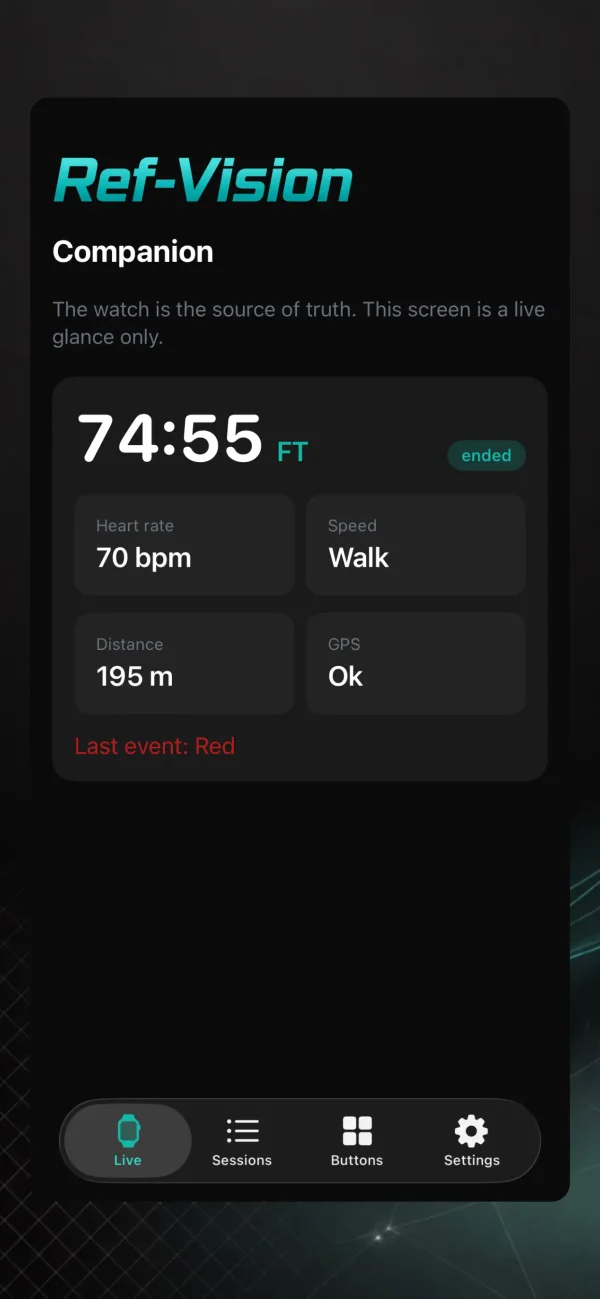
• Live heart rate, speed, distance, and GPS lock
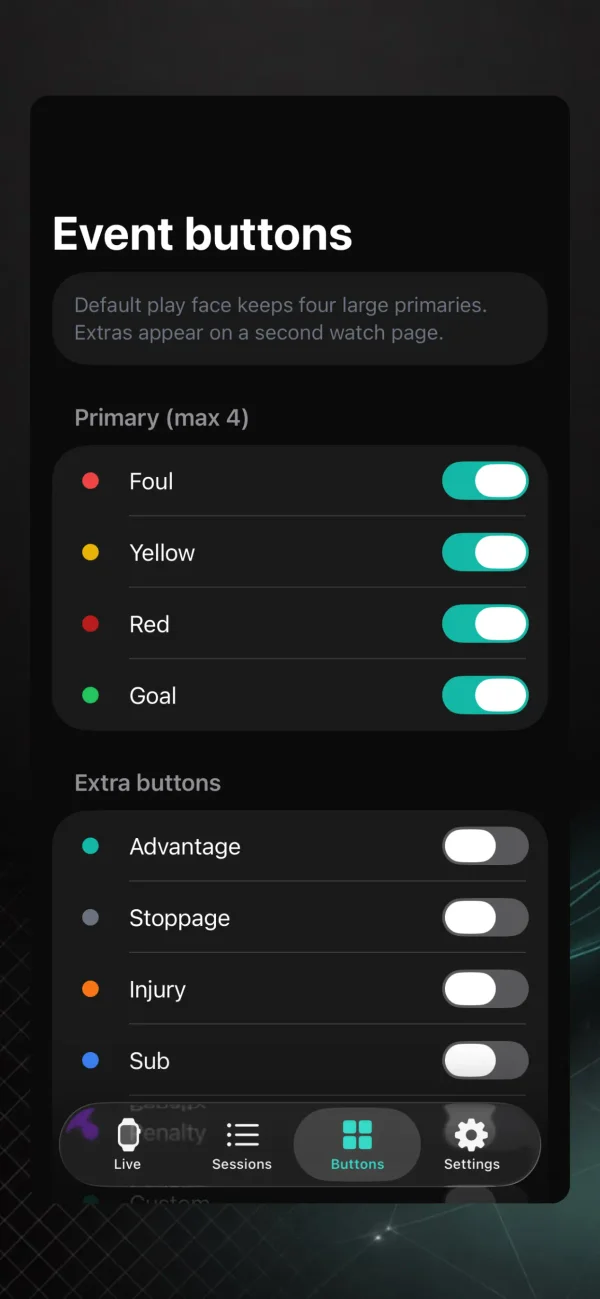
• Four large event buttons by default: Foul, Yellow, Red, Goal
• Extra buttons (Advantage, Stoppage, Injury, Sub, Penalty, and more) from a second page if you enable them on iPhone
• Undo the last event with a swipe
• Sessions are saved on the watch first, then sent to iPhone automatically. No network required during the match
IPHONE
• Live glance of clock, heart rate, distance, and last event while the watch is recording
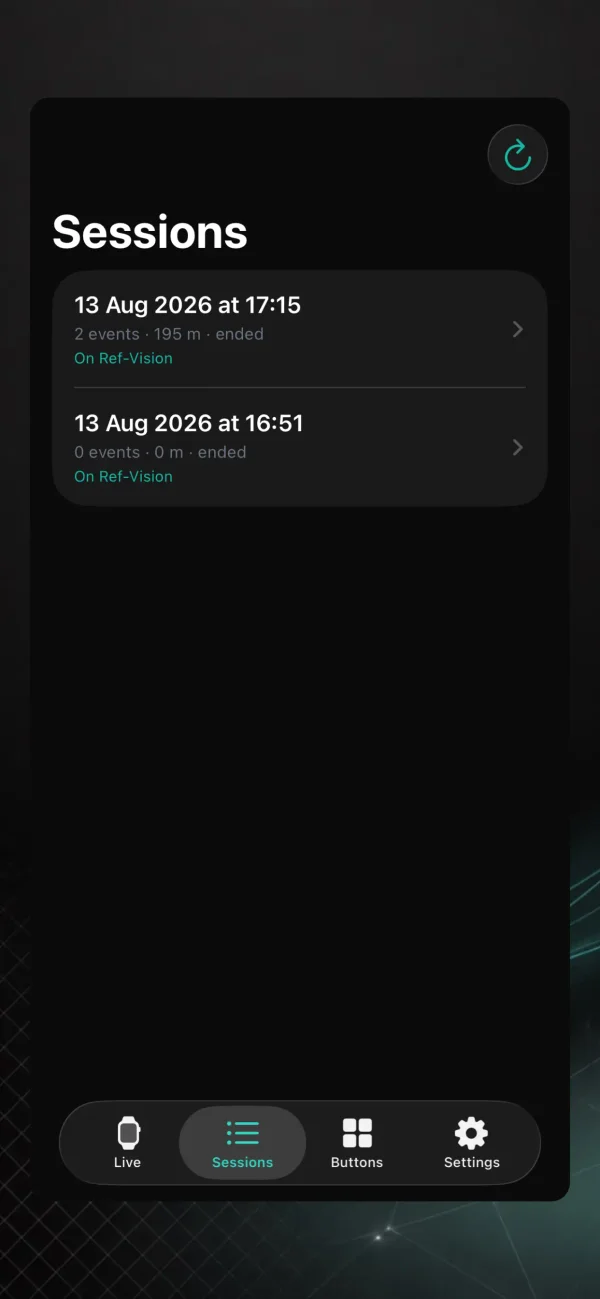
• Finished sessions arrive from the watch automatically
• Review distance, heart rate, and events after the match; edit or delete a mis-tap
• Attach the session to a game, or create one, then upload to your Ref-Vision account
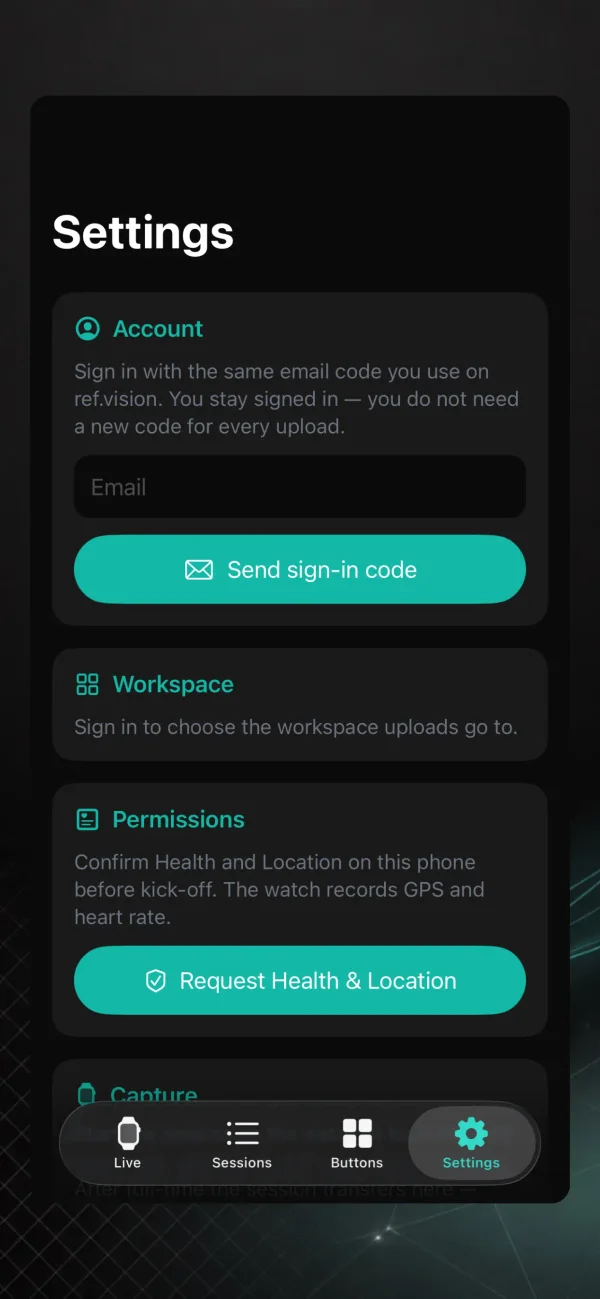
• Sign in once with the same email code you use on ref.vision
• Customise which event buttons appear on the watch and push the layout across
RECORD
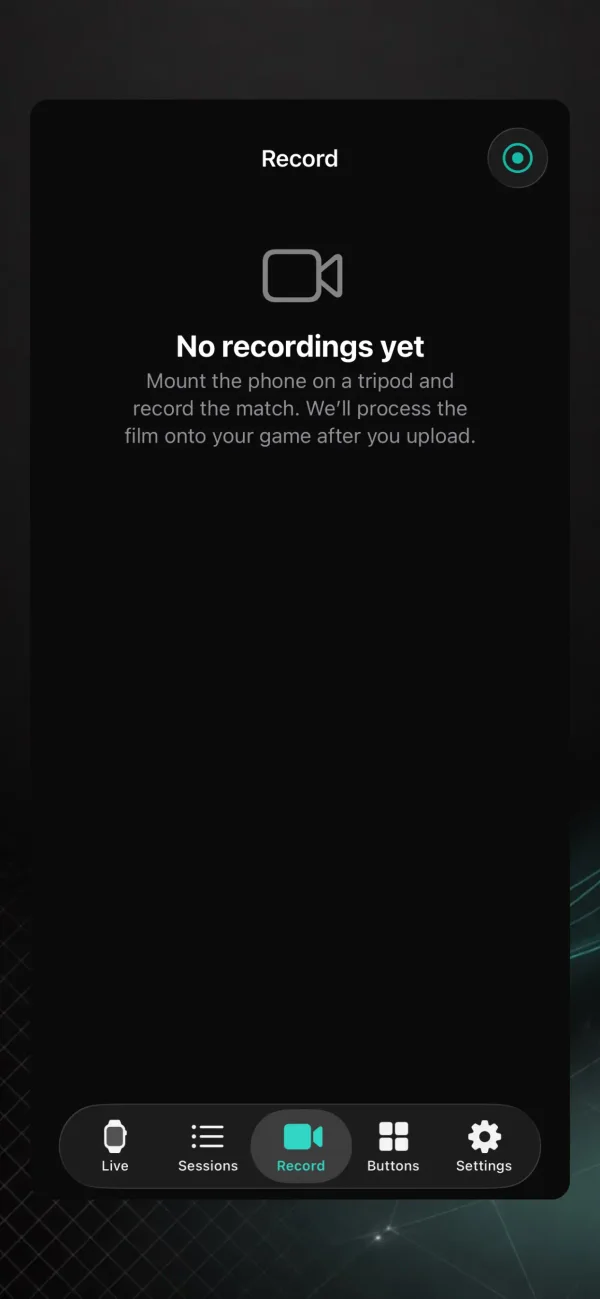
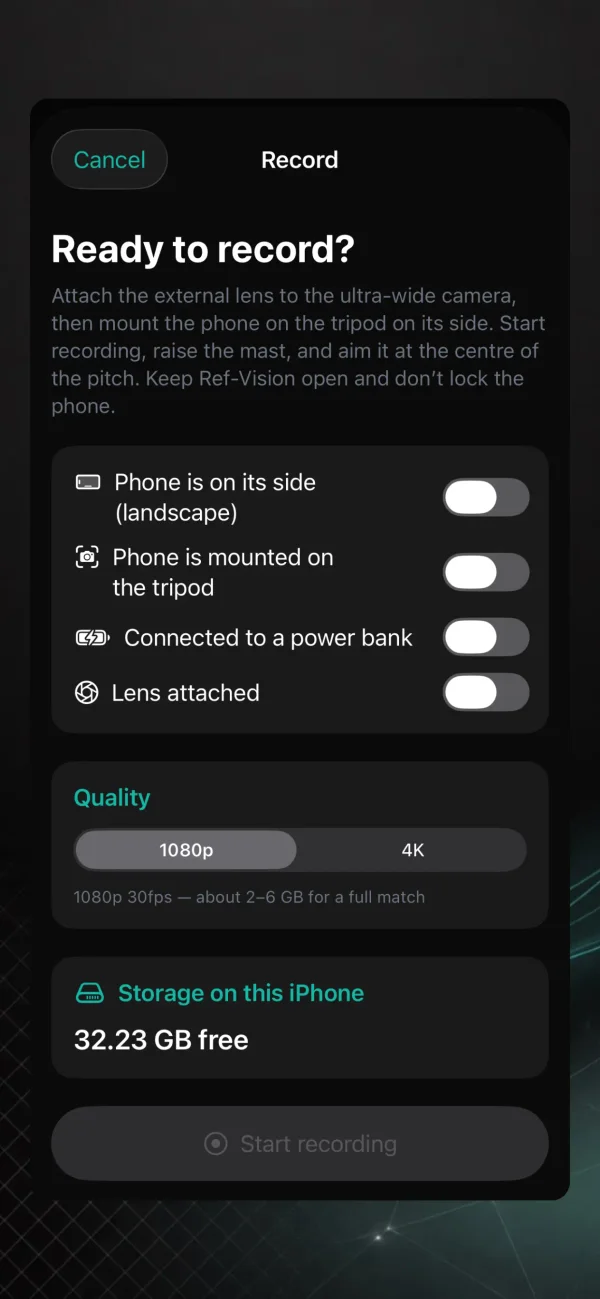
• New Record tab for sideline match film from a tripod-mounted iPhone
• Checks before you start: phone on its side (landscape), on the tripod, and on a power bank
• Ultra-wide (0.5x) so the pitch fills the frame; 1080p by default, 4K if you want it
• Built for a full match — keep the app open and don’t lock the phone
• Recordings stay on this iPhone first, even with no signal
• Attach or create a game, then upload. We’ll start processing the film onto that game soon
• Watch capture and phone film can run together: movement and events on the watch, video on the phone
AFTER UPLOAD
Watch sessions land on your game with GPS, heart rate, and event tags. Phone film is uploaded from the app; after we process it, it appears on the same game at ref.vision. Attach footage and set one sync offset so movement, heart rate, and watch events line up with the film together.
Capture works without an account. Upload to Ref-Vision requires sign-in.
Ref-Vision records referee performance (location, heart rate, and optional sideline video). It is not a medical device and does not provide medical advice.
Requires a compatible Apple Watch for GPS, heart rate, and event capture. Video recording uses iPhone. Designed for referees at every level.
Nouveautés
Version 2.4 · 23/10/2026
You can now send a watch GPS session to another game. If it is already on one game, attach a different one and upload it again. The first game keeps its copy, and the new game gets its own.
Confidentialité de l’application
Ce que SAMUEL LANE MADDOCK déclare sur l’App Store au sujet du traitement des données par cette application.
-
Données non collectées
Le développeur ne collecte aucune donnée à partir de cette application.
Les pratiques en matière de confidentialité peuvent varier, notamment en fonction des fonctionnalités que vous utilisez ou de votre âge.
Informations
- Vendeur
- SAMUEL LANE MADDOCK
- Catégorie
- Sports
- Version
- 2.4
- Mis à jour
- 23/10/2026
- Publié
- 07/11/2024
- Taille
- 7,8 Mo
- Nécessite
- iOS 26.4 ou version ultérieure
- Classification d’âge
- 4+
- Langues
- Anglais
- Copyright
- © 2026 Samuel Maddock