
reMarkable mobile
Take focused notes anywhere
Conçue pour iPhone, iPad
Gratuit
- Classification d’âge4+
- CatégorieProductivité
- DéveloppeurreMarkable AS
- Taille49,6 Mo
Renvoie vers la page App Store officielle
Download.org n’héberge aucun fichier de reMarkable mobile. Le bouton ouvre la page de l’application sur App Store, où reMarkable AS la publie. Fiche vérifiée pour la dernière fois le 18/11/2026.
Captures d’écran


À propos
Le développeur n’a pas fourni ce texte dans votre langue.
Expand your reMarkable universe:
Make sure to pair your paper tablet with an account at my.remarkable.com before logging in to the app. Find login details for both in Account settings on the paper tablet.
Get organized:
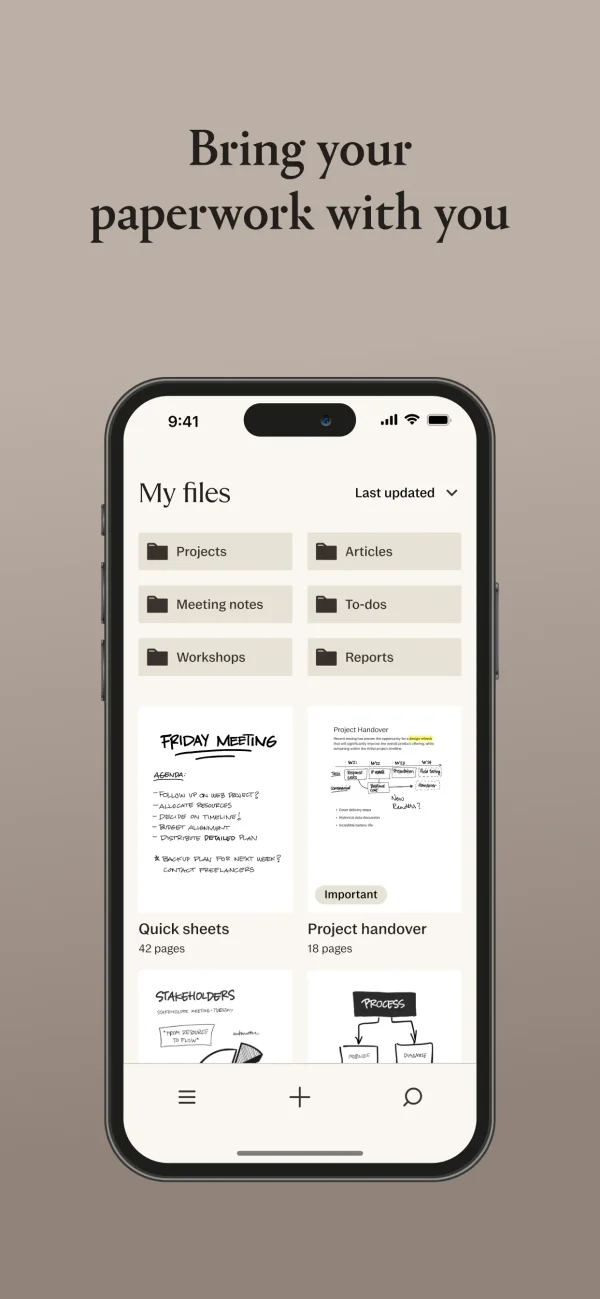
Use the app to get an overview of your content, with tags and favorite documents. Create folders for collecting notebooks and files by topic.
Save one for each project, or separate work and personal notes. This will help you find and arrange the content stored on your paper tablet with Search.
You can also remove clutter by deleting any digital paper that has piled up.
Fresh paper in your pocket:
Our notebooks take full advantage of the flexibility of digital paper for taking notes, typing, and sketching.
All of your content is always available, and you can both make fresh notebooks, folders, and add note pages in PDFs and ebooks.
Take focused notes, anywhere:
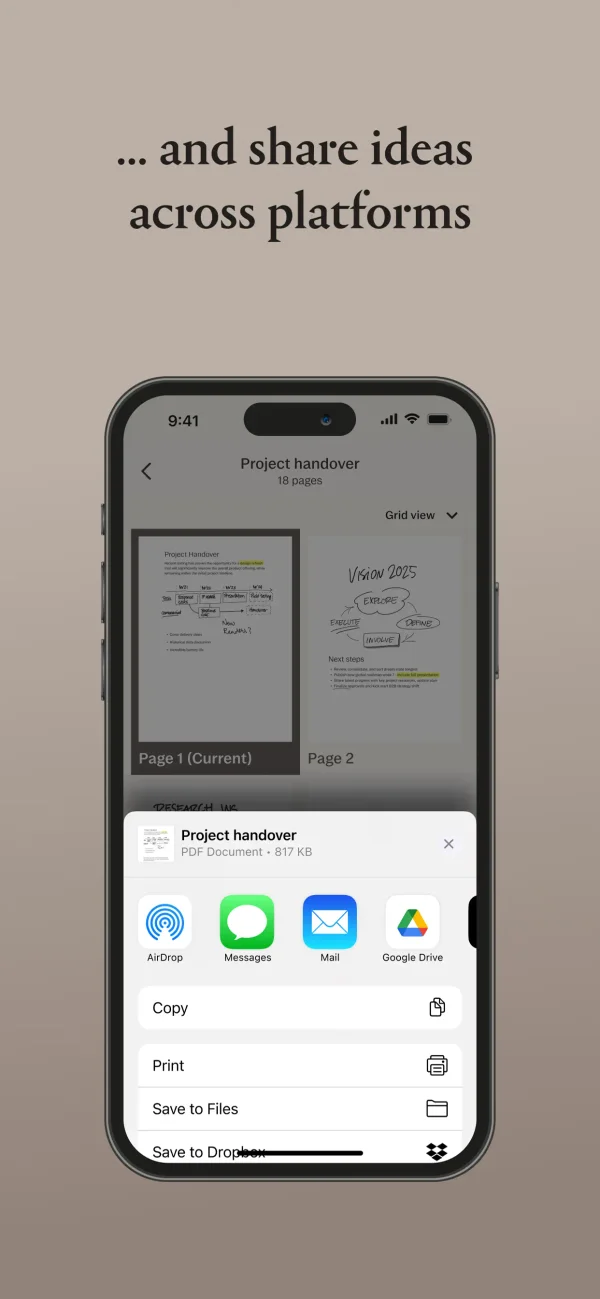
Make your ideas easier to refine and share on the go. Our cloud storage allows you to sync your content and pick up right where you left off on your paper tablet.
Use the app to create new notebooks or quick sheets, and add blank note pages to existing documents. Checkboxes in the formatting menu are great for to-do lists.
Type pages of notes, or quickly write out shorter lists to review and annotate later on your reMarkable.
Download the app to your mobile to make the most of your paper tablet.
Discover a new way to take notes.
Nouveautés
Version 3.29.0 · 15/10/2026
You can now select text in PDFs and EPUBs using the apps for mobile and desktop, so you can copy/paste into your other work tools.
This is ideal for more demanding workflows with multiple PDFs, given it's now possible to copy and paste info from PDF collections into slides, documents, or your email.
Connect subscribers can also paste into reMarkable notebooks, making it even easier to transition back to your paper tablet to keep developing and improving your notes.
Confidentialité de l’application
Ce que reMarkable AS déclare sur l’App Store au sujet du traitement des données par cette application.
-
Données établissant un lien avec vous
Peuvent être collectées et liées à votre identité.
- Coordonnées
- Contenu utilisateur
- Identifiants
Les pratiques en matière de confidentialité peuvent varier, notamment en fonction des fonctionnalités que vous utilisez ou de votre âge.
Informations
- Vendeur
- reMarkable AS
- Catégorie
- Productivité
- Version
- 3.29.0
- Mis à jour
- 15/10/2026
- Publié
- 14/09/2017
- Taille
- 49,6 Mo
- Nécessite
- iOS 17.0 ou version ultérieure
- Classification d’âge
- 4+
- Prix
- Gratuit
- Copyright
- © reMarkable AS
Vous aimerez peut-être aussi
-
 Plaud: Assistant IA au travailConversation au travail fini.
-
 Pocket - AI Personal AssistantVotre assistant IA personnel
-
 Microsoft LoopThink, plan & create together
-
 Granola - AI Meeting NotesProductivité
-
 Obsidian - Connected NotesProductivité
-
 Motion: Tasks & AI SchedulingProductivité
-
 Fireflies: AI Note TakerProductivité
-
 Atoms - from Atomic HabitsProductivité
-
 Microsoft PlannerProductivité
-
 Wispr FlowProductivité