
reMarkable mobile
Take focused notes anywhere
Được thiết kế cho iPhone, iPad
Miễn phí
- Độ tuổi4+
- Danh mụcHiệu Suất
- Nhà phát triểnreMarkable AS
- Kích thước49,6 MB
Liên kết đến trang App Store chính thức
Download.org không lưu trữ tệp nào của reMarkable mobile. Nút này mở trang ứng dụng trên App Store, nơi reMarkable AS phát hành ứng dụng. Trang được kiểm tra lần cuối: 18/11/2026.
Ảnh chụp màn hình


Giới thiệu
Nhà phát triển chưa cung cấp nội dung này bằng ngôn ngữ của bạn.
Expand your reMarkable universe:
Make sure to pair your paper tablet with an account at my.remarkable.com before logging in to the app. Find login details for both in Account settings on the paper tablet.
Get organized:
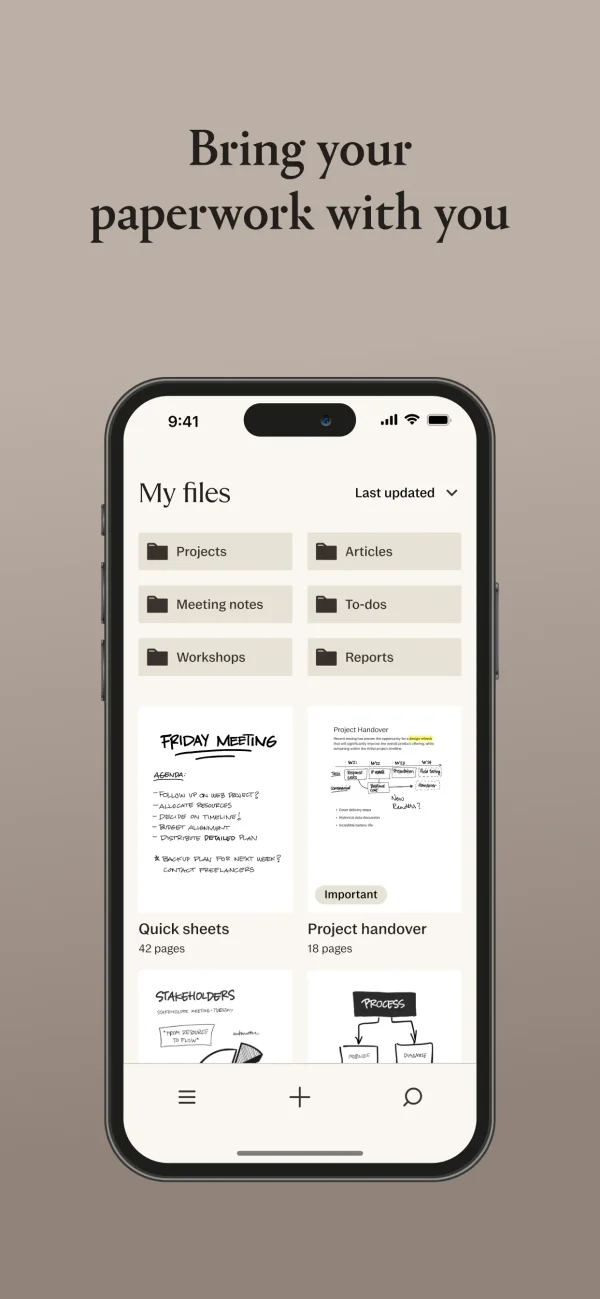
Use the app to get an overview of your content, with tags and favorite documents. Create folders for collecting notebooks and files by topic.
Save one for each project, or separate work and personal notes. This will help you find and arrange the content stored on your paper tablet with Search.
You can also remove clutter by deleting any digital paper that has piled up.
Fresh paper in your pocket:
Our notebooks take full advantage of the flexibility of digital paper for taking notes, typing, and sketching.
All of your content is always available, and you can both make fresh notebooks, folders, and add note pages in PDFs and ebooks.
Take focused notes, anywhere:
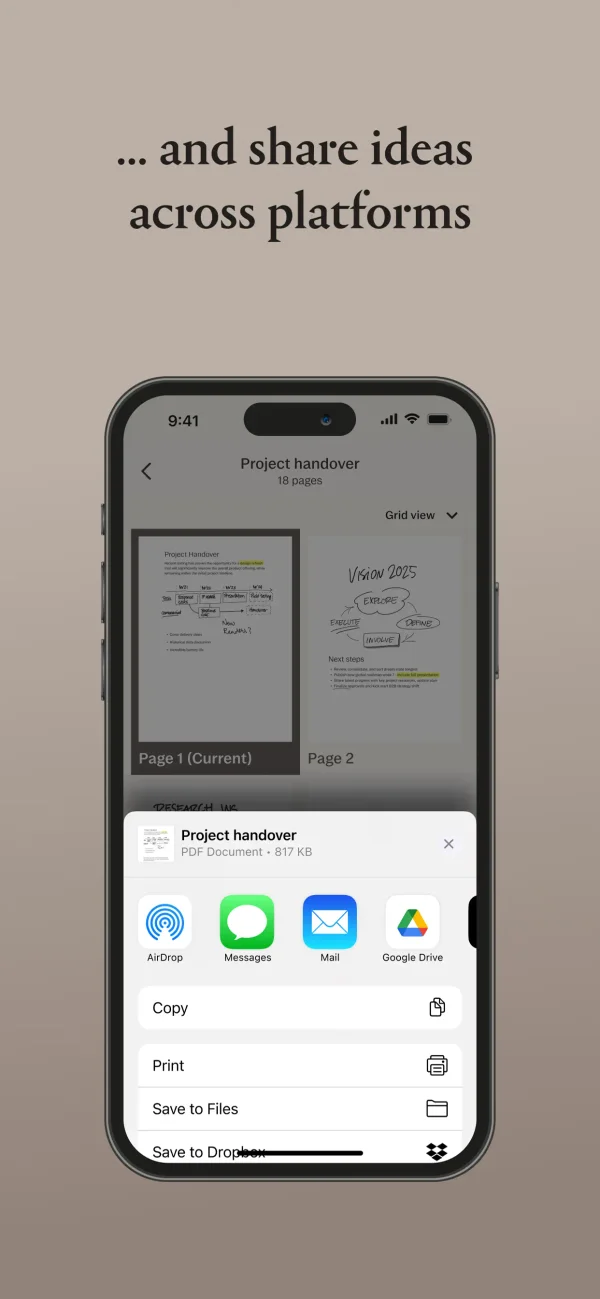
Make your ideas easier to refine and share on the go. Our cloud storage allows you to sync your content and pick up right where you left off on your paper tablet.
Use the app to create new notebooks or quick sheets, and add blank note pages to existing documents. Checkboxes in the formatting menu are great for to-do lists.
Type pages of notes, or quickly write out shorter lists to review and annotate later on your reMarkable.
Download the app to your mobile to make the most of your paper tablet.
Discover a new way to take notes.
Có gì mới
Phiên bản 3.29.0 · 15/10/2026
You can now select text in PDFs and EPUBs using the apps for mobile and desktop, so you can copy/paste into your other work tools.
This is ideal for more demanding workflows with multiple PDFs, given it's now possible to copy and paste info from PDF collections into slides, documents, or your email.
Connect subscribers can also paste into reMarkable notebooks, making it even easier to transition back to your paper tablet to keep developing and improving your notes.
Quyền riêng tư của ứng dụng
Những gì reMarkable AS khai báo trên App Store về cách ứng dụng này xử lý dữ liệu.
-
Dữ liệu liên kết với bạn
Có thể được thu thập và liên kết với danh tính của bạn.
- Thông tin liên hệ
- Nội dung của người dùng
- Mã định danh
Phương thức đảm bảo quyền riêng tư có thể khác nhau, chẳng hạn như tuỳ theo các tính năng bạn sử dụng hoặc độ tuổi của bạn.
Thông tin
- Người bán
- reMarkable AS
- Danh mục
- Hiệu Suất
- Phiên bản
- 3.29.0
- Cập nhật
- 15/10/2026
- Phát hành
- 14/09/2017
- Kích thước
- 49,6 MB
- Yêu cầu
- iOS 17.0 trở lên
- Độ tuổi
- 4+
- Giá
- Miễn phí
- Bản quyền
- © reMarkable AS
Có thể bạn cũng thích
-
 Plaud: AI Work CompanionHiệu Suất
-
 Pocket - AI Personal AssistantHiệu Suất
-
 Microsoft LoopThink, plan & create together
-
 Granola - AI Meeting NotesHiệu Suất
-
 Obsidian - Connected NotesHiệu Suất
-
 Motion: Tasks & AI SchedulingHiệu Suất
-
 Fireflies: AI Note TakerHiệu Suất
-
 Atoms - from Atomic HabitsHiệu Suất
-
 Microsoft PlannerHiệu Suất
-
 Wispr FlowHiệu Suất