- Classification d’âge17+
- CatégorieÉducation
- Développeurkoji kamogawa
- LanguesAnglais+ 1 de plus
- Taille1,4 Mo
Renvoie vers la page App Store officielle
Download.org n’héberge aucun fichier de RST Decoder Pro. Le bouton ouvre la page de l’application sur App Store, où koji kamogawa la publie. Fiche vérifiée pour la dernière fois le 14/11/2026.
Captures d’écran
À propos
Le développeur n’a pas fourni ce texte dans votre langue.
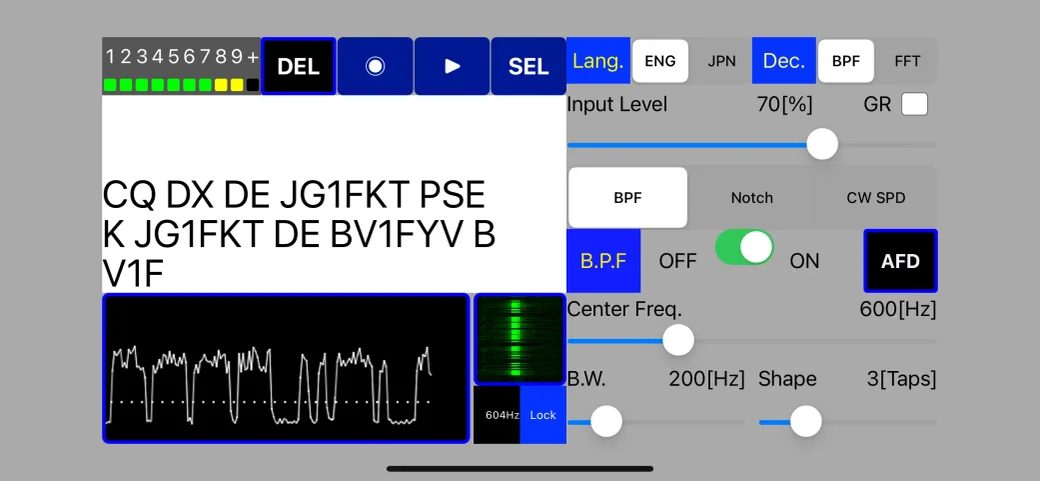
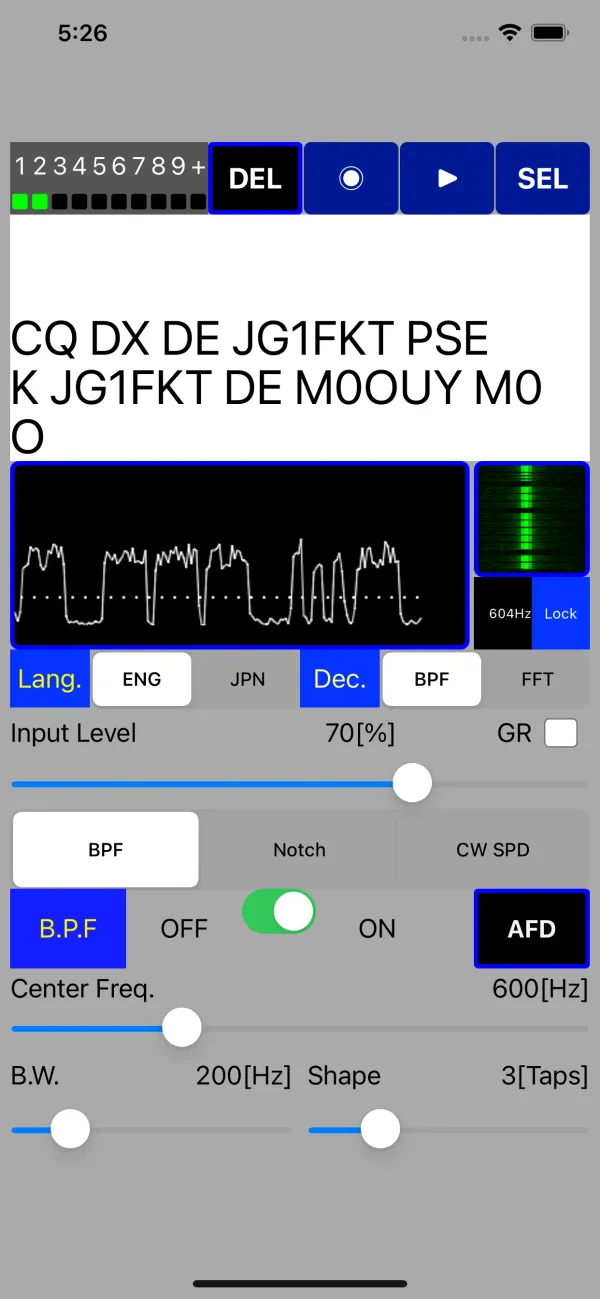
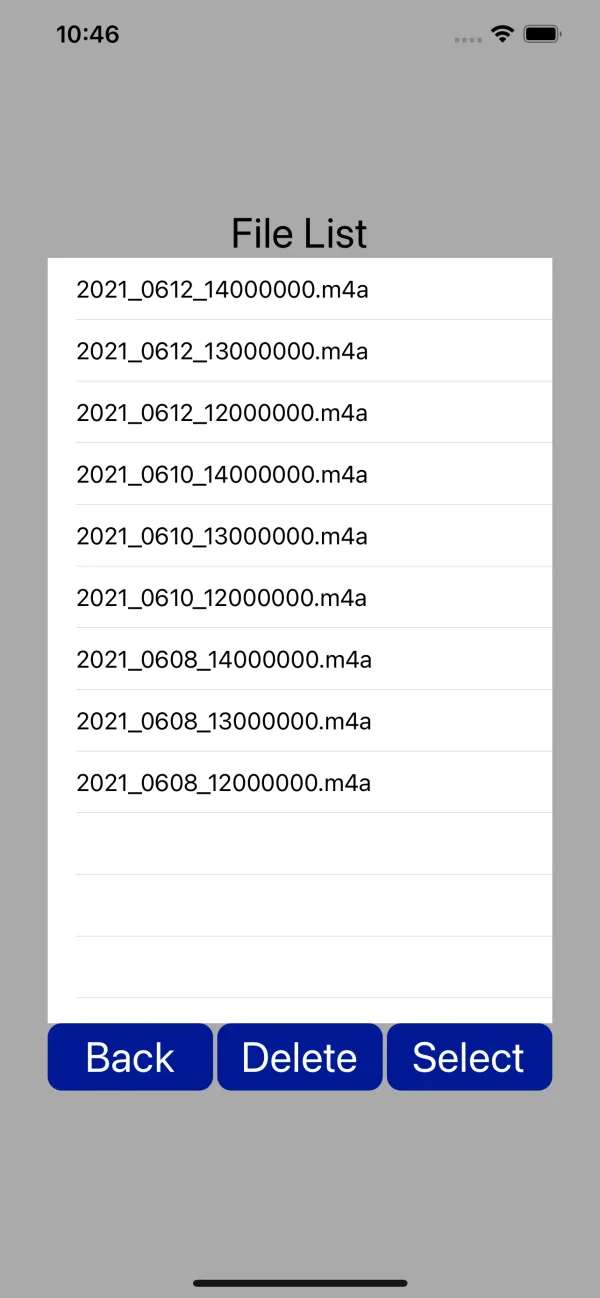
This is an App that decodes Morse code input from the microphone.
I recommend that you try the basic functions and usage with the free version before purchasing.
It is a Morse practice App that you can use to check if you are keying the correct code.
Signals with good S/N can be decoded correctly, but signals with bad S/N cannot be decoded correctly.
Also, the performance will be degraded for extremely slow or fast signals.
Usually about 5 to 10 characters are required for speed synchronization of Morse Code.
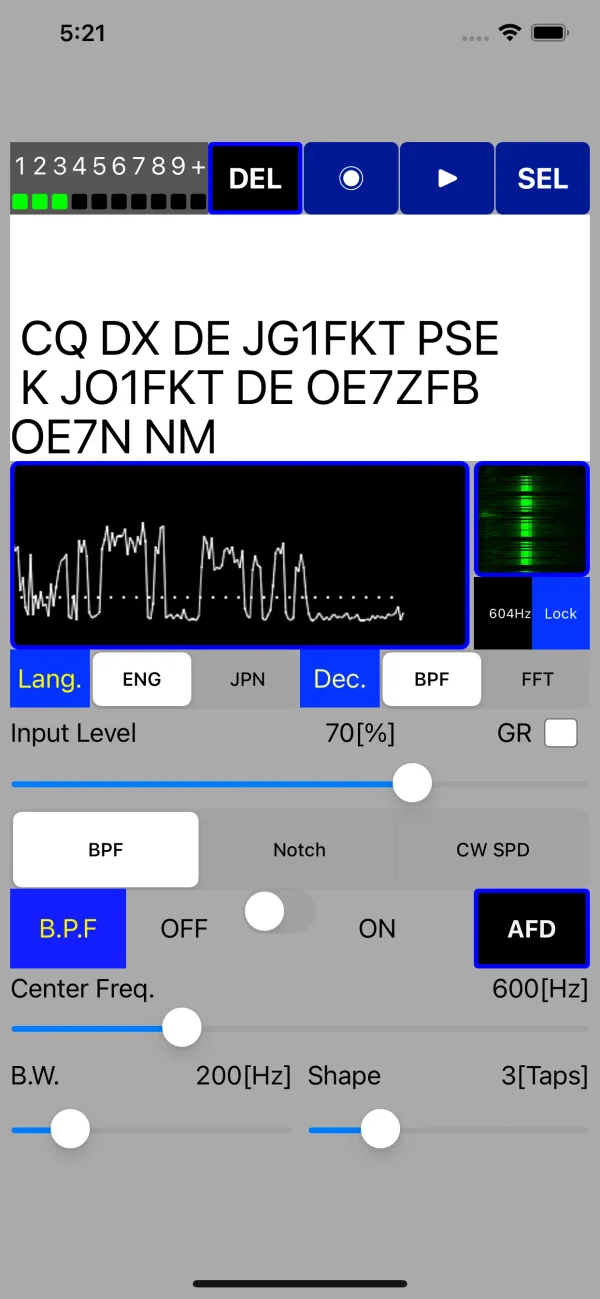
Adjust the input signal so that the peak value changes from level 6 to level 7.
Make fine adjustments to each parameter according to the reception status.
[Additional Functions]
-In addition to the decoder using BPF, a new decoder using FFT has been added so that it can be switched according to the usage.
-AFD (Auto Frequency Detector) function has been added to the decoder using BPF, and BPF can be set automatically by pressing the AFD button.
-The decoder using FFT automatically follows the strongest signal in the band by AFD (Auto Frequency Detector) and AGC (Auto Gain Control). You can also hold the AFD / AGC parameters by pressing the Lock button.
* There will be a time lag of about 1 to 2 seconds for AFD tracking.
* The Pro version also supports waterfall display.
[Control parameters]
1.Language select English and Japanese(KANA)
2.Audio Input Level
3.BPF ON/OFF
4.BPF of Center Frequency
5.BPF of Band Width
6.BPF of Shape
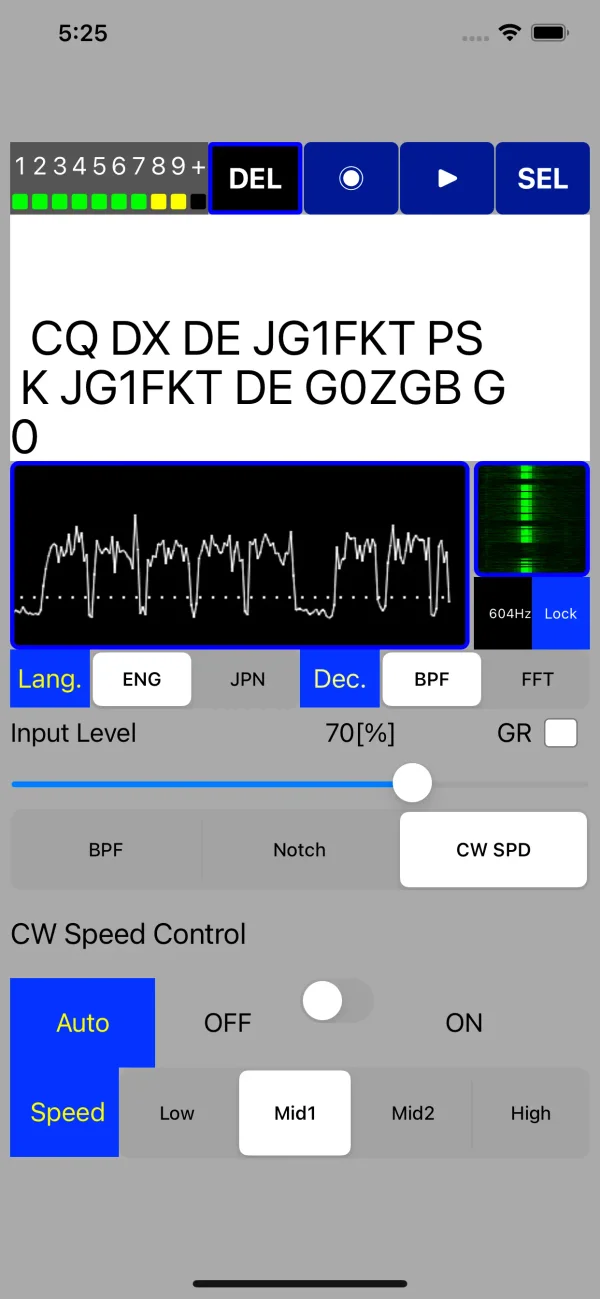
7.Notch ON/OFF
8.Notch of Center Frequency
9.CW Speed Control ON/OFF
10.CW Speed Control Low, Mid1, Mid2 or High
11.Delete All Decoded Text
12.Realtime CW Signal Display
13.Input signal recording function.
14.Playback function from the file list.
15.Support the Garbage Data reduction function
[Note]
Since the signal after BPF is output to the audio output, it can also be used as an AF-CW filter.
[URL of this App(Free version) working example video]
The GUI is slightly different, but the basic functionality is the same.
https://youtu.be/Pwp7W4m-m34
Nouveautés
Version 3.1.0 · 30/08/2026
Update the Morse Decoder Logic both Old-UI and SwiftUI.
Confidentialité de l’application
Ce que koji kamogawa déclare sur l’App Store au sujet du traitement des données par cette application.
-
Données non collectées
Le développeur ne collecte aucune donnée à partir de cette application.
Les pratiques en matière de confidentialité peuvent varier, notamment en fonction des fonctionnalités que vous utilisez ou de votre âge.
Informations
- Vendeur
- koji kamogawa
- Catégorie
- Éducation
- Version
- 3.1.0
- Mis à jour
- 30/08/2026
- Publié
- 30/06/2020
- Taille
- 1,4 Mo
- Nécessite
- iOS 17.0 ou version ultérieure
- Classification d’âge
- 17+
- Prix
- 1,99 €
- Langues
- Anglais, Japonais
- Copyright
- © 2026, Koji Kamogawa
Vous aimerez peut-être aussi
-
 intelli-Morse / Morese AnalyzeÉducation
-
 Mechanical Engr Dict (Jpn-Eng)Références
-
 MorsePlayÉducation
-
 回路計算機Éducation
-
 Signal Ark: SETI ExplorerÉducation
-
 CW Morse Code Exam Prep 2025Éducation
-
 Math workout brain puzzleÉducation
-
 CW Runner QTRealistic CW Contest Trainer
-
 HamOperatorsRéférences
-
 Identification SerpentsScanner serpents & ID espèces