scanAll - Document Scanner
Search Text Inside Your Scans
Conçue pour iPhone
Gratuit
- Classification d’âge4+
- CatégorieProductivité
- DéveloppeurJonghyun Kim
- LanguesAnglais+ 2 de plus
- Taille9,6 Mo
Renvoie vers la page App Store officielle
Download.org n’héberge aucun fichier de scanAll - Document Scanner. Le bouton ouvre la page de l’application sur App Store, où Jonghyun Kim la publie. Fiche vérifiée pour la dernière fois le 23/11/2026.
Captures d’écran
À propos
Le développeur n’a pas fourni ce texte dans votre langue.
Most scanner apps are where documents go to be forgotten. scanAll reads every page you scan — right on your iPhone — so you can find any document by what's written inside it.
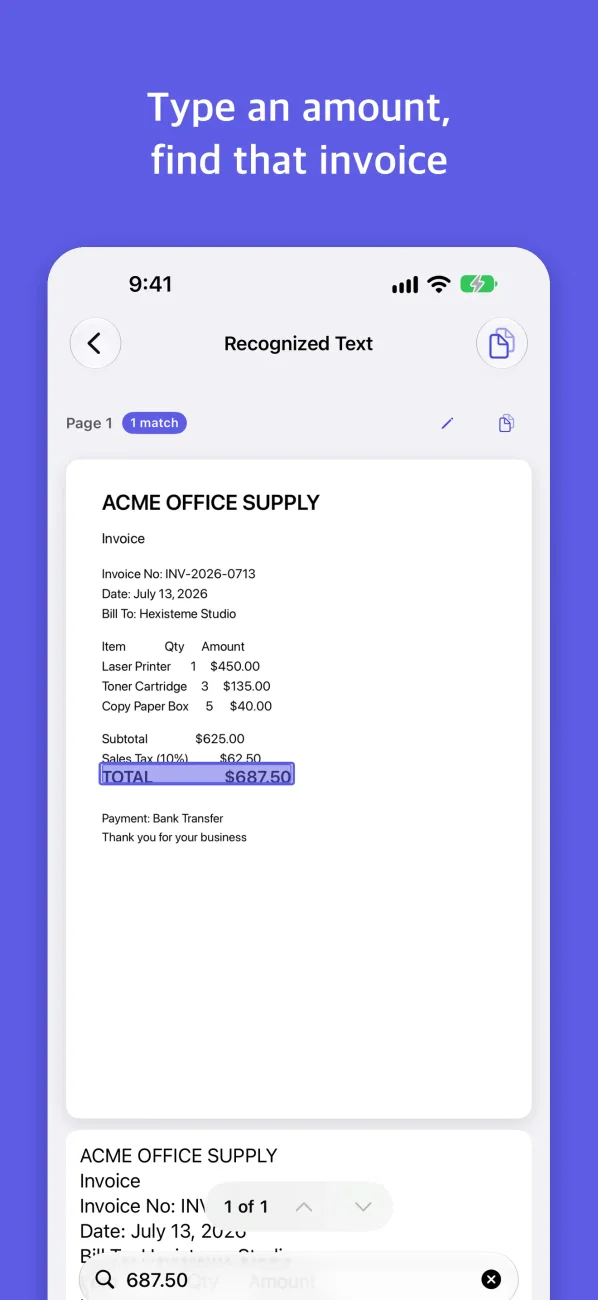
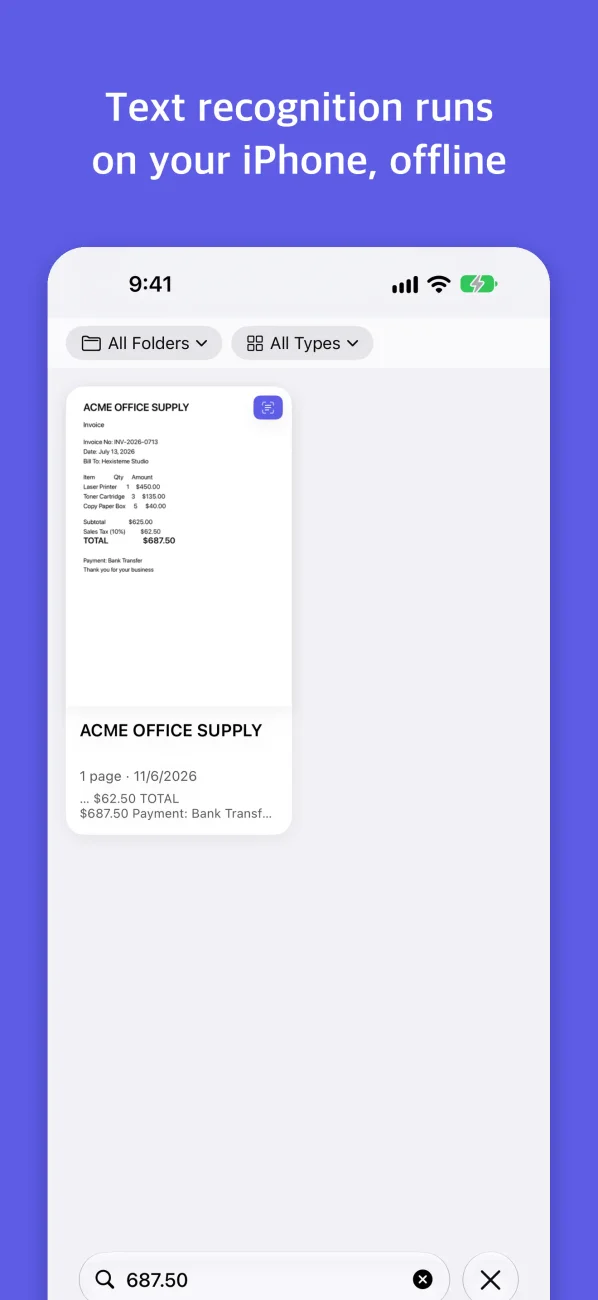
Search "687.50" and the invoice comes right up, with the amount highlighted on the page.
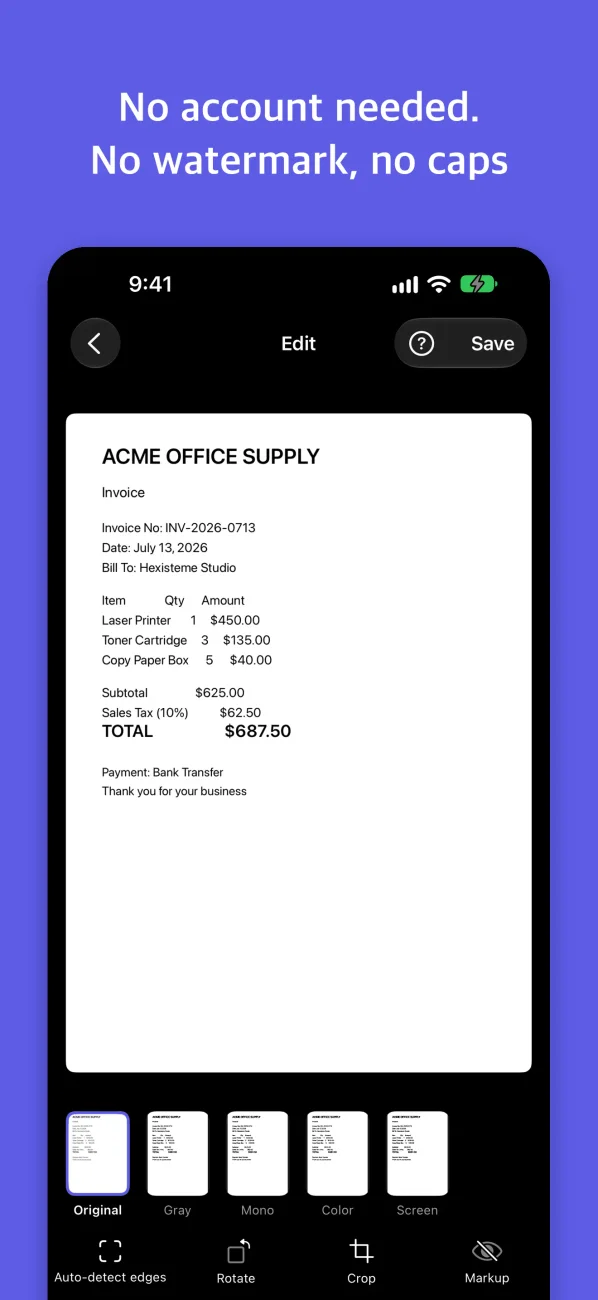
And every feature is free. No paywall, no subscription, no in-app purchase, no forced watermark, no scan limit, no account.
FIND ANYTHING
• Full-text search across your library — by the words inside your scans, not just the filename
• Results open on the matching page, highlighted
• Ask "How much was the deposit?" — Find in Documents shows the line where each document says it, flags documents that disagree (best in Korean and English)
• Select and copy any recognized text
• Documents are named from their contents (with on-device AI on iOS 26 when Apple Intelligence is on)
• Organize with folders and tags, and filter by them alongside search
• Documents sorted by kind on your device — Receipts, IDs, Business Cards, Finance, Contracts
• Find and open documents from Spotlight, Siri or Shortcuts
CAPTURE
• Camera scanning with automatic edge detection and perspective correction
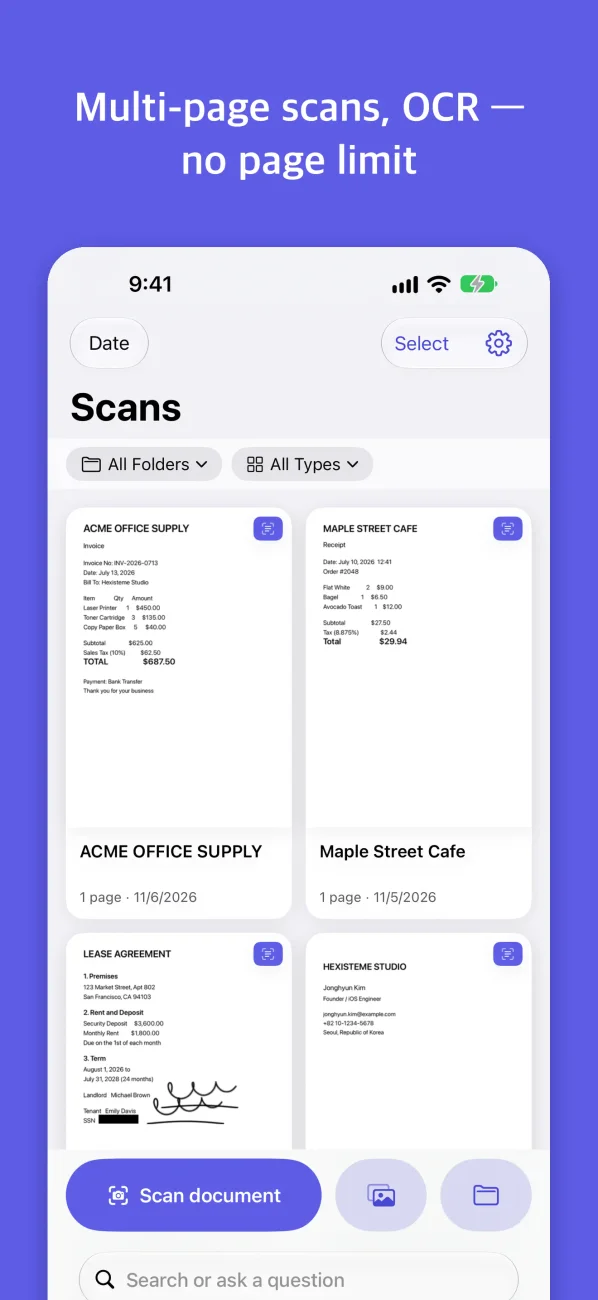
• Multi-page documents in a single scan, or import photos from your library
• Bring in PDFs and images from Files or Mail ("Open in scanAll") — one document per file, every page searchable like a scan
• Text recognition runs in the background — your scan appears instantly
• Start scanning from Shortcuts, Siri ("Start a scan in scanAll"), or a Lock Screen and Control Center control (iOS 18 or later)
EDIT
• Automatic and manual crop, perspective correction and rotation
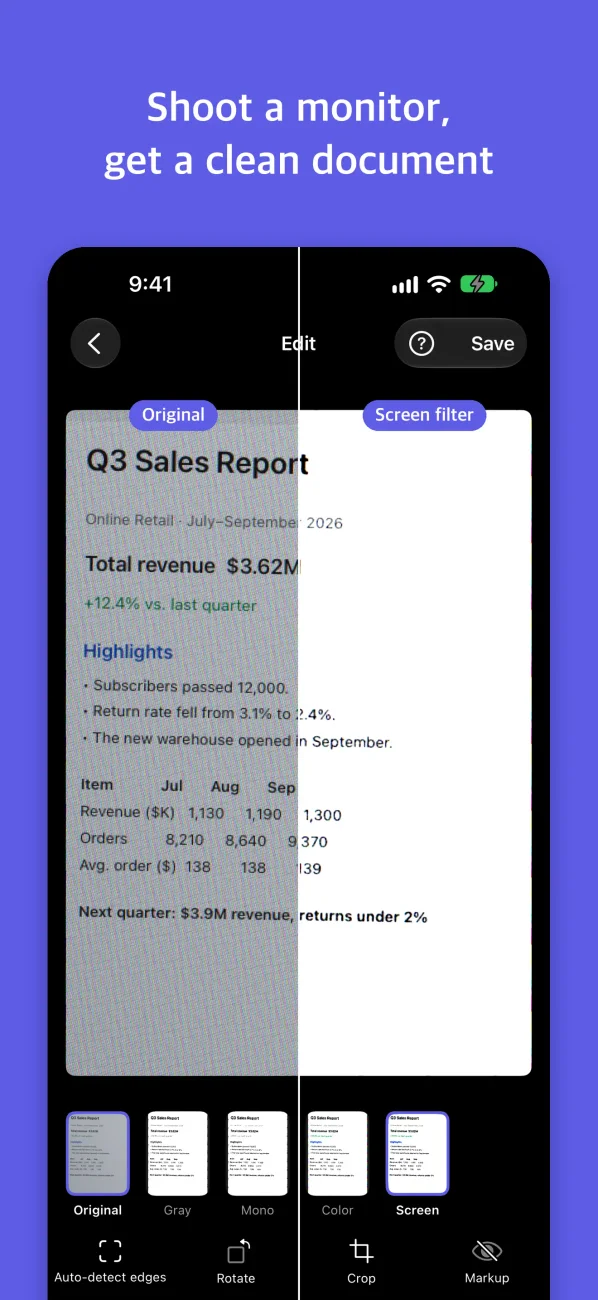
• Five filters, previewed on your page: Original, Grayscale, Mono, Color, Screen
• Delete, reorder, or re-capture individual pages
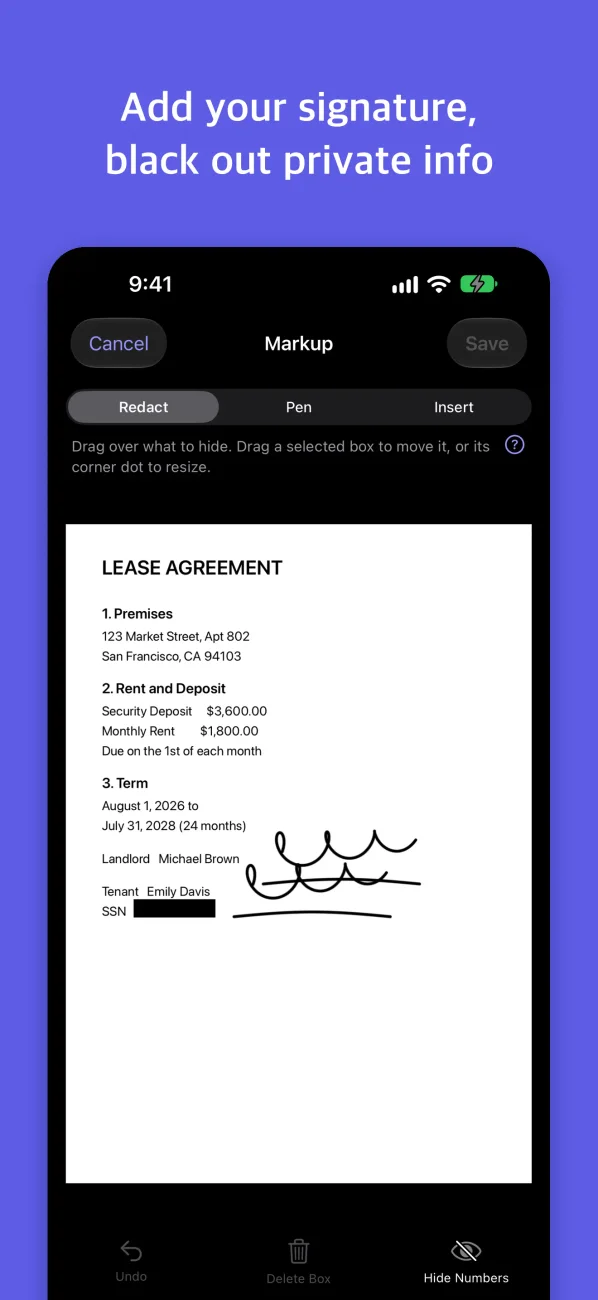
• Redact — text under a blacked-out area is left out of search, copying and exports
• Hide Numbers — blacks out sensitive digits of Korean ID, card, account, license and passport numbers
• Add pen, highlighter, signatures, stamps and text boxes — signatures are saved on your device for reuse
• Stamp & Signature Photos — keep only the ink of a stamp or signature on paper, as a transparent image
• Correct recognized text — your fixes carry into search, copying, searchable PDF and text exports
• Edit Text — replace a recognized line with new text in a matching size, weight and color
RECEIPTS AND BUSINESS CARDS
• Expenses (Korean won receipts only) — amount, date, merchant and business number from receipts, reviewed by date and exported to Excel (XLSX)
• Save a scanned business card as a new contact with the name, title, company, phone and email filled in
EXPORT
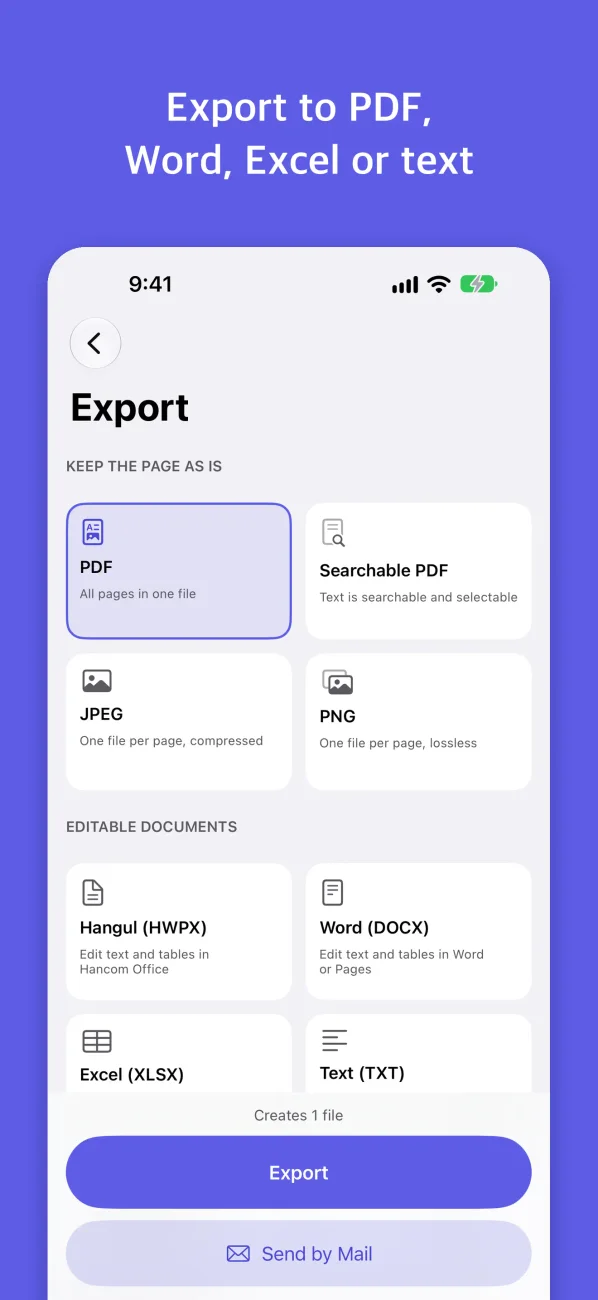
• PDF — original size, A4 or US Letter
• Searchable PDF — the embedded text layer stays searchable everywhere
• JPEG and PNG, or save pages straight to Photos
• Hangul (HWPX), Word (DOCX), Excel (XLSX) and plain text — text and tables carried over so you can edit them
• Review tables before exporting; attach files to a new email in one tap, or save to Files (iCloud Drive, Google Drive and more)
• Quality options for PDF and image exports; see the file size, and send a compact copy when mail attachments run large
• Password-lock PDFs, add page numbers or a watermark, and put both sides of an ID card on one page at actual size
ON-DEVICE & PRIVATE
• Text recognition runs entirely on your iPhone, in your iPhone's languages
• No account, no sign-in — documents stay on your device, not in a cloud
• Back up the whole library to one file in Files, and restore it on a new iPhone
• App Lock with Face ID, Touch ID or passcode — while it's on, documents stay out of Spotlight
• Your documents and recognized text are never sent anywhere — files go out by email or to a drive only when you choose
• The library screen shows ads — personalized only if you allow tracking, and no ads on the scan, edit or export screens
• Works offline — only email, drive transfers and ads use the network
Free. Private. And your scans are finally findable.
Nouveautés
Version 1.16.1 · 14/11/2026
Photos of a computer screen now come out clean: white background and black text, with no yellow haze around the letters.
Paper shot under warm or cool light keeps gray text neutral, while real colors like blue ink and red stamps stay.
Editing tools are now split clearly: Adjust changes the picture itself (edges, rotate, crop, eraser), and Markup adds things on top (redact, pen, signature, stamp, text box).
The new eraser rubs out smudges and anything you didn't mean to scan, filling the spot with the surrounding paper color.
Change Text in Image now opens from the pencil button on the text screen.
Confidentialité de l’application
Ce que Jonghyun Kim déclare sur l’App Store au sujet du traitement des données par cette application.
-
Données utilisées pour vous suivre
Peuvent être utilisées pour vous suivre sur des applications et des sites web appartenant à d’autres sociétés.
- Identifiants
- Données d’utilisation
-
Données établissant un lien avec vous
Peuvent être collectées et liées à votre identité.
- Emplacement
- Identifiants
- Données d’utilisation
-
Données n’établissant aucun lien avec vous
Peuvent être collectées, mais ne sont pas liées à votre identité.
- Diagnostic
Les pratiques en matière de confidentialité peuvent varier, notamment en fonction des fonctionnalités que vous utilisez ou de votre âge.
Informations
- Vendeur
- Jonghyun Kim
- Catégorie
- Productivité
- Version
- 1.16.1
- Mis à jour
- 14/11/2026
- Publié
- 13/07/2026
- Taille
- 9,6 Mo
- Nécessite
- iOS 17.0 ou version ultérieure
- Classification d’âge
- 4+
- Prix
- Gratuit
- Langues
- Anglais, Japonais, Coréen
- Copyright
- © 2026 hexisteme
Vous aimerez peut-être aussi
-
 LocalScan by devk061Productivité
-
 Honest Scanner: PDF & OCRProductivité
-
 FlipScan: Book & Notes ScannerProductivité
-
 Aura MeetProductivité
-
 Scanr Lens — Document ScannerProductivité
-
 Xcelify: Scan Tables to SheetsProductivité
-
 Scan Cam PDF : Scanner, OCRDocuments nets, hors ligne
-
 Clearcan : Scanner PDFNumériser et chercher le texte
-
 Nescanner – Scan de documentsScanner PDF, tout hors ligne