scanAll - Document Scanner
Search Text Inside Your Scans
Dirancang untuk iPhone
Gratis
- Batasan usia4+
- KategoriProduktivitas
- PengembangJonghyun Kim
- BahasaInggris+ 2 lainnya
- Ukuran9,6 MB
Tertaut ke halaman resmi App Store
Download.org tidak menyimpan file scanAll - Document Scanner apa pun. Tombol ini membuka halaman aplikasi di App Store, tempat Jonghyun Kim menerbitkannya. Halaman terakhir diperiksa pada 23/11/2026.
Tangkapan layar
Tentang
Pengembang belum menyediakan teks ini dalam bahasa Anda.
Most scanner apps are where documents go to be forgotten. scanAll reads every page you scan — right on your iPhone — so you can find any document by what's written inside it.
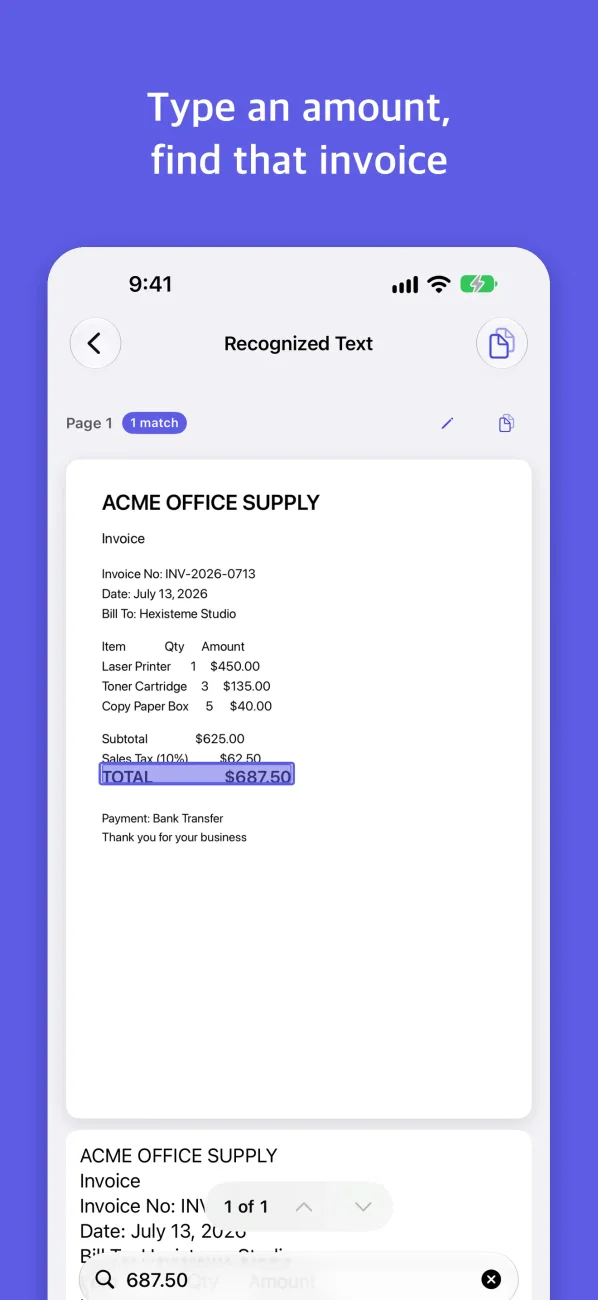
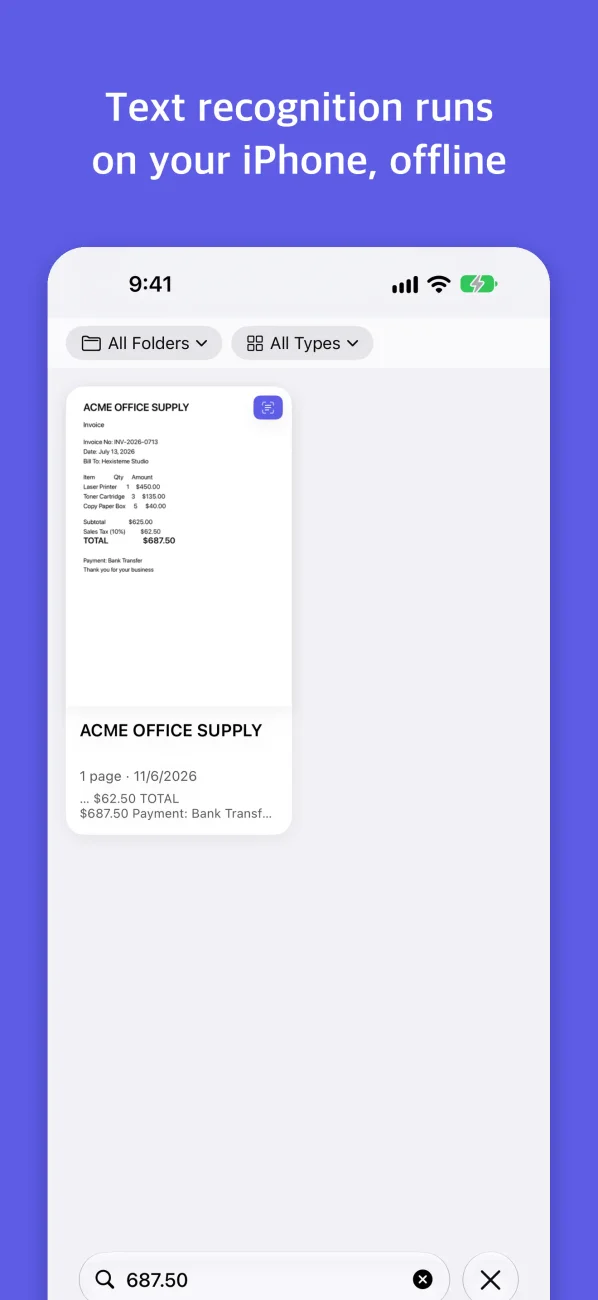
Search "687.50" and the invoice comes right up, with the amount highlighted on the page.
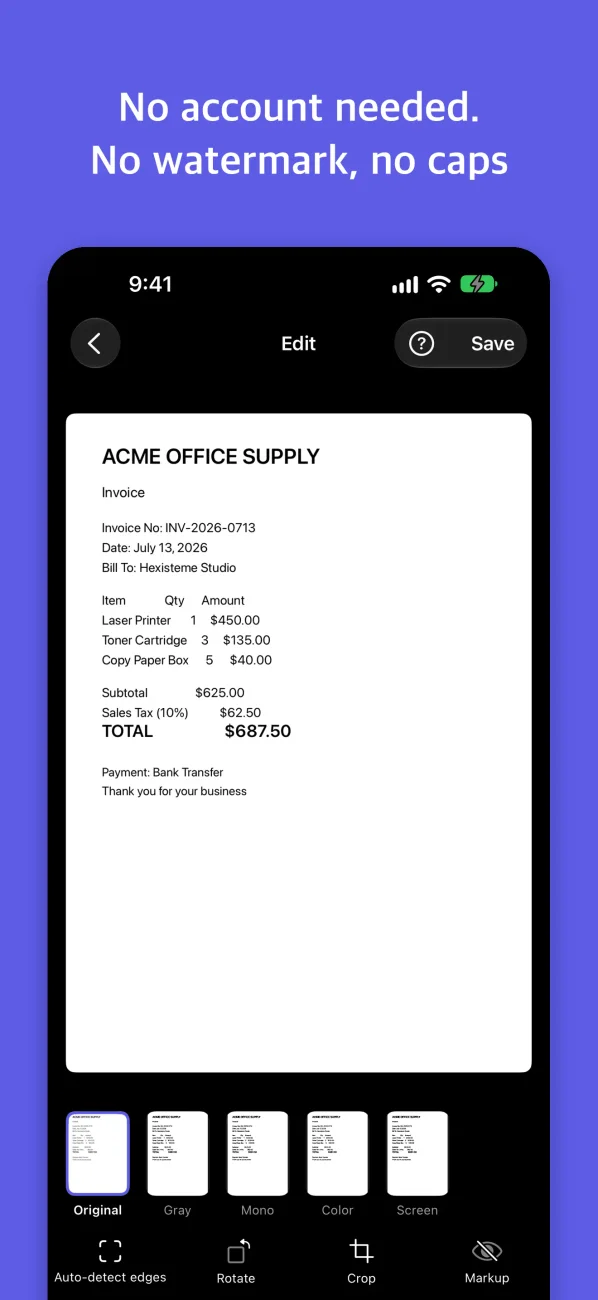
And every feature is free. No paywall, no subscription, no in-app purchase, no forced watermark, no scan limit, no account.
FIND ANYTHING
• Full-text search across your library — by the words inside your scans, not just the filename
• Results open on the matching page, highlighted
• Ask "How much was the deposit?" — Find in Documents shows the line where each document says it, flags documents that disagree (best in Korean and English)
• Select and copy any recognized text
• Documents are named from their contents (with on-device AI on iOS 26 when Apple Intelligence is on)
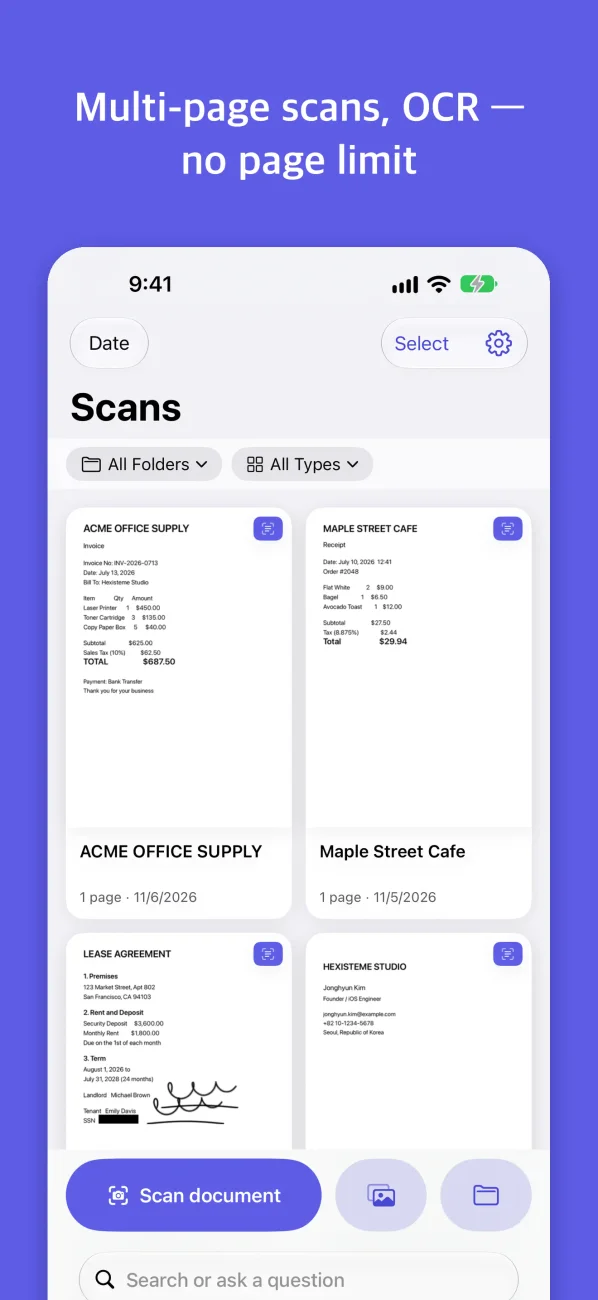
• Organize with folders and tags, and filter by them alongside search
• Documents sorted by kind on your device — Receipts, IDs, Business Cards, Finance, Contracts
• Find and open documents from Spotlight, Siri or Shortcuts
CAPTURE
• Camera scanning with automatic edge detection and perspective correction
• Multi-page documents in a single scan, or import photos from your library
• Bring in PDFs and images from Files or Mail ("Open in scanAll") — one document per file, every page searchable like a scan
• Text recognition runs in the background — your scan appears instantly
• Start scanning from Shortcuts, Siri ("Start a scan in scanAll"), or a Lock Screen and Control Center control (iOS 18 or later)
EDIT
• Automatic and manual crop, perspective correction and rotation
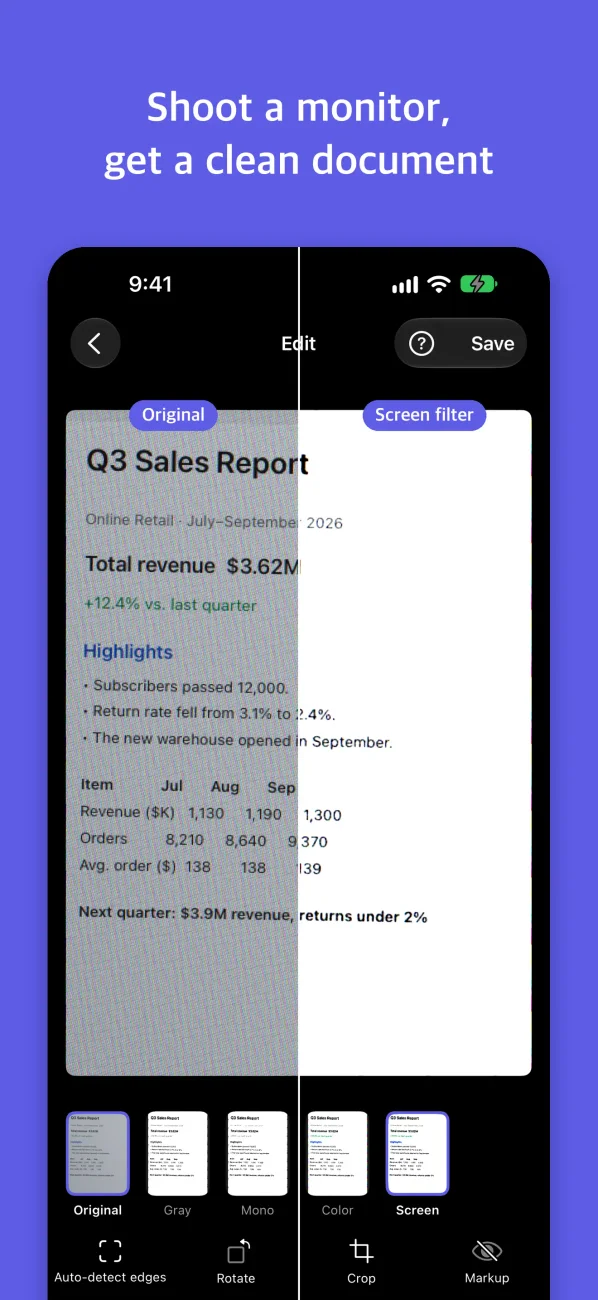
• Five filters, previewed on your page: Original, Grayscale, Mono, Color, Screen
• Delete, reorder, or re-capture individual pages
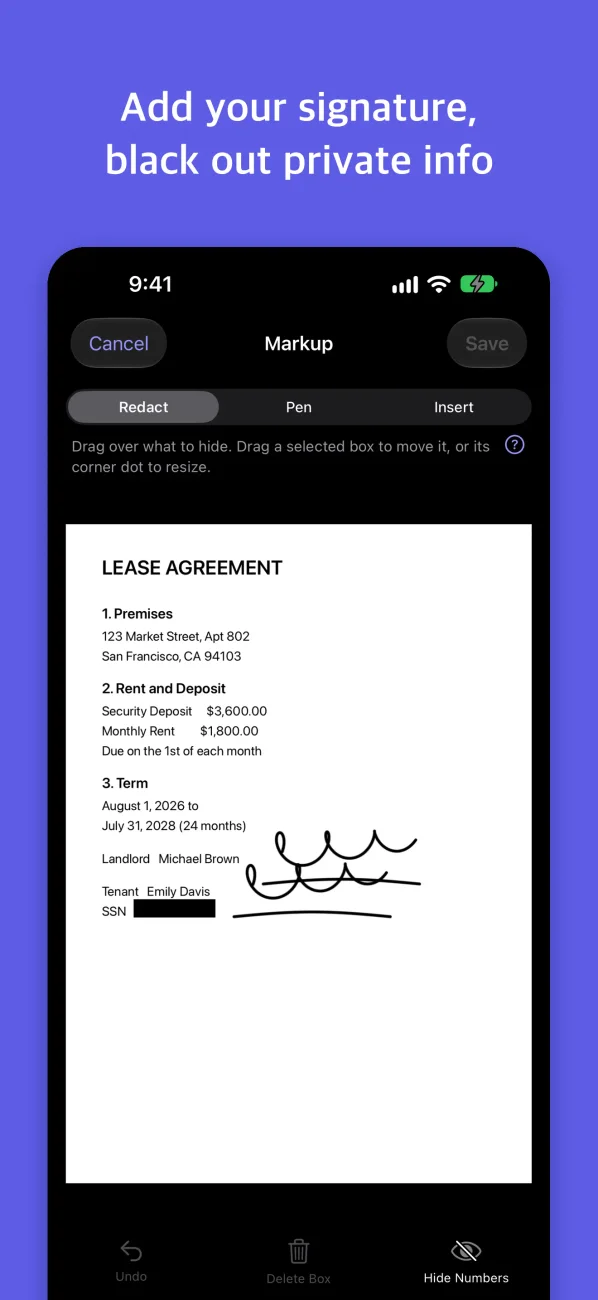
• Redact — text under a blacked-out area is left out of search, copying and exports
• Hide Numbers — blacks out sensitive digits of Korean ID, card, account, license and passport numbers
• Add pen, highlighter, signatures, stamps and text boxes — signatures are saved on your device for reuse
• Stamp & Signature Photos — keep only the ink of a stamp or signature on paper, as a transparent image
• Correct recognized text — your fixes carry into search, copying, searchable PDF and text exports
• Edit Text — replace a recognized line with new text in a matching size, weight and color
RECEIPTS AND BUSINESS CARDS
• Expenses (Korean won receipts only) — amount, date, merchant and business number from receipts, reviewed by date and exported to Excel (XLSX)
• Save a scanned business card as a new contact with the name, title, company, phone and email filled in
EXPORT
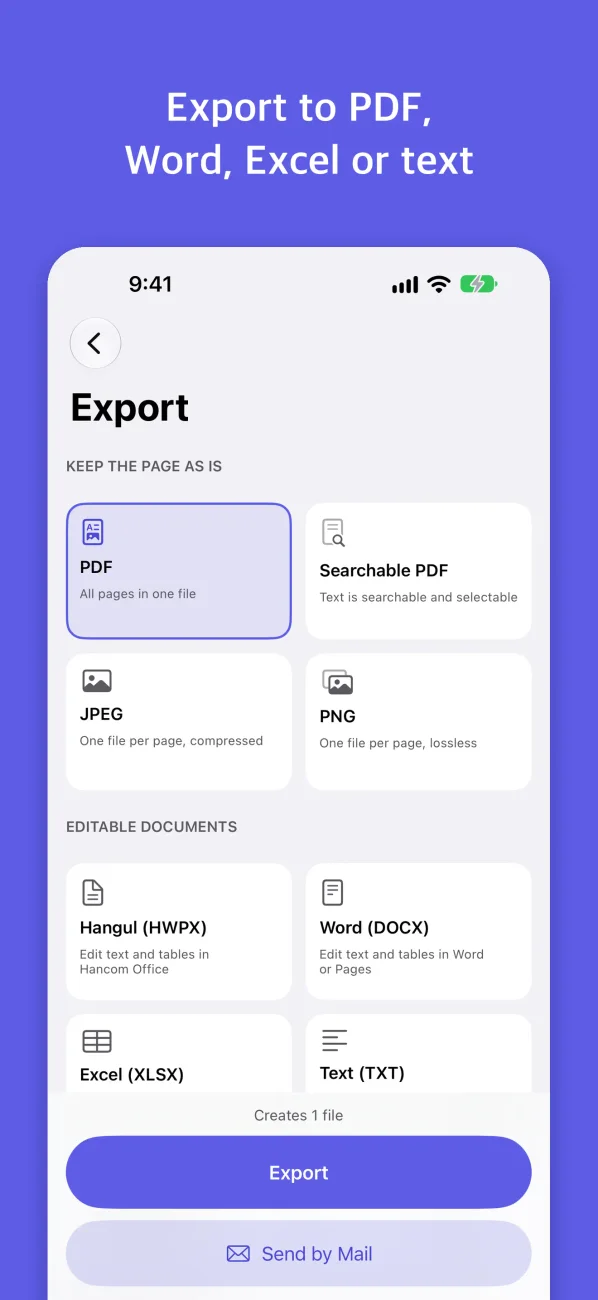
• PDF — original size, A4 or US Letter
• Searchable PDF — the embedded text layer stays searchable everywhere
• JPEG and PNG, or save pages straight to Photos
• Hangul (HWPX), Word (DOCX), Excel (XLSX) and plain text — text and tables carried over so you can edit them
• Review tables before exporting; attach files to a new email in one tap, or save to Files (iCloud Drive, Google Drive and more)
• Quality options for PDF and image exports; see the file size, and send a compact copy when mail attachments run large
• Password-lock PDFs, add page numbers or a watermark, and put both sides of an ID card on one page at actual size
ON-DEVICE & PRIVATE
• Text recognition runs entirely on your iPhone, in your iPhone's languages
• No account, no sign-in — documents stay on your device, not in a cloud
• Back up the whole library to one file in Files, and restore it on a new iPhone
• App Lock with Face ID, Touch ID or passcode — while it's on, documents stay out of Spotlight
• Your documents and recognized text are never sent anywhere — files go out by email or to a drive only when you choose
• The library screen shows ads — personalized only if you allow tracking, and no ads on the scan, edit or export screens
• Works offline — only email, drive transfers and ads use the network
Free. Private. And your scans are finally findable.
Yang baru
Versi 1.16.1 · 14/11/2026
Photos of a computer screen now come out clean: white background and black text, with no yellow haze around the letters.
Paper shot under warm or cool light keeps gray text neutral, while real colors like blue ink and red stamps stay.
Editing tools are now split clearly: Adjust changes the picture itself (edges, rotate, crop, eraser), and Markup adds things on top (redact, pen, signature, stamp, text box).
The new eraser rubs out smudges and anything you didn't mean to scan, filling the spot with the surrounding paper color.
Change Text in Image now opens from the pencil button on the text screen.
Privasi aplikasi
Yang dinyatakan Jonghyun Kim di App Store tentang cara aplikasi ini menangani data.
-
Data yang digunakan untuk melacak Anda
Dapat digunakan untuk melacak Anda di aplikasi dan situs web milik perusahaan lain.
- Pengenal
- Data penggunaan
-
Data yang ditautkan dengan Anda
Dapat dikumpulkan dan ditautkan dengan identitas Anda.
- Lokasi
- Pengenal
- Data penggunaan
-
Data yang tidak ditautkan dengan Anda
Dapat dikumpulkan, tetapi tidak ditautkan dengan identitas Anda.
- Diagnostik
Praktik privasi dapat bervariasi, misalnya berdasarkan fitur yang Anda gunakan atau usia Anda.
Informasi
- Penjual
- Jonghyun Kim
- Kategori
- Produktivitas
- Versi
- 1.16.1
- Diperbarui
- 14/11/2026
- Dirilis
- 13/7/2026
- Ukuran
- 9,6 MB
- Memerlukan
- iOS 17.0 atau yang lebih baru
- Batasan usia
- 4+
- Harga
- Gratis
- Bahasa
- Inggris, Jepang, Korea
- Hak cipta
- © 2026 hexisteme
Mungkin Anda juga suka
-
 LocalScan by devk061Produktivitas
-
 Honest Scanner: PDF & OCRProduktivitas
-
 FlipScan: Book & Notes ScannerProduktivitas
-
 Aura MeetProduktivitas
-
 Scanr Lens — Document ScannerProduktivitas
-
 Xcelify: Scan Tables to SheetsProduktivitas
-
 Scan Cam PDF: Document ScannerProduktivitas
-
 Clearcan: PDF ScannerProduktivitas
-
 Nescanner – Scan DokumenPindai ke PDF + teks, offline