
ScanFlow: Doc Scanner & OCR
Offline scan · OCR · formulas
Conçue pour iPhone, iPad
Gratuit · Achats intégrés
- Classification d’âge4+
- CatégorieProductivité
- Développeur星然 许
- LanguesAnglais+ 1 de plus
- Taille578,1 Mo
Renvoie vers la page App Store officielle
Download.org n’héberge aucun fichier de ScanFlow: Doc Scanner & OCR. Le bouton ouvre la page de l’application sur App Store, où 星然 许 la publie. Fiche vérifiée pour la dernière fois le 23/11/2026.
Captures d’écran
À propos
Le développeur n’a pas fourni ce texte dans votre langue.
ScanFlow is a fully offline document scanner, OCR reader and formula recognizer for iPhone and iPad. No account, no sign-in, no network connection required.
FREE FOR 3 DAYS
Open the app and every feature is unlocked for 3 days. After the trial, scanning, filters, page management, PDF export and saving pages to Photos stay completely free. A single one-time purchase of US$2.99 permanently unlocks text & table extraction, Markdown / TXT / LaTeX export, formula recognition and smart ID photos. No subscription, no auto-renewal, ever. Purchases can be restored at any time.
SCAN
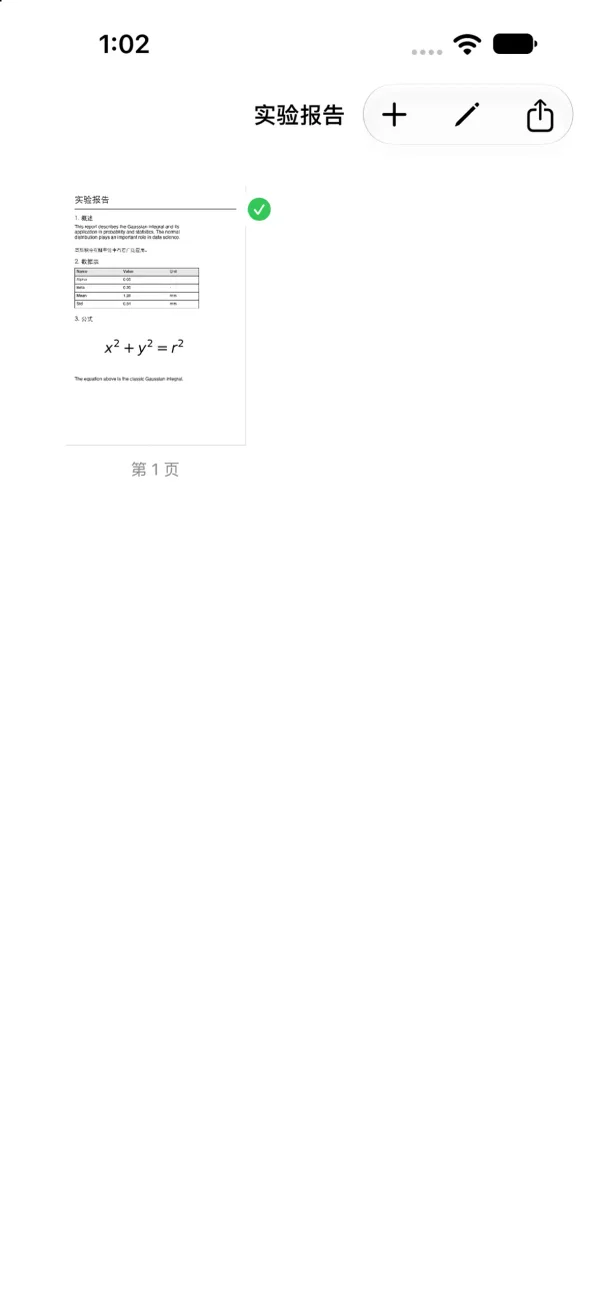
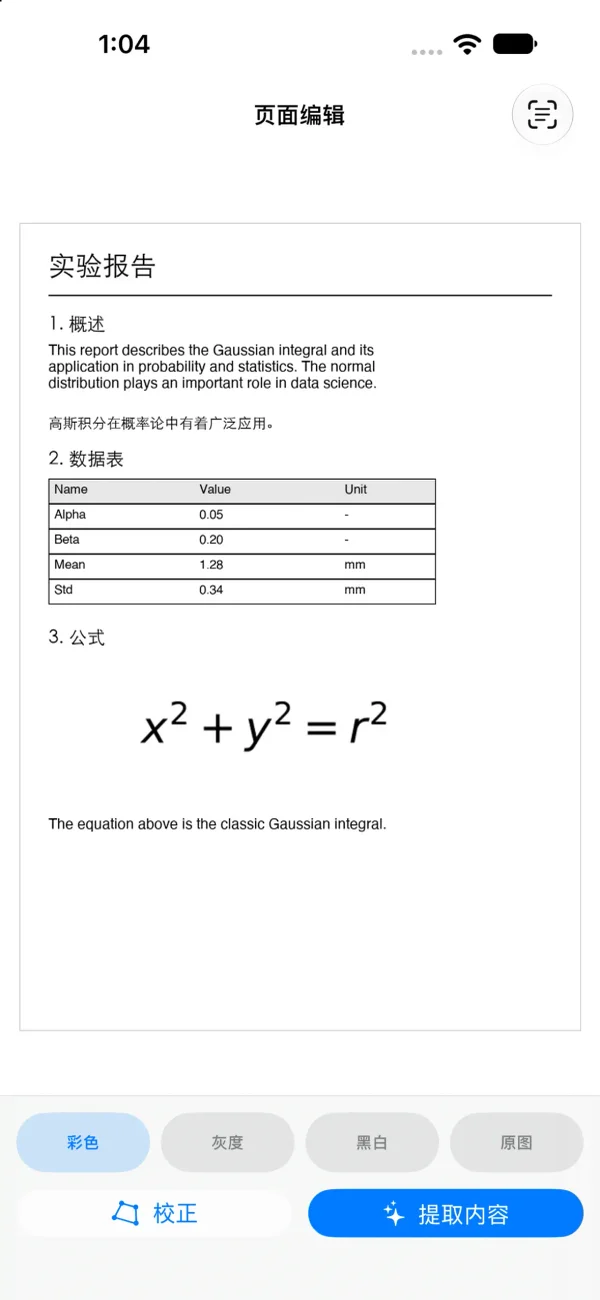
• Automatic edge detection with VisionKit, multi-page capture, and perspective correction for tilted shots.
• Built-in filters (colour, grayscale, black & white) applied in real time.
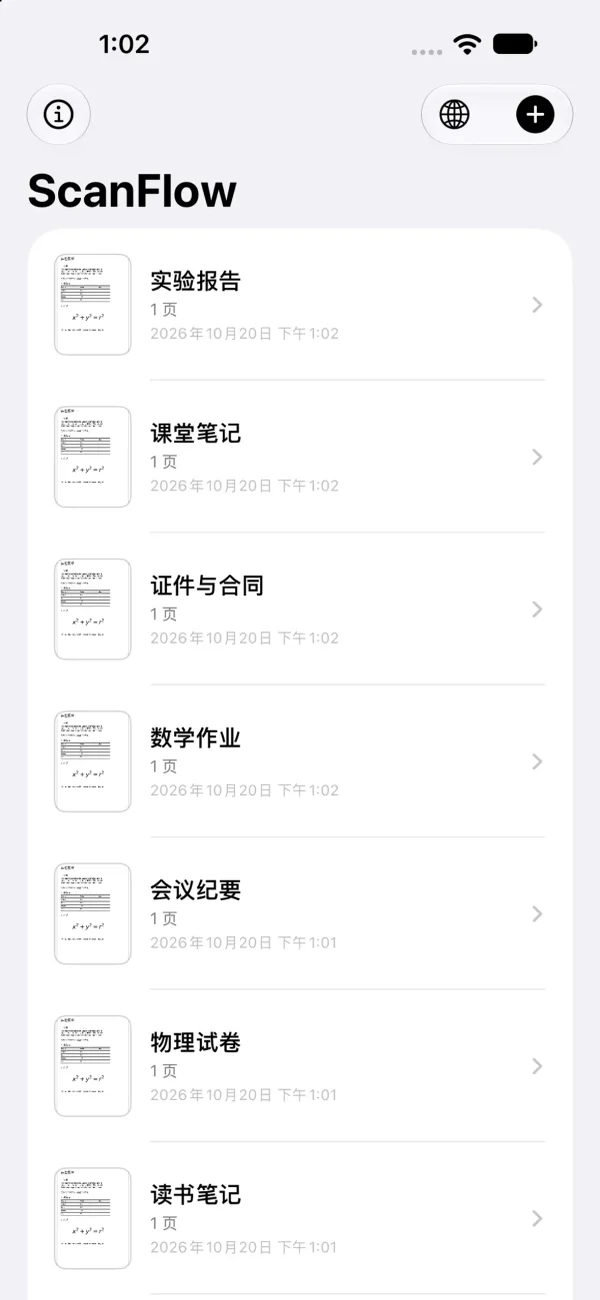
• Organise documents into pages: reorder, rotate, or delete a single page without touching the rest of the document.
EXTRACT
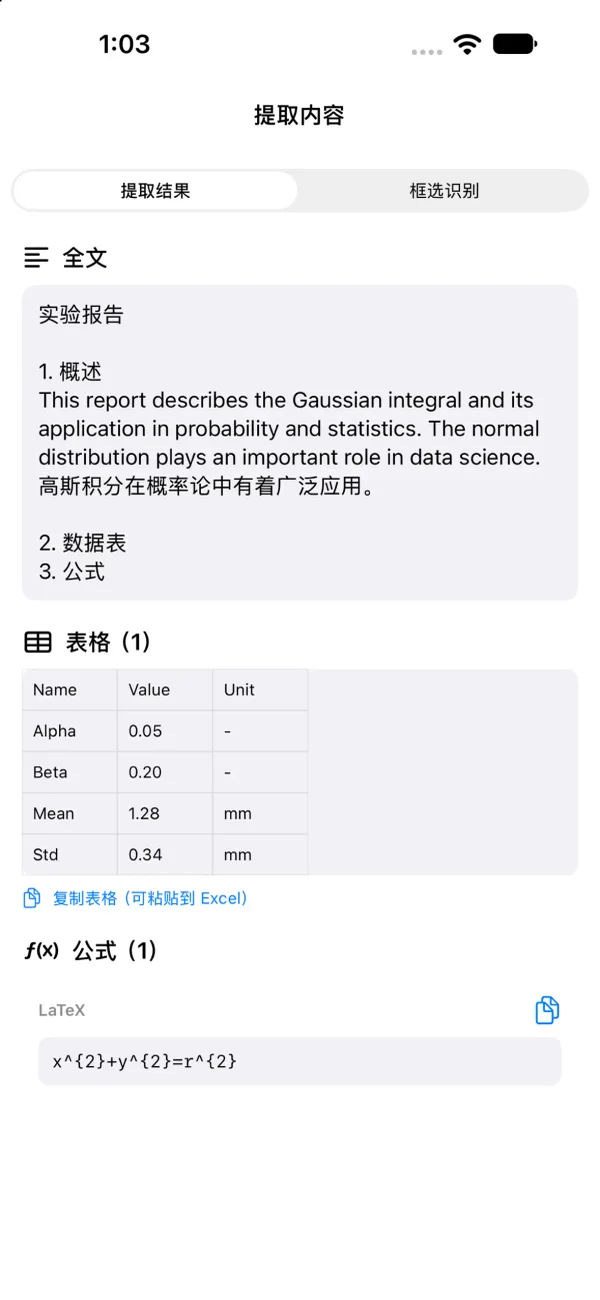
• On-device OCR pulls text, tables and inline images out of your scans.
• Formula recognition turns handwritten or printed equations into editable LaTeX.
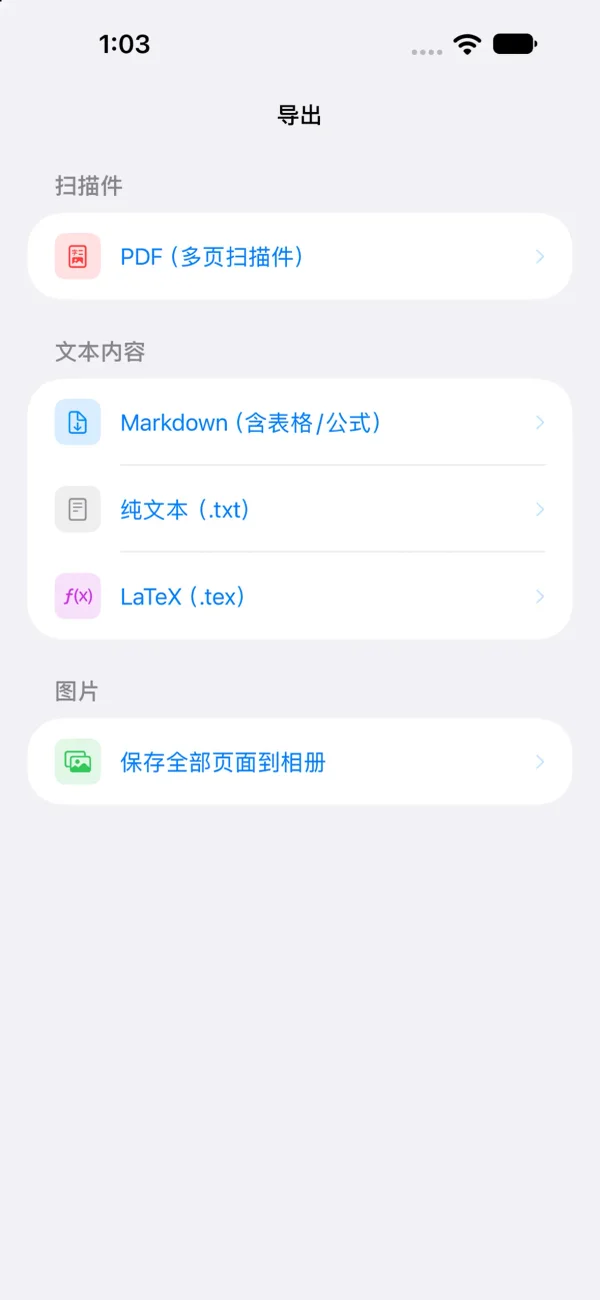
• Results can be exported as PDF, Markdown, plain text or LaTeX; PDFs and pages can also be saved straight to Photos.
ID PHOTO
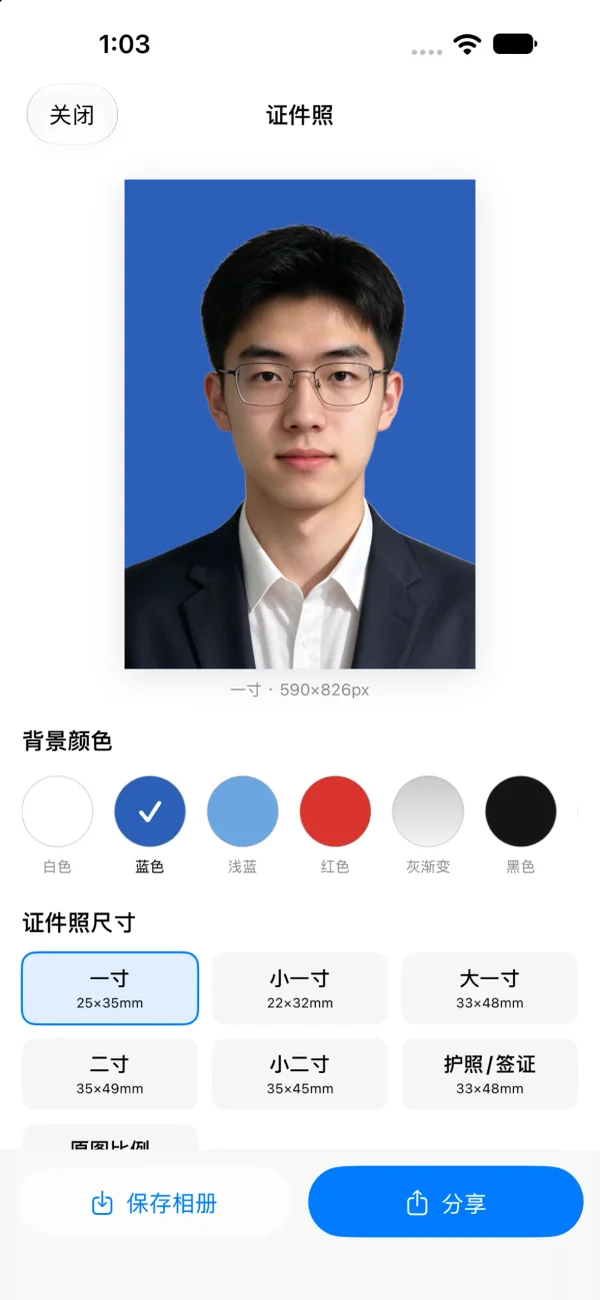
• Smart ID photo mode detects the subject and replaces the background with a clean colour of your choice.
PRIVACY BY DESIGN
• Scanning, OCR and formula recognition run entirely on your device using Apple frameworks and a local model.
• No analytics, no tracking, no data collected — the App Store privacy label reads “Data Not Collected”.
ScanFlow keeps your documents on your device and your attention on the page.
Nouveautés
Version 1.1.1 · 07/11/2026
Fixed the black screen and crash that happened when open
Confidentialité de l’application
Ce que 星然 许 déclare sur l’App Store au sujet du traitement des données par cette application.
-
Données non collectées
Le développeur ne collecte aucune donnée à partir de cette application.
Les pratiques en matière de confidentialité peuvent varier, notamment en fonction des fonctionnalités que vous utilisez ou de votre âge.
Informations
- Vendeur
- 星然 许
- Catégorie
- Productivité
- Version
- 1.1.1
- Mis à jour
- 07/11/2026
- Publié
- 26/10/2026
- Taille
- 578,1 Mo
- Nécessite
- iOS 27.0 ou version ultérieure
- Classification d’âge
- 4+
- Prix
- Gratuit
- Achats intégrés
- Oui
- Langues
- Anglais, Chinois simplifié
- Copyright
- © Xingran Xu