ScanFlow: Doc Scanner & OCR
Offline scan · OCR · formulas
Designed for iPhone, iPad
Free · In-app purchases
- Age rating4+
- CategoryProductivity
- Developer星然 许
- LanguagesEnglish+ 1 more
- Size578.1 MB
Links to the official App Store page
Download.org hosts no file of ScanFlow: Doc Scanner & OCR. The button opens its official App Store page, published by 星然 许. Listing last checked on Nov 23, 2026.
Screenshots
About
ScanFlow is a fully offline document scanner, OCR reader and formula recognizer for iPhone and iPad. No account, no sign-in, no network connection required.
FREE FOR 3 DAYS
Open the app and every feature is unlocked for 3 days. After the trial, scanning, filters, page management, PDF export and saving pages to Photos stay completely free. A single one-time purchase of US$2.99 permanently unlocks text & table extraction, Markdown / TXT / LaTeX export, formula recognition and smart ID photos. No subscription, no auto-renewal, ever. Purchases can be restored at any time.
SCAN
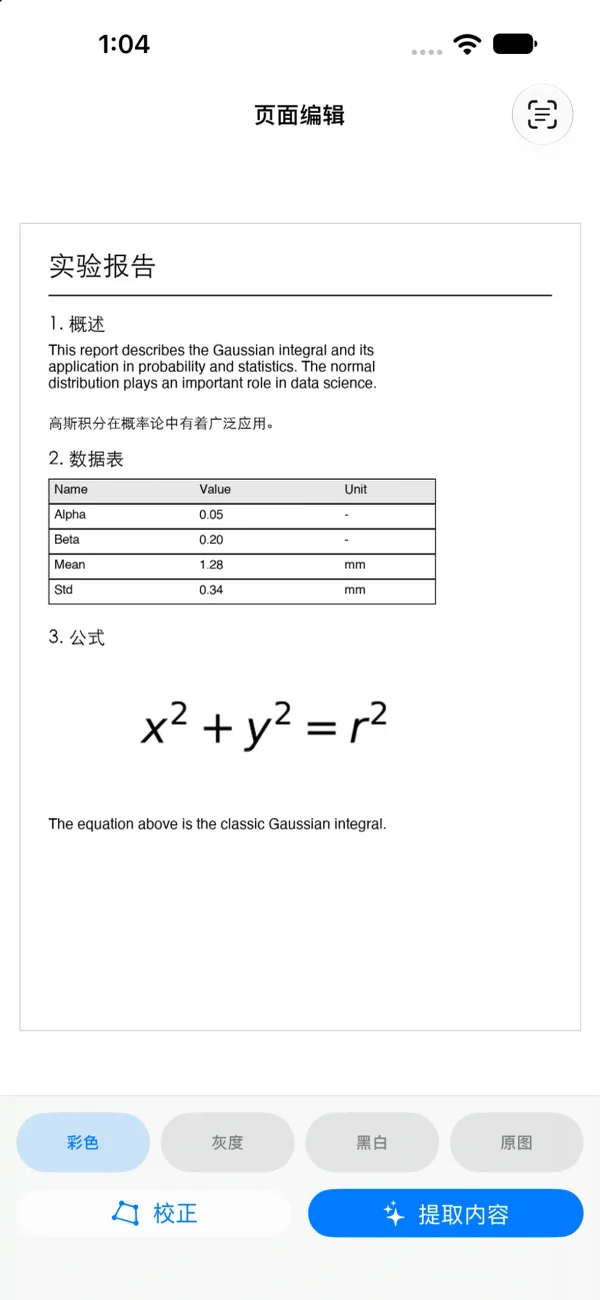
• Automatic edge detection with VisionKit, multi-page capture, and perspective correction for tilted shots.
• Built-in filters (colour, grayscale, black & white) applied in real time.
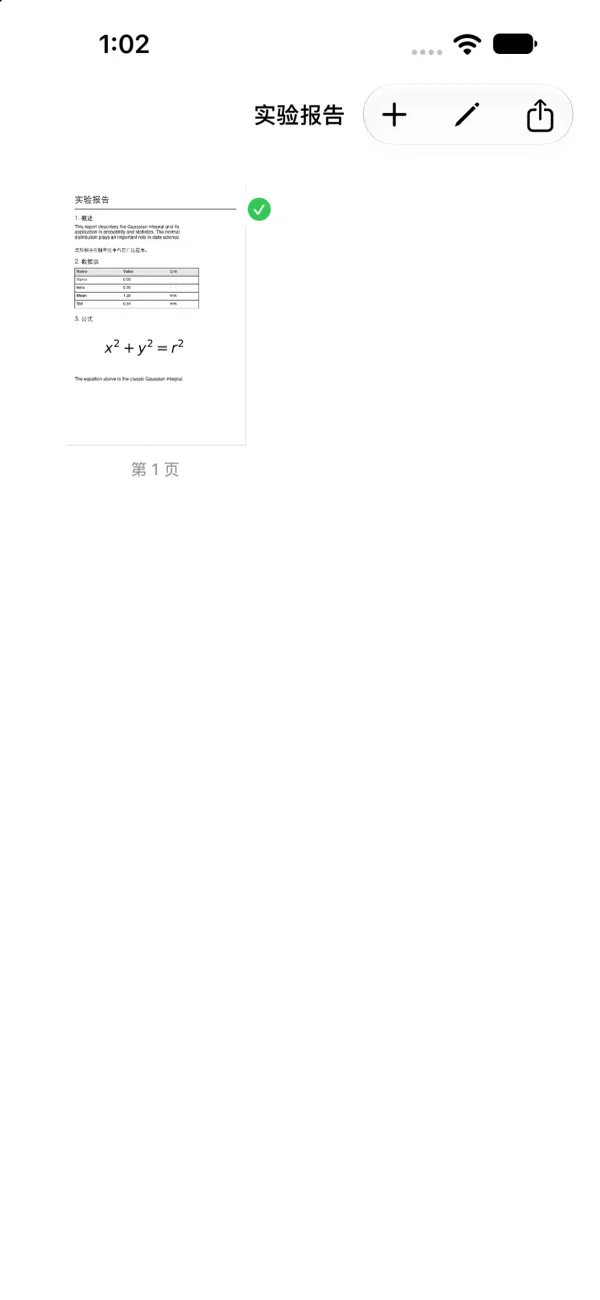
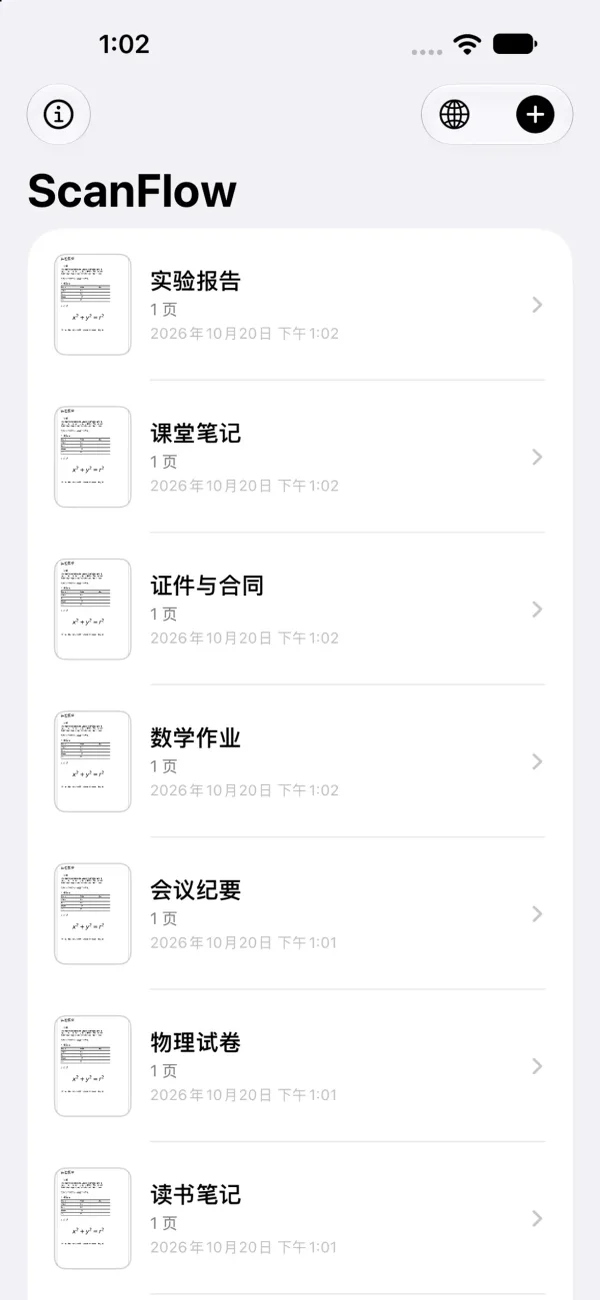
• Organise documents into pages: reorder, rotate, or delete a single page without touching the rest of the document.
EXTRACT
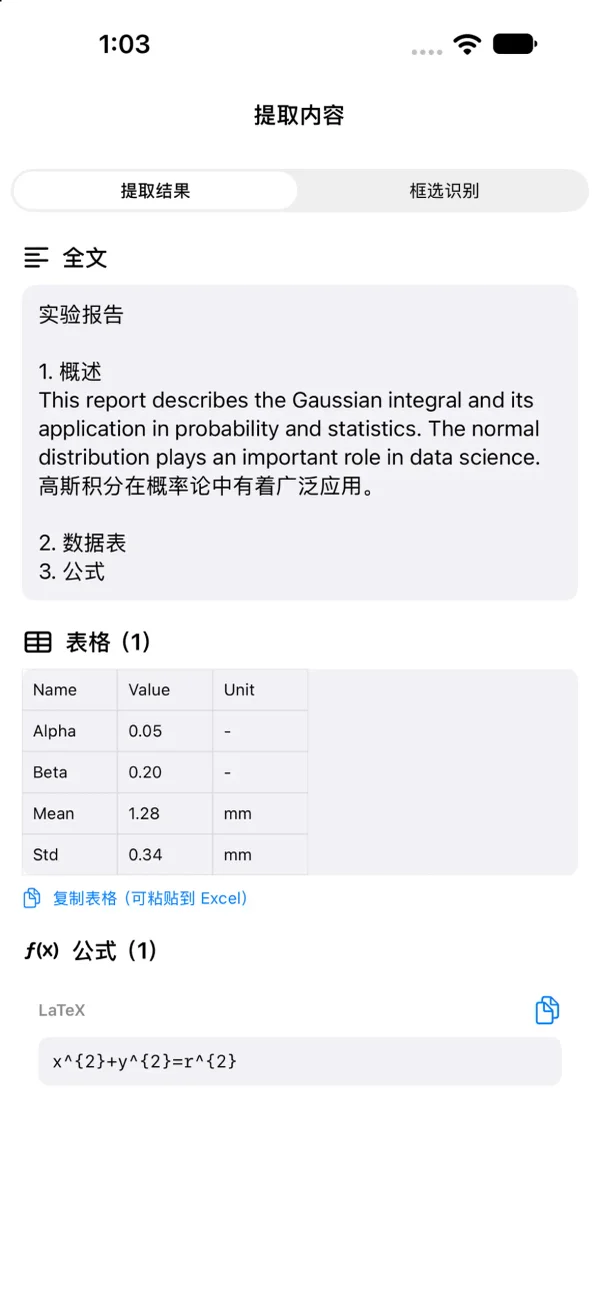
• On-device OCR pulls text, tables and inline images out of your scans.
• Formula recognition turns handwritten or printed equations into editable LaTeX.
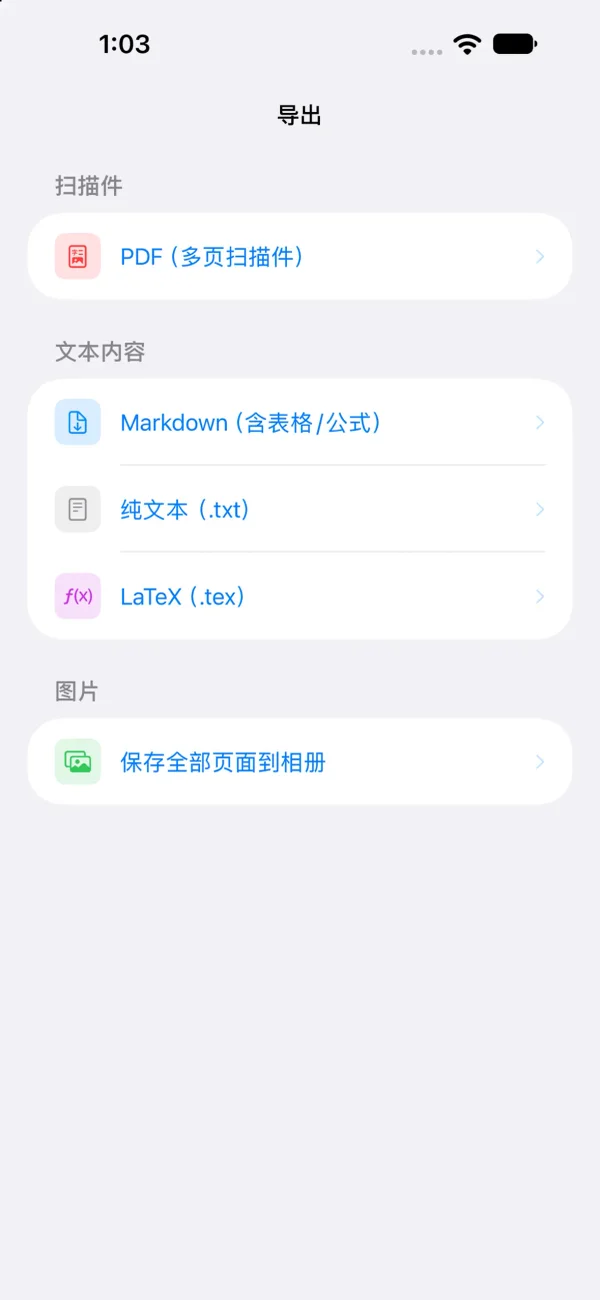
• Results can be exported as PDF, Markdown, plain text or LaTeX; PDFs and pages can also be saved straight to Photos.
ID PHOTO
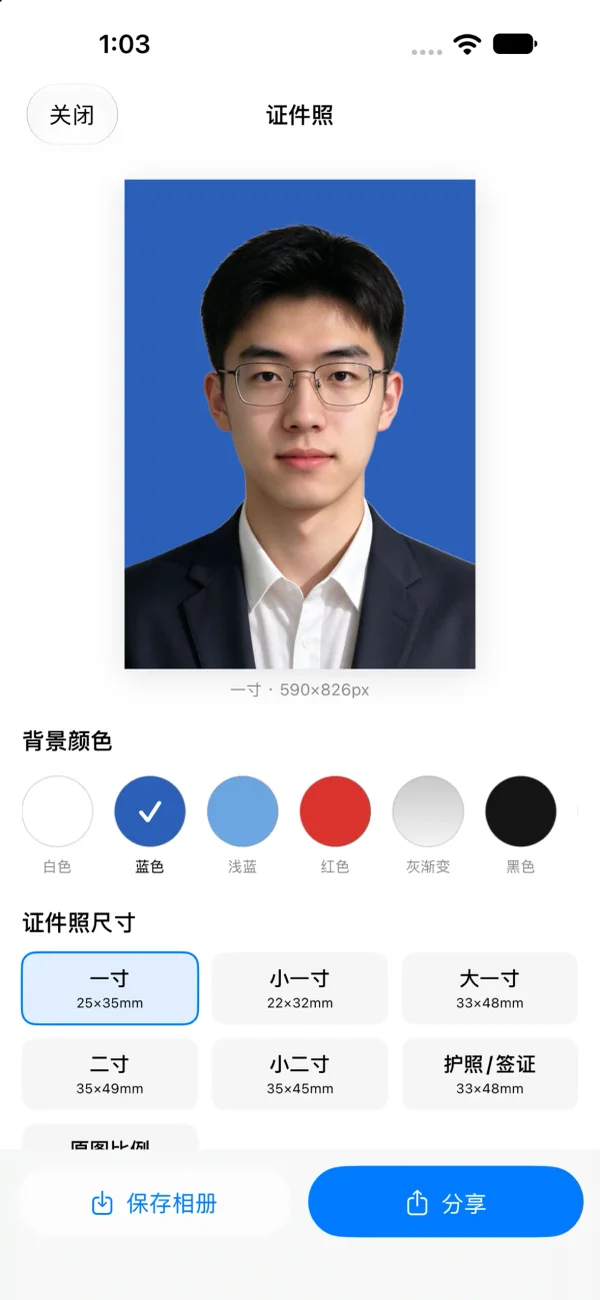
• Smart ID photo mode detects the subject and replaces the background with a clean colour of your choice.
PRIVACY BY DESIGN
• Scanning, OCR and formula recognition run entirely on your device using Apple frameworks and a local model.
• No analytics, no tracking, no data collected — the App Store privacy label reads “Data Not Collected”.
ScanFlow keeps your documents on your device and your attention on the page.
What’s new
Version 1.1.1 · Nov 7, 2026
Fixed the black screen and crash that happened when open
App privacy
What 星然 许 declares on the App Store about how this app handles data.
-
Data not collected
The developer does not collect any data from this app.
Privacy practices may vary, for example with the features you use or your age.
Information
- Seller
- 星然 许
- Category
- Productivity
- Version
- 1.1.1
- Updated
- Nov 7, 2026
- Released
- Oct 26, 2026
- Size
- 578.1 MB
- Requires
- iOS 27.0 or later
- Age rating
- 4+
- Price
- Free
- In-app purchases
- Yes
- Languages
- English, Simplified Chinese
- Copyright
- © Xingran Xu